Description
Pricing
Features
Specification
Review
Compare
FAQs
Alternatives

 View Gallery
Brand: iManage LLC
A document management software that turns information into organized, protected knowledge. ...Read more

Get Free Expert Consultation
Let us know your business needs clearly

Verified & Trusted
Vendors

Safe & Secure
Payment

Personalized
Experts Support
Price On Request
Features
 Document Management Email Management Advanced Search Version control Access Controls & Permissions
 See all 
We make it happen! Get your hands on the best solution based on your needs.


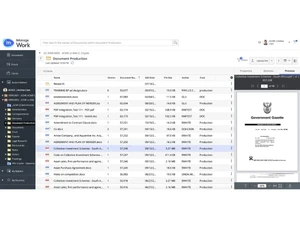
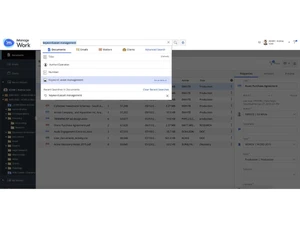
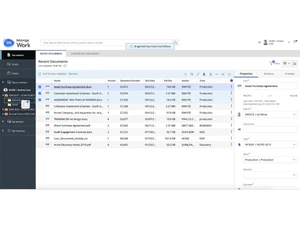
 Document Management Centralized document storage with structured organization, metadata tagging, version control, and secure access. Email Management Automatically files and manages emails with documents, ensuring complete matter context and reducing inbox clutter. Advanced Search Powerful full-text and metadata search with filters to quickly locate documents, emails, and related content. Version control Tracks every document revision, maintains change history, and prevents accidental overwrites or data loss. Access Controls & Permissions Granular, role-based security ensures only authorized users can view, edit, or share sensitive content. Cloud Deployment Cloud-native architecture provides scalability, high availability, and secure remote access from anywhere. AI-Powered Insights Uses AI to classify content, surface relevant knowledge, and improve search accuracy and discovery. Knowledge Management Transforms documents and emails into reusable organizational knowledge for faster decision-making. Collaboration Tools Enables teams to co-author, review, comment, and share documents securely across departments. Information Governance Supports retention policies, legal holds, and defensible deletion to meet regulatory requirements. Audit Trails & Reporting Maintains detailed logs of user activity for compliance audits, investigations, and accountability. Workflow Automation Automates document routing, reviews, and approvals to streamline business and legal processes. Integration capabilities Integrates seamlessly with Microsoft 365, Outlook, Teams, and other enterprise applications. Threat Detection & Security Advanced threat protection detects suspicious behavior and helps prevent data breaches. Mobile Access Secure mobile access allows users to review, edit, and approve documents on the go.
 | Brand Name | iManage LLC |
| Information | iManage provides work product management solutions. |
| Founded Year | 1995 |
| Director/Founders | Neil Araujo, Rafiq Mohammadi |
| Company Size | 1000+ Employees |

 UAE
UAE India
India