
Description
Pricing
Features
Specification
Review
Compare
Alternatives

 View Gallery
Brand: iTop

Get Free Expert Consultation
Let us know your business needs clearly

Verified & Trusted
Vendors

Safe & Secure
Payment

Personalized
Experts Support
$ 19.99 /Month
Features
 Screen Recording Audio Recording Webcam Recording Game Recording Area Selection
 See all 
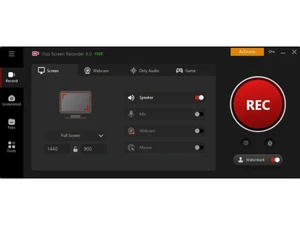
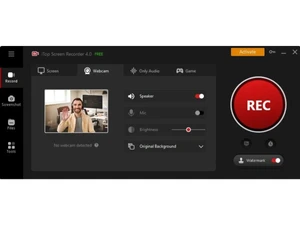
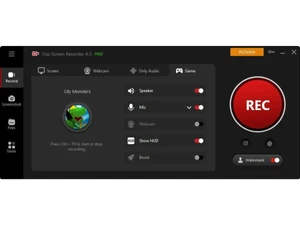
 Screen Recording Records full screen, selected region, or window with smooth frame rates for tutorials, demos, and walkthroughs. Audio Recording Captures system sound and microphone audio together or separately with adjustable volume controls. Webcam Recording Records webcam video alone or as an overlay on screen recordings for presentations and reaction videos. Game Recording Optimized mode records gameplay smoothly with minimal lag, supporting popular PC games. Area Selection Lets users choose fixed or custom screen regions to record only relevant content. Scheduled Recording Automatically starts and stops recording at preset times without manual intervention. Annotations Adds text, arrows, shapes, and highlights during recording to emphasize key points. Video Editor Built-in editor trims, cuts, and merges recordings for quick post-production adjustments. Screenshot Capture Takes high-quality screenshots of full screen or selected areas instantly. Output Formats Exports recordings in MP4, AVI, MOV, GIF, and other widely supported formats. HD Recording Supports high-definition video capture for clear visuals and professional-quality output. Watermark Control Free version applies watermark, while paid version allows clean, watermark-free exports. Hotkey Controls Custom keyboard shortcuts enable fast start, pause, and stop recording actions. Mouse Effects Highlights cursor movements and clicks to improve clarity in tutorial videos. Video Library Manages recorded videos in a built-in library for easy preview, rename, and organization.
 UAE
UAE India
India
 Write a Review