Description
Pricing
Features
Specification
Review
Compare
FAQs
Alternatives


 View Gallery
Brand: LongHair AI
LongHair AI is an AI tool that lets users upload a photo and instantly see realistic previews of different long hairstyles. ...Read more

Get Free Expert Consultation
Let us know your business needs clearly

Verified & Trusted
Vendors

Safe & Secure
Payment

Personalized
Experts Support
Price On Request
Features
 Image Generation and Processing Editing and Customization Tools Prompt Control and Enhancements Model and AI Capabilities Collaboration and Sharing
 See all 
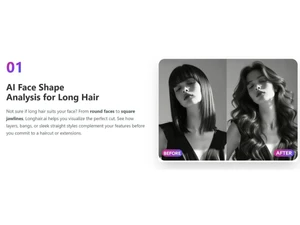
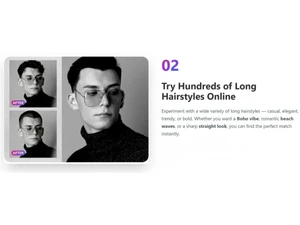
Image Generation and Processing
 Real-time Preview Provides real-time previews of the image as users adjust its parameters offering immediate feedback on the changes Image-to-Image Transformation Modifies the existing image to new style High-Resolution Output Generates HD quality output Preset Styles Provides in-built styles and templates Drag and Drop Providing drag and drop functionality and an easy-to-use interface Text-to-Image Generation Converting the entered text into an image Real-Time Rendering Produces immediate results by creating the final image in real-time while the user modifies the prompt or settings Multi-Layer Image Processing Builds pictures layer by layer adjusting various components to produce more precise and detailed images Batch Generation Generates multiple images from a single prompt, ideal for exploring different variations
 Editing and Customization Tools
Style Transfer Applying artistic style of image to another Realistic Object Generation Creates realistic and coherent images Style Adaptation Allows users to create multiple alteration of an image and apply the visual style of one image onto another AI Editor Use artificial intelligence to improve, fix, or create images Adjustable Parameters Controling the aspects like size, resl.,color scheme,etc 3D Effects Make 3D design images from simple text descriptions Content Filters Users can add filters to photos, regulating content production, such as allowing or prohibiting NSFW content. Layer Control Allows users to manipulate layers, background, objects, shadows, etc. Resolution Control Lets users choose the resolution at that they want created images to be Image Upscaling Enhances the image quality Object Removal Uses AI techniques to eliminate undesired things from photos, erasing all traces of the deleted objects Background Removal Smartly detects the image and removes the elements as per the users' choice Text Overlay Allows the user to add text over the generated images Image Tiling Allows the user to create seamless patterns and repeating patterns Denoising Reducing noise from the image and thereby providing clarity Image Weights Gives options for varying the proportion of text prompts to picture prompts Prompt Control and Enhancements
Prompt Sensitivity Adjust the accuracy of the generated image and ensures that it matches the input Prompt Flexibility Facilitates the users with ability to adjust and modify their text prompts and get desired results Prompt Editing Allows the user modify the entered prompt Prompt Enhancer Reads your prompt, analyzes it and then make changes in it automatically so that you get an upgraded image. Prompt Matrix Modifies settings to create multiple versions of a single prompt Negative Prompt Feature using which user can enter those details that they want explicitly not included Seed Gives the user the ability to specify a seed number for consistent image generation Real-Time Generation Generates images as users enters the prompts thereby reducing wait time Model and AI Capabilities
Multi-Model Support Gives users access to a variety of AI models so they may select the one that best suits their needs Fine Tuning The process of training a pre-trained model that fits the requirements of the user Model Merging Combines features from several AI models to produce image generating tools that are more effective and versatile Collaboration and Sharing
Image Sharing Easily share your artwork with other via links on social media Prompt Libraries Provides users with a set of pre-written text suggestions Collaboration Tools Feature that allows multiple users to work in collaboration Custom Templates Allows the user create and save new templates Branding and Commercial Use
Data Privacy Ensures user data and generated content are securely handled Commercial Rights Defines the legal usage of generated images allowing the user if they can use it for commercial purposes Brand Kit Enables users to brand created photos, guaranteeing uniformity across material Integration Supported
API Integration Provides the creator with an API of an image so that they can use it on other processes or apps Content Management Systems (CMS) Integration Allowing direct integration with CMS platforms allowing user to publish images on websites Design and Editing Software Integration Connectiing the design other editing tools for further image refinement Cloud Storage and Collaboration Tools Integration Allows users to save and share images directly onto the cloud storage E-Commerce Platforms Integration Provides the ability to generate product images directly for use on platforms 3D Modeling Software Integration Allow the user to create and modify 3D components inside the images using 3D applications Game Engines Integration Allows created pictures to be seamlessly integrated with gaming engines Video Editing Tools Integration Allows the user to connects with video editing software Animation Tools Integration Enables the mixing of AI-generated images with animation software NFT Marketplaces Supports direct export of AI-generated images as NFTs allowing users to mint and sell their creations on platforms Plugin & Extensions Extending functionality by adding add-ons and plugins 
 UAE
UAE India
India