Description
Pricing
Features
Specification
Review
Compare
FAQs
Alternatives

 View Gallery
Brand: Macaly
Macaly lets users create websites and web applications simply by describing their ideas, without needing coding skills. ...Read more

Get Free Expert Consultation
Let us know your business needs clearly

Verified & Trusted
Vendors

Safe & Secure
Payment

Personalized
Experts Support
$ 25.00 /Month
Features
 Natural Language Processing Server Side Rendering Debugging Tools Real-Time Collaboration Browser Testing
 See all 
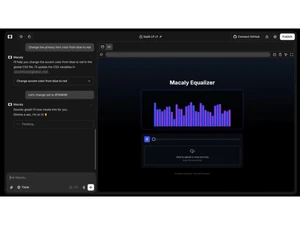
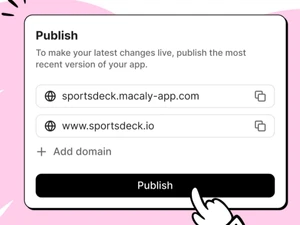
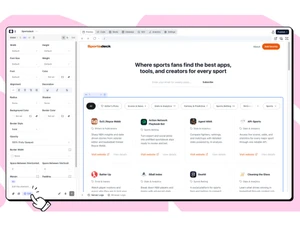
 Natural Language Processing Converts user-written or spoken descriptions into functional web components and layouts without requiring manual coding. Server Side Rendering Generates web pages on the server to ensure high performance and optimal visibility for search engine crawling and indexing. Debugging Tools Utilizes autonomous agents to detect, test, and resolve code errors during the development process to ensure site stability. Real-Time Collaboration Allows multiple team members to work on the same project simultaneously with instant synchronization of changes and updates. Browser Testing Employs Playwright to conduct automated quality assurance checks across different browsers to verify functional integrity. Custom Domain Enables users to connect existing domains or register new ones directly within the platform for professional branding. Global Style Configuration Centralizes design settings for typography and color palettes to maintain visual consistency across all generated pages. AI Image Generator Features an embedded tool for creating custom hero images, icons, and graphics using descriptive text-to-image technology. Visual Editor Interface Offers a direct manipulation environment where users can click on elements to modify styles and content in a live preview. Dynamic Form Submissions Handles data capture from user-facing forms and automatically stores the entries within the platform's internal database. Responsive Design Engine Automatically optimizes all web layouts to ensure full functionality and visual clarity across mobile and desktop devices. Web Scraping Analyzes existing URLs to extract structural data and layout patterns for rapid reconstruction or design modernization. Component Assets Library Organizes and stores media files, documents, and UI elements in a central repository for easy reuse across various projects. Data Synchronization Ensures that updates made to the central database are instantly reflected in the live application without manual refreshing.
 UAE
UAE India
India