Description
Pricing
Features
Specification
Review
Compare
FAQs
Alternatives

 View Gallery
Brand: MadMapper
A projection mapping software that helps artists and event creators project visuals onto buildings, stages, objects, and LED setups in real time. ...Read more

Get Free Expert Consultation
Let us know your business needs clearly

Verified & Trusted
Vendors

Safe & Secure
Payment

Personalized
Experts Support
€ 44.00 /Month
Features
 Projection Mapping Mesh Warping Bezier Masking High-Performance Video Engine Multi-Output Management
 See all 
We make it happen! Get your hands on the best solution based on your needs.
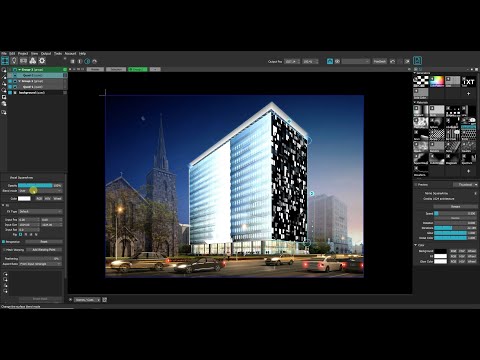

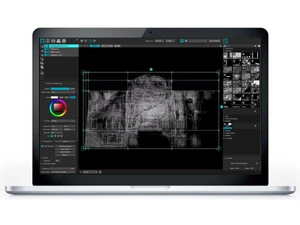
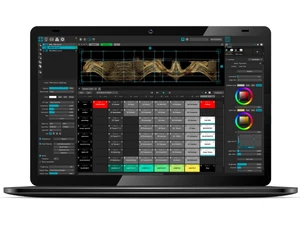
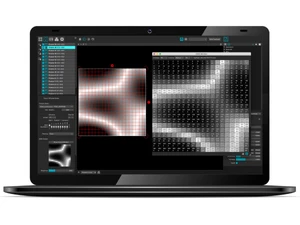
 Projection Mapping Precisely map video content onto any surface or 3D object using intuitive warping, masking, and multi-projector tools. Mesh Warping Adjust visuals with detailed mesh grids that allow accurate deformation to match complex real-world shapes and contours. Bezier Masking Create smooth and flexible masks using bezier curves to define projection boundaries with high precision and control. High-Performance Video Engine Play ultra-high-resolution videos with hardware-accelerated decoding for smooth rendering in demanding environments. Multi-Output Management Control multiple projectors or displays simultaneously with synchronized visual playback across various outputs. LED Pixel Mapping Design and control LED lighting setups by mapping visuals to LED arrays using Art-Net, sACN, and DMX protocols. DMX Lighting Control Send DMX signals to lighting equipment, enabling synchronized lighting effects integrated with video projections. MIDI Integration Connect MIDI devices to trigger cues, adjust parameters, and control live visuals with customizable mappings. OSC Connectivity Use OSC messaging for remote control or interactive installations that respond to external data or sensors. NDI Video Input Receive live video feeds over the network using NDI, enabling real-time integration from cameras or other systems. 3D Calibration Tools Align projections with complex 3D objects using calibration features that accurately match digital and physical models. Space Scanner Support Use projector-camera scanning technology to auto-detect surfaces and create accurate projection mapping references. Timeline Sequencing Build structured visual timelines allowing precise sequencing of animations, cues, and projection transitions. Content Library Management Organize and manage media files, effects, and assets within a unified library for quick access during live shows. Real-Time Effects Engine Apply real-time visual effects, generative shaders, and transformations directly to media for dynamic performance visuals. MadLaser Integration Combine projection mapping with laser outputs using the MadLaser extension to synchronize beams with visuals. Remote Control Trigger cues, modify parameters, and monitor outputs remotely using network-connected devices and control apps.
 UAE
UAE India
India