Description
Pricing
Features
Specification
Review
Compare
FAQs
Alternatives


 View Gallery
Brand: SUPERMIND
A mind mapping software that turns various content like PDFs, videos, and web pages into organized visual mind maps for easier learning and understanding. ...Read more

Get Free Expert Consultation
Let us know your business needs clearly

Verified & Trusted
Vendors

Safe & Secure
Payment

Personalized
Experts Support
$ 9.99 /Month
Features
 AI-Powered Mind Mapping Multi-Format Content Input Smart Summarization Engine Document Chat Interface Multilingual Translation Support
 See all 
We make it happen! Get your hands on the best solution based on your needs.
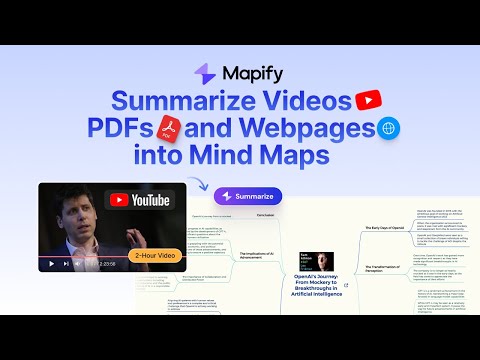


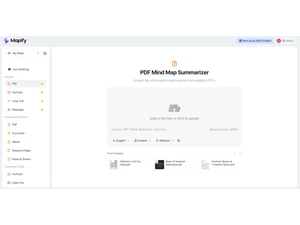
 AI-Powered Mind Mapping Automatically generates intelligent mind maps from text, videos, or documents using advanced AI understanding. Multi-Format Content Input Supports importing content from PDFs, YouTube, webpages, podcasts, and images for flexible summarization. Smart Summarization Engine Condenses lengthy materials into concise, structured visual maps that capture main points and relationships. Document Chat Interface Allows interactive Q&A with uploaded content, enabling users to explore ideas and clarify concepts instantly. Multilingual Translation Support Translates and summarizes content in over 30 languages, expanding accessibility for global users worldwide. Real-Time Mind Map Editing Lets users manually refine AI-generated maps, adding, deleting, or linking nodes with drag-and-drop control. YouTube Video Analysis Extracts insights and key takeaways directly from YouTube videos to generate visually structured mind maps. Webpage Summarization Tool Converts entire webpages or articles into visual outlines, highlighting essential sections and contextual details. Audio and Podcast Mapping Transforms audio or spoken content into structured mind maps through built-in speech-to-text processing. Collaborative Map Sharing Enables users to share interactive maps with teams or the public via secure, shareable online links. Export and Download Options Exports maps into formats like PDF, image, Markdown, or text for easy integration and offline reference. Browser Extension Integration Offers a Chrome/Edge extension to capture content from any webpage and instantly create a summarized map. Cross-Platform Accessibility Works seamlessly on web and mobile devices, ensuring continuous access and syncing across environments. Theme and Layout Customization Provides multiple visual styles, color themes, and layout structures to personalize each mind map presentation. Secure Cloud Storage Stores user data and maps safely in encrypted cloud servers, ensuring privacy and reliable data accessibility.
 UAE
UAE India
India