Description
Pricing
Features
Specification
Review
Compare
FAQs
Alternatives


 View Gallery
Brand: MapMap
A projection mapping software that lets users project videos, images, or animations onto physical surfaces like buildings, objects, or stages to create visual effects. ...Read more

Get Free Expert Consultation
Let us know your business needs clearly

Verified & Trusted
Vendors

Safe & Secure
Payment

Personalized
Experts Support
FREE
Features
 Projection Mapping Bezier Shape Editing Multi-Surface Mapping Media Playback Real-Time Previews
 See all 
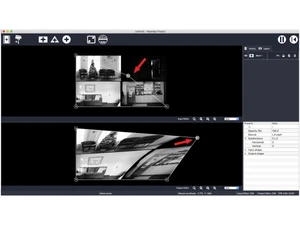
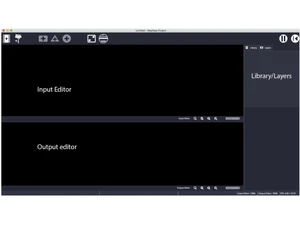
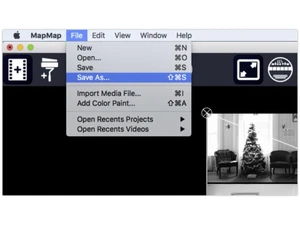
 Projection Mapping Maps videos accurately onto real-world surfaces by aligning digital content with physical shapes and objects. Bezier Shape Editing Allows precise creation and adjustment of projection surfaces using intuitive Bezier curve controls. Multi-Surface Mapping Supports mapping multiple independent surfaces within a single project for complex visual installations. Media Playback Plays videos, images, and animations directly inside the software without requiring external players. Real-Time Previews Displays live visual feedback while editing mappings, helping users align projections quickly and accurately. Corner Pinning Enables fast geometric correction by dragging surface corners to match projected object edges. Layer Management Organizes multiple visual layers per surface, allowing better control over complex projection setups. Opacity Control Adjusts transparency levels of mapped content to blend visuals smoothly with physical surfaces. Masking Tools Hides unwanted parts of visuals so content appears only within the defined projection area. Cross-Platform Support Runs on Windows, macOS, and Linux, ensuring compatibility across different operating systems. Keyboard Shortcuts Includes shortcut keys for faster navigation, editing, and playback control during live setups. Simple User Interface Features a minimal learning curve with an interface focused on essential projection-mapping tasks.
 UAE
UAE India
India