Description
Pricing
Features
Specification
Review
Compare
FAQs
Alternatives

 View Gallery
Brand: Native Instruments
A digital audio workstation (DAW) that helps musicians create beats, record sounds, and produce music using built-in instruments, samples, and sequencing tools. ...Read more

Get Free Expert Consultation
Let us know your business needs clearly

Verified & Trusted
Vendors

Safe & Secure
Payment

Personalized
Experts Support
$ 49.00 /Quantity
Features
 Stem Separation Tempo Per Scene Modulation Editor User Chords Creation Maschine Central Library
 See all 
We make it happen! Get your hands on the best solution based on your needs.
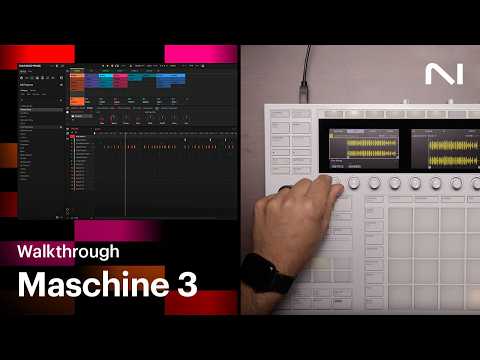

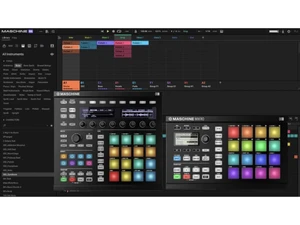
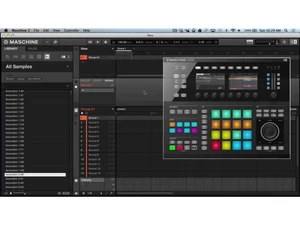
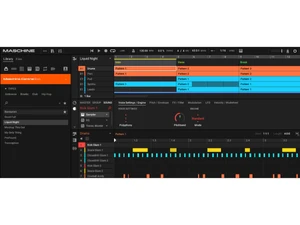
 Stem Separation Splits imported audio into bass, drums, vocals, and other stems for sampling and remixing inside the sampler view. Tempo Per Scene Allows setting a different tempo for each scene, giving precise control over arrangement tempo changes. Modulation Editor Provides enhanced visual and editing tools to draw, adjust, and refine modulation curves. User Chords Creation Lets users define, save, and tweak custom chord sets for harmonic structures from hardware Maschine Central Library Offers access to a large library of presets, kits, and sampled instruments for sound creation. Compressed File Support Imports MP3, MP4, OGG, and FLAC files directly without prior conversion. NKS Plugin Browsing Searches and loads NKS-compatible instruments and effects from within the software browser. Arrangement View Combines patterns into tracks and allows editing and arranging within a timeline. Mixer View Routing Balances group and sound levels while routing audio signal chains in the mixer. Tag Based Browser Filters and locates instruments, samples, and presets with metadata tags. Sampler Editing Tools Lets users shape and manipulate samples with slicing, trimming, and playback controls. MIDI Editing Tools Offers split, join, mute, erase, and preview functions to refine MIDI data precisely. Pattern Sequencer Sequencing engine for building rhythms and melodies with step and live record modes.
 | Brand Name | Native Instruments |
| Information | Native Instruments has been at the forefront of sonic innovation. Guided by our mission to inspire and enable creators to express themselves. |
| Founded Year | 1996 |
| Director/Founders | Daniel Haver |
| Company Size | 101-500 Employees |

 UAE
UAE India
India