
Description
Pricing
Features
Specification
Review
Compare
Alternatives


 View Gallery
Brand: Code Industry

Get Free Expert Consultation
Let us know your business needs clearly

Verified & Trusted
Vendors

Safe & Secure
Payment

Personalized
Experts Support
$ 67.75 /Quantity
Features
 Text Editing Image and Object Editing Annotations Form Validation and Calculation OCR (Optical Character Recognition)
 See all 
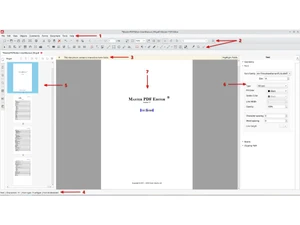
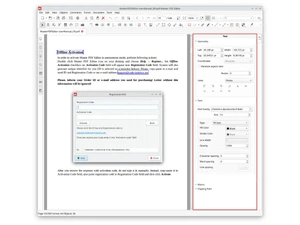
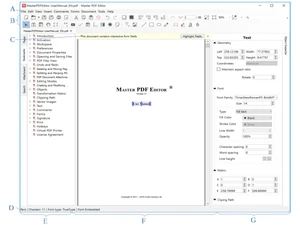
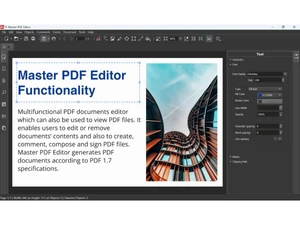
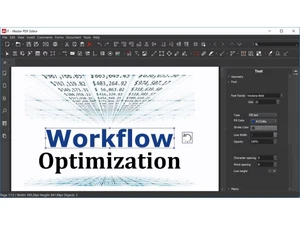

 Text Editing Edits existing text and formatting within PDF files, allowing modification of font, alignment, and content without converting Image and Object Editing Modifies images and graphical objects in PDFs by resizing, repositioning, copying, or exporting elements within documents Annotations Adds comments, highlights, shapes, and notes to PDFs using tools like sticky notes, stamps, underline, and strike-through Form Validation and Calculation Applies validation rules and automatic calculations to form fields using JavaScript for controlled and dynamic data entry OCR (Optical Character Recognition) Recognizes text from scanned documents and images, enabling searchability and editing of non-editable PDF content efficiently. PDF Split Functionality Splits large PDF documents into smaller files, allowing selective extraction and easier handling of specific document sections. Bookmark Management Creates, edits, and organizes bookmarks to enable quick navigation across large PDF documents and structured content sections. Digital Signature Applies and verifies digital signatures using certificates to ensure document authenticity, integrity, and secure approval PDF Encryption and Protection Secures PDF documents with password protection and encryption, restricting unauthorized access and controlling user permissions. Data Redaction Removes or hides confidential information within PDF documents, ensuring secure sharing without exposing sensitive data.
 UAE
UAE India
India

 Write a Review