Description
Pricing
Features
Specification
Review
Compare
FAQs
Alternatives


 View Gallery
Brand: Video Puppet
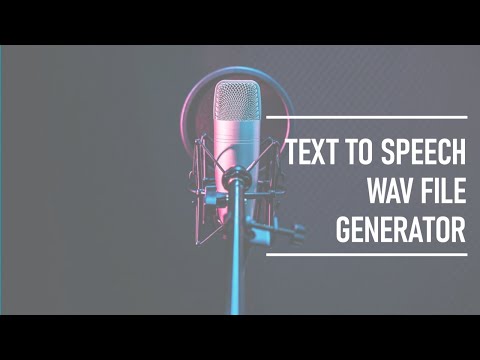
A generative AI tool that converts text, scripts, or presentation slides into natural-sounding voiceovers and narrated videos using text-to-speech technology. ...Read more

Get Free Expert Consultation
Let us know your business needs clearly

Verified & Trusted
Vendors

Safe & Secure
Payment

Personalized
Experts Support
Price On Request
Features
 PPTX to MP4 Conversion Library Management SSML Integration Automatic Synchronization Subtitle Generation
 See all 
We make it happen! Get your hands on the best solution based on your needs.

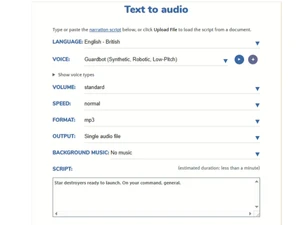
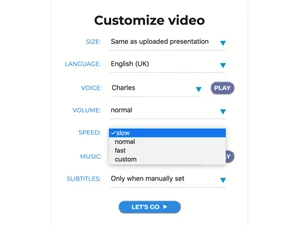
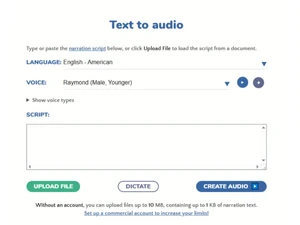
 PPTX to MP4 Conversion Transforms PowerPoint presentation files into narrated video formats by mapping speaker notes directly to audio tracks. Library Management Offers a repository of nine hundred distinct synthetic voices with varied age, gender, and regional accent profiles. SSML Integration Supports Speech Synthesis Markup Language to provide granular control over pauses, emphasis, and phonetic pronunciation. Automatic Synchronization Aligns generated audio narration with visual slide transitions or video frames based on script timing and metadata. Subtitle Generation Automatically extracts text from scripts to create synchronized SRT or VTT caption files for enhanced media accessibility. Batch Audio Rendering Enables the simultaneous processing of multiple text inputs to generate a high volume of individual audio files quickly. Script Based Editing Allows users to modify video content and narration timing by editing plain text or Markdown files rather than timelines. Voice Pitch Adjustment Modifies the fundamental frequency of the synthetic output to alter the perceived tone and character of the narrator. Speech Rate Control Regulates the playback speed of the generated audio to meet specific duration requirements or improve listener clarity. Audio Normalization Automatically adjusts the volume levels across different voice samples to ensure consistent loudness in the final output. Image to Video Synthesis Compiles static image files into a sequential video stream accompanied by automated text-to-speech audio narration. Markdown Support Utilizes Markdown syntax to define video scenes, transitions, and audio cues within a structured text-based document. Video Dimension Scaling Adjusts output resolutions and aspect ratios to meet the technical specifications of various digital hosting platforms.
 | Brand Name | Video Puppet |
| Information | Easily Create Voiceovers Using Realistic Text to Speech. Slides to Video, Text to Voice, 100+ Languages, 800+ Voices. |
| Founded Year | 2018 |
| Director/Founders | Video Puppet Limited |
| Company Size | 1-100 Employees |

 UAE
UAE India
India

 Write a Review