linkedin
background
Pear Deck logo

Pear Deck

Brand: GoGuardian

4.2

5 Ratings

Have Questions?

An interactive educational software that helps teachers engage students by adding live questions and activities to presentations. ...Read more

img

Get Free Expert Consultation

Let us know your business needs clearly

Advice

Verified & Trusted
Vendors

Payment

Safe & Secure
Payment

Guaranteed

Personalized
Experts Support

Starting at

$ 149.00 /Year

Features

  • check_icon Interactive Lessons
  • check_icon Content Uploader
  • check_icon Third Party Integration
  • check_icon Feedback Management
  • check_icon Review Management
  • See all img

Pear Deck Software Pricing, Features & Reviews

What is Pear Deck?

Pear Deck is an educational software that helps teachers make their lessons more interactive and engaging by turning regular presentations into real-time activities where students can respond, participate, and show understanding.

It works with tools like Google Slides or PowerPoint so teachers can add questions, polls, and interactive elements to slides.

Students join a Pear Deck session and answer prompts on their own devices while the teacher sees responses instantly. This helps teachers check learning and give feedback right away.

The platform also offers ready-to-use lesson content and AI tools to save preparation time. Pear Deck supports classroom, remote, or hybrid learning, making lessons more fun and collaborative for students.

Why Choose Pear Deck Software?

  • Higher Student Engagement: Turns passive lessons into active participation.
  • Instant Teacher Feedback: Lets teachers view student responses in real time.
  • Faster Lesson Preparation: Ready-made tools reduce planning time.
  • Flexible Lesson Design: Teachers can easily customize activities.
  • Large Lesson Library: Access a wide range of pre-built lessons and templates.
  • Google Slides Integration: Works smoothly with Google Slides.
  • PowerPoint Compatibility: Adds interaction to PowerPoint presentations.
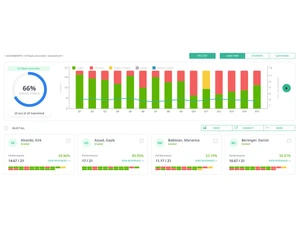
  • Live Teacher Dashboard: Monitor class understanding at a glance.
  • Multiple Response Types: Supports text, drawing, polls, and more.
  • Student-Paced Learning Mode: Allows students to learn at their own speed.
  • Anonymous Student Responses: Helps shy students participate confidently.
  • Supports Any Teaching Mode: Works for in-person, remote, and hybrid classes.
  • Actionable Learning Insights: Helps teachers adjust instruction using data.
  • Inclusive Teaching Tool: Supports different learning styles and needs.
  • Easy Classroom Integration: Connects with Google Classroom and other tools.

Benefits of Pear Deck Software

  • Formative Assessment Support: Checks understanding during the lesson itself.
  • Lesson Sharing Option: Reuse and share lessons across classes.
  • Differentiated Instruction: Adapts lessons for varied student abilities.
  • Idea Sharing & Discussion: Promotes sharing of student ideas.
  • Stronger Classroom Discussions: Encourages deeper thinking and responses.
  • Enhanced Lesson Quality: Transforms static slides into interactive learning.
  • Multimedia Support: Easily include images, videos, and media.
  • Student Reflection Tools: Lets students review and reflect on their answers.
  • Multi-Subject Use: Suitable for math, science, language, and more.
  • Research-Based Design: Built using proven teaching and learning practices.

Pear Deck Pricing

Pear Deck pricing is available at USD 149 per month at Techjockey. The pricing system is determined by a number of parameters, such as extra functionality, deployment type, and the overall number of users. To get more details about the product, you may call our product team to ask them about prices and promotions.

Pear Deck Pricing & Plans

Teacher Premium
  • See student responses in real time
  • Grade responses by exporting to a spreadsheet
  • Manage, label, and archive Sessions
  • Add new questions to the lesson while presenting
  • Lock responses or use a lock-slide timer
  • Sign on with Google or Microsoft
  • Roster students and assign via Google Classroom
    • Licenses
    • Yearly
Starting at $ 149.00

Get Pear Deck Demo

We make it happen! Get your hands on the best solution based on your needs.

Interacted

Pear Deck Features

  • icon_check Interactive Lessons Create engaging lessons that actively involve students in participation and learning.
  • icon_check Content Uploader Upload existing materials and convert them into interactive lessons automatically.
  • icon_check Third Party Integration Connect seamlessly with Google Slides, PowerPoint, Google Classroom, Teams, and Canvas.
  • icon_check Feedback Management Monitor student responses live and provide instant personalized guidance.
  • icon_check Review Management Enable students to revisit slides and responses after the session for better retention.
  • icon_check Anonymous Participation Let students engage without revealing identities to encourage confidence.
  • icon_check Differentiated Practice Assign customized practice activities based on student learning needs.
  • icon_check Ticket Management Gather end-of-lesson reflections to evaluate student understanding
  • icon_check Adaptive Instruction Customize lessons and practice for students with diverse abilities.
  • icon_check Group Management Organize students into groups for targeted learning and practice
  • icon_check Practice Requests Allow learners to request additional exercises for reinforcement.
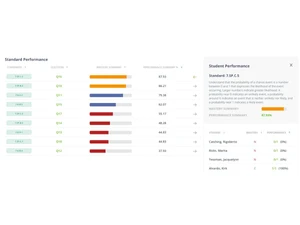
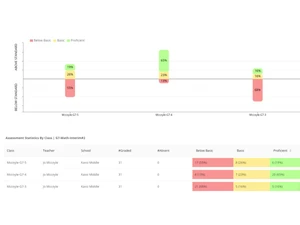
  • icon_check Engagement Analytics Track participation, comprehension, and progress for data-driven instruction.

Pear Deck Specifications

  • Supported Platforms :
  • Device:
  • Deployment :
  • Suitable For :
  • Business Specific:
  • Business Size:
  • Customer Support:
  • Training:
  • Language:
  • Ubuntu Windows MacOS Linux
  • Desktop
  • Web-Based
  • Education
  • School/Colleges, Institutes
  • Medium Business, Enterprises
  • Email, Communities
  • Webinars, Videos
  • English

Pear Deck Reviews and Ratings

banner

Would you like to review this product?

Submit Reviews

GoGuardian Company Details

Brand Name GoGuardian
Information With over a decade of experience, GoGuardian delivers best-in-class solutions designed specifically for K–12 schools. Our suite of products, powered by school-specific AI and actionable insights, helps educators and administrators create safer, more focused learning environments.
Founded Year 2014
Director/Founders Advait Shinde, Aza Steel, Todd Mackey
Company Size 501-1000 Employees

Compare Pear Deck With other Educational Software

Pear Decklogo

Pear Deck

by : GoGuardian

4.2

VS
SWIPER_PRODUCTS_CARD_NEW

Pear Deck FAQ

A Pear Deck price starts at USD 149 on techjockey.com.
A No, Pear Deck does not offer a mobile app.
A Pear Deck is compatible with Windows, MacOS, Ubuntu, and Linux devices.
A Yes, Pear Deck offers a free version and sometimes a free trial or demo option for premium features.
A Pear Deck works by turning regular slides into interactive lessons where teachers add questions and students respond in real time.
A Pear Deck is mainly used by teachers, schools, and educators to boost student engagement and learning.
A Yes, you can request a demo or try Pear Deck's free plan to explore basic features.
A Yes, Pear Deck has a free plan with limited interactive tools.

Pear Deck Alternatives

See All