
Description
Pricing
Features
Specification
Review
Compare
FAQs
Alternatives

 View Gallery
Brand: MOOII Tech
An all-in-one photo editing software for Windows and Mac that lets users enhance, edit, create collages, and make GIFs easily. ...Read more

Get Free Expert Consultation
Let us know your business needs clearly

Verified & Trusted
Vendors

Safe & Secure
Payment

Personalized
Experts Support
Price On Request
Features
 Image Editing Trim, Crop & Resize Filters & Effects Layer Management Text Tool
 See all 
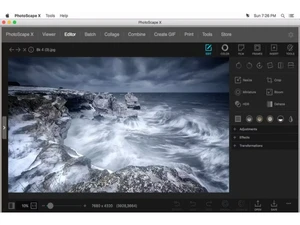
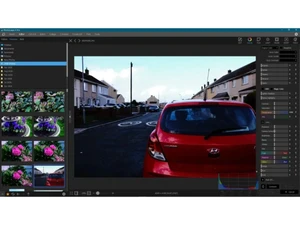
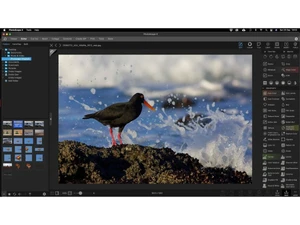
 Image Editing Adjust brightness, contrast, saturation, sharpness, and colors to enhance photos with precise controls. Trim, Crop & Resize Crop images to custom ratios and resize photos while maintaining aspect ratio and visual clarity. Filters & Effects Apply built-in filters, artistic effects, and styles to quickly transform photos with one click. Layer Management Edit images using multiple layers, enabling non-destructive edits, overlays, and adjustments. Text Tool Add customizable text with fonts, colors, shadows, and alignment for captions or design needs. Drawing Tools Draw shapes, lines, and freehand sketches directly on images using pens, brushes, and shapes. Batch Editing Edit multiple photos at once by applying the same adjustments, filters, or resizing actions. Photo Collage Combine multiple images into predefined or custom collage layouts for creative compositions. GIF Animation Create animated GIFs by combining multiple images and controlling frame order and speed. Photo Viewer Browse images quickly with zoom, slideshow, and metadata viewing for efficient photo review. RAW Image Support Open and edit RAW image formats with enhanced color depth and professional adjustments. Object Removal Remove unwanted objects or blemishes from photos using intelligent retouching tools. Color Correction Fix exposure, white balance, tone curves, and color levels for accurate image representation. Export & Sharing Save images in multiple formats and quality levels, optimized for print or online sharing. Multi File Format Support Supports common formats like JPG, PNG, GIF, BMP, and TIFF for broad compatibility.
 UAE
UAE India
India
 Write a Review
