linkedin
background
Adobe Photoshop Elements logo

Adobe Photoshop Elements

Brand: Adobe

Be the first to Reviews

Write a Review

Have Questions?

A user-friendly photo editing software that allows beginners to easily enhance and organize their digital images with guided edits and automated features. ...Read more

img

Get Free Expert Consultation

Let us know your business needs clearly

Advice

Verified & Trusted
Vendors

Payment

Safe & Secure
Payment

Guaranteed

Personalized
Experts Support

Starting at

$ 99.99 /Year

Features

  • check_icon AI Photo Editing
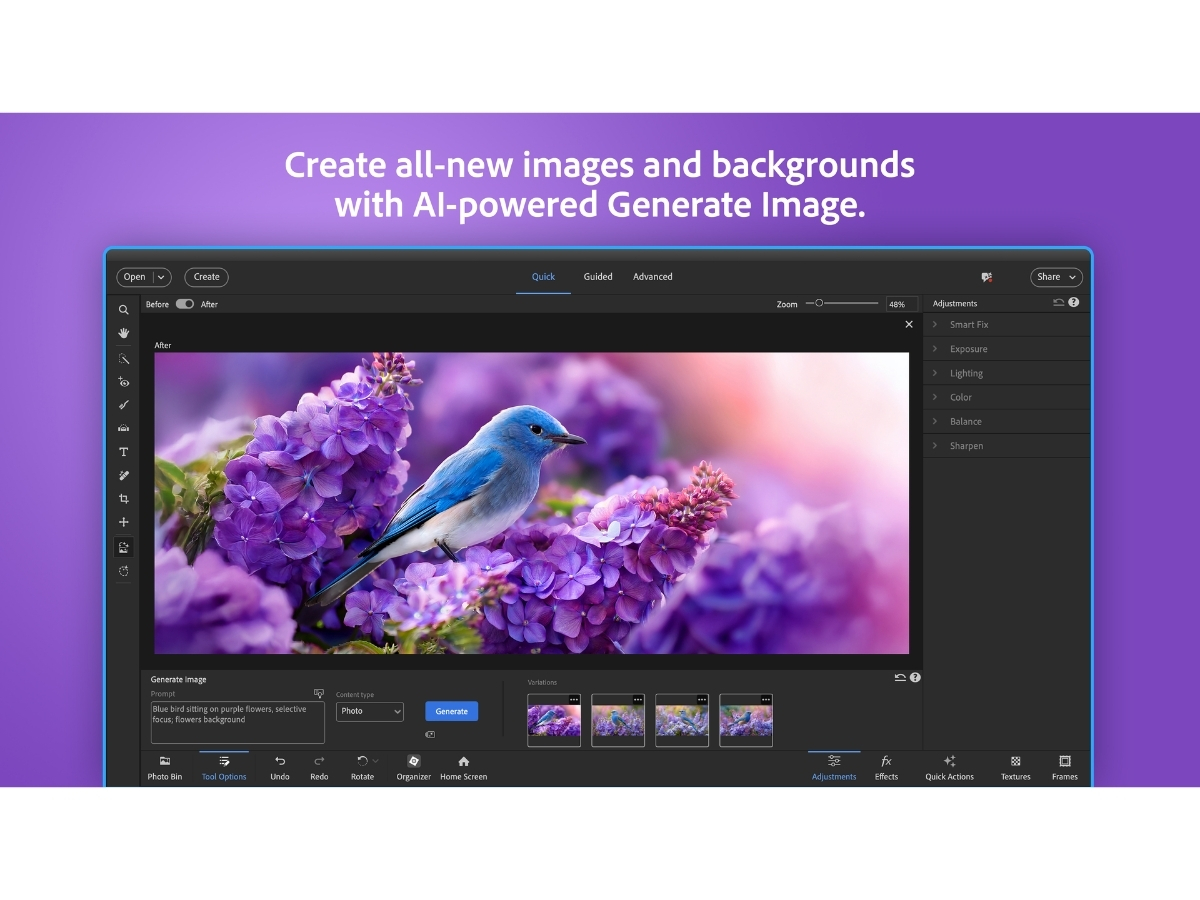
  • check_icon Generative AI
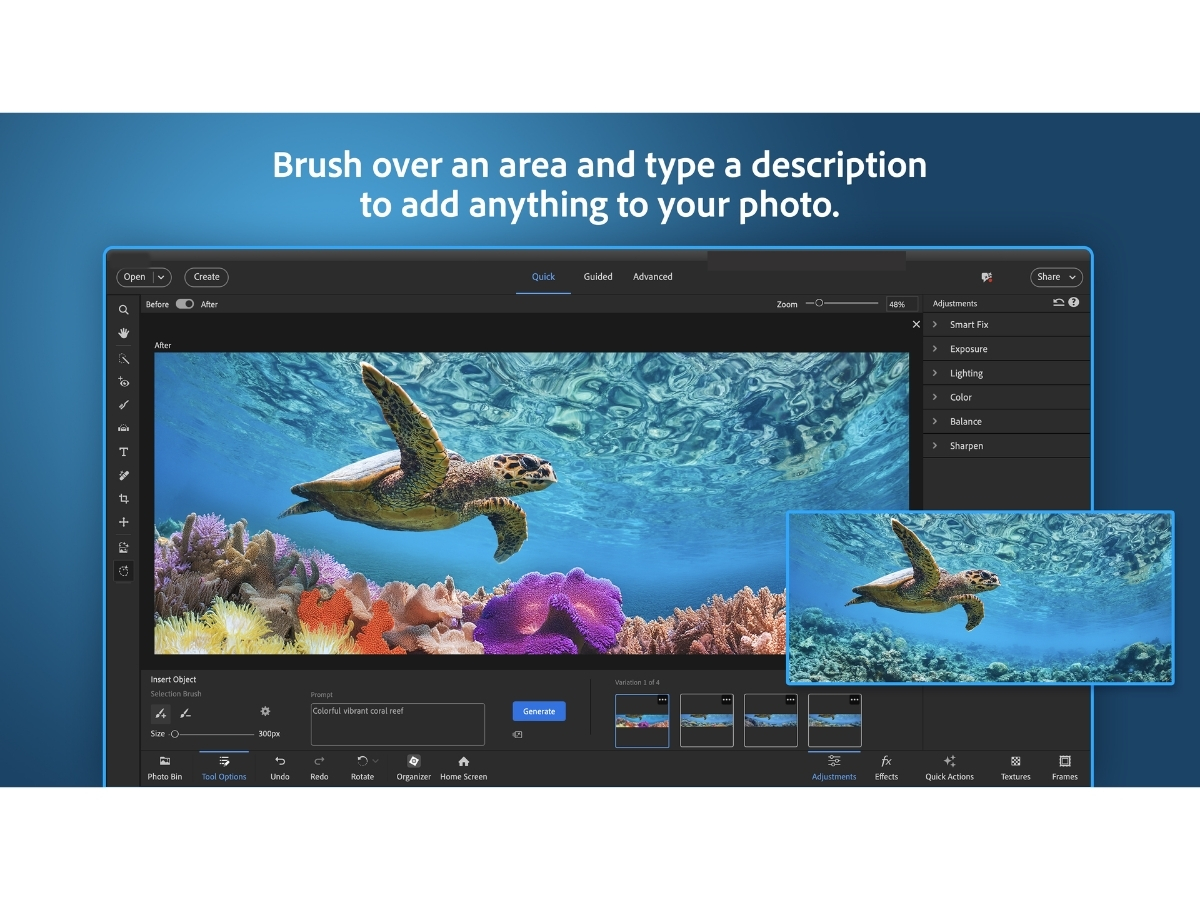
  • check_icon Object Removal
  • check_icon Dynamic Background Replacement
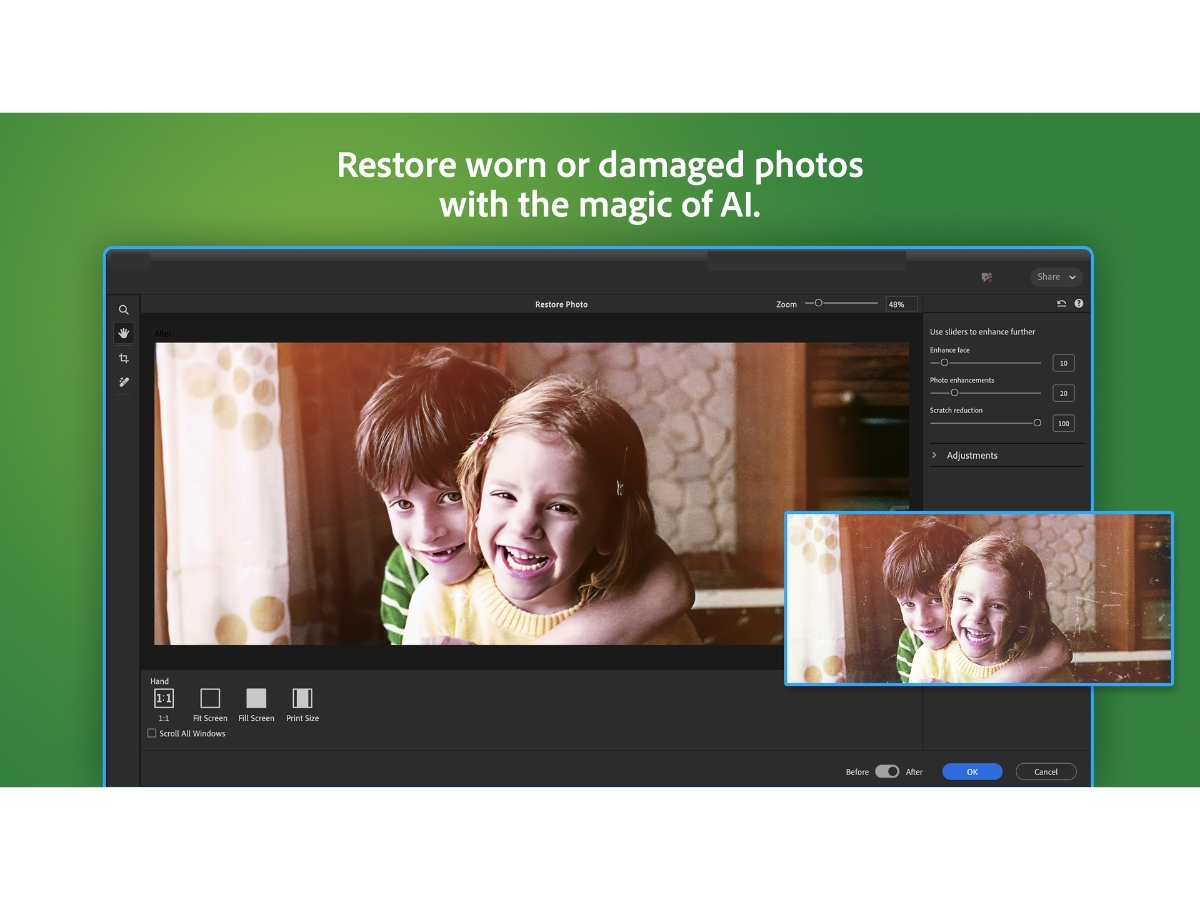
  • check_icon Photo Restoration
  • See all img

Adobe Photoshop Elements Software Pricing, Features & Reviews

What is Adobe Photoshop Elements?

Adobe Photoshop Elements is a simplified version of Adobe Photoshop designed for casual users and hobbyists who want to edit and enhance their photos without the complexity of the full software. It features an easy-to-use interface with three main modes: Guided Edit, which provides step-by-step instructions for applying effects; Quick Mode, for simple adjustments like cropping and color changes; and Expert Mode, which offers full access to editing tools for more experienced users.

Photoshop Elements includes various tools for tasks such as resizing images, correcting colors, creating slideshows, and removing unwanted objects. It also incorporates automated features that help users improve their photos quickly. Overall, it’s a great option for anyone looking to make their photos look better without needing extensive technical skills.

Why Choose Adobe Photoshop Elements Software?

  • User-Friendly Interface: Designed for beginners and hobbyists, it features a simple layout that makes photo editing accessible to everyone.
  • Guided Edits: The software includes step-by-step guided edits that help users learn how to apply various effects and enhancements, making it easier to improve their skills.
  • AI-Powered Features: With advanced AI tools, users can quickly remove objects, change colors, and apply effects like depth blur with just a few clicks.
  • Comprehensive Editing Tools: Photoshop Elements provides a wide range of editing options, including basic adjustments, creative effects, and advanced manipulations.
  • Organizational Features: The software helps users organize their photos with automatic tagging and facial recognition, making it easy to find images quickly.
  • E-commerce Capabilities: Users can create photo reels, slideshows, and collages for social media sharing or personal projects, enhancing their creative output.
  • No Subscription Required: Unlike Adobe's subscription-based products, Photoshop Elements is available as a one-time purchase, making it cost-effective for casual users.
  • Mobile and Web Integration: ADEF offers companion mobile and web apps that sync with the desktop version, allowing users to edit and share photos on the go.
  • Regular Updates: Adobe continually updates Photoshop Elements with new features and tools, ensuring users have access to the latest advancements in photo editing technology.
  • Community Support and Resources: Users benefit from a wealth of tutorials, forums, and resources available online to help them maximize their use of the software.

Benefits of Adobe Photoshop Elements Software

  • AI-Powered Editing Tools: The software utilizes AI technology to simplify complex editing tasks, such as object removal and color adjustments, making it easier for users to enhance their photos quickly.
  • Extensive Guided Edits: With numerous guided edits available, users can follow step-by-step instructions to achieve various effects and improvements, helping them learn as they edit.
  • Photo Organization Features: Photoshop Elements includes robust organizational tools like facial recognition and smart tagging, allowing users to easily find and manage their photo collections.
  • Multiple Editing Modes: Users can choose from Quick, Guided, and Expert modes, catering to different skill levels and providing flexibility in how they approach photo editing.
  • Creative Templates: The software offers a variety of templates for creating collages, slideshows, and other visual projects, enabling users to present their photos in engaging ways.
  • Mobile and Web Companion Apps: Users can edit and access their photos on the go with companion apps that sync with the desktop version, enhancing convenience.
  • One-Time Purchase Option: Unlike subscription-based software, Photoshop Elements is available as a one-time purchase, making it a cost-effective choice for casual users.
  • Comprehensive Support Resources: Adobe provides extensive tutorials and community support, helping users maximize their experience with the software.
  • Instant Fix Features: The software includes quick fixes for common issues like red-eye removal and brightness adjustments, allowing for fast enhancements.
  • Ability to Create Unique Gifts: Users can easily create personalized prints and gifts from their photos, adding a special touch to their memories.

Pricing of Adobe Photoshop Elements

Adobe Photoshop Elements price starts from $99.99 per month at techjockey.com.

The pricing model is based on different parameters, including extra features, deployment type, and the total number of users. For further queries related to the product, you can contact our product team and learn more about the pricing and offers.

Adobe Photoshop Elements Pricing & Plans

Photoshop Elements 2026
  • Beautiful photo collage templates
  • Move, scale, and duplicate objects.
  • Add fun filters and effects.
  • Add cinematic motion to your photos.
  • Quickly touch up facial features.
    • Licenses
    • Yearly
Starting at $ 99.99

Get Adobe Photoshop Elements Demo

We make it happen! Get your hands on the best solution based on your needs.

Interacted

Adobe Photoshop Elements Features

  • icon_check AI Photo Editing Uses AI and automation to simplify photo enhancements, corrections, and creative edits.
  • icon_check Generative AI Generates new backgrounds, images, and creative content from simple text descriptions.
  • icon_check Object Removal Removes unwanted objects, distractions, and background people with AI-assisted editing.
  • icon_check Dynamic Background Replacement Automatically separates subjects and replaces backgrounds for creative photo compositions.
  • icon_check Photo Restoration Restores old or damaged photos by removing scratches, creases, and visible wear.
  • icon_check Guided Edits Provides 59 step-by-step editing workflows for corrections, effects, compositions, and creative projects.
  • icon_check Background Removal Automatically separates the main subject from its background for quick and accurate background editing.
  • icon_check Color Adjustment Adjusts brightness, contrast, saturation, exposure, and other color properties to improve overall photo appearance.
  • icon_check Text Editing Adds and customizes text with fonts, colors, gradients, textures, patterns, shapes, and creative text effects.
  • icon_check Photo Collage Combines multiple photographs into attractive layouts using templates, backgrounds, graphics, text, and effects.
  • icon_check Face Recognition Identifies people in photographs to simplify tagging, searching, grouping, and managing large personal photo collections.
  • icon_check Templates Provides access to thousands of free templates for social posts, videos, posters, and more.
  • icon_check Artistic Effects Applies creative effects inspired by popular art styles and famous works of art.

Adobe Photoshop Elements Specifications

  • Supported Platforms :
  • Device:
  • Deployment :
  • Suitable For :
  • Business Specific:
  • Business Size:
  • Customer Support:
  • Training:
  • Language:
  • AI Features:
  • Windows iOS Android MacOS
  • DesktopMobileTabletiPad
  • Web-Based
  • Media House
  • All Businesses
  • Small Business, Startups, Medium Business, Enterprises
  • Email, Communities
  • Documentation, Videos
  • English
  • AI Integrated

Adobe Photoshop Elements Reviews and Ratings

banner

Would you like to review this product?

Submit Reviews

Adobe Company Details

Brand Name Adobe
Information Adobe is a software company that provides its users with digital marketing and media solutions.
Founded Year 1982
Director/Founders Charles Geschke, Jason Lemkin
Company Size 1000+ Employees
Other Products Adobe Premiere Pro, Adobe Firefly, Workfront, Adobe Premiere Rush, Adobe Marketo Engage

Adobe Photoshop Elements FAQ

A Adobe Photoshop Elements price starts from $99.99 per month at techjockey.com.
A Yes, Adobe Photoshop Elements has an app available for Android and iOS.
A Adobe Photoshop Elements supports Windows and MacOS operating systems.
A Yes, Adobe Photoshop Elements offers a 30-day free trial, allowing users to explore its features before purchasing.
A Adobe Photoshop Elements works by providing an intuitive interface that allows users to edit, organize, and create photos using various tools and guided edits.
A Potential users of Adobe Photoshop Elements include casual photographers, hobbyists, and anyone looking for an easy-to-use photo editing solution.
A Yes, Adobe Photoshop Elements provides a free demo upon request.
A Adobe Photoshop Elements is not free; it requires a one-time purchase after the trial period ends.