Description
Pricing
Features
Specification
Review
Compare
FAQs
Alternatives

 View Gallery
Brand: Apple Inc
Pixelmator Pro lets users edit images, create graphics, and design artwork using advanced tools and AI features. ...Read more

Get Free Expert Consultation
Let us know your business needs clearly

Verified & Trusted
Vendors

Safe & Secure
Payment

Personalized
Experts Support
$ 49.99 /License
Features
 Layer Management Photo Enhancement Background Removal Noise Reduction Color Adjustment
 See all 
We make it happen! Get your hands on the best solution based on your needs.


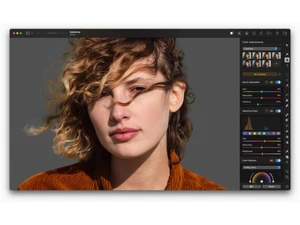
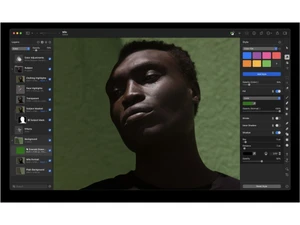
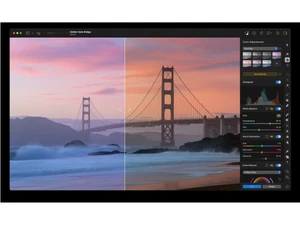
 Layer Management Organize, group, and control image, text, and vector layers for flexible nondestructive editing Photo Enhancement Automatically adjust color balance, lighting, and contrast using machine learning. Background Removal Instantly remove and refine image backgrounds using AI-driven subject detection tools. Noise Reduction Eliminate unwanted image noise and artifacts while maintaining sharpness and natural texture. Color Adjustment Fine-tune hue, saturation, brightness, and tone curves with live visual feedback. Vector Editing Create, modify, and scale vector graphics seamlessly with precision shape and path controls. Text Formatting Add and edit text layers with advanced typography controls and OpenType feature support. Masking Tools Use layer masks and clipping masks for precise control over visibility and composite effects. Adjustment Presets Save and apply reusable sets of color and exposure adjustments to maintain visual consistency. Batch Processing Automate repetitive image operations across multiple files for faster editing workflows. Multi Format Support Import and export PSD, SVG, HEIF, PDF, JPEG, and PNG formats with full fidelity. Photo Browser Integration Access and edit images directly from the macOS Photos app with live synchronization.
 | Brand Name | Apple Inc |
| Information | Apple is a multinational corporation that designs, manufactures, and markets consumer electronics, personal computers, and software. |
| Founded Year | 1976 |
| Director/Founders | Ron Wayne, Steve Jobs, Steve Wozniak |
| Company Size | 1000+ Employees |
| Other Products | Final Cut Pro, Apple Notes, iMovie, Apple Remote Desktop, iCloud |

 UAE
UAE India
India