
Description
Pricing
Features
Specification
Review
Compare
FAQs
Alternatives


 View Gallery
Brand: Polarr Inc
A photo and video editing software that lets users enhance images with filters, adjustments, and AI-powered tools. ...Read more

Get Free Expert Consultation
Let us know your business needs clearly

Verified & Trusted
Vendors

Safe & Secure
Payment

Personalized
Experts Support
$ 7.99 /Month
Features
 Photo Editing Video Editing AI Auto Enhance Selective Editing Masking Tools
 See all 
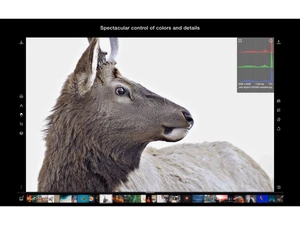
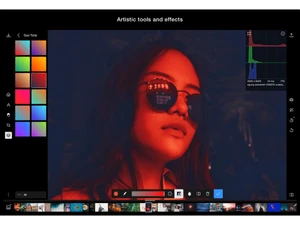
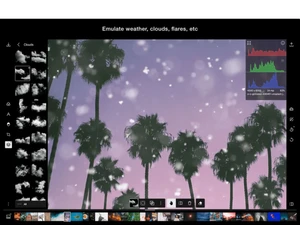
 Photo Editing Edit images using advanced tools like exposure, contrast, highlights, shadows, clarity, and color balance. Video Editing Apply filters and color adjustments to short videos for social media with consistent visual aesthetics. AI Auto Enhance Automatically improves photos using AI by adjusting tone, color, and lighting based on image content. Selective Editing Edit specific areas like sky, background, or subject using AI-powered object and region detection. Masking Tools Create precise edits using brush, gradient, radial, color, luminance, and depth-based masks. Presets & Filters Use built-in and community-created presets to apply consistent styles with a single click. Custom Preset Creation Save personalized edits as presets to reuse across multiple photos and maintain brand consistency. Batch Editing Apply the same edits or presets to multiple images at once to significantly reduce editing time. Color Grading Adjust colors using HSL, tone curves, LUTs, and split toning for cinematic or professional looks. Retouching Tools Enhance portraits with skin smoothing, blemish removal, face reshaping, and liquify tools. Overlay Effects Add textures, light leaks, grain, and creative overlays to enhance photo mood and style. Background Removal Remove or isolate backgrounds using AI to focus on subjects or create clean compositions. Cross-Platform Support Available on web, Windows, macOS, iOS, and Android for seamless editing across devices. Export & Sharing Export images in multiple formats and resolutions optimized for web, print, or social platforms.
 | Brand Name | Polarr Inc |
| Information | Polarr develops offline AI technology for photography and videos. |
| Founded Year | 2014 |
| Director/Founders | Borui Wang, Derek Yan, Enhao Gong |
| Company Size | 1-100 Employees |

 UAE
UAE India
India

 Write a Review
