linkedin
background
ProPresenter logo

ProPresenter

Brand: Renewed Vision

Be the first to Reviews

Write a Review

Have Questions?

ProPresenter is live church presentation software delivering dynamic visuals, multi-screen support, and real-time editing. ...Read more

img

Get Free Expert Consultation

Let us know your business needs clearly

Advice

Verified & Trusted
Vendors

Payment

Safe & Secure
Payment

Guaranteed

Personalized
Experts Support

Starting at

$ 29.00

Features

  • check_icon Video Support
  • check_icon Search and Filter
  • check_icon Multi-Screen Support
  • check_icon Audio Library
  • check_icon Content Import/ Export
  • See all img

ProPresenter Software Pricing, Features & Reviews

What is ProPresenter?

ProPresenter is live church presentation software designed for events and broadcasts. It works by layering text, images, and video in real time, giving smooth transitions and professional output.

The interface is clean, with drag-and-drop tools and easy navigation. Users can edit slides instantly, manage multiple screens, and control stage displays, making presentations flexible and reliable.

ProPresenter features include multi-screen support, allowing separate content for audience and stage monitors. Built-in media bins organize files for quick access. Macros automate repeated actions, while themes add a consistent design.

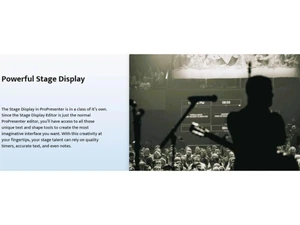
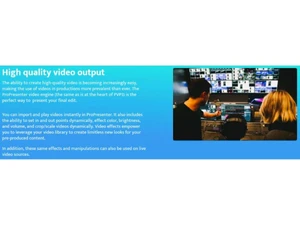
Video playback is seamless, with cropping and effects available. Stage display shows timers, notes, or lyrics for performers. Integration with streaming tools enhances live production.

Flexible presets and powerful layering make it a powerful product for dynamic visual presentations.

Why Choose ProPresenter?

  • Multiple screen management: Control audience, stage, and confidence monitors simultaneously, ensuring smooth delivery of visuals across different displays during events.
  • Live editing: Make instant changes to slides, text, or visuals while presenting, keeping content accurate and polished without interruptions.
  • Stage displays: Provide performers with lyrics, timers, or notes on separate monitors, supporting confidence and coordination during live performances.
  • Scripts: Organize and present structured content, including sermon outlines, speeches, or event flow, ensuring presenters stay on track effortlessly.
  • Broadcasts: Deliver layered visuals, lower thirds, and real-time updates for professional live streaming, enhancing production quality for online and television audiences.

Benefits of ProPresenter

  • Better stage management: Helps performers stay organized with clear cues, timers, and notes displayed on stage monitors.
  • Live information: Provides audiences with instant updates, announcements, or changes, keeping presentations accurate and engaging throughout.
  • Smooth visuals: Ensures transitions between slides, videos, and graphics are seamless, creating a professional and polished viewing experience.
  • Flexible control: Allows operators to manage multiple screens and content sources easily, adapting quickly to different event needs.
  • Reliable performance: Delivers stable output during live events, reducing technical issues and ensuring consistent presentation quality.

Pricing of ProPresenter

ProPresenter Price starts at USD 29 at Techjockey. ProPresenter comes with multiple pricing plans and caters to a diverse customer base. For subscription-related details and offers on premium packages, please request a call back from our product experts.

ProPresenter Pricing & Plans

Standard
  • ProPresenter Remote
  • Multi-screen Management
  • Stage Display
  • Media & Slides
  • Automations
  • Flexible Layouts
    • Seat
    • Monthly
Starting at $ 29.00
Campus
  • ProPresenter Remote
  • Multi-screen Management
  • Stage Display
  • Media & Slides
  • Automations
  • Flexible Layouts
    • Seat
    • Monthly
Starting at $ 59.00

Get ProPresenter Demo

We make it happen! Get your hands on the best solution based on your needs.
Interacted

ProPresenter Features

  • icon_check Video Support Embed and playback videos or live camera feeds as slide background or foreground.
  • icon_check Search and Filter Quickly find assets using search and filter tools within the media bin.
  • icon_check Multi-Screen Support Display content across multiple outputs—stage, audience, overflow rooms—from one system.
  • icon_check Audio Library Include music, lyrics, chords, and MIDI cues using integrated MultiTracks or SongSelect.
  • icon_check Content Import/ Export Bring in audio, video, lyrics via SongSelect, ProContent, and export playlists or media.
  • icon_check Image Editing Build custom slide objects, apply effects, fills, and overlay media directly in the editor.
  • icon_check File Management Organize playlists, arrangements, and presentations efficiently with quick search and playlists.
  • icon_check Multi Language Support Display scripture or text content in multiple formats, supporting flexibility for global use.
  • icon_check Media Library Access 50,000+ ProContent visuals and motion graphics integrated into the app.
  • icon_check Customizable Templates

ProPresenter Specifications

  • Supported Platforms :
  • Device:
  • Deployment :
  • Suitable For :
  • Business Specific:
  • Business Size:
  • Customer Support:
  • Integration:
  • Training:
  • Language:
  • Windows iOS Android
  • DesktopMobileiPad
  • Web-Based, Perpetual
  • All Industries
  • All Businesses
  • Small Business, Startups, Enterprises
  • Phone, Email, Live Chat, Communities, Forums
  • API Integration
  • Live Online, Webinars, Documentation, Videos
  • English

ProPresenter Reviews and Ratings

banner

Would you like to review this product?

Submit Reviews

Renewed Vision Company Details

Brand Name Renewed Vision
Information We provide software to help you tell stories that change the world. Makers of ProPresenter, PVP, PVS, & Scoreboard.
Founded Year 2001
Director/Founders Brad Weston
Company Size 1-100 Employees

ProPresenter FAQ

A ProPresenter pricing starts from USD 29 per month at Techjockey.
A ProPresenter is used by churches, broadcasters, and event organizers for delivering professional visuals and live presentations.
A ProPresenter works by layering text, images, and video in real time, enabling smooth transitions and multi-screen presentations.
A ProPresenter runs smoothly on operating systems like macOS and Windows, ensuring wide compatibility for different hardware setups.
A Yes, a free demo of ProPresenter software is available.
A Yes, ProPresenter supports multiple screens, letting users control audience displays, stage monitors, and confidence screens simultaneously.
A ProPresenter supports seamless video playback, cropping, and effects, making it suitable for concerts, broadcasts, and live events.
A Yes, ProPresenter integrates with streaming tools, enabling professional-quality visuals for online broadcasts and live streaming events.
A Yes, ProPresenter provides stage display features like timers, notes, and lyrics to help performers stay confident and organized.

ProPresenter Alternatives

See All