Description
Pricing
Features
Specification
Review
Compare
FAQs
Alternatives

 View Gallery
Brand: Redmine
A free, open-source web-based project management software and issue-tracking tool built on Ruby on Rails for managing tasks, bugs, and multiple projects. ...Read more

Get Free Expert Consultation
Let us know your business needs clearly

Verified & Trusted
Vendors

Safe & Secure
Payment

Personalized
Experts Support
FREE
Features
 Core Functionalities Task & Workflow Management Task Views Progress & Performance Tracking Resource & Budget Management
 See all 
Core Functionalities
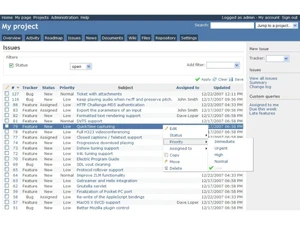
 Incident Management Issues can be logged, tracked, and resolved as incidents with priorities and statuses. Issue Management Core feature enabling issue creation, tracking, prioritization, and lifecycle management. Workflow Management Flexible workflow engine manages status changes based on roles and permissions. Task Management Tasks are managed as issues with assignments, priorities, and due dates. Backlog Management Issues can be organized as backlogs using versions and trackers. Sprint Management Supports sprints via versions and Agile plugins. Resource Management Allocate and manage team members effectively. Risk Management Proactively identify and address potential project risks. Pipeline Management Tracks the flow of tasks, processes, or projects through various stages to ensure smooth progression. Workforce Management Involves managing and optimizing team member workloads, schedules, and productivity?
 Task & Workflow Management
Workflow Automation Configurable workflows control issue states, transitions, and role permissions. Task Creation & Assignment Users can create, assign, and reassign tasks with due dates and priorities. Task Prioritization Tasks can be prioritized using configurable priority levels. Sub-Task Creation Supports parent-child relationships for breaking work into sub-tasks. Task Dependencies Task relationships allow defining dependencies like blocks and precedes. Notifications/Reminders Email notifications alert users on issue updates and assignments. Recurring Tasks Schedule tasks to repeat at regular intervals to streamline ongoing project activities. Automated Task Assignment Automatically assigns tasks to team members based on workload, availability, and skill sets, helping to distribute work evenly as Task Views
Gantt Chart Built-in Gantt charts visualize project timelines, tasks, and dependencies. Task List Provides structured task lists through issue lists and queries. Calendar View Built-in calendar displays issues based on start and due dates. Timeline View Timeline visualization available via Gantt and roadmap views. Kanban Boards Tasks are represented as cards that move across the columns. Spreadsheet View Tasks are displayed in a table format similar to a spreadsheet. Mind Map Visual representation of tasks and ideas branching out from a central concept. Progress & Performance Tracking
Time Tracking Built-in time logging allows users to track hours spent on tasks and issues. Milestone Tracking Versions act as milestones to track progress and completion. Team Capacity Tracking Shows the distribution of tasks among team members for balancing workload and avoiding overburdening Resource & Budget Management
Automated Resource Allocation Automatically adjusts resource allocation, such as server capacity, storage, or bandwidth, based on current project needs during Budget Planning Set a spending plan for your project based on data insights. Dynamic Budgeting Tracks project expenses and scales budget management features dynamically based on the project's financial requirements. Risk Scoring System Quantify and score potential project risks based on severity. Workload Distribution Distributes tasks and processes across team members or systems to prevent overloading any resource, ensuring balanced workloads Auto Scaling Dynamically scale resources (e.g., team size, server resources) based on project requirements. Reporting & Analytics
Dashboards My Page dashboard shows widgets like issues, activity streams, and time logs. Project Progress Reports Progress tracked via issue status, versions, and completion percentages. Timesheet Reports Time entry reports summarize logged hours by user, project, or issue. Report Customization Custom queries and filters allow tailored reporting views. Benchmarking Compare project performance against industry standards or internal benchmarks. Resource Reports Allocation and utilization of resources (people, equipment, materials). Risk Reports Identify, assess, and propose mitigation strategies for potential project risks. Workload Reports Analyze workload distribution among team members, identify potential imbalances. Sprint Reports Track progress within development sprints. Burndown & Burnup Charts Track progress towards sprint goals to manage progress and respond accordingly. Bottleneck Reports Identification of task dependencies and potential bottlenecks. Predictive Analytics Forecasting tools to predict future project outcomes based on historical data. Real-Time Reporting Live dashboards that update as data changes. Automated Reports Scheduling and automatic generation of regular reports. Email notifications with report summaries. Collaboration & Communication
Version control Integrates with Git, SVN, Mercurial, and other version control systems. File Sharing & Document Collaboration Documents and file attachments can be shared within projects. Real-Time Collaboration Work simultaneously on tasks, leave comments, and share feedback. Integrated Chat & Messaging Real-time communication with team members. Customization
Templates Supports project and issue templates via core settings and widely used plugins. Custom Fields Highly customizable fields for issues, projects, users, and time entries. Task Customization Tasks can be customized using trackers, fields, and workflows. Custom Views Saved queries allow users to create personalized views. Custom Layouts Design the software interface to fit your workflow. Integrations
Third Paty Integration Extensive integrations possible via plugins and REST API. API Integration REST API enables integration with external tools and custom applications. Communication and Collaboration Tools Comments, journals, and notifications support team collaboration. File Storage and Sharing Centralized file storage per project with versioning support. Time Tracking Tools Integrated tools track time spent and generate summaries. Issue Tracking Tools Core issue tracking supports bugs, features, and support requests. CRM Integration Sync with CRM systems to align customer relationships and sales data with project tasks and deliverables. ERP Intergration Connect ERP systems to unify project management with broader business operations, including finance, HR, and procurement. Automation Tools Use automation platforms to create workflows that automatically handle repetitive tasks across multiple apps. AI-Based Integrations Use AI for predictive analysis and workflow suggestions. Access Control & Security
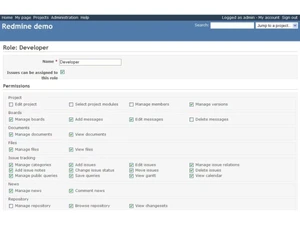
Activity Logs System-wide activity feeds log updates, changes, and events. User Access Management Role-based access control defines permissions across projects and features. Data Backup and Disaster Recovery Ensure data security with regular backups and recovery plans. Compliance Tracking Ensure adherence to relevant data and security compliance (e.g., GDPR, CCPA). Multi-Factor Authentication (MFA) Enhance login security through MFA. 
 UAE
UAE India
India
 Write a Review