
Description
Pricing
Features
Specification
Review
Compare
Alternatives


 View Gallery
Brand: Punk Labs

Get Free Expert Consultation
Let us know your business needs clearly

Verified & Trusted
Vendors

Safe & Secure
Payment

Personalized
Experts Support
Price On Request
Features
 Window Minimization Preview Functionality Application Indicators Drag and Drop Functionality Multi monitor Support
 See all 
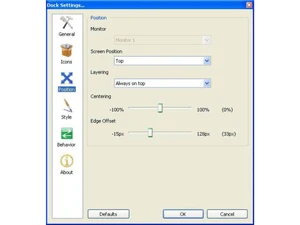
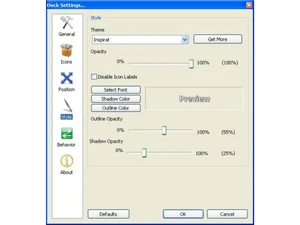
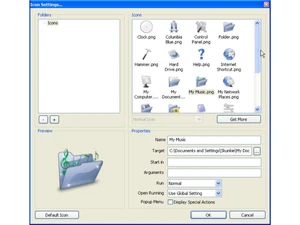
 Window Minimization This feature allows active windows to be minimized directly into the dock, keeping the system taskbar clean and organized. Preview Functionality The software generates live thumbnail representations of minimized windows to help users identify active tasks visually. Application Indicators Small visual markers are displayed next to dock icons to identify which software applications are currently running. Drag and Drop Functionality A standard manipulation method that allows users to add, remove, or rearrange dock items by dragging them with a mouse. Multi monitor Support The software extends its functionality across multiple displays, allowing the dock to be placed on any connected screen. Alpha blended Icons Supports PNG and ICO formats with variable transparency levels to ensure smooth integration with any desktop wallpaper. Icon Magnification Provides a visual "bubble" effect where icons smoothly expand in size as the mouse cursor passes over them for better focus. Screen Positioning Users can anchor the dock to the top, bottom, left, or right edges of the monitor to suit their specific desktop layout. Layering Options Includes "Always on Top" and "Always on Bottom" settings to control how the dock interacts with other application windows. Docklet Support Compatible with the ObjectDock Docklet API, enabling functional widgets like clocks or CPU meters to be added to the bar. Unicode Compliance The software supports international character sets, ensuring that file names in various languages are displayed correctly. Label Customization Offers full control over font selection, shadows, and outlines for the text descriptions that appear during mouse hover. Startup Integration Features a standard option to automatically launch the dock when the Windows operating system boots into the desktop.
 UAE
UAE India
India

 Write a Review