
Description
Pricing
Features
Specification
Review
Compare
FAQs
Alternatives

 View Gallery
Brand: Scapple
A simple mind mapping software that lets you freely write, connect, and organize ideas on a blank canvas without any fixed structure. ...Read more

Get Free Expert Consultation
Let us know your business needs clearly

Verified & Trusted
Vendors

Safe & Secure
Payment

Personalized
Experts Support
$ 20.99 /Licenses
Features
 Keyboard Friendly Editing Cross-Platform Support Drag & Drop Available Multiple Export formats Background Shape Grouping
 See all 
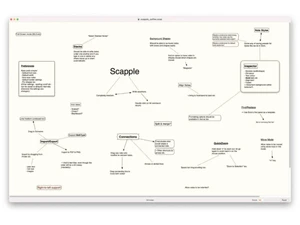
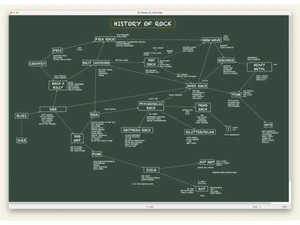
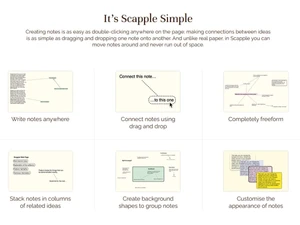
 Keyboard Friendly Editing Use keyboard shortcuts to create, format, connect, and navigate notes efficiently, supporting fast ideation without heavy mouse Cross-Platform Support Available for both Windows and macOS with consistent features and interface, enabling seamless usage across different operating Drag & Drop Drag text files, images, or copied text directly onto the board to instantly create notes, simplifying idea capture from external Available Multiple Export formats Export boards to PDF, PNG, or text formats, allowing easy sharing, presentation, archiving, or import into other planning tools. Background Shape Grouping Draw shapes behind multiple notes to define related clusters or conceptual categories, enabling structured grouping within Custom Note Styling Adjust fonts, colors, borders, and text sizes to highlight key ideas or group related notes, improving clarity and visual Directional Arrows Use arrows instead of plain lines to indicate directional or hierarchical relationships between notes in a clear visual manner. Easy Note Connections Drag one note onto another to create a connecting line, helping visualize meaningful relationships among concepts in a simple Quick Note Creation Double-click anywhere to instantly create a note, helping you capture thoughts rapidly during brainstorming sessions without Stacking and Sorting Notes Stack notes vertically or horizontally to form ordered lists or sequences, enabling quick transformation from ideas to structured Scrivener Integration Drag and drop notes directly into Scrivener to create research outlines or writing structures, improving workflow for authors and Full Screen Mode
 | Brand Name | Scapple |
| Information | The software house behind Scrivener for macOS, Windows and iOS and Scapple for macOS and Windows |
| Founded Year | 2007 |
| Director/Founders | Sumeet Chavan |
| Company Size | 1-100 Employees |

 UAE
UAE India
India
 Write a Review
