
Description
Pricing
Features
Specification
Review
Compare
FAQs
Alternatives

 View Gallery
Brand: Telestream
A Mac-based screen recording software that lets users record their screen, webcam, and audio and edit videos in one tool. ...Read more

Get Free Expert Consultation
Let us know your business needs clearly

Verified & Trusted
Vendors

Safe & Secure
Payment

Personalized
Experts Support
$ 169.00 /Month
Features
 Screen Recording Webcam Recording Audio Capture Multi-Track Recording Video Editing
 See all 
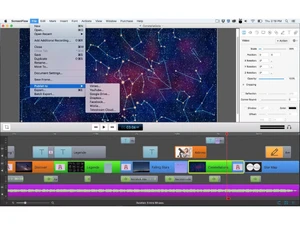
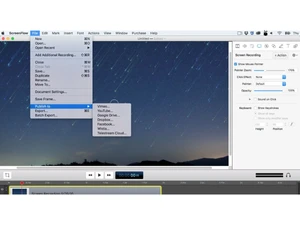
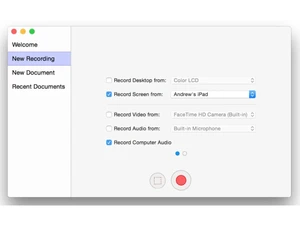
 Screen Recording Capture your entire screen or selected regions in high resolution with smooth frame rates for professional tutorials. Webcam Recording Record webcam video alongside screen content to create engaging picture-in-picture tutorials and presentations. Audio Capture Capture system audio directly from apps and browsers, ideal for software demos, walkthroughs, and media playback. Multi-Track Recording Edit video, audio, text, and images on a multi-layer timeline for precise control over complex video projects. Video Editing Trim clips, split scenes, add transitions, and adjust timing using an integrated editor designed for screen videos. Motion Graphics & Animations Add smooth animations, callouts, zooms, and pan effects to highlight important areas on the screen. Text & Title Tools Create professional titles, lower thirds, and annotations using customizable fonts, colors, and styles. Audio Editing Enhance sound quality with noise reduction, volume leveling, and multi-track audio mixing controls. Device Recording Record iPhone or iPad screens directly on Mac to create app demos, tutorials, and product walkthroughs. Media Library Access built-in stock video clips, images, and music to enrich projects without sourcing external assets. Green Screen and Chroma Key / Luma Key Remove or replace backgrounds from webcam footage using chroma key effects for polished presentations. Export Presets Export videos using optimized presets for YouTube, Vimeo, social media, or custom resolution settings. High-Resolution Support Produce crisp videos with full Retina display and high-DPI recording support for modern displays. Direct Publishing Publish finished videos directly to online platforms or cloud storage without leaving the application.
 | Brand Name | Telestream |
| Information | For nearly 25 years, Telestream® has been at the forefront of innovation in the digital video industry. |
| Founded Year | 1998 |
| Director/Founders | Dan Castles |
| Company Size | 101-500 Employees |

 UAE
UAE India
India

 Write a Review
