
Description
Pricing
Features
Specification
Review
Compare
FAQs
Alternatives


 View Gallery
Brand: Serato
A DAW software that helps users quickly create beats, music, and remixes using a simple, DJ-style workflow. ...Read more

Get Free Expert Consultation
Let us know your business needs clearly

Verified & Trusted
Vendors

Safe & Secure
Payment

Personalized
Experts Support
$ 199.00 /Quantity
Features
 Scene View Song View Mixer View Sample Deck Stem Separation
 See all 
We make it happen! Get your hands on the best solution based on your needs.


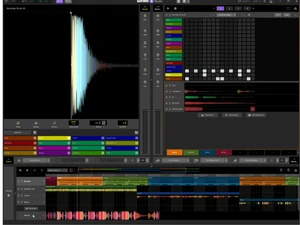
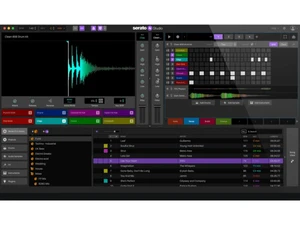
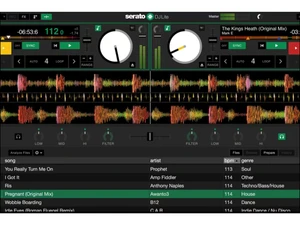
 Scene View Build song sections using dedicated Drum, Sample, Instrument or Plugin decks for flexible arrangement. Song View Arrange scenes and audio tracks into a full song timeline; add FX, automation, recordings and view master waveform. Mixer View Fine-tune volume, pan, EQ and effects per channel in a dedicated mixer interface for clean mixing. Sample Deck Load samples or loops; chop, flip, stretch, pitch-shift or slice to create new sounds quickly. Stem Separation Instantly split audio into stems — vocals, melody, bassline, drums — enabling selective remixing or sampling. Pitch and Time Stretch Use the built-in pitch/time algorithm to shift pitch or tempo extensively without audio artefacts. Drum Sequencer Build drum patterns using a step sequencer with swing, velocity, grid settings and per-drum piano-roll. Library Management Access 190+ virtual instruments (bass, synths, pads, orchestral, etc.) to build melodies and harmonies. Effects Rack Apply built-in effects — reverb, delay, Bit-crusher, modulation, compression, DJ-style FX, and more per track. Automation Automate parameters (volume, effects, stems, filters) over time for dynamic changes across the track. Audio Tracks Import or record full audio tracks (vocals, acapellas, recordings) and integrate within song structure. MIDI Controller Map external MIDI hardware (pads, keys, knobs, faders) for hands-on control of decks, effects, and instruments. Data Import/Export Export full mixes, loops or individual stems as WAV/MP3 or separate tracks for remixing and sharing.
 | Brand Name | Serato |
| Information | Serato develops audio software for professional DJs and musicians. |
| Founded Year | 1998 |
| Director/Founders | AJ Bertenshaw, Steve West |
| Company Size | 1-100 Employees |

 UAE
UAE India
India

 Write a Review
