Description
Pricing
Features
Specification
Review
Compare
FAQs
Alternatives

 View Gallery
Brand: Serval
Serval is an AI-powered IT automation platform that helps teams handle help desk support, access requests, and routine IT tasks automatically using natural language. ...Read more

Get Free Expert Consultation
Let us know your business needs clearly

Verified & Trusted
Vendors

Safe & Secure
Payment

Personalized
Experts Support
Price On Request
Features
 Core Functionality Learning and Adaptation Interaction Capabilities Integration Capabilities Performance and Scalability
 See all 
We make it happen! Get your hands on the best solution based on your needs.

Core Functionality
 Natural Language Processing (NLP) Ability to understand and generate human language Autonomous Task Management Executes tasks independently, including scheduling and prioritization. Reasoning and Decision-Making Evaluates information to make informed decisions autonomously.
 Learning and Adaptation
Machine Learning Employs algorithms to learn from data and improve performance over time. Deep Learning Utilizes neural networks to model complex patterns in data. Supervised and Reinforcement Learning Learns from labeled data and through feedback mechanisms to optimize actions. Contextual Memory Maintains short-term memory to manage context within interactions. Long-Term Learning Develops long-term memory to adapt to user preferences and behaviors over time. Interaction Capabilities
Sentiment Analysis Detects and interprets user emotions from input data. Multimodal Interaction Engages through multiple channels, including text, voice, and visual inputs. Behavior Customization Adjusts interaction style based on user preferences. User Profiling Builds profiles based on user data to personalize interactions. Empathetic Responses Generates responses that align with detected user emotions to enhance engagement. Multi-Agent Collaboration Enables multiple GPT agents to work together, enhancing efficiency and effectiveness in handling complex projects. Integration Capabilities
Third Party Integrations Incorporates services from external providers to enhance functionality. API Connectivity Interfaces with external systems through Application Programming Interfaces. Enterprise Software Integration Seamlessly connects with business applications like CRM and ERP systems. Data Analytics Integration Integrates with analytics tools to process and interpret data. IoT Integration Connects with Internet of Things devices for expanded interaction capabilities. Performance and Scalability
Load Balancing Distributes workloads evenly across resources to maintain performance. Real-Time Processing Handles tasks and responses instantaneously to ensure prompt interaction. Offline Functionality Operates without internet connectivity, maintaining essential features. Database Querying Accesses and retrieves information from databases efficiently. Dynamic Scaling Adjusts resource allocation based on demand to ensure scalability. Advanced Features
Workflow Automation Automates complex business processes to enhance efficiency. Autonomous Problem Solving Identifies issues and implements solutions without human intervention. Knowledge Graphs Utilizes interconnected data to enhance understanding and reasoning. Complex Scenario Handling Manages intricate situations requiring advanced decision-making capabilities. Simulation and Forecasting Predicts future trends and outcomes based on current data. Security and Compliance
Audit Trail Maintains records of activities for accountability and transparency. Encryption Secures data through encryption during transmission and storage. Data Privacy Ensures user data is protected and handled responsibly. Role-Based Access Control (RBAC) Restricts system access based on user roles to enhance security. Regulatory Adherence Complies with laws and regulations relevant to data and operations. Bias Mitigation Implements strategies to identify and reduce biases in decision-making processes. Analytics and Reporting
Performance Metrics Tracks key performance indicators to assess effectiveness. Predictive Analytics Forecasts future trends based on historical data. Workflow Insights Provides analysis of operational workflows to identify efficiencies and bottlenecks. Error Reporting Identifies and reports system errors for prompt resolution. Feedback Collection Gathers user feedback to inform improvements. Custom Reporting Generates tailored reports to meet specific analytical needs. Interaction Insights Analyzes user interactions to enhance engagement strategies. Maintenance and Support
Self Monitoring Continuously assesses system health to detect and address issues proactively. User Feedback Loop Incorporates user feedback into development cycles for continuous improvement. Iterative Updates Implements regular updates to enhance functionality and security. Diagnostics and Debugging Provides tools for identifying and Others
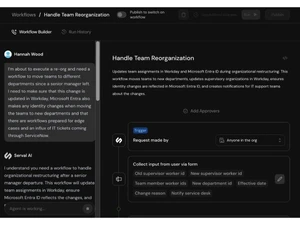
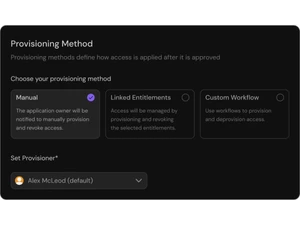
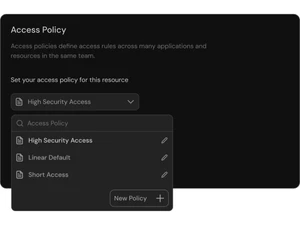
Image Attachments in Tickets Users can attach screenshots or images to tickets for better issue context. Custom Workflows Each team can have its own workflow templates for requests and approvals. Slack Thread Approvals Approvals can be done directly in Slack threads with natural language input. Escalation Suggestions AI suggests escalation paths when requests are unresolved. Intelligent Ticket Prioritization AI ranks tickets automatically based on urgency and impact. Notes Management Teams can add private notes to requests without affecting the requester view. Duplicate Ticket Detection System identifies and merges duplicate requests automatically. Self Service Recommendations Suggests articles or fixes to users before escalating to IT staff. Automated Knowledge Capture AI captures solutions for future reference when human agents resolve requests. | Brand Name | Serval |
| Information | Serval is the AI platform for IT teams, combining an AI-native ITSM with integrated workflow automation and access management. |
| Founded Year | 2024 |
| Director/Founders | Jake Stauch and Alex McLeod |
| Company Size | 1-100 Employees |

 UAE
UAE India
India