
Description
Pricing
Features
Specification
Review
Compare
Alternatives

 View Gallery
Brand: datronicsoft Technology

Get Free Expert Consultation
Let us know your business needs clearly

Verified & Trusted
Vendors

Safe & Secure
Payment

Personalized
Experts Support
Price On Request
Features
 Virtual Display Driver Desktop Extension Mode Screen Mirroring Mode Network Display Streaming Wireless Display Connectivity
 See all 
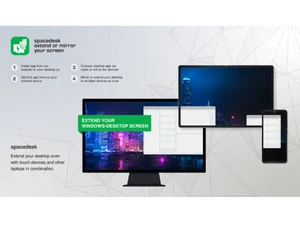
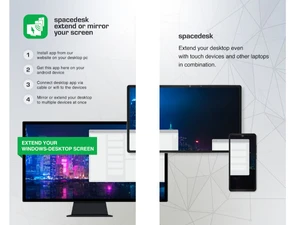
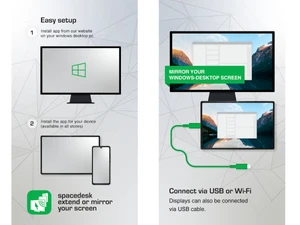
 Virtual Display Driver Installs WDDM virtual graphics adapter enabling creation of additional software-based displays within Windows display subsystem. Desktop Extension Mode Extends Windows desktop workspace to secondary devices allowing independent window placement across multiple displays. Screen Mirroring Mode Duplicates primary display output to secondary devices enabling identical screen content across multiple display endpoints. Network Display Streaming Captures, compresses, and transmits display output over network protocols to connected remote viewer devices reliably. Wireless Display Connectivity Supports Wi-Fi-based connection between host and client devices for wireless display extension and screen mirroring sessions. USB Display Connectivity Supports USB tethered display connection enabling wired screen extension between host and client devices reliably. Cross-Platform Support Provides viewer applications for Windows, Android, iOS, and browser environments for display extension functionality. Display Resolution Configuration Supports configurable display resolutions up to 4096×2160 depending on client device capabilities and platform limitations. Frame Rate Control Allows configuring display streaming frame rate to balance visual smoothness and performance requirements dynamically. Video Wall Configuration Combines multiple connected displays into unified video wall layout using configurable positioning and display indexing. Remote Display Rendering Renders transmitted desktop graphics in real time on viewer devices acting as external display surfaces reliably Orientation Management Supports automatic display orientation adjustment based on viewer device physical orientation and display configuration. Virtual Audio Output Device Creates virtual audio interface redirecting host system audio output to connected remote display devices reliably.
  UAE
UAE India
India
 Write a Review
