Description
Pricing
Features
Specification
Review
Compare
FAQs
Alternatives

 View Gallery
Brand: StackAI
Upscale your photo editing techniques with SupaRes, a robust photo editing software that will make your visual content more appealing. ...Read more

Get Free Expert Consultation
Let us know your business needs clearly

Verified & Trusted
Vendors

Safe & Secure
Payment

Personalized
Experts Support
Price On Request
Features
 Core Functionality Learning and Adaptation Interaction Capabilities Integration Capabilities Performance and Scalability
 See all 
We make it happen! Get your hands on the best solution based on your needs.

Core Functionality
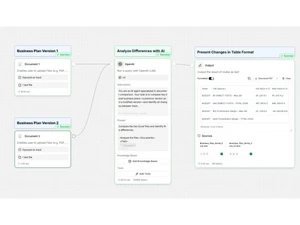
 Natural Language Processing (NLP) Uses LLM-powered NLP to interpret queries, process documents, and automate conversations. Autonomous Task Management AI agents can independently complete tasks such as triage, extraction, drafting, and routing. Reasoning and Decision-Making Uses LLM reasoning to make decisions, choose workflow paths, and respond intelligently.
 Learning and Adaptation
Machine Learning Uses LLMs and ML models to process data, extract insights, and power AI-driven automation. Deep Learning Built on deep learning models that handle language understanding, extraction, and automation. Contextual Memory Supports learning from feedback or labeled data to improve decision accuracy over time. Supervised and Reinforcement Learning Learns from labeled data and through feedback mechanisms to optimize actions. Long-Term Learning Develops long-term memory to adapt to user preferences and behaviors over time. Interaction Capabilities
Sentiment Analysis Identifies emotion and tone in user text to help agents provide context-aware and human-like responses. Multimodal Interaction Allows systems to adapt and improve over time by retaining historical insights and user behavior data. Behavior Customization Prompts, logic blocks, and rules allow full customization of agent behavior and responses. Empathetic Responses Generates responses with emotional awareness to provide supportive, human-like communication. Multi-Agent Collaboration Multiple agents can work together via shared workflows, tasks, and chain-of-thought paths. User Profiling Builds profiles based on user data to personalize interactions. Integration Capabilities
Third Party Integrations Supports 100+ integrations to connect systems, databases, CRMs, and enterprise tools. API Connectivity Builds profiles from user interactions to enable personalized workflows and tailored AI responses. Enterprise Software Integration Integrates with CRMs, ERPs, data warehouses, and enterprise communication tools. Data Analytics Integration Connects with analytics systems but does not perform analytics modeling internally. IoT Integration Connects with Internet of Things devices for expanded interaction capabilities. Performance and Scalability
Database Querying Allows certain agent operations to continue even when internet access is unavailable or limited. Dynamic Scaling Cloud infrastructure auto-scales workflow execution based on enterprise workload. Real-Time Processing Connects AI workflows with IoT devices for automation involving sensors, telemetry, and real-time data. Load Balancing Distributes workloads evenly across resources to maintain performance. Offline Functionality Operates without internet connectivity, maintaining essential features. Advanced Features
Workflow Automation Uses data patterns to forecast outcomes and assist in proactive decision-making across workflows. Autonomous Problem Solving AI agents can analyze tasks, choose actions, and solve workflow steps autonomously. Complex Scenario Handling Uses structured semantic graphs to retrieve relationships and deliver smarter contextual AI outputs. Knowledge Graphs Utilizes interconnected data to enhance understanding and reasoning. Simulation and Forecasting Predicts future trends and outcomes based on current data. Security and Compliance
Audit Trail Tracks every workflow action and agent event to ensure transparency, compliance, and secure record-keeping. Encryption Protects sensitive enterprise data with encryption for secure processing and storage. Data Privacy Distributes processing loads across systems to ensure high availability and stable workflow performance. Role-Based Access Control (RBAC) Provides project-based permission settings to control user access and workflow visibility. Regulatory Adherence Models future scenarios and predicts outcomes to support planning and risk assessment tasks. Bias Mitigation Implements strategies to identify and reduce biases in decision-making processes. Analytics and Reporting
Performance Metrics Measures workflow speed, agent output quality, and execution efficiency to optimize automation performance. Workflow Insights Provides run logs, usage analytics, and insights to optimize workflows and agent operations. Error Reporting Reduces unfair or skewed AI outputs by applying safeguards against model or data-driven bias. Feedback Collection Supports manual feedback inputs and workflow loops to refine agent outputs. Custom Reporting Generates structured reports from data extractions, workflows, and knowledge retrieval. Interaction Insights Shows metrics and logs for agent interactions, executions, and workflow performance. Predictive Analytics Forecasts future trends based on historical data. Maintenance and Support
Self Monitoring Agents monitor their steps and ensure each workflow stage completes correctly. User Feedback Loop Allows human-in-the-loop feedback to refine responses and improve workflow quality. Iterative Updates Workflows can be updated iteratively with new steps, prompts, data, and logic blocks. Diagnostics and Debugging Provides logs, run histories, and test mode for diagnosing workflow or agent issues. Others
Image Library Access and manage your collection of images effortlessly. AI Image Upscalers Use advanced AI technology to upscale images, enhancing their resolution and quality. Face Editing Easily edit and enhance faces in your images for clear and high-resolution portraits. Super-Resolution Convert low-quality photos into crisp, high-resolution images with AI-powered super-resolution. Face Enhancement Enhance and improve the appearance of faces in your images with AI-driven algorithms. Tone Adjustments Achieve perfect light, colour, and white balance adjustments with AI-powered tone adjustments. Noise Removal Remove unwanted noise from your images while preserving fine details using AI noise removal. Low-Light Boost Amplify and improve the visibility of dark or poorly lit images with AI low-light boost. Artifacts Reduction Eliminate compression artefacts and restore the clarity and quality of your images. Cloud Storage Provides cloud storage for processed images, with unlimited storage included in paid plans. Batch Processing Supports image-processing workflows where multiple visuals can be enhanced through automated processing. Two-Factor Authentication (2FA) Adds an extra layer of account protection through two-factor authentication for secure access. High-Resolution Output Process large images with support for inputs up to 128 megapixels on applicable plans. | Brand Name | StackAI |
| Information | Build and deploy Enterprise-Grade AI Agents. |
| Founded Year | 2023 |
| Director/Founders | Antoni Rosinol, Bernardo Aceituno, Melissa Forstell McAneny |
| Company Size | 1-100 Employees |

 UAE
UAE India
India