
Description
Pricing
Features
Specification
Review
Compare
FAQs
Alternatives


 View Gallery
Brand: PreSonus
Studio One is a unique and innovative audio editing solution developed by PreSonus. The main focus of designing Studio One is to ease the job of creating new sounds. For over 10-year Studio One, it has steadily built a reputation in the music industry with a high-quality audio mixing and matching system. Along with that, it has one of the best beat-and-loop-styled production processes. It enables users to bring life to their ideas. Studio One has a compelling single-s...Read more

Get Free Expert Consultation
Let us know your business needs clearly

Verified & Trusted
Vendors

Safe & Secure
Payment

Personalized
Experts Support
$ 19.99 /Month
Features
 Stem Separation Splice Integration Dolby Atmos Support Native Effects and Instruments Bundle Drag and Drop Functionality
 See all 
We make it happen! Get your hands on the best solution based on your needs.
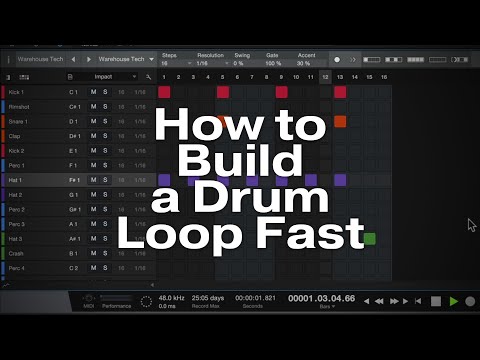


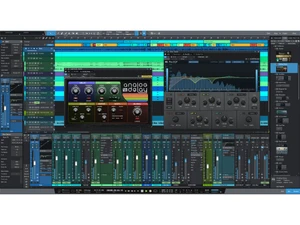
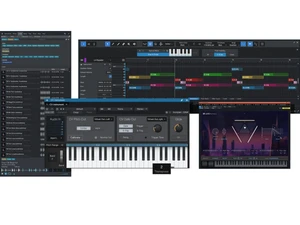
 Stem Separation Automatically splits a mixed audio file into separate stems (drums, vocals, bass, etc.) for remix or editing. Splice Integration Built-in integration with Splice lets you browse and import royalty-free samples directly in the DAW. Dolby Atmos Support Monitor and mix immersive spatial audio, including support for Apple Spatial Audio and Dolby Atmos formats. Native Effects and Instruments Bundle Comes with 45+ built-in effects plug-ins and several virtual instruments out of the box. Drag and Drop Functionality Easily drag loops, samples or tracks into the project — simplifies composition, editing and arrangement. Video Playback and Sync Import video files and sync audio to video — useful for scoring, video editing or media post-production. Multi Track Comping Record multiple takes and compile best parts — quick, non-destructive editing of takes. Folder Tracks and Track List Organize complex sessions using folders and a track list view — collapse/expand tracks for clarity. Transient Detection and Editing Detect transients automatically, edit or quantize drum tracks and improve timing coherency. Groove Extraction and Quantize Extract groove from any audio and apply to another — quickly match rhythmic feel across parts. Automatic Delay Compensation Automatically adjusts for recording or plug-in-induced latency to keep tracks in sync. Side Chain Routing Supports side-chaining and complex automation — essential for mixing, effects and dynamic control. Live Performance Mode A dedicated mode to trigger tracks, stems or instruments for live performance or playback. Music Distribution Integration Direct upload/export to services like TuneCore or SoundCloud straight from within the DAW.
 | Brand Name | PreSonus |
| Information | Creativity begins here. Makers of world-class audio products: Studio One Pro recording software, Quantum Audio Interfaces, Eris Studio Monitors & more. |
| Founded Year | 1995 |
| Director/Founders | Brian Smith, Jim Odom |
| Company Size | 101-500 Employees |

 UAE
UAE India
India

 Write a Review
