Description
Pricing
Features
Specification
Review
Compare
FAQs
Alternatives

 View Gallery
Brand: Tines
A SOAR platform that helps security teams automate alerts, workflows, and incident responses without complex coding. ...Read more

Get Free Expert Consultation
Let us know your business needs clearly

Verified & Trusted
Vendors

Safe & Secure
Payment

Personalized
Experts Support
Price On Request
Features
 Workflow Automation AI Copilot Visual Storyboard Case Management Templates
 See all 
We make it happen! Get your hands on the best solution based on your needs.


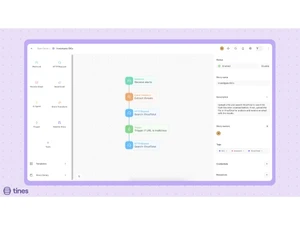
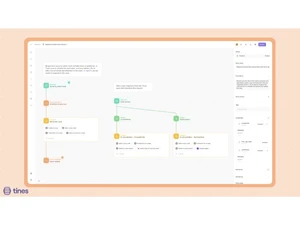
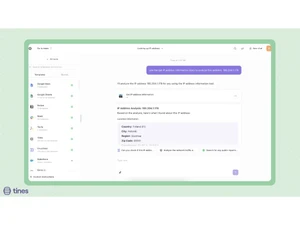
 Workflow Automation Automate security, IT, and operations workflows with no-code logic to eliminate repetitive manual tasks. AI Copilot Use natural language in Workbench to interact with systems, trigger tasks, and streamline complex operations quickly. Visual Storyboard Design and manage workflows using a drag-and-drop storyboard interface for easy process building and orchestration. Case Management Track, manage, and collaborate on incidents with built-in case workflows, SLAs, and metrics dashboards. Templates Access a library of ready-to-use workflow templates for common automation scenarios to accelerate deployment. Agent Actions Leverage autonomous agents to execute tasks like API calls, event transformations, email, and webhook actions. Integrations Connect seamlessly with third-party tools and APIs to unify IT, security, and engineering operations. Real Time Monitoring Monitor workflow execution with live dashboards, alerts, and reporting to ensure visibility and reliability. Security & Compliance Enterprise-grade security features with RBAC, SSO, audit logs, and compliance with industry standards. Scalability Deploy across teams and scale automation use cases from security operations to infrastructure and product workflows. Collaboration Tools Enable cross-team collaboration with integrated notifications, shared cases, and workflow comments. Custom Reporting Generate reports on workflow efficiency, SLA compliance, and incident resolution metrics for stakeholders. Data Transformation Standardize and transform incoming event data for consistent use across integrated systems. Playbook Orchestration Run multi-step, cross-tool playbooks to streamline incident response and IT service workflows.
 | Brand Name | Tines |
| Information | Tines is a no-code workflow automation platform designed especially for security teams. |
| Founded Year | 2018 |
| Director/Founders | Eoin Hinchy, Thomas Kinsella |
| Company Size | 1-100 Employees |

 UAE
UAE India
India