
Description
Pricing
Features
Specification
Review
FAQs
Alternatives


 View Gallery
Brand: VideoLAN
VLC Media Player plays almost all audio and video formats without needing additional codecs. ...Read more

Get Free Expert Consultation
Let us know your business needs clearly

Verified & Trusted
Vendors

Safe & Secure
Payment

Personalized
Experts Support
FREE
Features
 Multi Format Media Playback Cross-Platform Compatibility Network Stream Playback Subtitle Rendering Support Audio Track Selection
 See all 
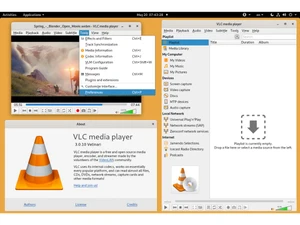
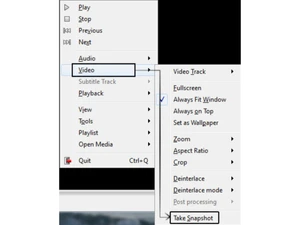
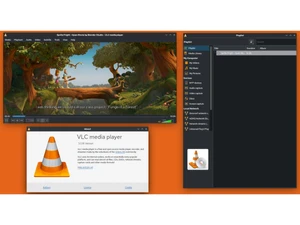
 Multi Format Media Playback Plays most audio and video formats including MP4, MKV, AVI, FLAC and MP3 without requiring external codec installations. Cross-Platform Compatibility Runs natively on Windows, macOS, Linux, Android and iOS, ensuring consistent media playback across desktop and mobile systems. Network Stream Playback Plays media streams from HTTP, HTTPS, FTP, RTSP and UDP sources, enabling viewing of live and on-demand network content. Subtitle Rendering Support Loads and displays subtitle formats such as SRT, ASS and SSA with options for synchronization, font selection and size control. Audio Track Selection Allows switching between multiple embedded audio tracks in a media file, useful for multilingual or commentary based content. Video Track Selection Enables selection between multiple video tracks within a single container format, including alternate camera angles when present. File Conversion Converts audio and video files into different formats using built-in transcoding tools without requiring third-party software. Playback Speed Control Adjusts media playback speed precisely, allowing slow motion or accelerated viewing while maintaining audio pitch accuracy. Audio Equalizer Provides a built-in equalizer to modify frequency bands and apply presets for improved or customized audio output. Playlist Management Creates, edits and saves playlists to organize multiple media files and control playback order within the application. Metadata Display Displays embedded media metadata including title, artist, codec details, bitrate and resolution for supported file formats. Command Line Interface Includes a command-line mode for scripting, automation and advanced playback control without using the graphical interface.
 | Brand Name | VideoLAN |
| Information | VideoLAN is a project and a non-profit organization, composed of volunteers, developing and promoting free, open-source multimedia solutions . |
| Founded Year | 1998 |
| Director/Founders | VideoLAN non-profit organization |
| Company Size | 1-100 Employees |

 UAE
UAE India
India