Description
Pricing
Features
Specification
Review
Compare
FAQs
Alternatives


 View Gallery
Brand: VoiceFlow Inc
VoiceFlow lets users design, build, and deploy AI-powered chatbots and voice assistants using an easy visual interface. ...Read more

Get Free Expert Consultation
Let us know your business needs clearly

Verified & Trusted
Vendors

Safe & Secure
Payment

Personalized
Experts Support
$ 60.00 /Month
Features
 Visual Flow Builder AI Knowledge Base Multi-LLM Support API Integration Variable Management
 See all 
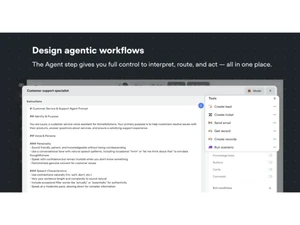
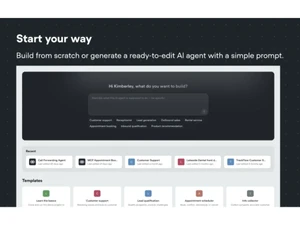
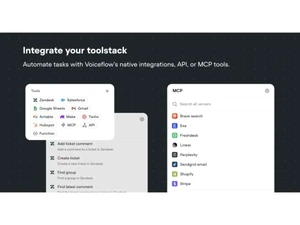
 Visual Flow Builder Design conversations using an intuitive drag-and-drop interface that simplifies mapping logic, flows, and user journeys. AI Knowledge Base Upload documents and data to instantly create an AI-powered knowledge source that enables accurate and contextual responses. Multi-LLM Support Connect to major LLM providers so agents can switch or blend models for optimal accuracy, speed, and response efficiency. API Integration Easily call external APIs to fetch data, trigger workflows, or connect with business systems for dynamic automated actions. Variable Management Store, update, and retrieve user variables across flows to deliver personalized and consistent agent interactions. Conditional Logic Use conditions and branching logic to tailor dialogue paths based on user input, context, or real-time data triggers. Team Collaboration Enable multiple teammates to work together with shared editing, comments, versioning, and project-level permissions. Omnichannel Deploy agents across web chat, mobile apps, voice channels, and third-party platforms with unified configuration control. Reusable Components Create modular blocks and templates that teams can reuse to standardize conversation patterns and reduce build time. Prototyping and Testing Simulate full conversations inside the builder to validate flows, identify issues, and refine user experience before launch. Analytics and Metrics Track key usage insights like conversation paths, fallbacks, and completion rates to optimize agent performance at scale. Role-Based Access Control (RBAC) Manage user roles and permissions to protect project structure and ensure secure collaboration across internal teams. Custom Code Blocks Use built-in scripting blocks to run custom JavaScript logic, process data, or add advanced functionality on demand. Voice Channel Support Connect voice platforms to deploy conversational voice assistants capable of natural speech comprehension and replies. Version control Save versions, compare changes, and roll back to previous states to maintain structured and safe project evolution.
 UAE
UAE India
India