Description
Pricing
Features
Specification
Review
Compare
FAQs
Alternatives


 View Gallery
Brand: Workyard
A workforce management software that helps construction and service businesses track employee time, manage schedules, and simplify payroll with GPS-based tools. ...Read more

Get Free Expert Consultation
Let us know your business needs clearly

Verified & Trusted
Vendors

Safe & Secure
Payment

Personalized
Experts Support
$ 8.00 /Month
Features
 Time Tracking Job Scheduling GPS Tracking Project Costing Forms Management
 See all 
We make it happen! Get your hands on the best solution based on your needs.
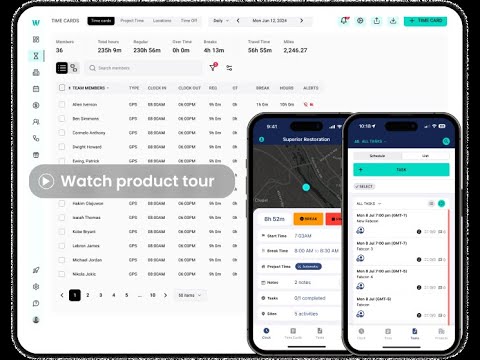

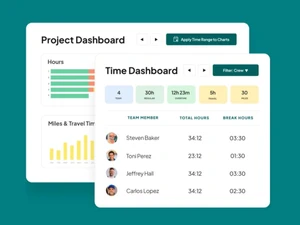
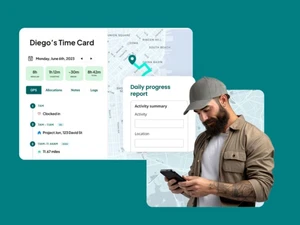
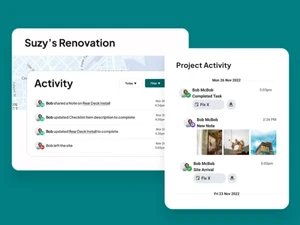
 Time Tracking GPS-enabled time clock ensures accurate worker hours, prevents errors, and simplifies payroll with automated tracking. Job Scheduling Create, assign, and update schedules in real time, giving field crews clarity on tasks while improving productivity. GPS Tracking Monitor worker locations with precise GPS, ensuring accountability, safety, and transparency on every job site. Project Costing Track labor costs in real time, allocate expenses per project, and improve budgeting accuracy for better profitability. Forms Management Collect jobsite data with customizable forms for inspections, safety checks, production tracking, and equipment logs. Expense Management Manage receipts and company card expenses in one place, with built-in spend controls and accounting system sync. Payroll Integration Sync time and cost data seamlessly with payroll providers like ADP, Gusto, QuickBooks, and Sage to reduce errors. Reporting & Analytics Generate detailed reports on labor, costs, and project progress to make data-driven business and staffing decisions. Mobile Access Empower field teams with iOS and Android apps for real-time tracking, updates, and jobsite communication anywhere. Compliance Management Ensure labor and jobsite compliance with automated records, digital forms, and accurate audit-ready documentation. Task Management Create, assign, and track tasks within projects, ensuring accountability and clear communication with field teams. Document Management Store and share critical jobsite documents, safety guidelines, and project files securely in a digital workspace. Audit Trail Maintain detailed records of worker hours, jobsite activities, and compliance forms for audits and legal requirements. Dashboards Access live dashboards with labor, expense, and scheduling insights to make smarter operational decisions quickly.
 | Brand Name | Workyard |
| Information | Workyard provides leading workforce management software to construction, home services, and property maintenance companies of all sizes. |
| Founded Year | 2015 |
| Director/Founders | Alexandra De Bonis, Nicolas De Bonis |
| Company Size | 1-100 Employees |

 UAE
UAE India
India