Description
Pricing
Features
Specification
Review
Compare
FAQs
Alternatives

 View Gallery
Brand: Zo Computer
An AI-powered cloud computing platform that lets you store files, automate tasks, and run projects online from anywhere. ...Read more

Get Free Expert Consultation
Let us know your business needs clearly

Verified & Trusted
Vendors

Safe & Secure
Payment

Personalized
Experts Support
$ 18.00 /Month
Features
 Multi-Model Support Natural Language Workflows Model Context Protocol Automated Web Research Cross-Platform Support
 See all 
We make it happen! Get your hands on the best solution based on your needs.

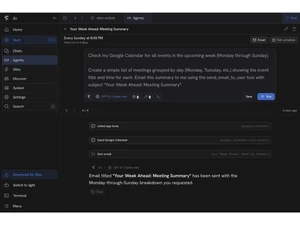
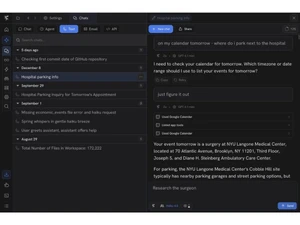
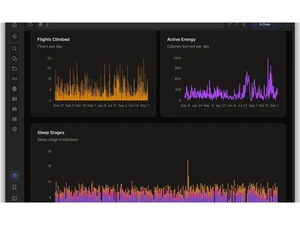
 Multi-Model Support Allows users to choose between various frontier models from OpenAI, Anthropic, and Google to perform specific computing tasks. Natural Language Workflows Enables the creation of complex automated sequences and scripts by providing instructions in plain English for execution. Model Context Protocol Implements the Model Context Protocol to facilitate standardized data exchange between AI agents and external software tools. Automated Web Research Employs AI agents to browse the internet, synthesize information from multiple pages, and generate comprehensive research reports. Cross-Platform Support Offers unified access to the personal cloud computer via web browsers, dedicated desktop applications, and mobile interfaces. Built-in App Hosting Permits the deployment of public or private websites, APIs, and self-hosted services like n8n directly on the personal server. Email Command Integration Allows the execution of server tasks and information retrieval by sending instructions to a dedicated personal Zo email address. Knowledge Base Organizes uploaded PDFs, notes, and spreadsheets into a searchable database that provides context for future AI interactions. Native Code Execution Provides a secure sandboxed environment where users can write, test, and run custom Python or JavaScript code on their data. Custom Integration Builder Uses AI to research API documentation and write the necessary code to connect any new software service to the Zo platform. Snapshot Backup System Performs regular backups of the entire server environment, allowing users to roll back to previous versions of their workspace. File Management Utilizes AI agents to automatically categorize, rename, and move files based on their content and user-defined organization rules. Data Export Ensures full ownership by allowing users to download their entire server as a container image or individual files at any time.
 | Brand Name | Zo Computer |
| Information | Zo is an intelligent cloud computer that lets you turn your ideas into reality fast. You can store your files, connect your tools, and then research or build practically anything with AI. |
| Founded Year | 2023 |
| Director/Founders | Zo Computer |
| Company Size | 1-100 Employees |

 UAE
UAE India
India