Description
Pricing
Features
Specification
Review
Compare
FAQs
Alternatives

 View Gallery
Brand: Zoho Corporation
An appointment scheduling software that helps users manage events, meetings, and reminders and coordinate schedules easily in one place. ...Read more

Get Free Expert Consultation
Let us know your business needs clearly

Verified & Trusted
Vendors

Safe & Secure
Payment

Personalized
Experts Support
Price On Request
Features
 Event Schedule Shared Calendar Group Calendar Management Resource Booking Smart Reminders
 See all 
We make it happen! Get your hands on the best solution based on your needs.

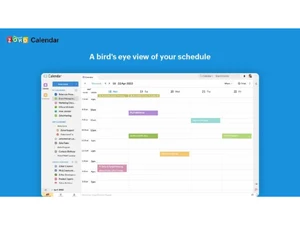
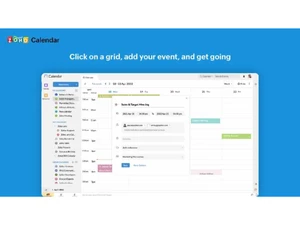
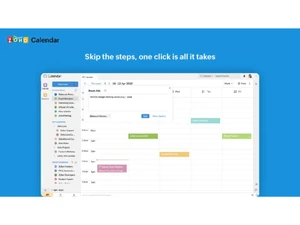
 Event Schedule Create and manage events easily with customizable details, recurring patterns, reminders, and guest invitations. Shared Calendar Share calendars with individuals or teams to improve collaboration and ensure everyone stays updated on schedules. Group Calendar Management View and manage multiple calendars in one interface, allowing teams to coordinate meetings effortlessly. Resource Booking Book meeting rooms or shared resources directly from the calendar to avoid scheduling conflicts across teams. Smart Reminders Set customizable reminders via email or notifications to ensure no meeting, event, or deadline is missed. Time Zone Support Schedule events across global teams with automatic time zone conversions to eliminate scheduling confusion. Calendar Syncronization Sync seamlessly with Google Calendar, Outlook, and Apple Calendar for unified scheduling across all devices. Drag-and-Drop Interface Quickly reschedule or extend meetings using a simple drag-and-drop interface for effortless calendar management. Multiple views Switch between daily, weekly, monthly, or agenda views to visualize schedules in the most convenient layout. Integration with Zoho Apps Connect with Zoho Mail, Zoho CRM, and Zoho Meeting to streamline scheduling and communication within the suite. External Calendar Subscription Subscribe to external iCal or public calendars to keep track of holidays, work schedules, or special events. Customizable Availability Define working hours, free/busy slots, and appointment windows to simplify external and internal scheduling. Secure Sharing Controls Control access levels with view-only, edit, or admin rights to ensure data privacy and prevent unauthorized edits.
 | Brand Name | Zoho Corporation |
| Information | Zoho Corporation, is an Indian multinational company that specialises in software development, cloud computing, and web-based business tools. It is best known for Zoho Office suite and its enterprise IT management division, ManageEngine |
| Founded Year | 1996 |
| Director/Founders | Sridhar Vembu / Tony Thomas |
| Company Size | 1000+ Employees |
| Other Products | Zoho CRM, Zoho People, Zoho Invoice, Zoho Books, Zoho Projects |

 UAE
UAE India
India