linkedin
Estimator360 logo
play Construction Estimating Software with Project Management
estimator360-demo
estimator360-analytics

Estimator360

Brand: Estimator360

  • 4.2

  • 4 Ratings

Have you used Estimator360 before?

Share your insights for better experience

Add a Review
Starting Price
$250

View plans

100% Genuine
Products
Best Price
Guaranteed
Safe & Secure
Payment
  • Description

  • Pricing

  • Features

  • Specification

  • Review

Starting at $250.00

Estimator360 Software Overview

Estimator360 Company Details

Founded Year:  2016

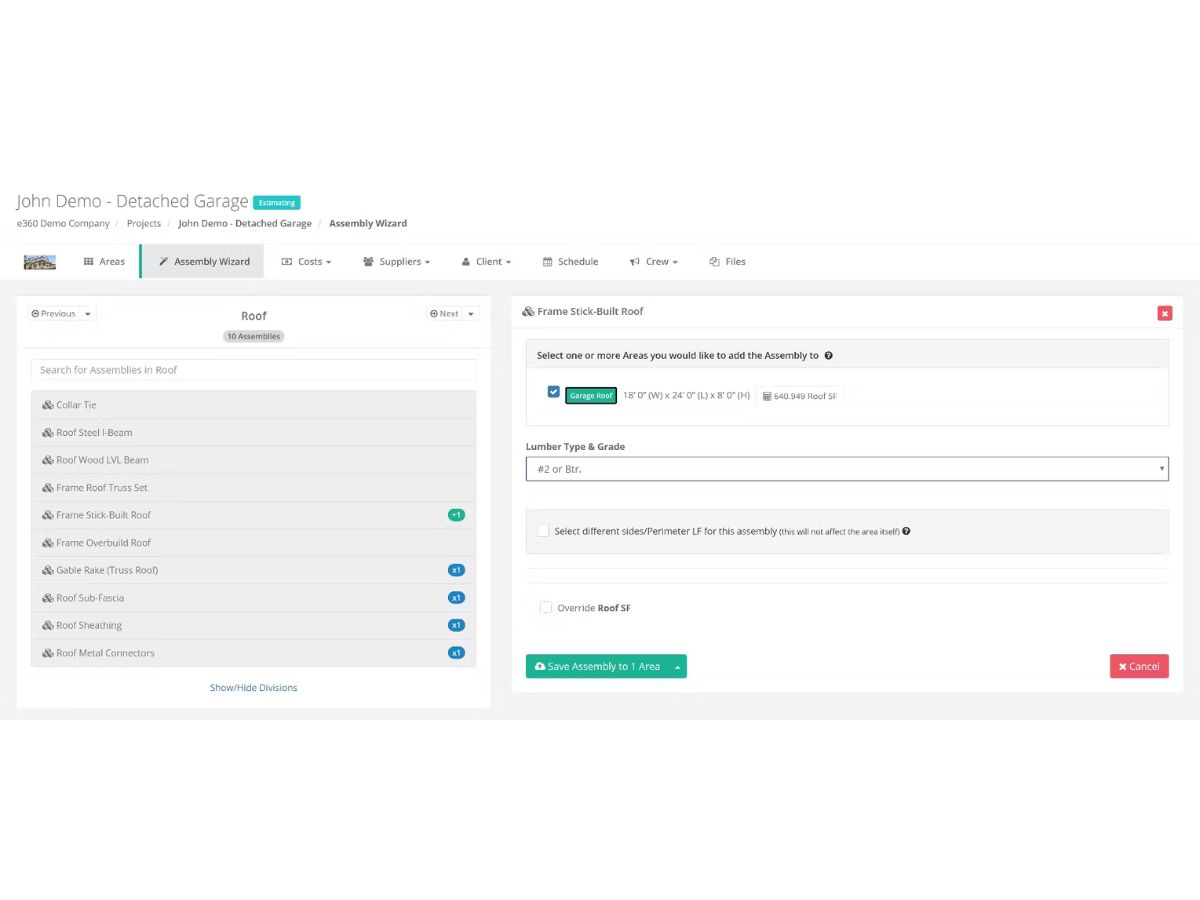
Most contractors feel consumed by manually creating estimates. With Estimator360’s cloud-based digital takeoff tool, you can create accurate estimates in minutes, giving you the freedom to sell more projects and grow your business.

Director/Founders Estimator360
Company Size 1-100 Employees

Estimator360 Pricing & Plans

Contractors & Lumberyards
Starting at $250
    • Location

      Location
      Location
    • Monthly

      Monthly
      Monthly

Key Features

  • Unlimited Estimators

  • Unlimited Team Members

  • Unlimited Projects

  • Unlimited Clients and Suppliers

  • Unlimited Subcontractors

  • Digital Takeoff

  • Estimating

  • CRM

  • Proposals & Contracts

Modular Builders
Starting at $350
    • Location

      Location
      Location
    • Monthly

      Monthly
      Monthly

Key Features

  • Unlimited Estimators

  • Unlimited Team Members

  • Unlimited Projects

  • Unlimited Clients and Suppliers

  • Unlimited Subcontractors

  • Digital Takeoff

  • Estimating

  • CRM

  • Proposals & Contracts

Estimator360 Features

  • icon_check Customer Relationship Management
    Organize and manage all leads and client communications in one place for seamless preconstruction planning.
  • icon_check Quantity Takeoff
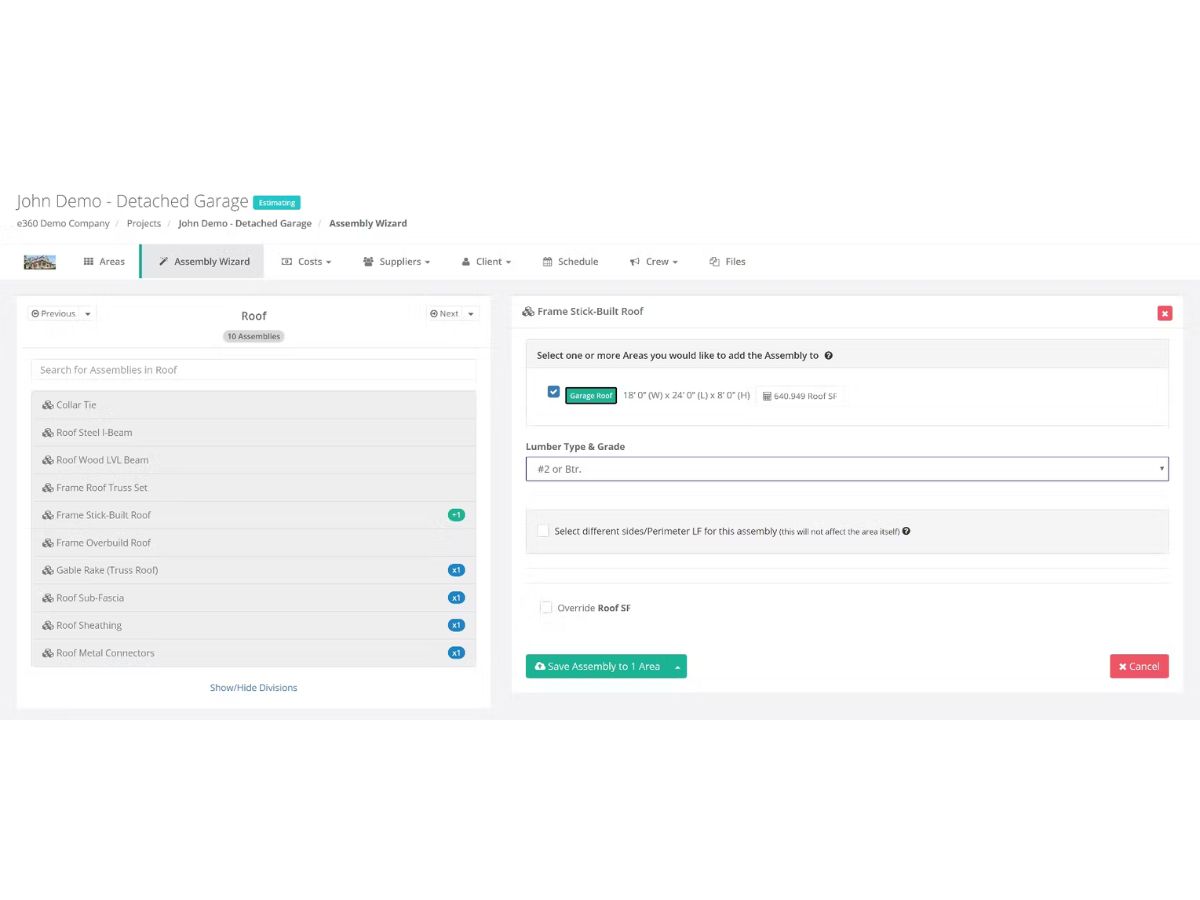
    Measure areas, counts, and materials from digital blueprints accurately to prepare estimates efficiently.
  • icon_check Estimate Generation
    Create detailed and accurate project estimates faster, including labor, materials, and profit margins.
  • icon_check Bid Management
    Send and receive bids from subcontractors and suppliers directly integrated into your estimates.
  • icon_check Proposal Management
    Automatically generate professional proposals and contracts from estimates to maintain consistency.
  • icon_check Scheduling
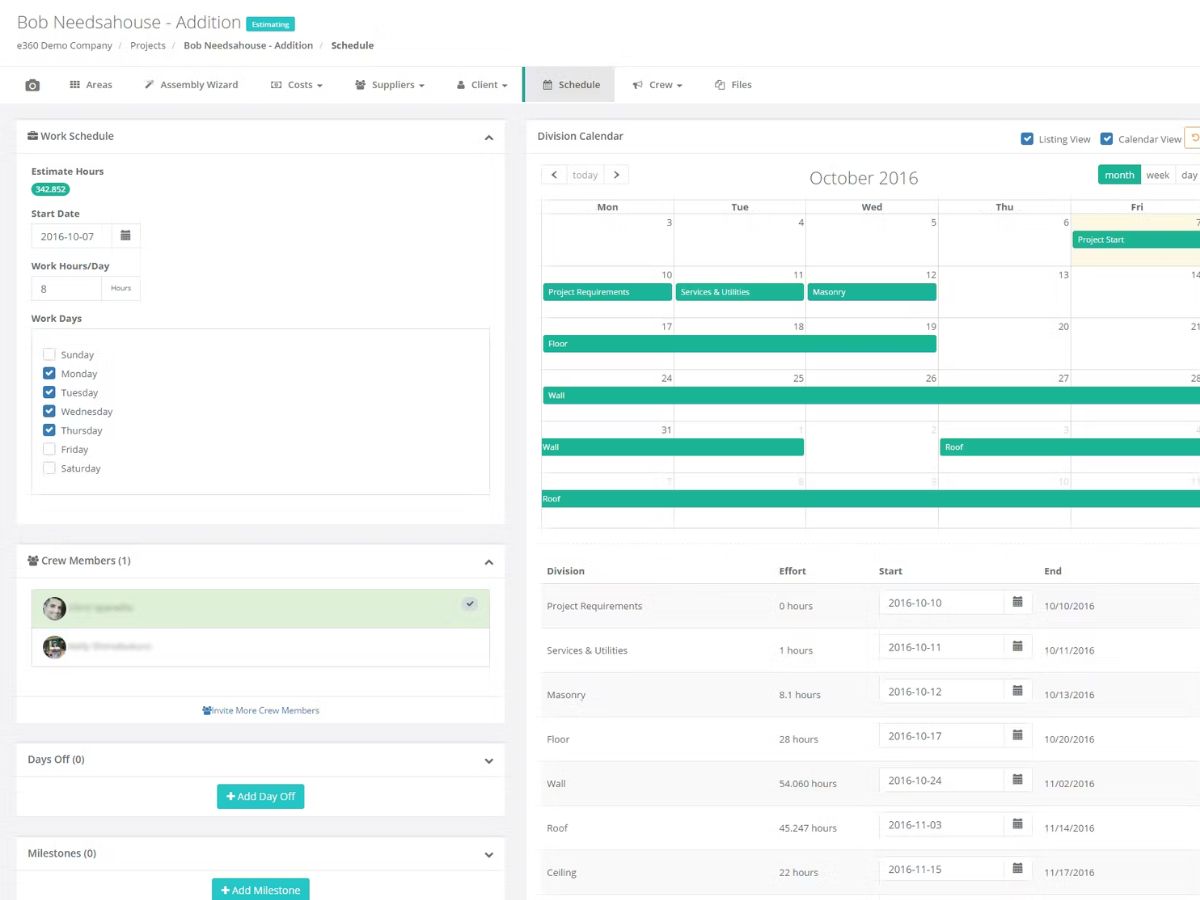
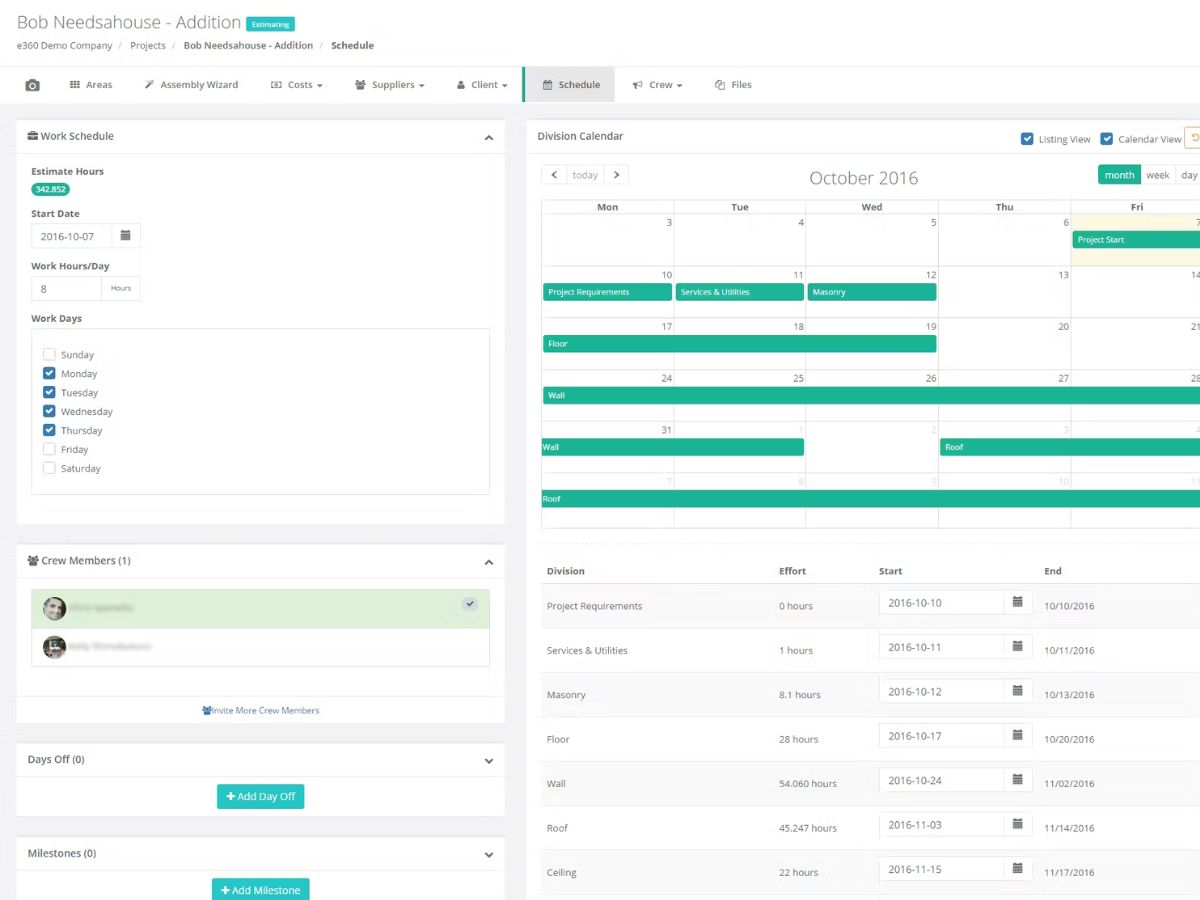
    Auto-generate project schedules using data from estimates with editable labor assignments.
  • icon_check Change Management
    Track and manage project changes efficiently while keeping all stakeholders informed.
  • icon_check Third Party Integration
    Sync project financials with QuickBooks Online to eliminate double entry and ensure accuracy.
  • icon_check Purchase Order Management
    Create and manage purchase orders for timely material procurement and budget adherence.
  • icon_check Time Tracking
    Log crew work hours from any device to ensure accurate payroll and project tracking.
  • icon_check Document Management
    Store, organize, and share project documents securely to promote collaboration.
  • icon_check Budget Tracking
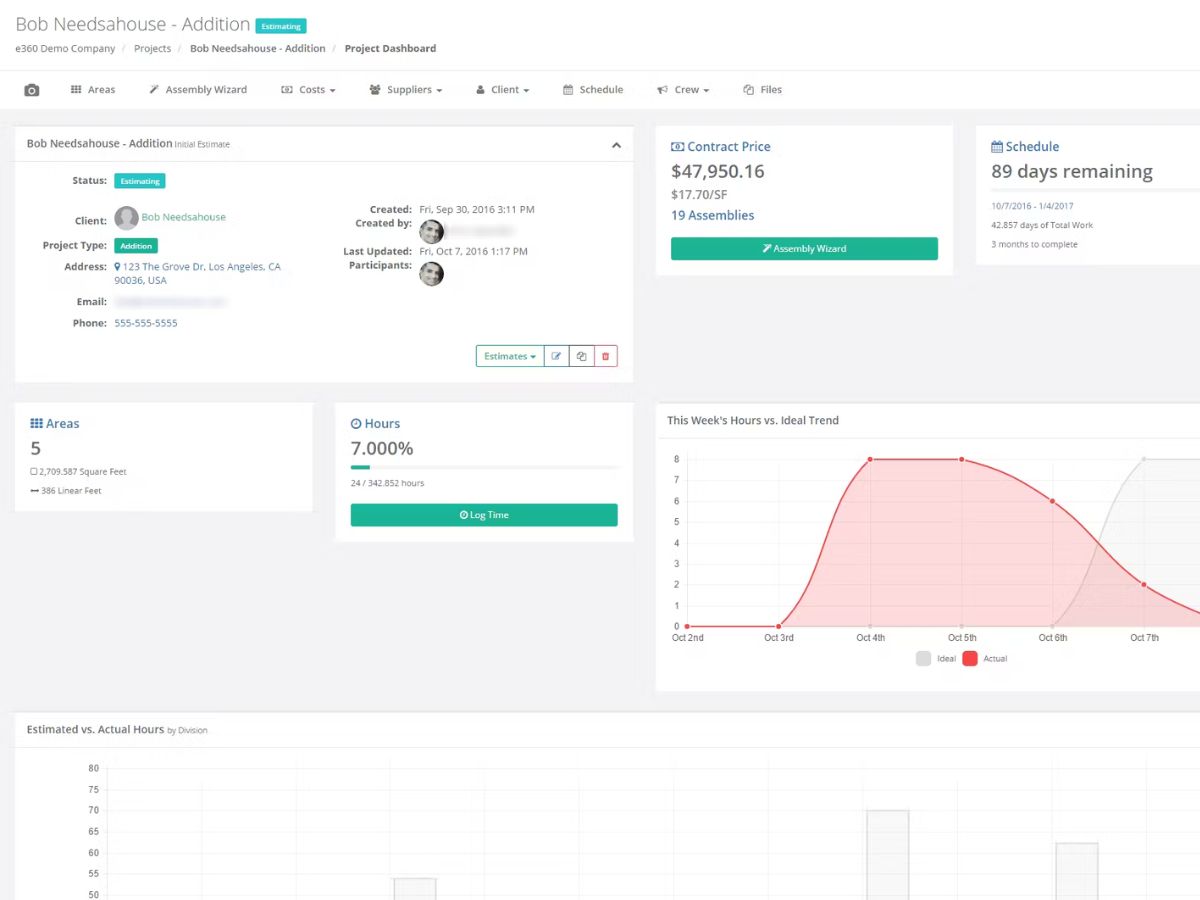
    Monitor estimated vs. actual costs to manage project budgets and optimize financial performance.
  • icon_check Financial Reporting
    Generate detailed reports on project financials for insights into profitability and performance.
  • icon_check Templates
    Use prebuilt or custom templates to speed up estimating and maintain standardization.
  • icon_check Material List Generation
    Automatically create organized material lists by area, division, or supplier for ordering.
Estimator360 Demo Video play icon

Get Estimator360 Demo

Watch the demo video to explore key features, real workflows, and how the software fits your business needs.

Understand
Key Features
Personal
Demo Insights
Interactive
Demo Support

Estimator360 Specifications

Supported Platforms
Windows Windows Android Android MacOS MacOS
Devices
Desktop Desktop Mobile Mobile
Deployment
Cloud-Based Cloud-Based
Suitable For
Construction
Business Specific
All Businesses
Business Size
Individual Small Business Medium Business SMBs MSMBs
Customer Support
Email Communities
Language
English
Training Resources
Videos

Estimator360 Review

4.2

Out of 5

img

Overall Rating

Based on
4 Verified Ratings

Rating Breakdown

  • Features 3.8
  • Value for Money 4.2
  • Ease of Use 4.3
  • Customer Support 4.5

80% Recommend this Product

Add Review

Be the First to Review

This product has no reviews yet. Be the first to leave your feedback.

Add Review

Terms and Condtions

close

Users with registered businesses can purchase goods from merchants on the platform to satisfy their business needs. Users are not permitted to utilize any products acquired through the platform for resale, advertising, business, or further distribution.

For each purchase made, users will receive a Tax Invoice (or 'GST invoice') that includes specific details such as:

  • the GSTIN of the user associated with their registered business, and

  • the specified Entity Name for their business.

It should be noted that not all products are eligible for GST Invoice. Only the products displayed by participating sellers with the 'GST-based Invoice Available' callout on the product description page would qualify.

Certain goods and services are not eligible to get a GST Invoice, including items with VAS, i.e., Value Added Services (e.g., Total Mobile Protection/Assured Buyback) and those involving an exchange offer at the time of purchase.

Users must ensure the accuracy of the GSTIN, and business entity name provided for the GST Invoice. Requests for corrections into GST Invoice would not be accommodated by Techjockey.com or any Seller, and any issues arising from user-provided information are the sole responsibility of users.

Techjockey.com is not liable for the GST Invoice or any associated input tax credit. To efficiently claim an input tax credit, users should select the registered place of business address as per the GST authority's data and follow the provisions of the GST Act and rules.

To claim an input tax credit, the delivery and billing addresses must match. Furthermore, input tax credits will not be granted if the delivery address and GSTIN on the invoice are from different states. In case of incorrect GST details provided during the order placement, the order will be canceled automatically.

20,000+ Software Listed 20,000+ Software Listed

Best Price Guaranteed Unbiased Comparison

Free Expert Consultation Read Authentic Reviews

2M+ Happy Customers 500,000+ Monthly Users