linkedin
Hive logo
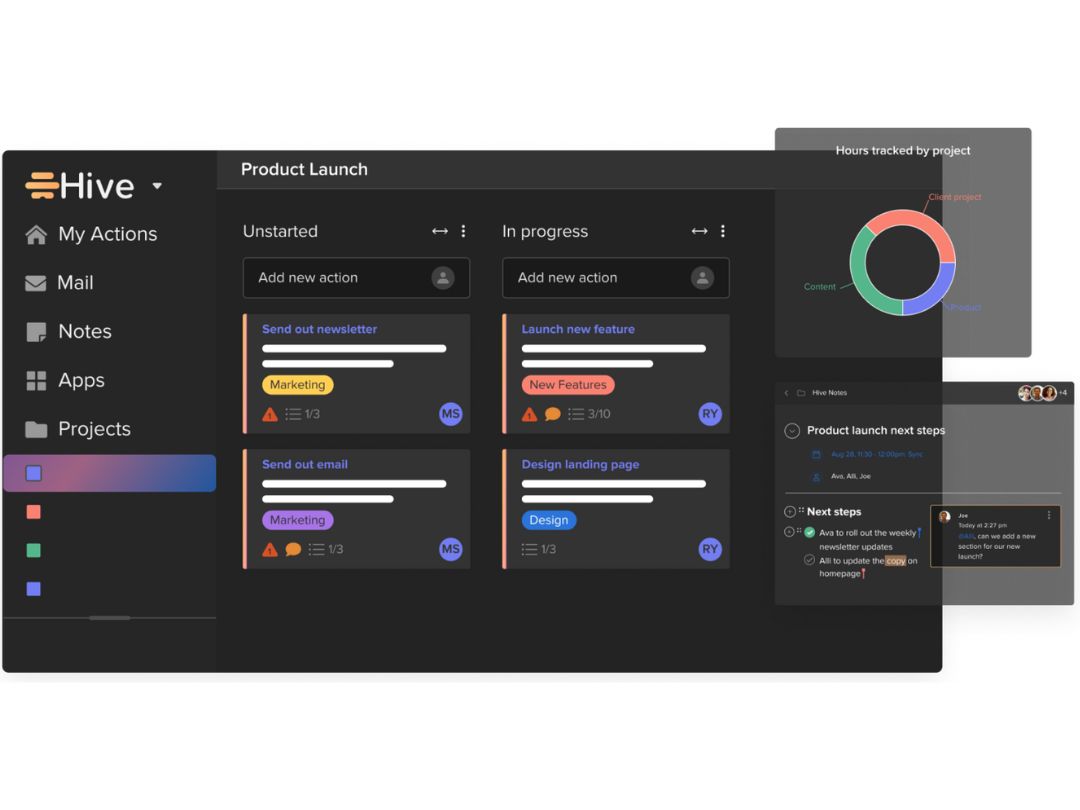
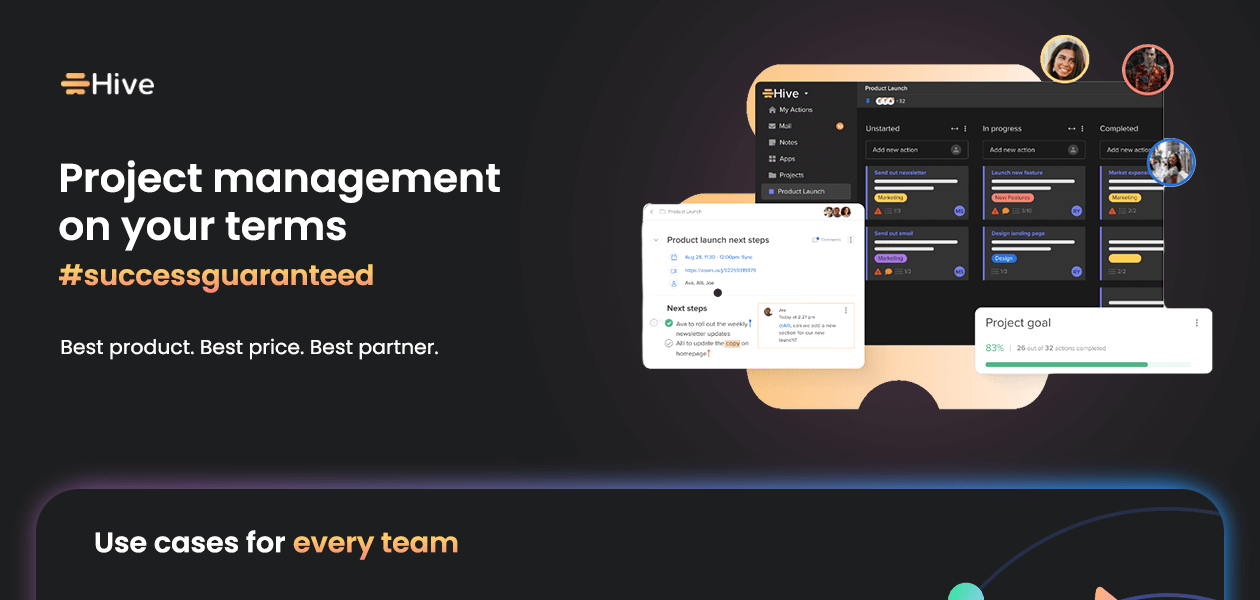
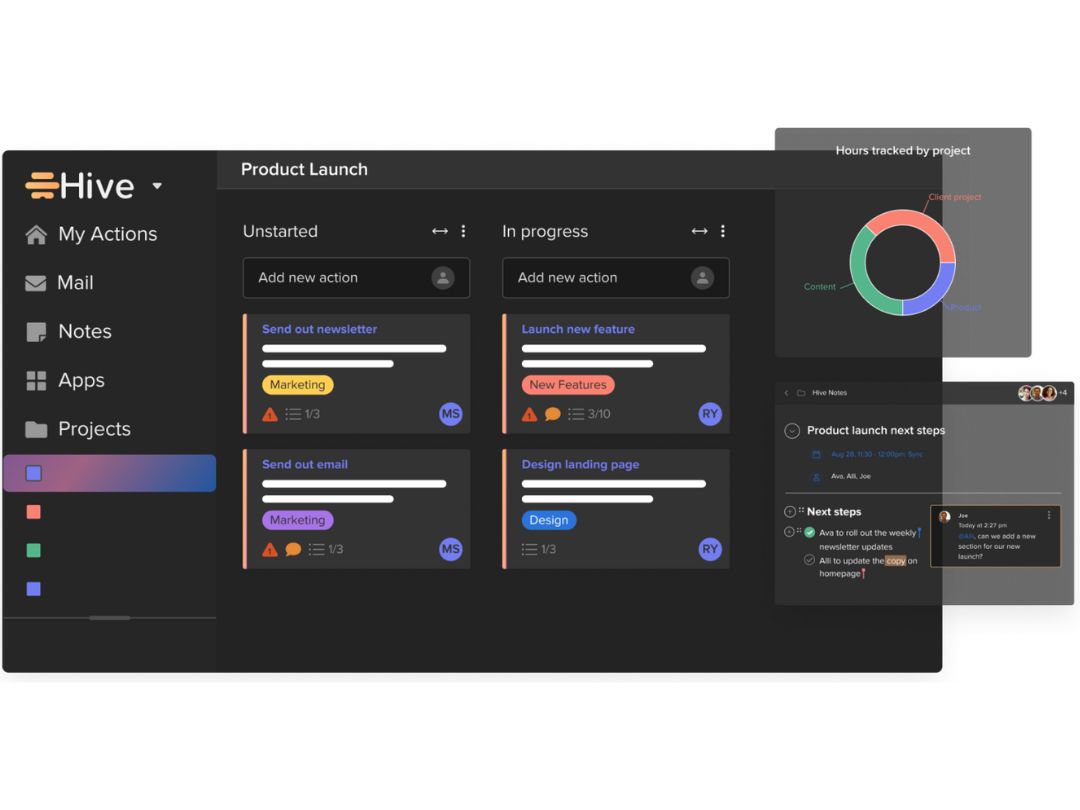
Hive Dashboard
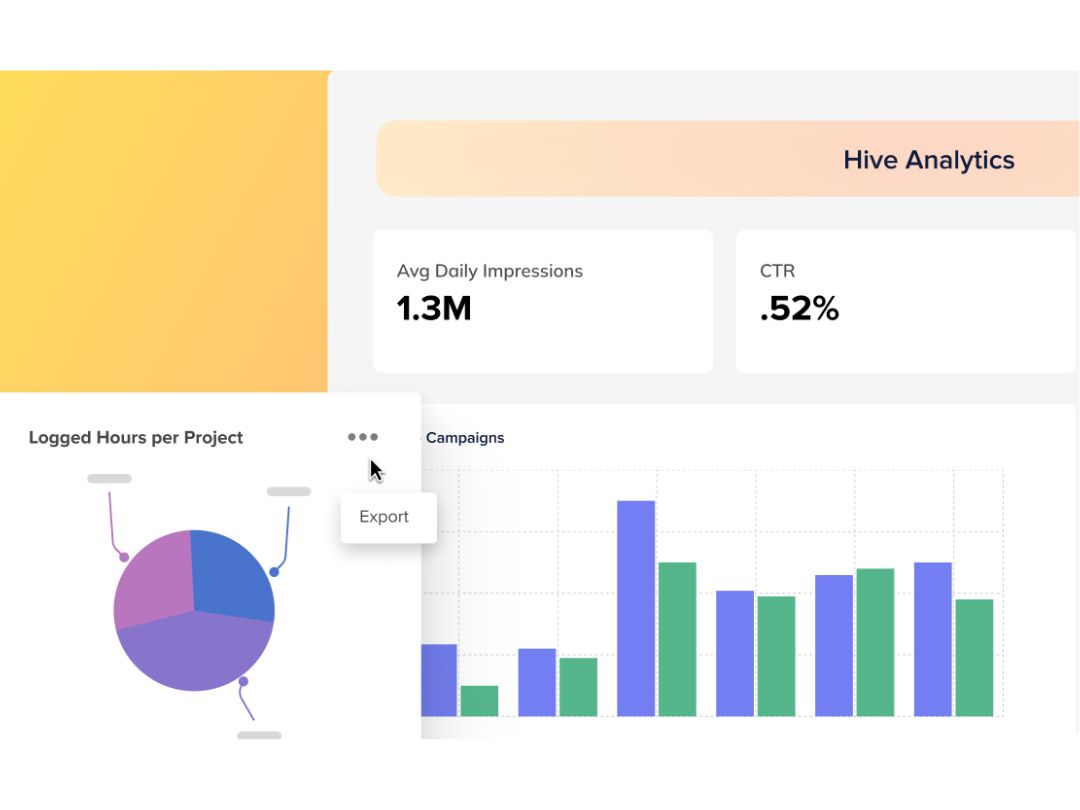
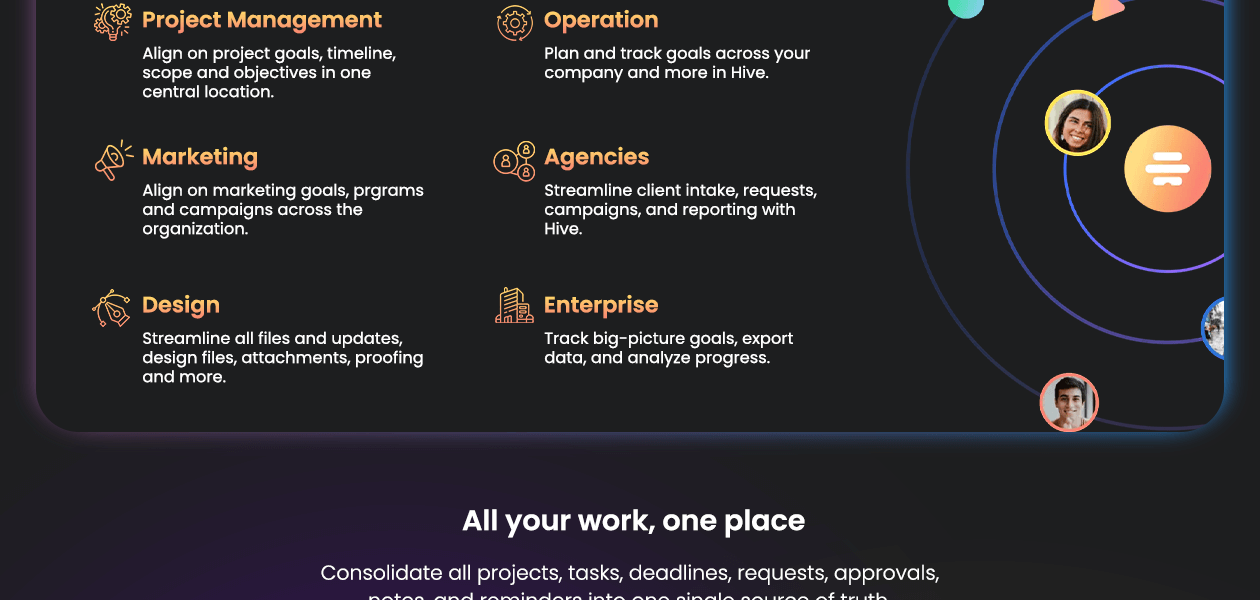
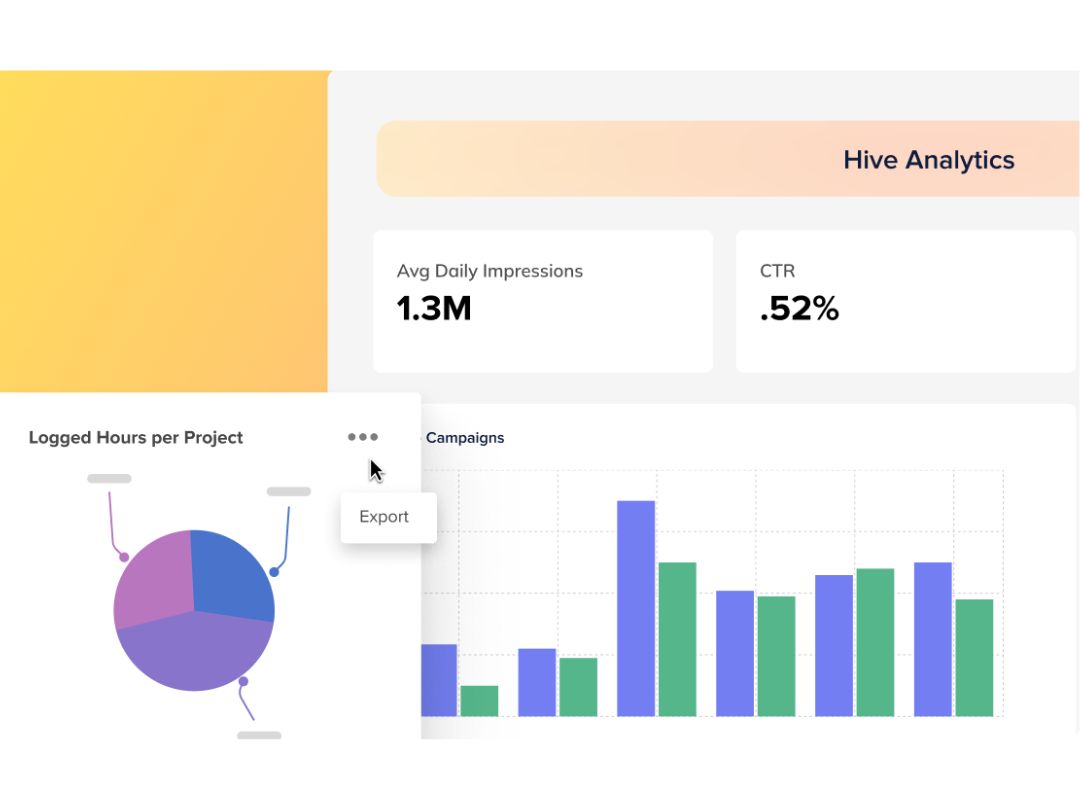
Hive Analytics
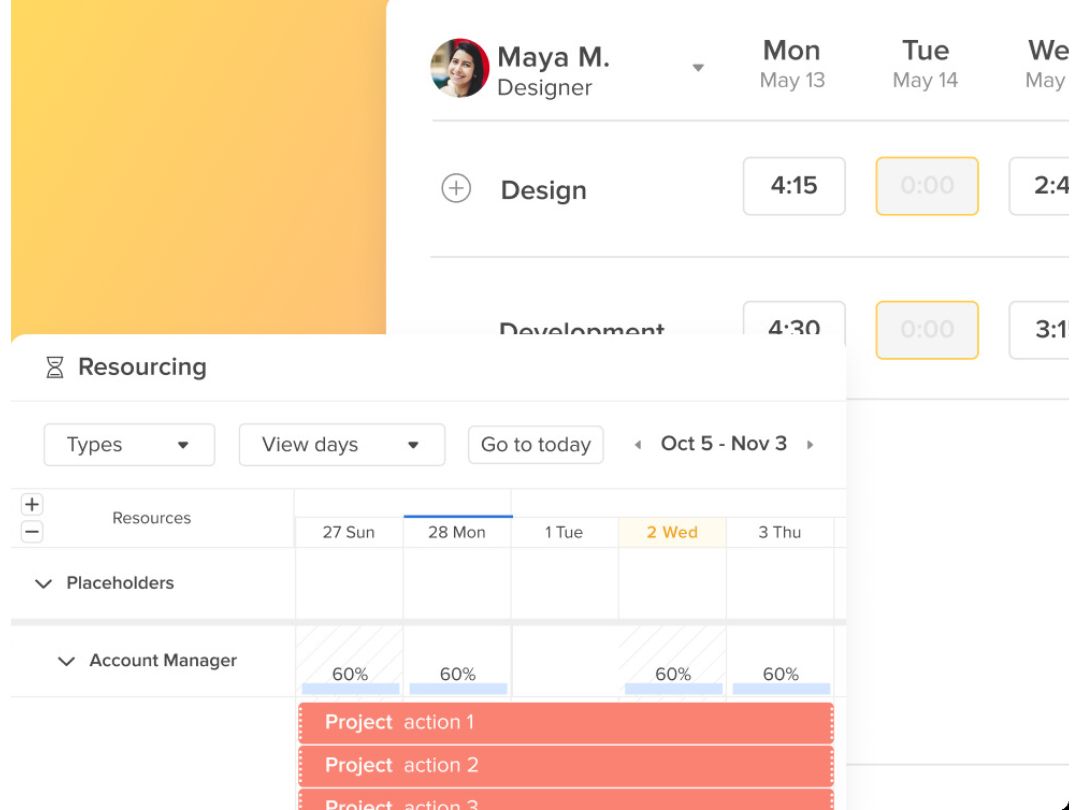
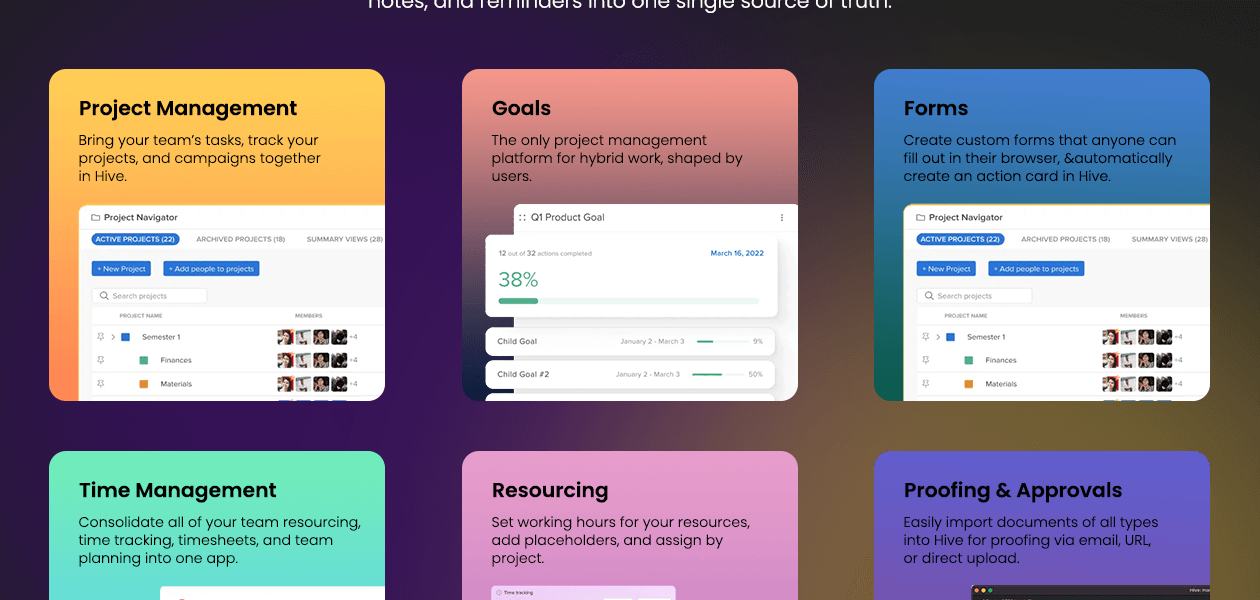
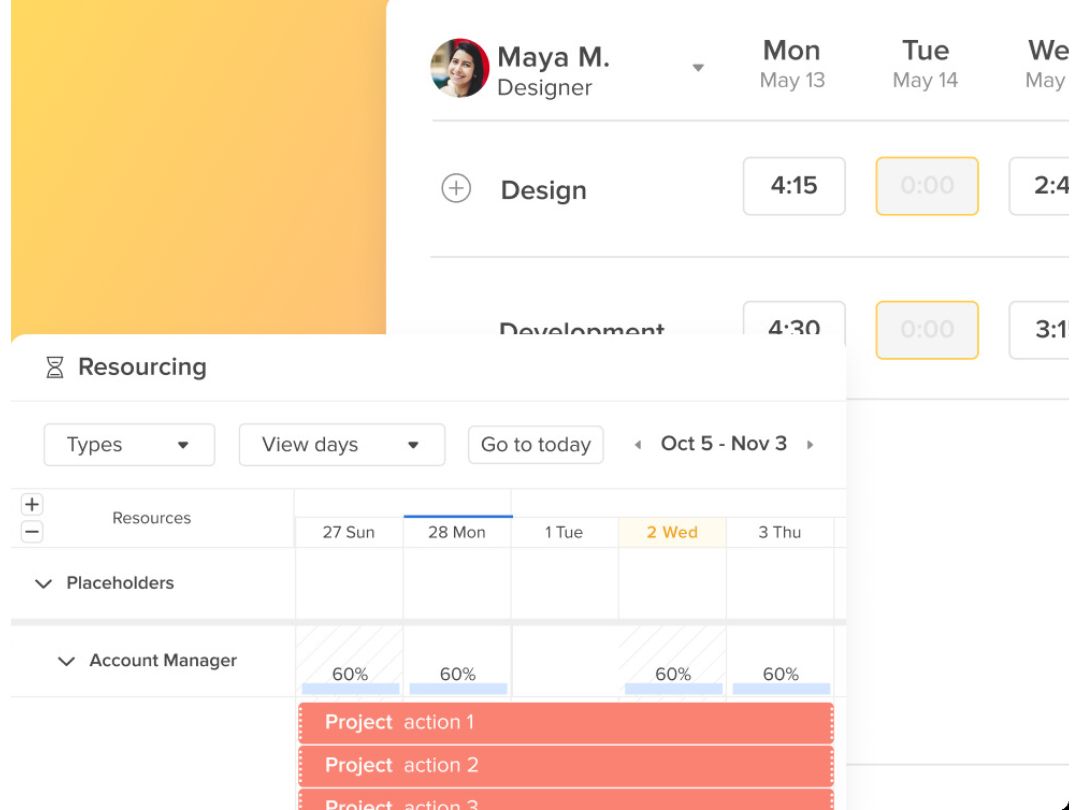
Hive TeamWork

Hive

Brand: HIVE® INC

  • 3.9

  • 13 Ratings & 10 Reviews

Hive is an all-in-one project management platform that helps teams of all sizes stay organized by creating tasks, tracking progress in real-time, automating workflows, enabling seamless collaboration with built-in messaging, and driving productivity through intuitive tools, powerful analytics, and s...

See More

Have you used Hive before?

Share your insights for better experience

Add a Review
Starting Price
$7

View plans

100% Genuine
Products
Best Price
Guaranteed
Safe & Secure
Payment
  • Description

  • Pricing

  • Features

  • Specification

  • Review

  • Compare

  • Alternatives

  • FAQ

Starting at $7.00

Hive Software Overview

What is Hive Software?

Are your projects turning into a messy swarm of buzzing tasks? Let Hive software guide you to efficient management. This project management platform keeps your team on track for success, irrespective of the team size. You can create tasks, set deadlines, and track progress in real-time.

Collaboration becomes a walk in the park with built-in messaging and file sharing, ensuring super-smooth communication. With functionalities such as automated workflows, your team can handle repetitive tasks more easily. This liberates your team's time for more strategic work.

Why Choose Hive Project Management Software?

The hive tool is for teams that prefer user-friendliness over complicated feature sets. Here are some of the reasons why users opt for Hive project management software:

  • No Information Chaos: Hive is a single, powerful platform for all your project needs. The advanced software eliminates the struggle stemming from scattered information and overflowing inboxes. Creating tasks, establishing deadlines, and monitoring progress can all be done seamlessly within a one-stop, user-friendly workspace.
  • Effortless Collaboration Like a Harmony of Ideas: Break down communication barriers with built-in messaging and file sharing. Hive fosters seamless collaboration, allowing your team to effortlessly exchange ideas, provide feedback, and stay on the same page—all within the Hive platform.
  • Clear Goals and Visibility Leading to Success: It goes without saying that transparency is crucial for the successful accomplishment of project goals. Hive's intuitive interface allows you to set clear and measurable objectives with ease. Every team member can track progress in real-time, ensuring everyone stays focused and aligned on achieving the desired outcomes.
  • Automated Workflows and Spare Time: Repetitive tasks can be a productivity killer. Hive automates these workflows, freeing up your team's valuable time. Hive AI also allows users to direct their attention towards strategic endeavours that propel project achievements.
  • Scalability for Growth: No matter whether you are a startup or a large corporation, Hive is designed to cater to your needs, evolving with your team's growth. It provides a platform for effective project management at every stage of your organisation's development.

Benefits of Hive Project Management Software

  • Time Management on Autopilot: Stop the deadline stress! Hive keeps all your workforce focused with clear deadlines and real-time progress tracking. Your team will become a time management expert.
  • Project Tracking Made Crystal Clear: Ditch the spreadsheet sprawl! Hive offers a central hub for all your project information. Easily monitor progress, identify roadblocks early, and keep your projects humming along.
  • Data-Driven Decisions, No Guesswork: Stop flying blind! The software equips you well with powerful reports and analytics. So make informed and smart decisions throughout the project lifecycle; no more flukes or winging projects with mere gut feelings.
  • Clients in the Loop: Keep your clients well informed and engaged! Hive makes client communication smoother than ever. Share files and updates with utter ease, fostering transparency and trust.
  • Accountability Amplified: The software promotes ownership and motivation. Clear task assignments and progress tracking ensure everyone's accountability. Watch your team work together like a dream making its way to reality, crushing goals left and right!

Hive Pricing in UAE

Hive price starts at $7 at techjockey.

The pricing model is based on different parameters, including extra features, deployment type, and the total number of users. For further queries related to the product, you can contact our product team and learn more about the pricing and offers.

Read moreView less

HIVE® INC Company Details

Founded Year:  2016

We help teams move faster. Hive's best-in-class project management platform includes all of the tools you need and want - and if not, we will build them for you.

Director/Founders Brett Knutson, Eric Typaldos, John Furneaux, Mark Donatelli
Company Size 101-500 Employees

Hive Pricing & Plans

Starter
Starting at $7
    • Users

      Users
      Users
    • Monthly

      Monthly
      Monthly

Key Features

  • Tasks & sub-tasks management

  • Workspace users-Up to 10

  • Unlimited storage

  • Unlimited projects-10

  • Unlimited tasks & sub-tasks

  • Unlimited notes

  • Unlimited AI assists

  • Unlimited Dashboards

  • Unlimited workflows-1000

Teams
Starting at $18
    • Users

      Users
      Users
    • Monthly

      Monthly
      Monthly

Key Features

  • Tasks & sub-tasks management

  • Workspace users-Unlimited

  • Unlimited storage

  • Unlimited projects

  • Unlimited tasks & sub-tasks

  • Unlimited notes

  • Unlimited AI assists

  • Unlimited forms

  • Unlimited Dashboards

  • Unlimited workflows

Enterprise
Price On Request

Key Features

  • Tasks & sub-tasks management

  • Workspace users-Unlimited

  • Unlimited storage

  • Unlimited projects

  • Unlimited tasks & sub-tasks

  • Unlimited notes

  • Unlimited AI assists

  • Unlimited forms

  • Unlimited Dashboards

  • Unlimited workflows

Hive Features

Core Functionalities

  • icon_check Workflow Management
    Manages and automates the flow of tasks and processes, ensuring that the right people or systems handle tasks at the right time?
  • icon_check Resource Management
    Allocate and manage team members effectively.
  • icon_check Risk Management
    Proactively identify and address potential project risks.
  • icon_check Task Management
    Central to all project management software, allowing users to create, assign, prioritize, and track tasks
  • icon_check Issue Management
    Identifies, tracks, and resolves problems or issues that arise during project execution
  • icon_check Sprint Management
    Plan, track, and manage sprints (short, time-boxed iterations)
  • icon_check Backlog Management
    Manage the product and sprint backlogs with prioritized tasks
  • icon_check Pipeline Management
    Tracks the flow of tasks, processes, or projects through various stages to ensure smooth progression.
  • icon_check Workforce Management
    Involves managing and optimizing team member workloads, schedules, and productivity?
  • icon_check Incident Management
    Manages unforeseen incidents or disruptions within a project, often found in industries requiring high reliability, such as IT or

Task & Workflow Management

  • icon_check Workflow Automation
    Design and automate workflows to enhance efficiency and ensure consistent task execution.
  • icon_check Recurring Tasks
    Schedule tasks to repeat at regular intervals to streamline ongoing project activities.
  • icon_check Task Prioritization
    Assign priority levels to tasks to ensure the most critical activities are addressed first.
  • icon_check Sub-Task Creation
    Break down complex tasks into smaller, manageable sub-tasks for better tracking and execution.
  • icon_check Task Dependencies
    Define and monitor task dependencies to manage the sequence and impact of task completion.
  • icon_check Notifications/Reminders
    Set up automated alerts and reminders to keep team members informed about task deadlines and updates.
  • icon_check Automated Task Assignment
    Automatically assigns tasks to team members based on workload, availability, and skill sets, helping to distribute work evenly as
  • icon_check Task Creation & Assignment
    Create, assign, and manage tasks.

Task Views

  • icon_check Gantt Chart
    Provides a visual timeline of the project with their durations and dependencies.
  • icon_check Kanban Boards
    Tasks are represented as cards that move across the columns.
  • icon_check Task List
    A simple list view of all tasks, including details such as due dates, assignees, and statuses.
  • icon_check Calendar View
    Displays tasks and deadlines on a calendar.
  • icon_check Timeline View
    Provides an overview of tasks and milestones over time.
  • icon_check Spreadsheet View
    Tasks are displayed in a table format similar to a spreadsheet.
  • icon_check Mind Map
    Visual representation of tasks and ideas branching out from a central concept.

Progress & Performance Tracking

  • icon_check Time Tracking
    Record the time spent on tasks for better project budgeting.
  • icon_check Milestone Tracking
    Set and track key project benchmarks.
  • icon_check Team Capacity Tracking
    Shows the distribution of tasks among team members for balancing workload and avoiding overburdening

Resource & Budget Management

  • icon_check Auto Scaling
    Dynamically scale resources (e.g., team size, server resources) based on project requirements.
  • icon_check Budget Planning
    Set a spending plan for your project based on data insights.
  • icon_check Workload Distribution
    Distributes tasks and processes across team members or systems to prevent overloading any resource, ensuring balanced workloads
  • icon_check Automated Resource Allocation
    Automatically adjusts resource allocation, such as server capacity, storage, or bandwidth, based on current project needs during
  • icon_check Dynamic Budgeting
    Tracks project expenses and scales budget management features dynamically based on the project's financial requirements.
  • icon_check Risk Scoring System
    Quantify and score potential project risks based on severity.

Reporting & Analytics

  • icon_check Predictive Analytics
    Forecasting tools to predict future project outcomes based on historical data.
  • icon_check Dashboards
    Interactive dashboards that can be customized for different user roles.
  • icon_check Automated Reports
    Scheduling and automatic generation of regular reports. Email notifications with report summaries.
  • icon_check Project Progress Reports
    Track progress against the baseline plan, identify deviations in schedule or budget.
  • icon_check Resource Reports
    Allocation and utilization of resources (people, equipment, materials).
  • icon_check Risk Reports
    Identify, assess, and propose mitigation strategies for potential project risks.
  • icon_check Workload Reports
    Analyze workload distribution among team members, identify potential imbalances.
  • icon_check Timesheet Reports
    Track time spent on tasks by team members, assess project efficiency and billing accuracy.
  • icon_check Sprint Reports
    Track progress within development sprints.
  • icon_check Burndown & Burnup Charts
    Track progress towards sprint goals to manage progress and respond accordingly.
  • icon_check Real-Time Reporting
    Live dashboards that update as data changes.
  • icon_check Report Customization
    Ability to create and customize reports based on specific project needs.
  • icon_check Benchmarking
    Compare project performance against industry standards or internal benchmarks.
  • icon_check Bottleneck Reports
    Identification of task dependencies and potential bottlenecks.

Collaboration & Communication

  • icon_check Integrated Chat & Messaging
    Real-time communication with team members.
  • icon_check Version control
    Track changes made to documents and files.
  • icon_check File Sharing & Document Collaboration
    Upload, share, and edit documents.
  • icon_check Real-Time Collaboration
    Work simultaneously on tasks, leave comments, and share feedback.

Customization

  • icon_check Templates
    Use pre-defined project and timeline structures to save time.
  • icon_check Custom Fields
    Add specific data fields to track unique project information.
  • icon_check Task Customization
    Modify tasks to include custom fields, tags, and properties to fit specific project needs.
  • icon_check Custom Layouts
    Design the software interface to fit your workflow.
  • icon_check Custom Views
    Create personalized views of project data.

Integrations

  • icon_check API Integration
    Allow for custom integrations through APIs
  • icon_check Third Paty Integration
    Integration with external tools via third party applications
  • icon_check Communication and Collaboration Tools
    Integrate with various collaboration tools to streamline real-time communication and collaboration within project workflows.
  • icon_check File Storage and Sharing
    Connect cloud storage solutions to enable seamless file sharing and document management within projects.
  • icon_check Time Tracking Tools
    Integrate time tracking tools to monitor work hours and resource allocation directly in your project management system.
  • icon_check CRM Integration
    Sync with CRM systems to align customer relationships and sales data with project tasks and deliverables.
  • icon_check Issue Tracking Tools
    Link issue tracking software to manage and resolve bugs and issues alongside your project management processes.
  • icon_check ERP Intergration
    Connect ERP systems to unify project management with broader business operations, including finance, HR, and procurement.
  • icon_check Automation Tools
    Use automation platforms to create workflows that automatically handle repetitive tasks across multiple apps.
  • icon_check AI-Based Integrations
    Use AI for predictive analysis and workflow suggestions.

Access Control & Security

  • icon_check User Access Management
    Control access to project information based on user roles.
  • icon_check Compliance Tracking
    Ensure adherence to relevant data and security compliance (e.g., GDPR, CCPA).
  • icon_check Activity Logs
    Track user activity within the project management software
  • icon_check Data Backup and Disaster Recovery
    Ensure data security with regular backups and recovery plans.
  • icon_check Multi-Factor Authentication (MFA)
    Enhance login security through MFA.
Product Enrichment Section Image

Hive Specifications

Supported Platforms
Windows Windows iOS iOS Android Android MacOS MacOS Windows(Phone) Windows(Phone)
Devices
Desktop Desktop Mobile Mobile
Deployment
Cloud-Based Cloud-Based
Suitable For
All Industries
Business Specific
All Businesses
Business Size
Small Business Startups Medium Business Enterprises SMBs
Customer Support
Email
Language
English
Training Resources
Videos

Explore the Best Alternative Solutions Similar to Your Business Size and Needs

Medium Business

Built for business growth and flexibility

Abtrac

4.1

Nifty

4.4

Backlog

4.4

See More

Hive Reviews

3.9

Out of 5

img

Overall Rating

Based on
10 Verified Reviews

Rating Breakdown

  • Features 4
  • Value for Money 3.8
  • Ease of Use 4.0
  • Customer Support 4.1

81% Recommend this Product

Add Review
AI Generated Summary Based on Real Reviews

Users generally appreciate Hive for its efficiency in managing projects and facilitating team collaboration, particularly highlighting its integrated chat and task assignment features. Many find it effective for tracking progress and keeping projects organized, especially in marketing and client management contexts. However, there are recurring complaints about the mobile app's performance and the user interface feeling outdated. Additionally, some users have noted minor bugs following updates, which can disrupt workflow. Overall, Hive is seen as a reliable tool for project management, though it may have limitations for more complex needs.

Pros

  • "Hive’s system for managing marketing campaigns is really helpful. It offers collaboration between team members and the approval process is easy to follow."

    Jai Kishan VajpayeeSep 3, 2024

  • "Hive offers an integrated chat that allows us to communicate directly within the platform, and the Gmail integration makes sharing important emails easier."

    Poonam Shah Jul 17, 2024

  • "The time tracking feature has been particularly helpful in monitoring projects. It’s really great for keeping an eye on profitability, and the resource planning feature."

    Vishal Jul 9, 2024

Cons

  • "The user interface could be more modern, and switching between different views can sometimes be slow. "

    Farman AnsariSep 3, 2024

  • "Sometimes, the software updates come with some glitches that interrupt my work. "

    Rohit KanojiyaSep 2, 2024

  • "The software is reliable, but I feel like the mobile app could perform better. It doesn’t always function as well as the desktop version when handling large projects. "

    RAJAN PARAB Aug 7, 2024

NISHAT AHMED ATTARI

User

Industry: IT User since: 1-2 years

4.2

Reviewed on: Aug 19, 2024

Techjockey Verified

“Hive: An Efficient Local Database for Quick Storage”

I started using Hive because I needed a fast, no-fuss local database for my app. It was really easy to get started, and the performance has been solid so far. It works perfectly for storing small amounts of data like settings or preferences. However, I did feel a bit limited when I tried to use it for more complex data. Overall, it gets the job done for simpler apps.

Pros

Hive is one of the simplest databases I’ve used when working with Flutter. It doesn’t require much setup, and the performance is great, especially for apps that need quick data access. What I love most is that it’s a lightweight solution and doesn’t slow down the app, even with large data files. It’s also easy to implement encryption for sensitive data, which is something I really needed.

Cons

The only downside I’ve noticed with Hive is that it’s primarily suited for simple use cases. If you’re working on more complex data structures or need relationships between tables, Hive isn’t the best choice. It also lacks some advanced features that other databases offer, like support for complex queries.

Switched from Proworkflow

Reason to switch

I was looking for change.

Poonam Shah

Project Manager

Industry: SAAS User since: 1-2 years

3.8

Reviewed on: Jul 17, 2024

Techjockey Verified

“An All-in-One Project management software for Remote Teams”

Helpful software offers collaboration among the teams.

Pros

Hive offers an integrated chat that allows us to communicate directly within the platform, and the Gmail integration makes sharing important emails easier.

Cons

The mobile app doesn’t perform as well. It requires improvements.

Reason to switch

We wanted a single platform that could handle both team communication and project tracking.

Jai kishan Vajpayee

Project Manager

Industry: Project Management User since: 1-2 years

3.8

Reviewed on: Sep 3, 2024

Techjockey Verified

“Perfect software stands out for its range of features.”

Hive has provided the structure needed to keep everything on schedule. The ability to track the progress of each campaign from beginning to end ensures that nothing gets overlooked.

Pros

Hive’s system for managing marketing campaigns is really helpful. It offers collaboration between team members and the approval process is easy to follow.

Cons

Nothing to dislike.

Switched from Asana

Reason to switch

We needed a better system for tracking the approval process.
See All Hive Reviews

Compare Hive With other Project Management Software

Products
Ratings
Pricing
Device Supported
Deployment
Supported Platforms
  • img

    Hive

  • 3.9

  • $ 7.00 excl. GST

  • Desktop

    Mobile

  • Web based

    On Premises

  • Windows

    Mac OS

  • img

    Zoho Projects

  • 4.0

  • Price On Request

  • Desktop

    Mobile

  • Web based

    On Premises

  • Windows

    Mac OS

  • img

    Shortcut

  • 4.5

  • Price On Request

  • Desktop

    Mobile

  • Web based

    On Premises

  • Windows

    Mac OS

  • img

    Dart

  • 3.9

  • Price On Request

  • Desktop

    Mobile

  • Web based

    On Premises

  • Windows

    Mac OS

  • img

    Forecast

  • 4.4

  • Price On Request

  • Desktop

    Mobile

  • Web based

    On Premises

  • Windows

    Mac OS

  • img

    Workfront

  • 4.4

  • Price On Request

  • Desktop

    Mobile

  • Web based

    On Premises

  • Windows

    Mac OS

  • img

    Notion

  • 4.3

  • Price On Request

  • Desktop

    Mobile

  • Web based

    On Premises

  • Windows

    Mac OS

  • img

    Businessmap

  • 4.5

  • Price On Request

  • Desktop

    Mobile

  • Web based

    On Premises

  • Windows

    Mac OS

  • img

    Nifty

  • 4.4

  • Price On Request

  • Desktop

    Mobile

  • Web based

    On Premises

  • Windows

    Mac OS

  • img

    SmartSuite

  • 4.1

  • Price On Request

  • Desktop

    Mobile

  • Web based

    On Premises

  • Windows

    Mac OS

  • img

    Swit

  • 4.4

  • Price On Request

  • Desktop

    Mobile

  • Web based

    On Premises

  • Windows

    Mac OS

(0) Product(s) selected

Hive Alternatives

See All Hive Alternatives

Dart

3.9

Starting Price:

$10.00 /User/Month

Available

Price on Request

Starting Price:

$12.00 /User/Month

Starting Price:

$178.50 /Month

Swit

4.4

Starting Price:

$11.00 /Month

Starting Price:

$1,748.00
Jile

4.4

Starting Price:

$12.99 /Month

Coda

4.0

Starting Price:

$12.00 /Month

Starting Price:

$15.00 /User/Month

Starting Price:

$10.00 /User/Month

Which operating system does Hive Project Management Software Support?

Hive software is compatible with Windows, iOS, Android, MacOS, and Windows (Phone) systems.

Is there any Hive App?

Yes, the Hive app is available for Android and iOS devices.

What is the deployment type of Hive Project Management Software?

Hive system supports web-based deployment.

How much does Hive Software Cost?

Hive pricing starts at $7 at techjockey.com.

Who are the potential users of Hive?

Potential users of Hive may include businesses of any size seeking cloud-based project management solutions to efficiently manage teams, collaborate, plan projects, assign tasks, and streamline workflow processes.

Is there any free trial or demo for Hive Project Management Software?

Yes, a free demo of this product is available at techjockey.com.

Is Hive Software Free?

Yes, the product is available for free.

Does Hive offer a free trial?

No, the product does not offer a free trial.

How can you download Hive?

Since the product supports web-based deployment there is no need for software installation. Just open the setup wizard and get started.

How does Hive Work?

Hive works by providing a cloud-based platform where teams can collaborate, plan projects, assign tasks, and automate workflows. Users can access it through web browsers or mobile apps to manage projects, track time, communicate with team members, review proofs, and create forms, simplifying their work processes.

Is Hive software free to use?

Hive offers a free plan with basic project management features, allowing small teams to collaborate. Paid plans with more advanced features are also available.

What is Hive used for?

Hive is a project management and collaboration tool used to manage tasks, automate workflows, manage resources, and enhance team communication across projects.

Is Hive a CRM?

No, Hive is not a CRM. It is a project management tool, though it integrates with CRM platforms like Salesforce to enhance project workflows.

How much does Hive cost?

Hive offers a free plan, with paid plans starting at $12 per user per month, which unlock additional features like time tracking, analytics, and advanced automation.

Who uses Hive?

Hive is used by teams across various industries, including marketing, product management, operations, and creative teams, to improve collaboration and project efficiency.

Where is Hive used?

Hive is used globally by businesses of all sizes, from startups to enterprises, for project management and team collaboration.

How does Hive software work?

Hive provides a platform for managing projects through task assignments, Kanban boards, Gantt charts, automation, and communication tools. It integrates with other apps and allows teams to plan, track, and execute tasks efficiently.

Terms and Condtions

close

Users with registered businesses can purchase goods from merchants on the platform to satisfy their business needs. Users are not permitted to utilize any products acquired through the platform for resale, advertising, business, or further distribution.

For each purchase made, users will receive a Tax Invoice (or 'GST invoice') that includes specific details such as:

  • the GSTIN of the user associated with their registered business, and

  • the specified Entity Name for their business.

It should be noted that not all products are eligible for GST Invoice. Only the products displayed by participating sellers with the 'GST-based Invoice Available' callout on the product description page would qualify.

Certain goods and services are not eligible to get a GST Invoice, including items with VAS, i.e., Value Added Services (e.g., Total Mobile Protection/Assured Buyback) and those involving an exchange offer at the time of purchase.

Users must ensure the accuracy of the GSTIN, and business entity name provided for the GST Invoice. Requests for corrections into GST Invoice would not be accommodated by Techjockey.com or any Seller, and any issues arising from user-provided information are the sole responsibility of users.

Techjockey.com is not liable for the GST Invoice or any associated input tax credit. To efficiently claim an input tax credit, users should select the registered place of business address as per the GST authority's data and follow the provisions of the GST Act and rules.

To claim an input tax credit, the delivery and billing addresses must match. Furthermore, input tax credits will not be granted if the delivery address and GSTIN on the invoice are from different states. In case of incorrect GST details provided during the order placement, the order will be canceled automatically.

21,000+ Software Listed 21,000+ Software Listed

Best Price Guaranteed Unbiased Comparison

Free Expert Consultation Read Authentic Reviews

5M+ Happy Customers 500,000+ Monthly Users