USA
 India
Small Business
Designed for startups and growing businesses
See More


Brand: ClickUp
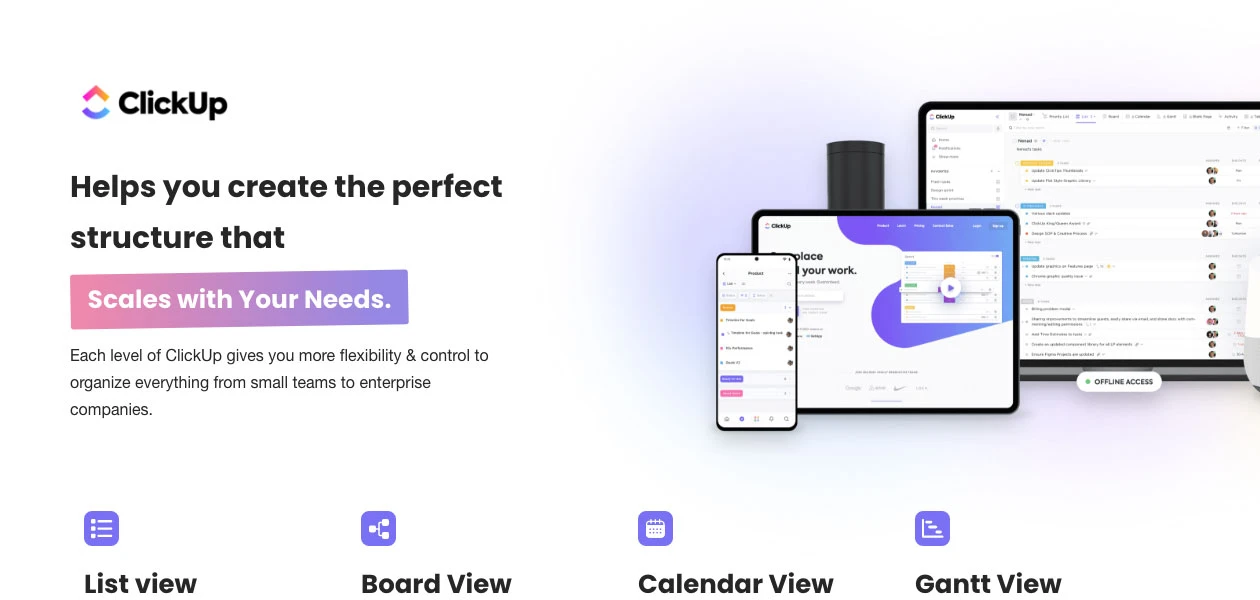
ClickUp is a productivity platform that helps teams plan, organize, and collaborate on work.
See MoreHave you used Clickup before?
Share your insights for better experience
Brand: ClickUp
Founded Year: 2017
ClickUp offers a customizable workplace productivity platform that serves all departments across an organization.
Core Functionalities
 Issue Management Workflow Management Resource Management Risk Management Task Management Backlog Management Pipeline Management Sprint Management Workforce Management Incident Management
Task & Workflow Management
Workflow Automation Recurring Tasks Task Creation & Assignment Task Prioritization Sub-Task Creation Task Dependencies Notifications/Reminders Automated Task Assignment Task Views
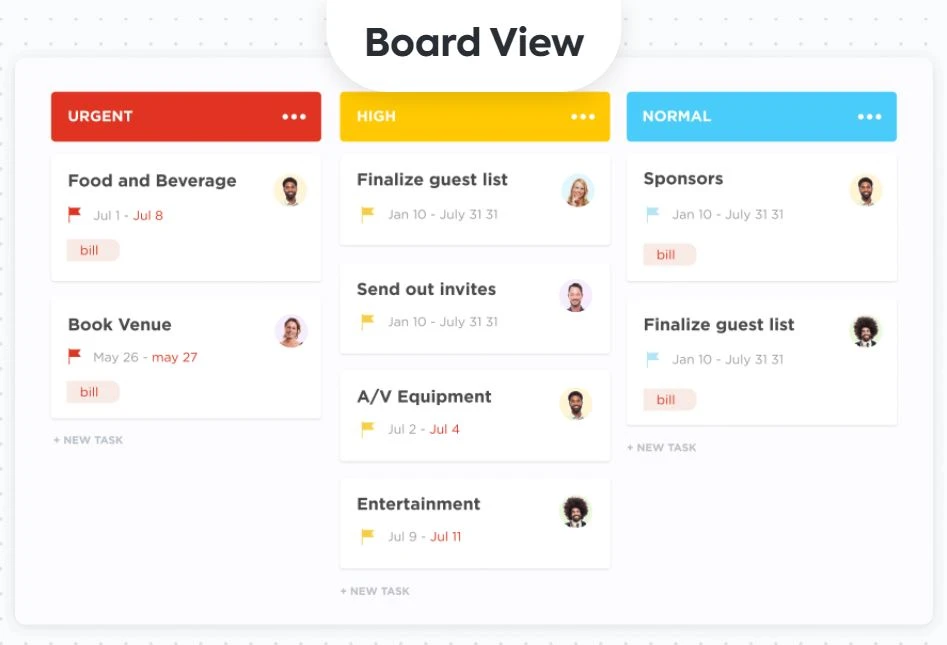
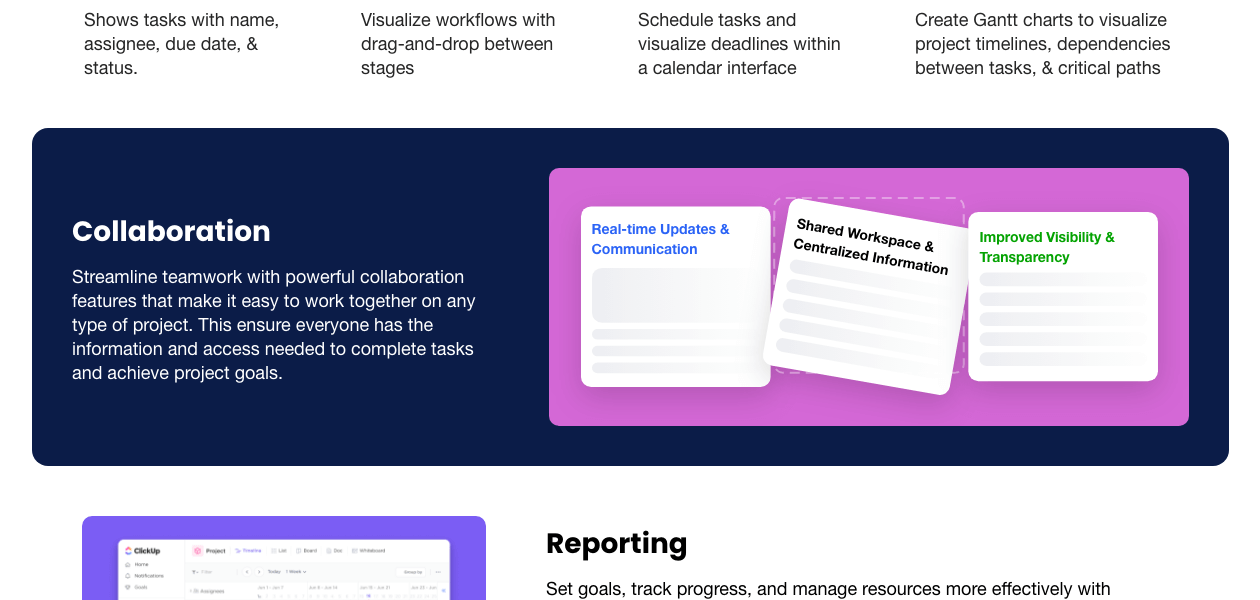
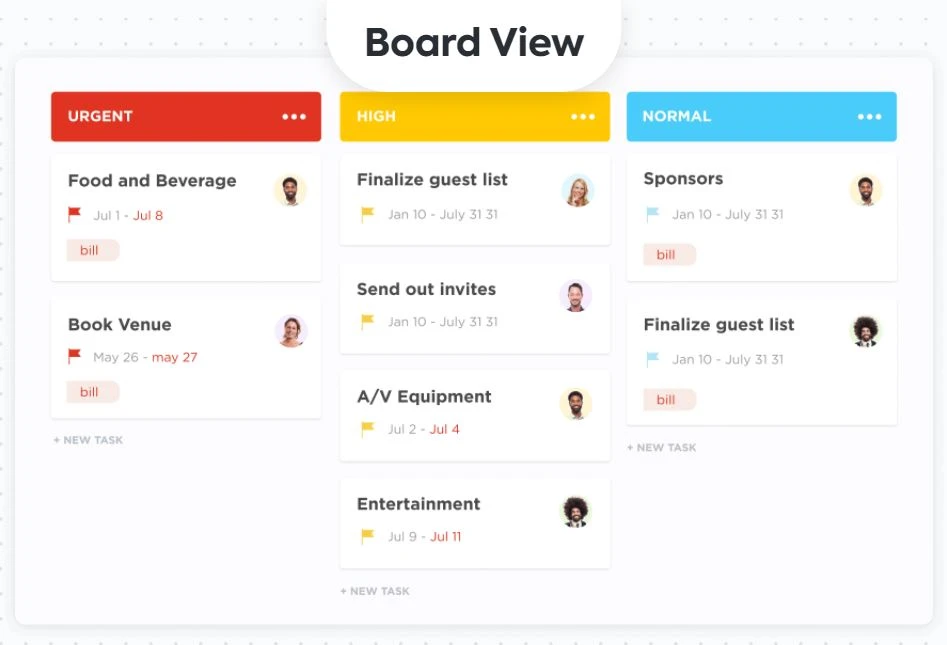
Gantt Chart Kanban Boards Task List Calendar View Timeline View Spreadsheet View Mind Map Progress & Performance Tracking
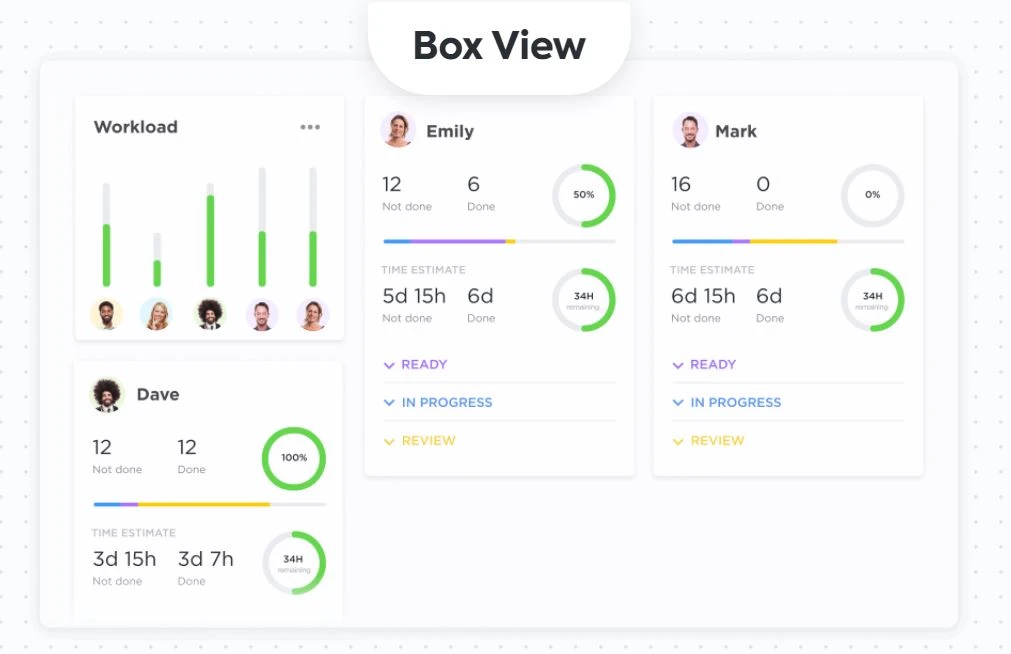
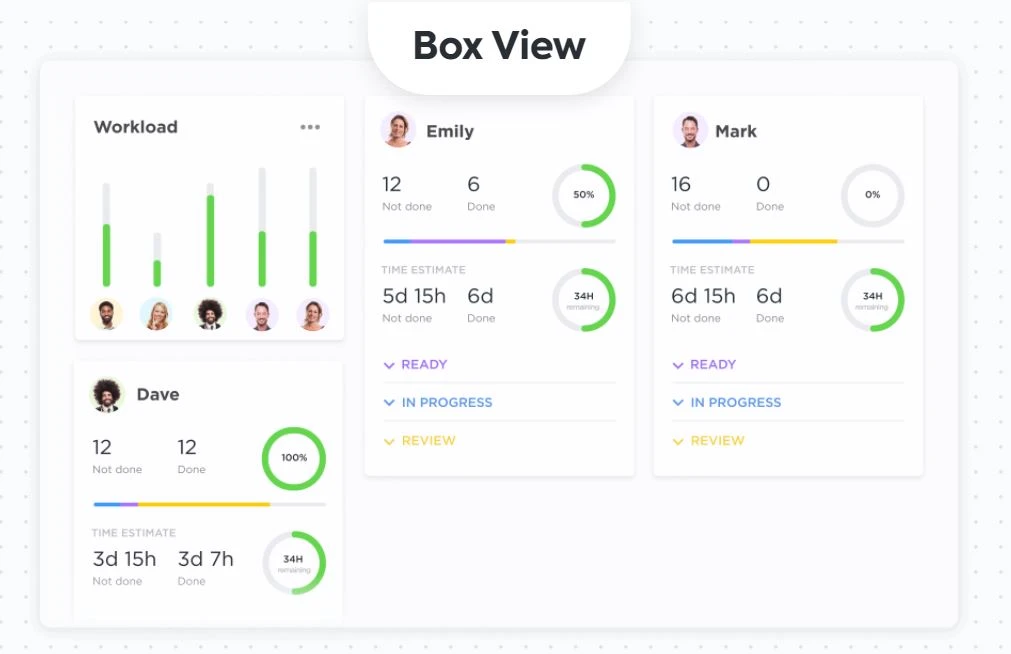
Time Tracking Milestone Tracking Team Capacity Tracking Resource & Budget Management
Automated Resource Allocation Budget Planning Dynamic Budgeting Risk Scoring System Workload Distribution Auto Scaling Reporting & Analytics
Dashboards Benchmarking Automated Reports Project Progress Reports Resource Reports Risk Reports Workload Reports Timesheet Reports Sprint Reports Real-Time Reporting Report Customization Burndown & Burnup Charts Bottleneck Reports Predictive Analytics Collaboration & Communication
Version control Integrated Chat & Messaging File Sharing & Document Collaboration Real-Time Collaboration Customization
Templates Custom Fields Task Customization Custom Layouts Custom Views Integrations
API Integration Communication and Collaboration Tools File Storage and Sharing Issue Tracking Tools Automation Tools Third Paty Integration AI-Based Integrations Time Tracking Tools CRM Integration ERP Intergration Access Control & Security
User Access Management Activity Logs Data Backup and Disaster Recovery Compliance Tracking Multi-Factor Authentication (MFA) 

Watch the demo video to explore key features, real workflows, and how the software fits your business needs.
 Windows
 iOS
 Android MacOS
 Desktop
 Mobile
 Tablet
 iPad
 Cloud-Based

Small Business
Designed for startups and growing businesses
Medium Business
Built for business growth and flexibility
Enterprises
Designed for complex and large-scale business needs
4.2
Out of 5

Overall Rating
Based on
12 Verified Reviews
Rating Breakdown
89% Recommend this Product
Add ReviewOverall, users appreciate ClickUp for its organizational capabilities, customization options, and user-friendly interface, which enhance project management efficiency. Many find the platform's various task views and built-in features beneficial for tracking progress. However, some users have noted limitations such as speed issues, particularly with task searches, and a lack of certain features in the mobile version. Additionally, there are requests for improved backup options and better email notification reliability. Despite these concerns, ClickUp remains a recommended tool for project management.
Pros
"Easy drag and drop feature as once the task is completed you can move it to the next stage which helps you to keep track on your task accomplished and pending work you need to do."
"I love the design and the usability of the software and I am really looking forward to using this product."
"I especially love the way you can customize the look and feel of your projects and boards. I have recommended ClickUp to many of my colleagues and friends."
Cons
"The speed could be better, especially when searching for tasks, and the mobile version still lacks some features found on the desktop."
"Honestly, the only thing I wish for is more options for backup and restore. "
"Earlier they had a feature where you could assign one task to multiple people but now it is restricted to one task per person."



Jul 3, 2024
Techjockey Verified
“ClickUp has helped our team stay organized and improve”
Using ClickUp has made our project management much more organized.
Pros
ClickUp is great for helping us stay organized. The platform’s customization options let us set it up exactly how we need it. The different task views, like the Board and Calendar, give us flexibility in managing our projects.
Cons
The speed could be better, especially when searching for tasks, and the mobile version still lacks some features found on the desktop.
Reason to switch
We moved to ClickUp because we needed a software that could handle all our project management needs in one place, and it hasn’t disappointed.
Jul 3, 2024
Techjockey Verified
“ClickUp is the best software for keeping our team organized”
I’ve been using ClickUp for a few years now, and it’s been a reliable tool for managing both simple and detailed projects.
Pros
The built-in features for assigning tasks and tracking progress make it easy to know who’s doing what. Further, the pre-designed templates have been really helpful in getting projects started quickly.
Cons
Honestly, the only thing I wish for is more options for backup and restore.
Reason to switch
We chose ClickUp because it offered the versatility and features, we needed to manage multiple projects.
Jun 19, 2024
Techjockey Verified
“ClickUp has truly changed the way we manage projects earlier”
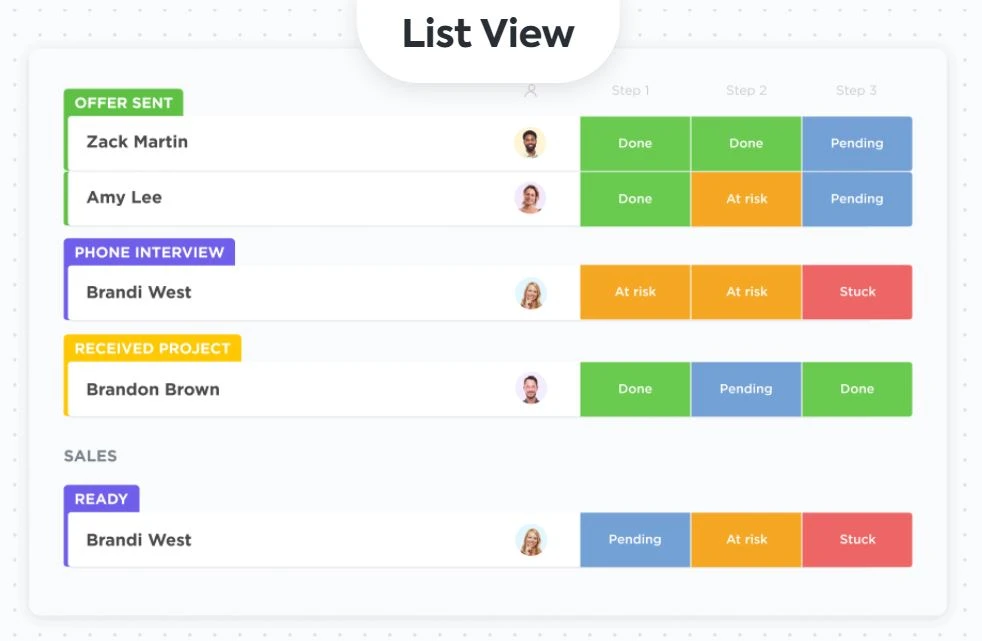
I've been using ClickUp for a while, and it has made managing projects much easier. The platform offers different views like Board, List, and Gantt, so you can approach tasks in the way that suits you best.
Pros
ClickUp has been a major upgrade for us. The interface is very simple to use. One of the things we love most is the customization feature, from task views to notifications. The frequent updates, which often include new features, are a big advantage.
Cons
No issues
Reason to switch
We required software that could handle everything from task management to team collaboration, and ClickUp provided all of that within a single platform.
Clickup
$ 10.00 excl. GST
Desktop
Mobile
Web based
On Premises
Windows
Mac OS

Zoho Projects
Price On Request
Desktop
Mobile
Web based
On Premises
Windows
Mac OS

Shortcut
Price On Request
Desktop
Mobile
Web based
On Premises
Windows
Mac OS

Hive
Price On Request
Desktop
Mobile
Web based
On Premises
Windows
Mac OS
Dart
Price On Request
Desktop
Mobile
Web based
On Premises
Windows
Mac OS

Forecast
Price On Request
Desktop
Mobile
Web based
On Premises
Windows
Mac OS

Workfront
Price On Request
Desktop
Mobile
Web based
On Premises
Windows
Mac OS

Businessmap
Price On Request
Desktop
Mobile
Web based
On Premises
Windows
Mac OS
Notion
Price On Request
Desktop
Mobile
Web based
On Premises
Windows
Mac OS

Nifty
Price On Request
Desktop
Mobile
Web based
On Premises
Windows
Mac OS

SmartSuite
Price On Request
Desktop
Mobile
Web based
On Premises
Windows
Mac OS
(0) Product(s) selected
Starting Price:
$7.00 /User/Month
Starting Price:
$10.00 /User/Month
Available
Price on Request
Starting Price:
$178.50 /Month
Starting Price:
$12.00 /User/Month
Starting Price:
$11.00 /Month

Starting Price:
$1,748.00
Starting Price:
$12.99 /Month
Starting Price:
$12.00 /Month
Starting Price:
$15.00 /User/Month

Starting Price:
$49.00 /Month
ClickUp is compatible with Windows and MacOS operating systems.
ClickUp is available for android and iOS app users.
ClickUp supports web-based deployment.
ClickUp price starts at $10 on techjockey.com.
ClickUp can be used by teams of all sizes to organize tasks and collaborate effectively.
ClickUp free trial is available at techjockey.com.
ClickUp is not free. Price starts at $10 at techjockey.com.
ClickUp software is a web-based platform. So, installation is not required. Just open the Setup Wizard to get started.
The project management software streamlines project management, task organization, collaboration, and communication.
Terms and Condtions

Users with registered businesses can purchase goods from merchants on the platform to satisfy their business needs. Users are not permitted to utilize any products acquired through the platform for resale, advertising, business, or further distribution.
For each purchase made, users will receive a Tax Invoice (or 'GST invoice') that includes specific details such as:
the GSTIN of the user associated with their registered business, and
the specified Entity Name for their business.
It should be noted that not all products are eligible for GST Invoice. Only the products displayed by participating sellers with the 'GST-based Invoice Available' callout on the product description page would qualify.
Certain goods and services are not eligible to get a GST Invoice, including items with VAS, i.e., Value Added Services (e.g., Total Mobile Protection/Assured Buyback) and those involving an exchange offer at the time of purchase.
Users must ensure the accuracy of the GSTIN, and business entity name provided for the GST Invoice. Requests for corrections into GST Invoice would not be accommodated by Techjockey.com or any Seller, and any issues arising from user-provided information are the sole responsibility of users.
Techjockey.com is not liable for the GST Invoice or any associated input tax credit. To efficiently claim an input tax credit, users should select the registered place of business address as per the GST authority's data and follow the provisions of the GST Act and rules.
To claim an input tax credit, the delivery and billing addresses must match. Furthermore, input tax credits will not be granted if the delivery address and GSTIN on the invoice are from different states. In case of incorrect GST details provided during the order placement, the order will be canceled automatically.
 21,000+ Software Listed
 Unbiased Comparison
 Read Authentic Reviews
 500,000+ Monthly Users