linkedin
Iolo System Mechanic logo
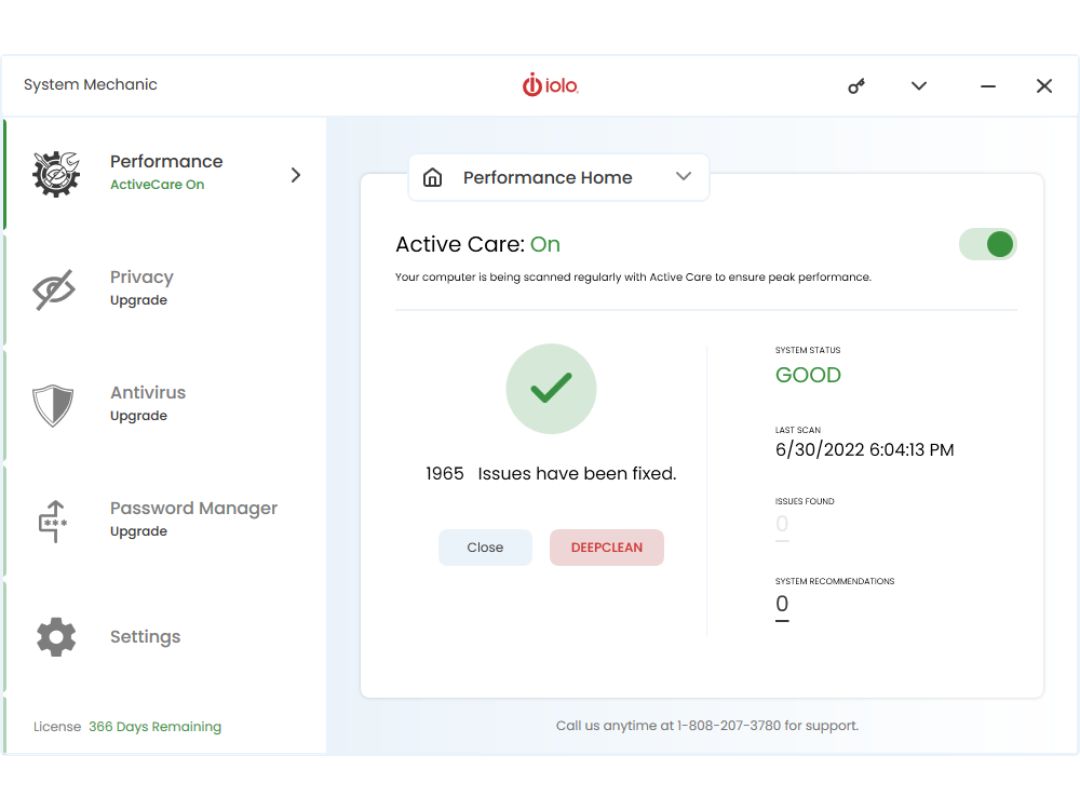
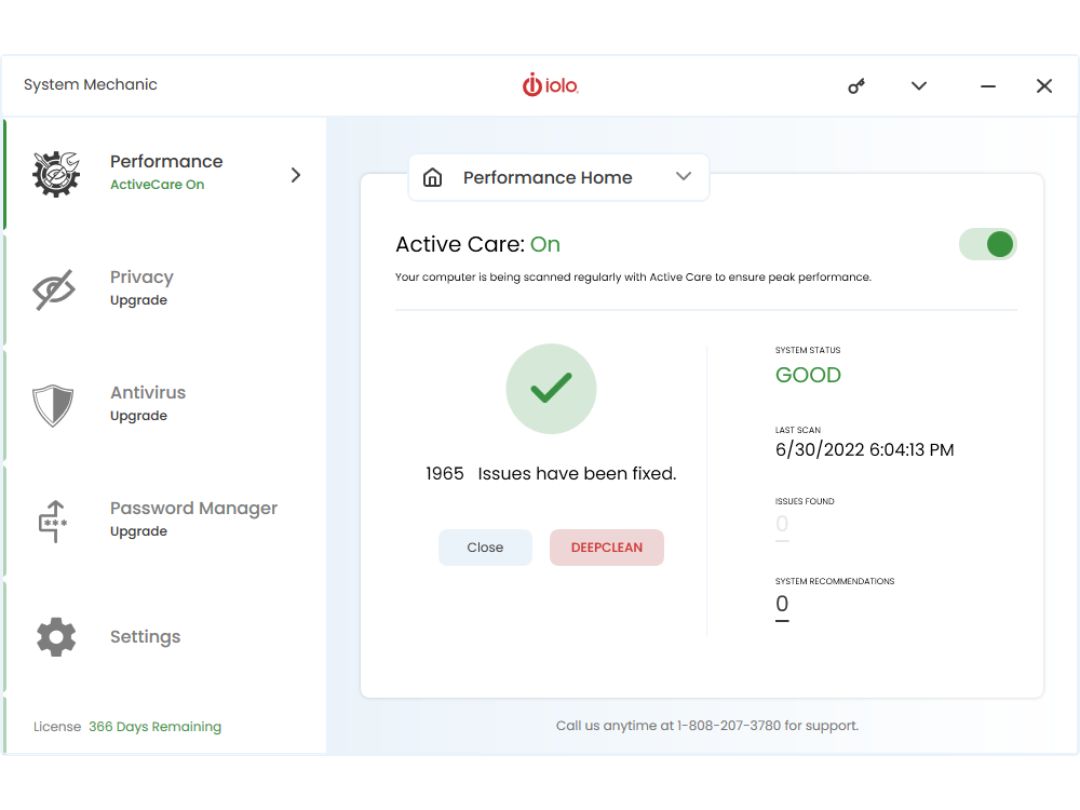
Iolo System Mechanic dashboard
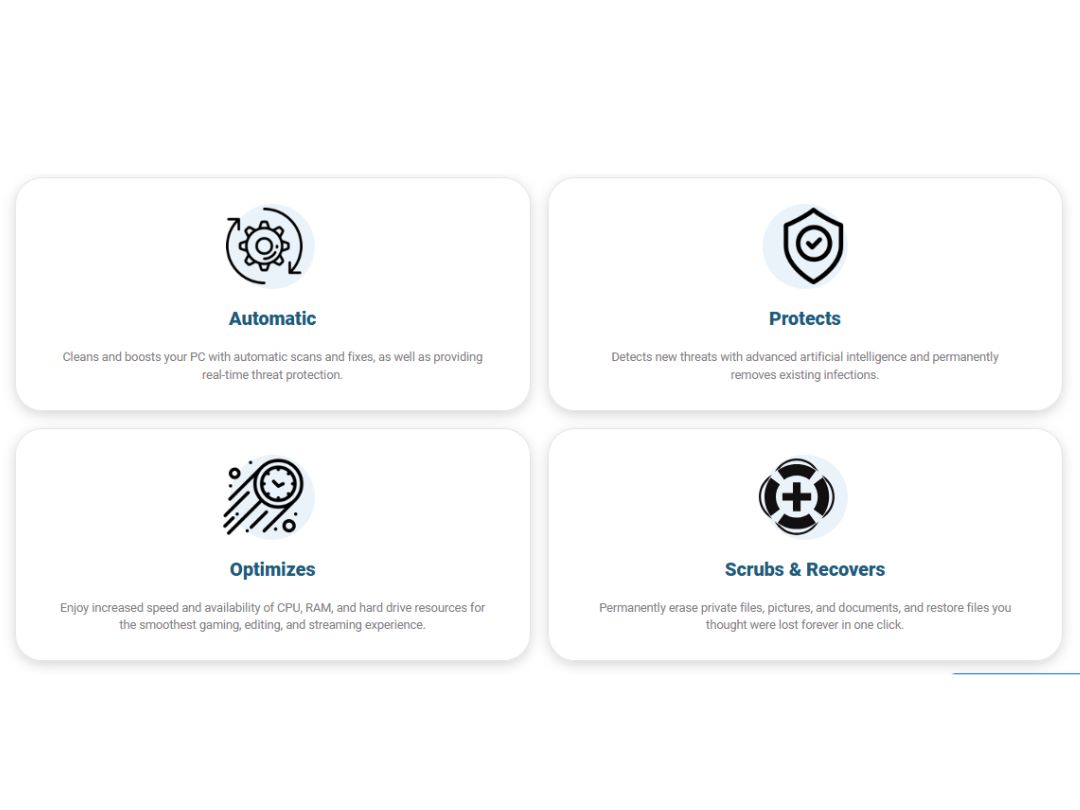
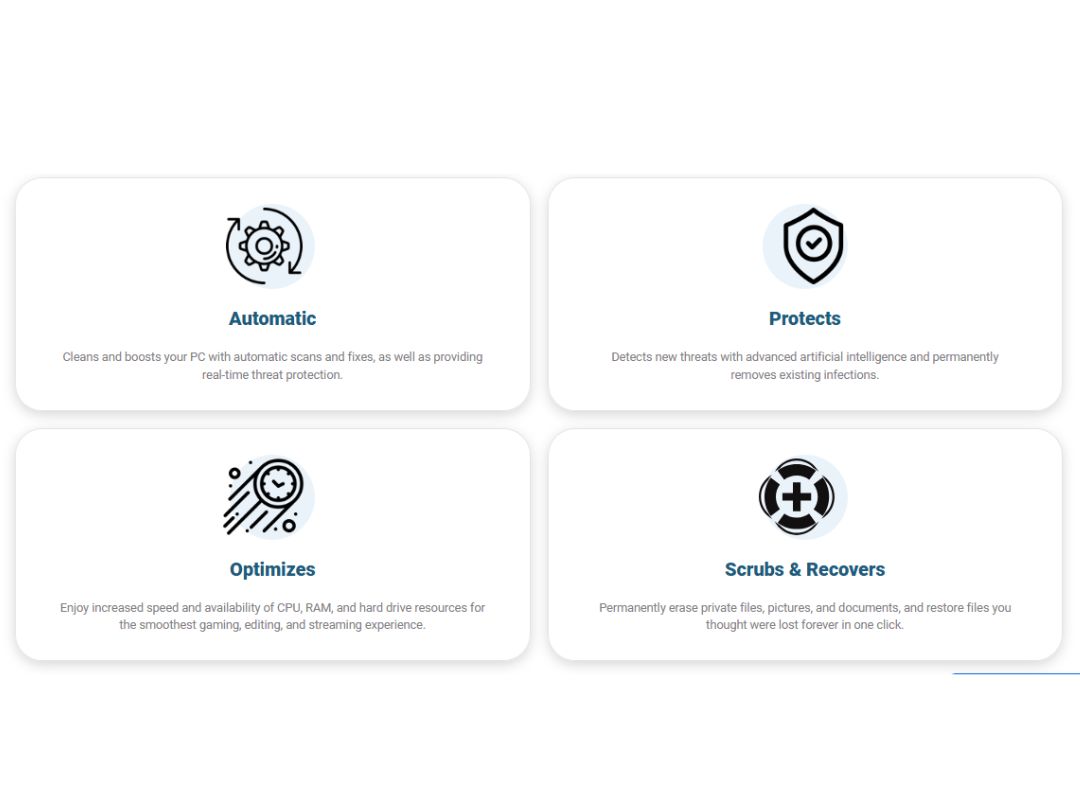
Iolo System Mechanic protects
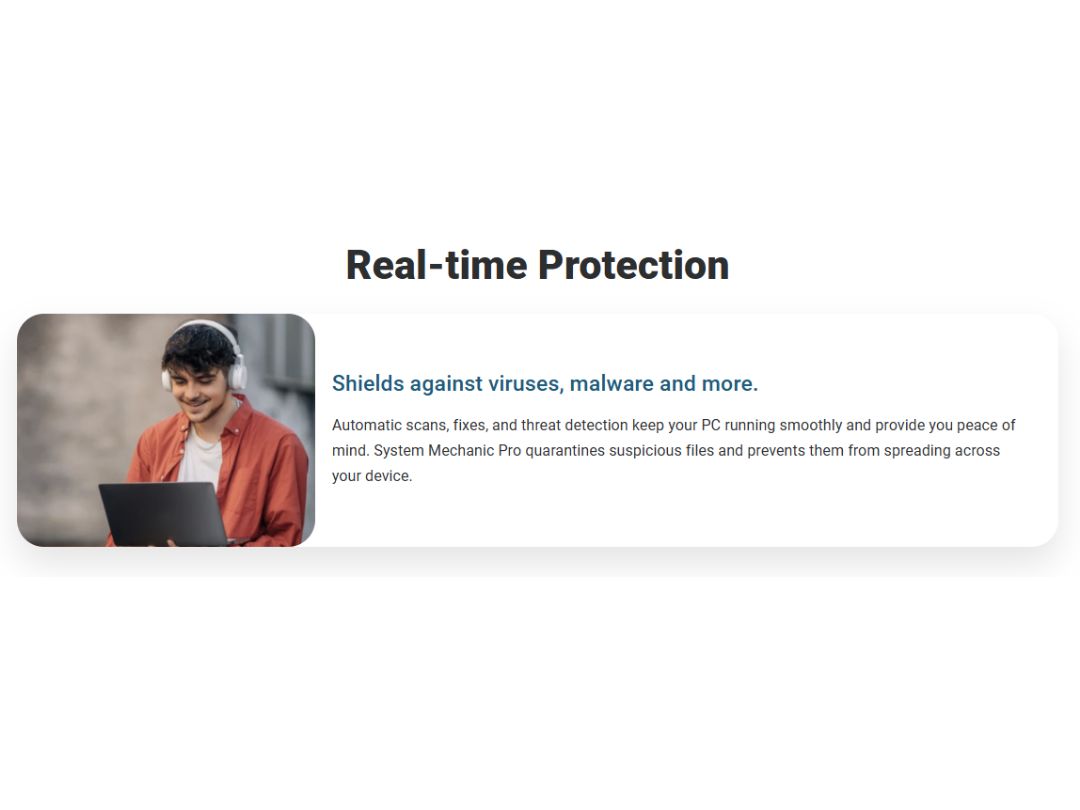
Iolo System Mechanic malware

Iolo System Mechanic

Brand: IOLO Technologies

  • 4.5

  • 5 Ratings

Iolo System Mechanic is an advanced PC optimization software that boosts speed, repairs system issues, removes bloatware, and enhances security with automated maintenance. With features like LiveBoost™ for performance tuning, NetBooster® for faster internet, and Privacy Guardian for data protecti...

See More

Have you used Iolo System Mechanic before?

Share your insights for better experience

Add a Review
Starting Price
$44

View plans

100% Genuine
Products
Best Price
Guaranteed
Safe & Secure
Payment
  • Description

  • Pricing

  • Features

  • Specification

  • Review

  • Compare

  • Alternatives

  • FAQ

Starting at $43.94

Iolo System Mechanic Software Overview

What is Iolo System Mechanic?

Iolo System Mechanic is utility software that helps the user to tune up their PC. The solution allows users to run system scans and get detailed information regarding the status of hardware and operating systems instantly. Iolo System Mechanic software helps with faster downloads, quick starts, improved CPU speed, enhanced graphics, and improved drive performance.

Iolo System Mechanic offers an ultimate defense system that ensures complete computer protection, privacy, and performance. The software is integrated with Phoenix 360° to ensure that your PC is protected. It consistently runs scans to detect system vulnerabilities, such as data theft, pop-up ad infestation, hacking attempts, etc.

The software builds PC defense to facilitate high-quality processor performance along with system mechanics, real-time AV, and data protection. The utility software also helps secure web browsers, passwords, and all the online payment details.

How does Iolo System Mechanic Pro Utility Software Ensure Data Privacy

Iolo System Mechanic offers a special module for users to maintain their data privacy—“Privacy Guardian.” It allows users to circumvent any invasive monitoring of the computer use or browsing habits and automatically deletes the cookie trackers and web-browsing traces left on the PC. The “Privacy Guardian” module also detects different types of suspicious mails.

Iolo System Mechanic Features

  • Boosts Speed: LiveBoost™ technology increases CPU, RAM, and hard drive resources for smoother gaming, editing, and streaming experiences.
  • Repairs Automatically: Smart ActiveCare® detects and fixes over 30,000 issues when your PC is idle, ensuring uninterrupted performance.
  • Removes Bloatware: Identifies and eliminates unwanted startup programs that slow down your system by running without your knowledge.
  • Protects Privacy and Security: Safely wipes sensitive browsing history and patches Windows security vulnerabilities to safeguard your computer.
  • Unleashes Internet Speed: NetBooster® optimizes hidden Windows internet settings for faster downloads, quicker page loads, and reduced buffering.

Iolo System Mechanic Benefits

  • LiveBoost Technology: Enhances CPU, RAM, and hard drive performance for smoother gaming and streaming experiences.
  • Smart ActiveCare: Automatically detects and repairs over 30,000 issues when your PC is idle, ensuring uninterrupted performance.
  • NetBooster Optimization: Optimizes hidden Windows internet settings for faster downloads and reduced buffering.
  • PC Cleanup: Removes over 50 types of junk files to free up valuable disk space.
  • Privacy Shield: Safely wipes sensitive browsing history and patches Windows security vulnerabilities.
  • Bloatware Removal: Identifies and eliminates unwanted startup programs that slow down your system.
  • ActiveCare Technology: Performs automated maintenance tasks to keep your PC running smoothly.
  • Whole Home Licensing: Allows installation on multiple PCs within your household without additional cost.

What is the price of Iolo System Mechanic download?

Iolo System Mechanic price in UAE starts at $43.94 at techjockey.

The pricing model is based on different parameters, including extra features, deployment type, and the total number of users. For further queries related to the product, you can contact our product team and learn more about the pricing and offers.

Read more

IOLO Technologies Company Details

Founded Year:  1998

Iolo technologies develops technology and software that repairs, optimizes, and protects computers and digital devices.

Director/Founders Noah Rowles
Company Size 1-100 Employees

Iolo System Mechanic Pricing & Plans

IOLO System Mechanic
Key Features
  • ActiveCare
  • DeepClean
Starting at $43.94
    • Licenses

      Licenses
      Licenses
    • Yearly

      Yearly
      Yearly

Key Features

  • ActiveCare

  • DeepClean

Iolo System Mechanic Features

Core Protection

  • icon_check Real-Time Threat Detection
    Instantly blocks malware as it appears.
  • icon_check On-Demand & Scheduled Scanning
    Offers flexible scan options for malware detection.
  • icon_check Behavioral Analysis
    Monitors apps for suspicious behavior patterns.
  • icon_check Anti-Spyware
    Protects against spyware that steals personal data.
  • icon_check USB Protection
    Scans and protects against USB-based threats.
  • icon_check Multi-Layered Malware Detection
    Uses layers to catch both known and new threats.
  • icon_check Threat Removal and Quarantine
    Isolates and removes dangerous files safely.
  • icon_check Rootkit Detection & Removal
    Uncovers hidden rootkits and removes them securely.
  • icon_check Exploit Prevention
    Blocks threats exploiting software vulnerabilities.
  • icon_check Heuristic Analysis
    Detects unknown malware using heuristic techniques.

Internet & Network Security

  • icon_check Ad Blocker
    Blocks intrusive and potentially malicious ads.
  • icon_check IDS / IPS Protection
    Monitors and prevents network intrusions.
  • icon_check Firewall Protection
    Blocks unauthorized network access.
  • icon_check Email protection
    Scans emails for phishing and malware.
  • icon_check Web Protection & URL Filtering
    Blocks malicious websites and URLs.
  • icon_check Wi-Fi Security
    Detects and warns about risky Wi-Fi networks.
  • icon_check Anti-Spam Filters
    Keeps spam and phishing emails out of your inbox.

Advanced Threat Protection

  • icon_check Ransomware Protection
    Shields files from ransomware attacks.
  • icon_check File Rollback
    Restores files affected by ransomware to a safe state.
  • icon_check Application Whitelisting
    Allows only trusted apps to run.
  • icon_check Behavioral Ransomware Protection
    Detects ransomware based on behavior.

Data Protection and Privacy

  • icon_check Webcam Protection
    Prevents unauthorized access to the webcam.
  • icon_check Privacy Control
    Manages app permissions to protect privacy.
  • icon_check Dark Web Monitoring
    Alerts if personal data is found on the dark web.
  • icon_check VPN (Virtual Private Network)
    Hides IP and secures internet browsing.
  • icon_check Browser Privacy Tools
    Blocks tracking and enhances browser privacy.
  • icon_check Data Shredder
    Permanently deletes files to prevent recovery.
  • icon_check Data Encryption
    Secures sensitive files with encryption.
  • icon_check Anti-Phishing & Identity Protection
    Blocks phishing and ID theft attempts.
  • icon_check Data Leak Prevention
    Stops sensitive data from being leaked.

Device Performance and Optimization

  • icon_check Game Mode
    Reduces lag by pausing non-essential processes.
  • icon_check System Optimization Tools
    Improves device performance and speed.
  • icon_check Battery Saver
    Extends battery life by optimizing settings.
  • icon_check Disk Cleanup and Junk File Removal
    Clears space by deleting junk files.
  • icon_check Startup Manager
    Controls which apps run at startup.
  • icon_check Network Performance Monitor
    Manages bandwidth for optimal network speed.

Family and Parental Controls

  • icon_check App Monitoring
    Tracks and limits usage of certain apps.
  • icon_check Parental Control
    Manages and restricts children’s online activities.
  • icon_check Activity Reports
    Provides insights into kids' internet usage patterns.
  • icon_check Content Filtering
    Blocks inappropriate content for safer browsing.
  • icon_check Geo-Fencing and Location Tracking
    Alerts when a device crosses set boundaries.

Backup and Data Recovery

  • icon_check Automatic Backup
    Regularly backs up important files automatically.
  • icon_check Cloud Backup
    Stores essential files safely in the cloud.
  • icon_check System Restore Options
    Restores the system to a previous safe state.

Administrative Features

  • icon_check User-Friendly Dashboard
    Easy-to-navigate interface for quick access.
  • icon_check Compliance & Reporting
    Generates reports for security compliance.
  • icon_check Remote Management Console
    Central control of antivirus settings.

Alerts & Notifications

  • icon_check Real-Time Threat Alerts
    Instantly notifies when threats are detected.
  • icon_check Scan Results Notifications
    Provides updates on completed scans.
  • icon_check Network Security Alerts
    Notifies on risky network connections.
  • icon_check Customizable Notifications
    Allows personalized alert settings.
  • icon_check Real-Time Updates
    Ensures virus definitions stay up-to-date.
  • icon_check Suspicious Activity Alerts
    Alerts about unusual device behavior.
  • icon_check Ransomware Detection Alerts
    Alerts of ransomware-like activities.
  • icon_check Phishing and Malicious Website Warnings
    Warns when visiting dangerous sites.
  • icon_check Webcam and Microphone Access Warnings
    Alerts if accessed without consent.
  • icon_check Location and Geo-Fencing Alerts
    Alerts if location boundaries are crossed.

Iolo System Mechanic Specifications

Supported Platforms
Windows Windows MacOS MacOS
Devices
Desktop Desktop
Deployment
Cloud-Based Cloud-Based
Suitable For
All Industries
Business Specific
All Businesses
Business Size
Small Business Startups Medium Business Enterprises
Customer Support
Email Communities
Language
English
Training Resources
Videos

Explore the Best Alternative Solutions Similar to Your Business Size and Needs

Iolo System Mechanic Review

4.5

Out of 5

img

Overall Rating

Based on
5 Verified Ratings

Rating Breakdown

  • Features 4.4
  • Value for Money 4.7
  • Ease of Use 4.8
  • Customer Support 4.4

77% Recommend this Product

Add Review

Techjockey Trusted Reviews from Verified Users

No reviews are currently available for Iolo System Mechanic. Discover similar Antivirus Software reviews
  • TotalAV Antivirus

    4.2

    Whats great - TotalAV and their regular updates have really made me feel confident that my protection is up to date. I do not think any fut... read more

  • Quick Heal Total Security

    4.6

    Whats great - Easy to install read more

  • Mcafee Antivirus

    4.4

    Whats great - easy to use, good scanning process and working good. read more

Compare Iolo System Mechanic With other Antivirus Software

Products
Ratings
Pricing
Device Supported
Deployment
Supported Platforms
  • img

    Iolo System Mechanic

  • 4.5

  • $ 43.94 excl. GST

  • Desktop

    Mobile

  • Web based

    On Premises

  • Windows

    Mac OS

  • img

    Mcafee Antivirus

  • 4.4

  • Price On Request

  • Desktop

    Mobile

  • Web based

    On Premises

  • Windows

    Mac OS

  • img

    Avast Antivirus

  • 4.7

  • Price On Request

  • Desktop

    Mobile

  • Web based

    On Premises

  • Windows

    Mac OS

  • img

    360 Total Security

  • 4.5

  • Price On Request

  • Desktop

    Mobile

  • Web based

    On Premises

  • Windows

    Mac OS

  • img

    AVG Antivirus

  • 4.5

  • Price On Request

  • Desktop

    Mobile

  • Web based

    On Premises

  • Windows

    Mac OS

  • img

    Norton Antivirus

  • 4.5

  • Price On Request

  • Desktop

    Mobile

  • Web based

    On Premises

  • Windows

    Mac OS

(2) Product(s) selected

Iolo System Mechanic Alternatives

See All Iolo System Mechanic Alternatives

Starting Price:

€9.95 /Year

Starting Price:

€14.99 /Year

Starting Price:

AED9.00 /Month
Q.1. Is Iolo System Mechanic an antivirus?

No, Iolo System Mechanic is not antivirus software. It does offer functions of antivirus, but it also offers other features that extend beyond an antivirus’ reach, such as system booster.

Q.2. What are the system requirements for Iolo System Mechanic?

The system requirements for Iolo System Mechanic are: 1. Operating System: Windows 7, 8, 8.1, 10 2. Hard Disk Space: 70 MB 3. RAM: 512 MB

Q.3. Can I use Iolo System Mechanic on Mac PCs?

No, this utility software is not available for Mac operating system computers.

Q.4. Is internet required for using Iolo System Mechanic?

No, Iolo System Mechanic does not require the internet for regular usage. It only uses the internet for license activation.

Q.5. How can I get a demo for Iolo System Mechanic?

You can get an online demo for Iolo System Mechanic at your preferred date and time.

How much does Iolo System Mechanic cost?

Iolo System Mechanic price in the US starts at $43.94 at techjockey.com.

Terms and Condtions

close

Users with registered businesses can purchase goods from merchants on the platform to satisfy their business needs. Users are not permitted to utilize any products acquired through the platform for resale, advertising, business, or further distribution.

For each purchase made, users will receive a Tax Invoice (or 'GST invoice') that includes specific details such as:

  • the GSTIN of the user associated with their registered business, and

  • the specified Entity Name for their business.

It should be noted that not all products are eligible for GST Invoice. Only the products displayed by participating sellers with the 'GST-based Invoice Available' callout on the product description page would qualify.

Certain goods and services are not eligible to get a GST Invoice, including items with VAS, i.e., Value Added Services (e.g., Total Mobile Protection/Assured Buyback) and those involving an exchange offer at the time of purchase.

Users must ensure the accuracy of the GSTIN, and business entity name provided for the GST Invoice. Requests for corrections into GST Invoice would not be accommodated by Techjockey.com or any Seller, and any issues arising from user-provided information are the sole responsibility of users.

Techjockey.com is not liable for the GST Invoice or any associated input tax credit. To efficiently claim an input tax credit, users should select the registered place of business address as per the GST authority's data and follow the provisions of the GST Act and rules.

To claim an input tax credit, the delivery and billing addresses must match. Furthermore, input tax credits will not be granted if the delivery address and GSTIN on the invoice are from different states. In case of incorrect GST details provided during the order placement, the order will be canceled automatically.

20,000+ Software Listed 20,000+ Software Listed

Best Price Guaranteed Unbiased Comparison

Free Expert Consultation Read Authentic Reviews

2M+ Happy Customers 500,000+ Monthly Users