linkedin
background
KillBot logo

KillBot

Brand: KillBot

Be the first to Reviews

Write a Review

Have Questions?

KillBot is an anti-bot tool that uses Software Snapshots technology to detect and block human-like bots, protecting analytics, ad campaigns, and forms from fake traffic. It offers flexible deployment through DNS Protection, JavaScript integration, or API. ...Read more

Advice

Verified & Trusted
Vendors

Payment

Safe & Secure
Payment

Guaranteed

Personalized
Experts Support

Starting at

$ 9.90 /Month

Features

  • check_icon Bot Detection
  • check_icon Browser Snapshots
  • check_icon CPU Load Protection
  • check_icon Spam Protection
  • check_icon Fake Lead Detection
  • See all img

KillBot Software Pricing, Features & Reviews

What is KillBot?

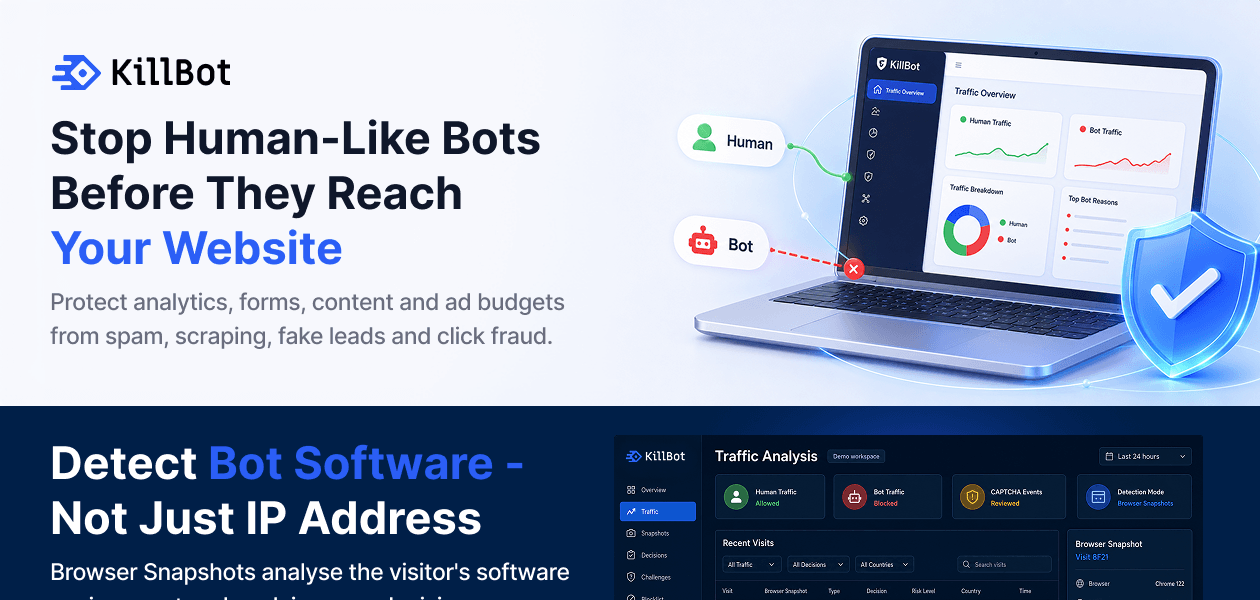
KillBot is a cyber security software that protects websites, analytics, and ad campaigns by removing fake traffic, stopping spam bots, preventing SMS fraud, and blocking fraudulent clicks and fake ad conversions, along with guarding against L7 DDoS attacks. KillBot offers flexible deployment through DNS Protection, JavaScript integration, or API, making it adaptable to different business needs and fraud-prevention goals.

How KillBot Works?

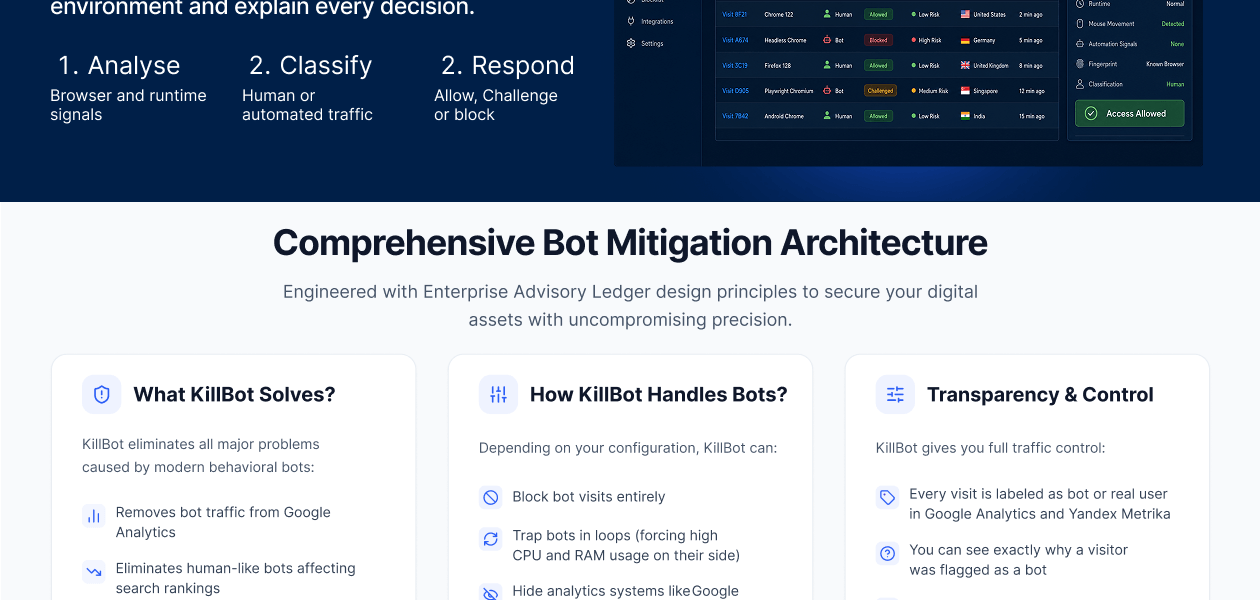
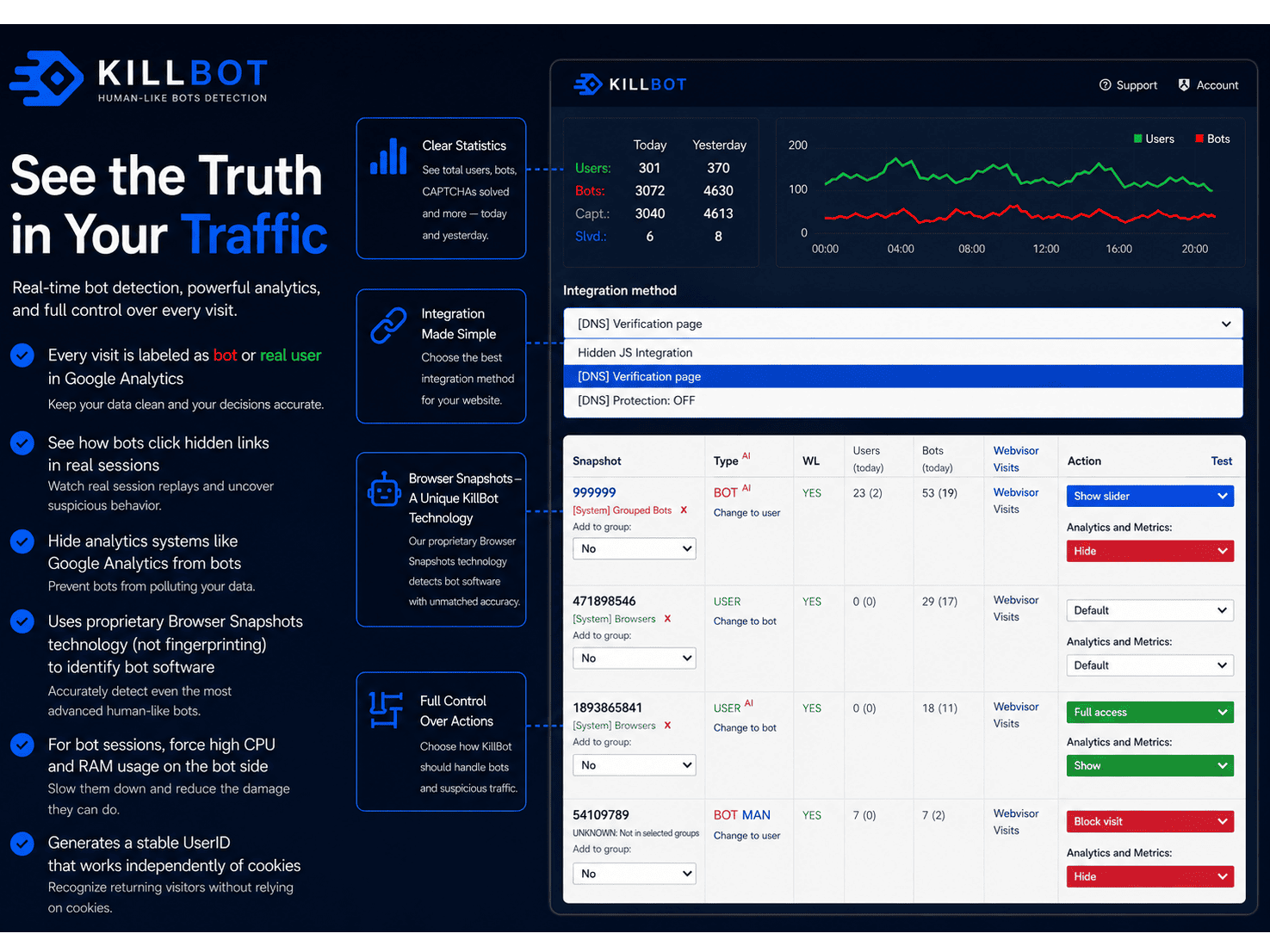
KillBot uses its own Software Snapshots technology. Instead of looking only at IP addresses or browser parameters, KillBot creates a software snapshot of every visitor. The main goal is to identify the software behind the browser. A bot can change its IP address, User-Agent, screen size and many other browser parameters. But the bot software still creates its own software snapshot.

KillBot automatically separates traffic into two groups:

  • Bot snapshots → blocked or challenged
  • Real user snapshots → allowed

This is the main difference between KillBot and traditional browser fingerprinting. Only around 3 – 5% of borderline traffic needs to see a CAPTCHA. Most real users can visit the website normally without any CAPTCHA.

What Can KillBot Detect?

KillBot is designed to detect modern automated traffic, including:

  • Human-like bots
  • Fake leads and fake conversions
  • Web scrapers
  • AI-generated traffic
  • Anti-detect browsers
  • Bots using residential and mobile proxies
  • Automated ad clicks and click fraud
  • Bots that look like normal users in analytics

KillBot can also send information about bots and real users to Google Analytics and Yandex Metrika. This helps website owners see how much of their traffic is actually automated.

What Can KillBot Do With Detected Bots?

Detection is only the first step. Depending on the configuration, KillBot can:

  • Completely block bot visits
  • Show verification only to suspicious traffic
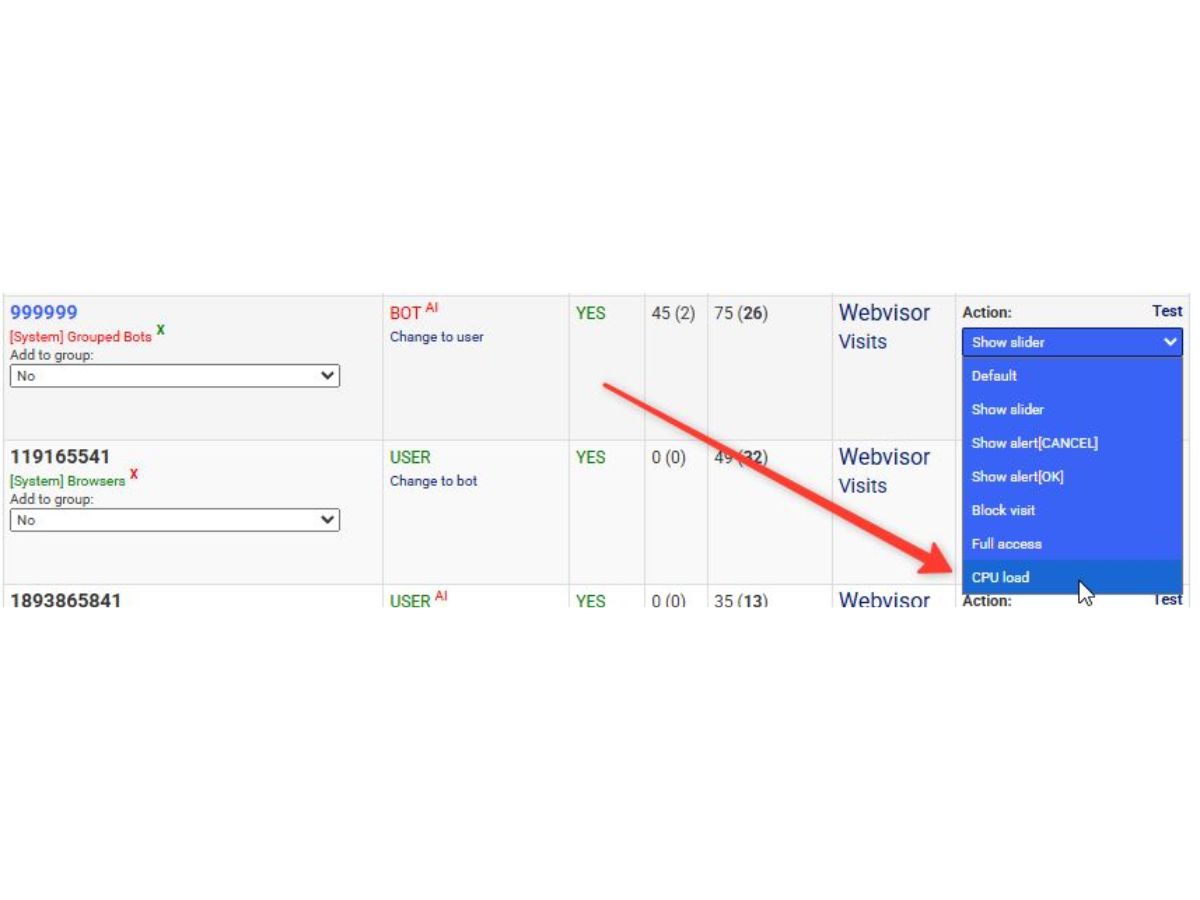
  • Put bots into processing loops that consume CPU and RAM on the bot side
  • Hide analytics systems from bots
  • Detect bots using hidden links that real users cannot see
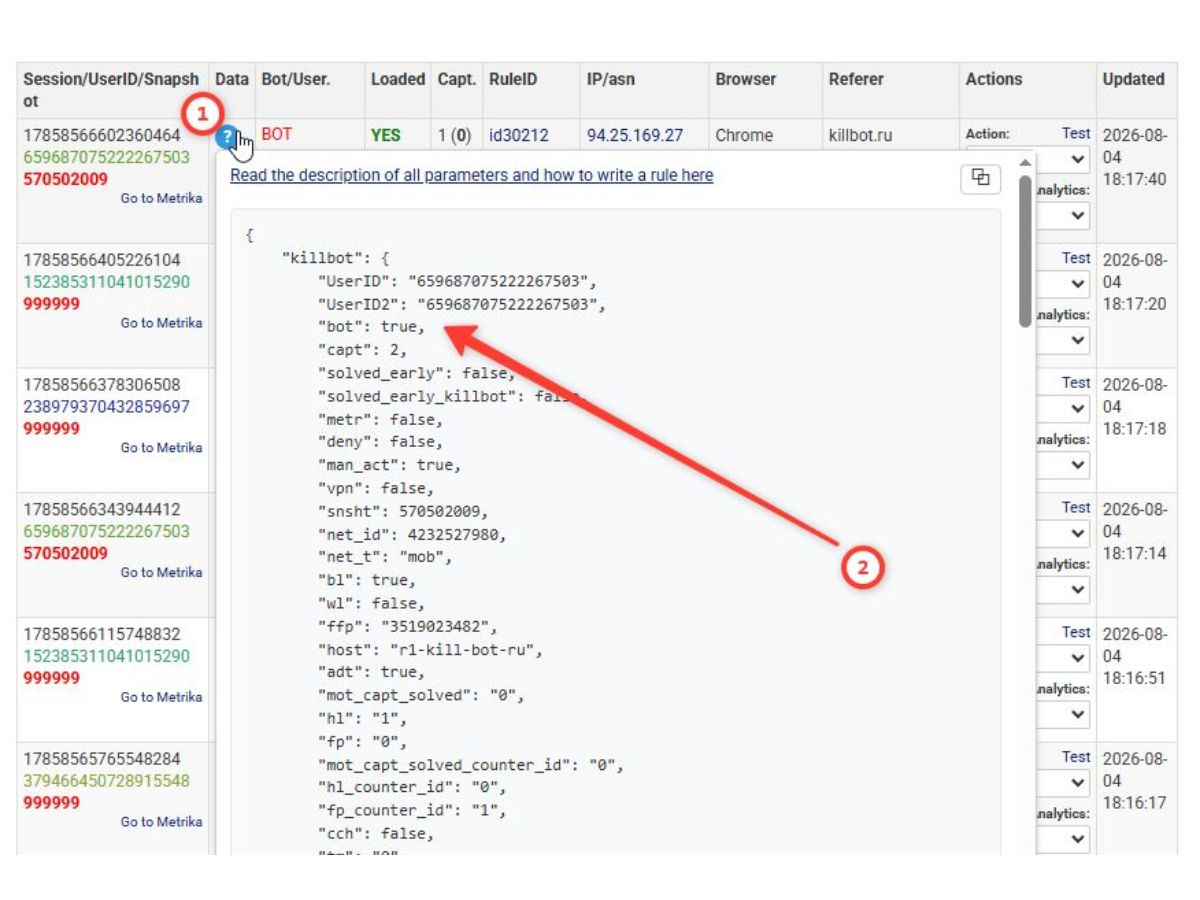
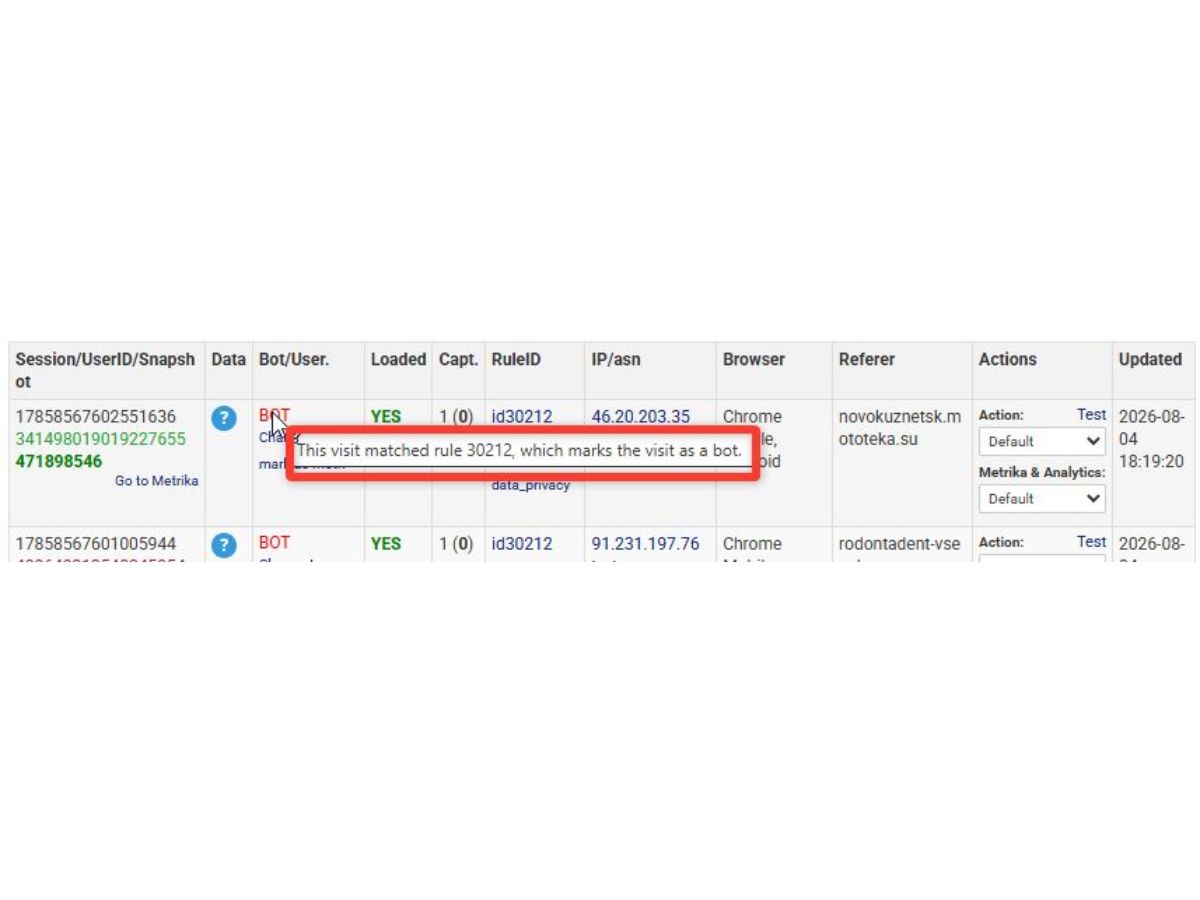
  • Show why a visitor was detected as a bot

Website owners can see the detection results and review false positives.

How to Use KillBot?

There are three main ways to use KillBot:

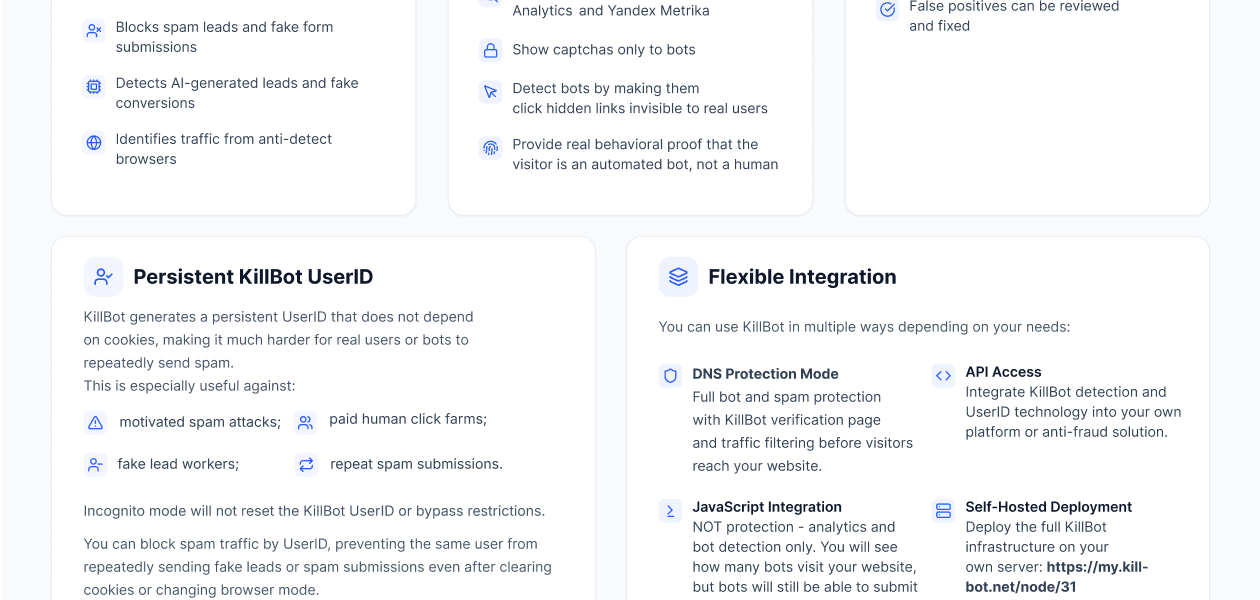
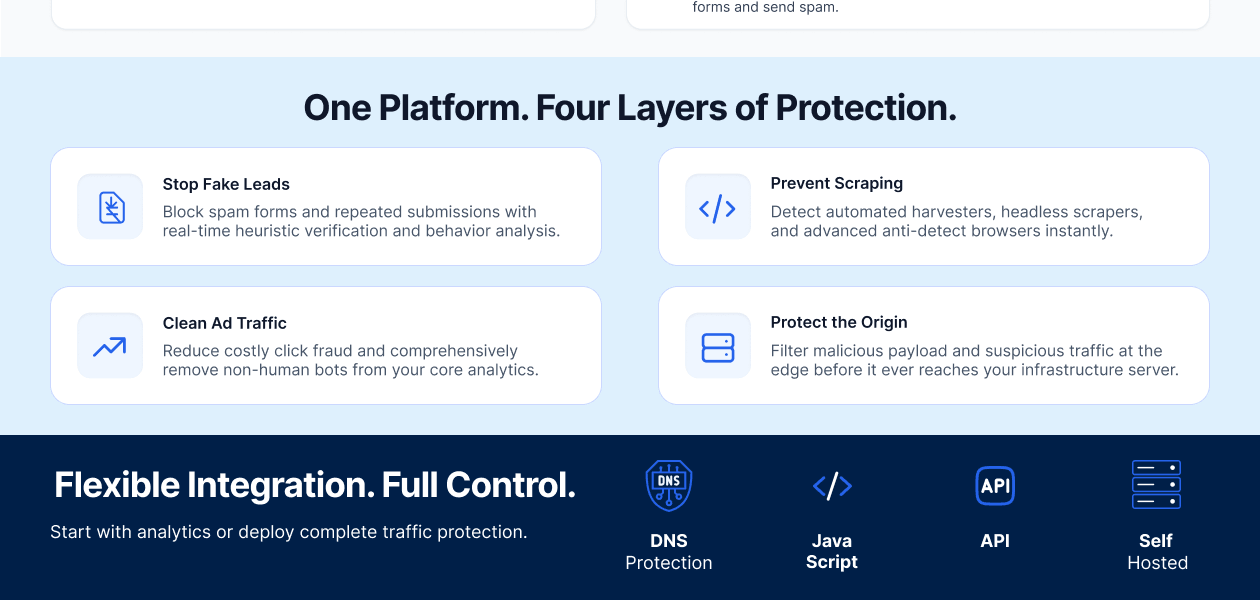
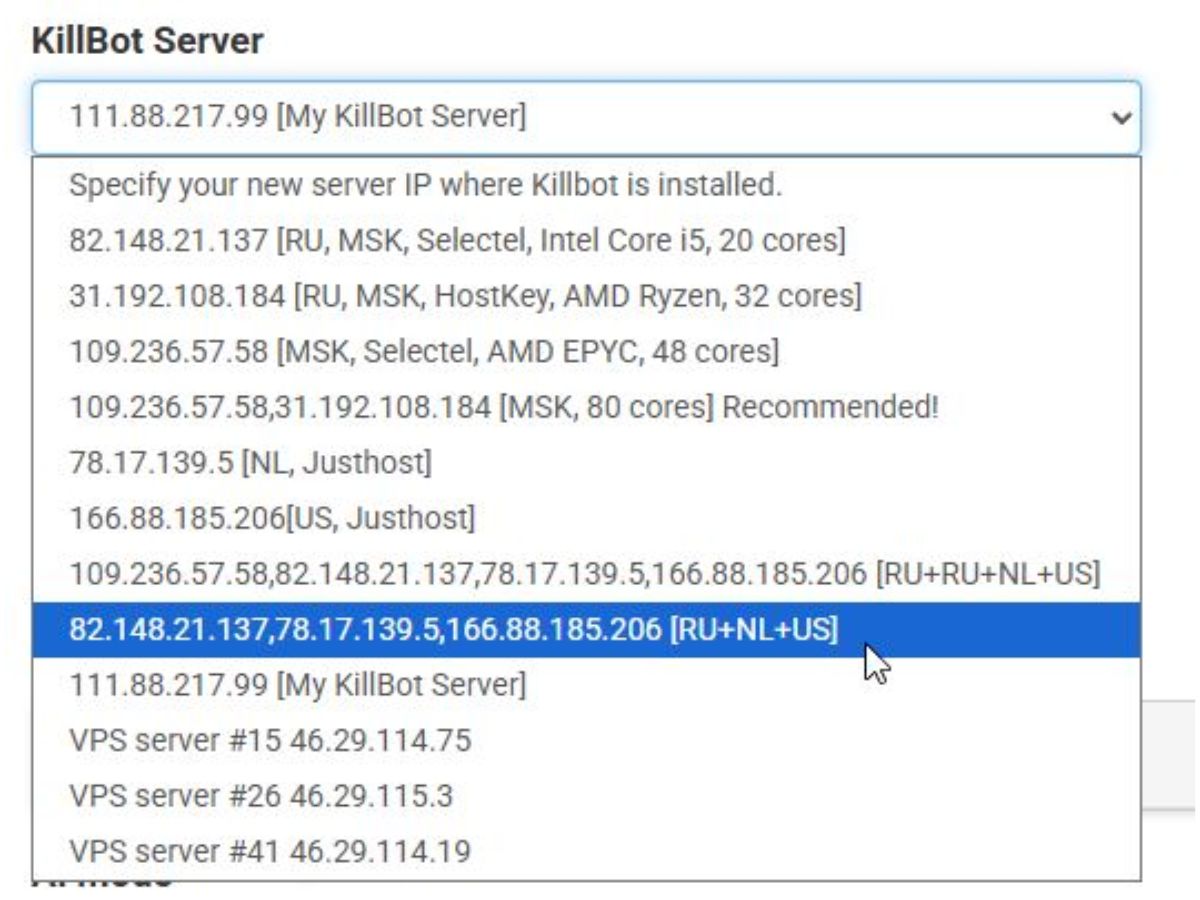
  1. DNS Protection: This is the recommended option for full website protection. KillBot works as a protection layer in front of the website. Visitors are checked by KillBot before they reach the website server. Bots can be blocked or challenged, while real users continue to the website.
  2. JavaScript Integration: This is the easiest way to start using KillBot. Add a JavaScript code to the website and KillBot will detect bots and show them in analytics. JavaScript mode is for bot detection and analytics, not full website protection. Bots can still access the website and submit forms. It is a simple way to see how much bot traffic your website actually has before enabling full protection.
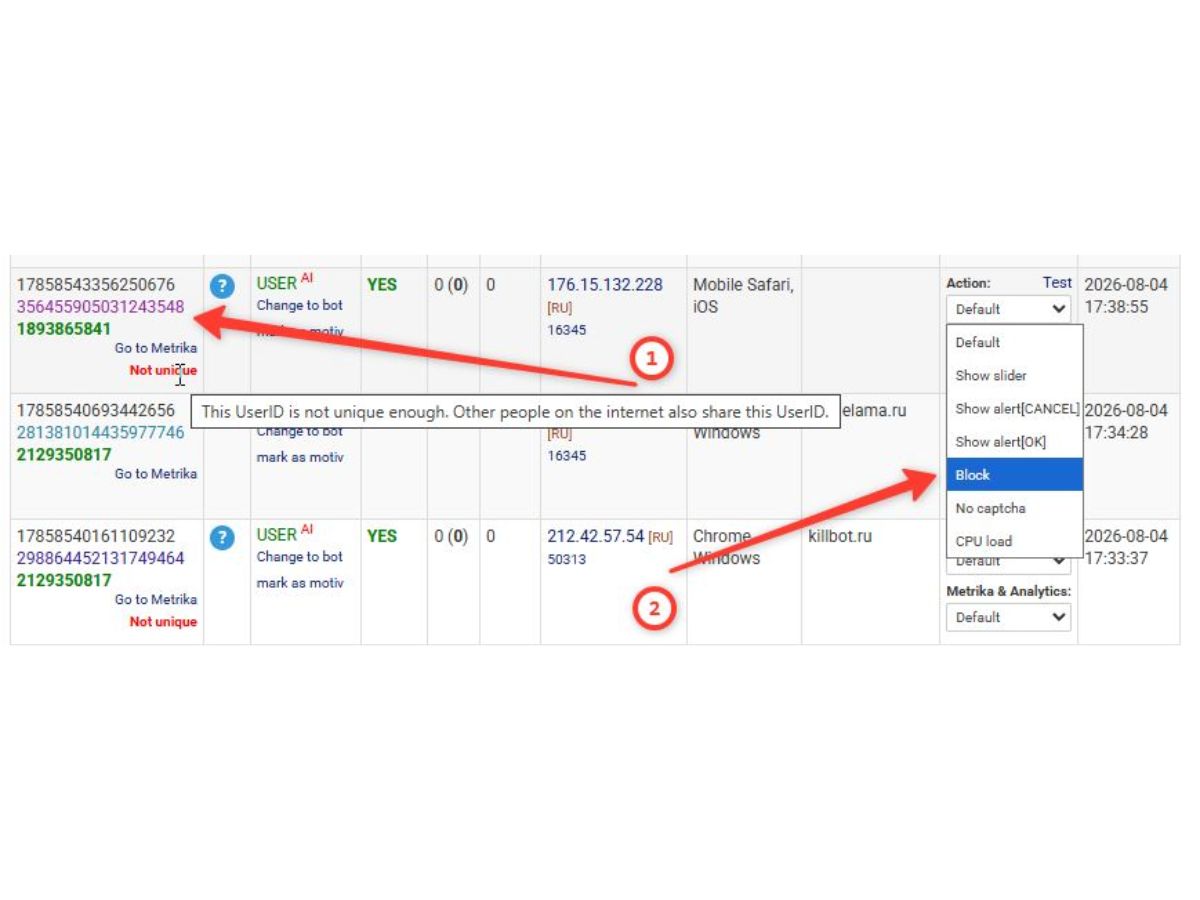
  3. KillBot API: Companies can integrate KillBot detection directly into their own products and systems through API. The API can be used by SaaS platforms, advertising systems, anti-fraud services, marketplaces and other projects that need bot detection. API usage can be paid based on the number of requests, making it easy to scale from small projects to large platforms. Persistent KillBot UserID KillBot can also generate a persistent UserID that does not depend only on cookies. Clearing cookies or opening Incognito mode does not automatically create a new KillBot UserID. This can help stop repeated spam, fake leads, paid human traffic and users who try to return again and again with different browser sessions.

KillBot Pricing

KillBot price starts at USD 9.90 per month at Techjockey.

The pricing model is based on different parameters, including extra features, deployment type, and the total number of users. For further queries related to the product, you can contact our product expert and learn more about the pricing and offers.

KillBot Pricing & Plans

KillBot
  • 1 Website
  • Browser Snapshots
  • CPU Load Protection
  • Spam Protection
  • Bot Detection
    • Quantity
    • Monthly
Starting at $ 9.90
KillBotAI1
  • 1 Website, with AI management
  • Browser Snapshots
  • CPU Load Protection
  • Spam Protection
  • Bot Detection
    • Quantity
    • Monthly
Starting at $ 14.90
KillBot+
  • Unlimited Websites
  • Browser Snapshots
  • CPU Load Protection
  • Spam Protection
  • Bot Detection
    • Quantity
    • Monthly
Starting at $ 19.90
KillBotAI1+
  • Unlimited websites, with AI management
  • Browser Snapshots
  • CPU Load Protection
  • Spam Protection
  • Bot Detection
    • Quantity
    • Monthly
Starting at $ 29.90
Product Enrichment Section Image Product Enrichment Section Image Product Enrichment Section Image Product Enrichment Section Image

KillBot Features

  • icon_check Bot Detection Detect automated bots by analyzing browser software snapshots rather than relying only on IP addresses.
  • icon_check Browser Snapshots Classify traffic into software snapshots to distinguish real users from automated browsers.
  • icon_check CPU Load Protection Make automated bots consume additional CPU and memory resources through resource-intensive scripts.
  • icon_check Spam Protection Detect and block spam submissions, fake leads and repeated unwanted activity.
  • icon_check Fake Lead Detection Identify automated and fake lead activity to reduce invalid submissions and conversions.
  • icon_check AI Traffic Detection Detect AI-generated traffic and fake conversions affecting websites and advertising campaigns.
  • icon_check Anti-Detect Browser Detection Identify traffic generated through anti-detect browsers used to disguise automated activity.
  • icon_check Proxy Bot Detection Detect behavioral bots operating through residential and mobile proxy networks.
  • icon_check UserID Blocking Block persistent spam users by UserID to prevent repeated submissions and abuse.
  • icon_check DNS Protection Mode Filter and verify traffic before requests reach your website server through reverse-proxy protection.
  • icon_check Analytics Integration Send bot classification data to Google Analytics and Yandex Metrika for cleaner reporting.
  • icon_check DDoS protection Provide DDoS protection through DNS integration to help protect websites from disruptive traffic.
  • icon_check Bot Group Management Group browser snapshots and configure different actions for identified bot traffic.
  • icon_check Anti-Fraud API Integrate KillBot detection and verification results into custom websites and applications.
  • icon_check Detection Reasoning Show why a visitor was classified as a bot so false positives can be reviewed.

KillBot Specifications

  • Supported Platforms :
  • Device:
  • Deployment :
  • Suitable For :
  • Business Specific:
  • Business Size:
  • Customer Support:
  • Integration:
  • Training:
  • Language:
  • Ubuntu
  • DesktopMobileTabletiPad
  • Cloud-Based
  • All Industries
  • All Businesses
  • Small Business
  • Email
  • API Integration
  • Live Online
  • English

KillBot Reviews and Ratings

banner

Would you like to review this product?

Submit Reviews

KillBot FAQ

A KillBot price starts at USD 9.90 per month at techjockey.com.
A KillBot works through DNS Protection, JavaScript integration, or API, so it doesn't depend on any specific operating system. It functions at the website/traffic level, making it compatible with any server or hosting environment.
A KillBot uses Software Snapshots technology to identify the software behind a visitor's browser, rather than relying only on IP addresses or browser parameters. It then separates bot traffic from real users, blocking or challenging bots while letting genuine visitors through with minimal CAPTCHAs.
A KillBot is used by website owners, SaaS platforms, advertising systems, anti-fraud services, and marketplaces that need to detect and block bot traffic, fake leads, and click fraud.
A No, KillBot does not negatively affect Google or other search systems.
A No, default settings offer 90-95% accuracy in identifying real users. Reviewing snapshots is only needed for greater accuracy or persistent spam/bot issues.

20,000+ Software Listed 20,000+ Software Listed

Best Price Guaranteed Unbiased Comparison

Free Expert Consultation Read Authentic Reviews

2M+ Happy Customers 500,000+ Monthly Users