
Description
Pricing
Features
Specification
Review
Compare
FAQs
Alternatives


 View Gallery
Brand: Lenovo
A classroom management software that helps teachers monitor, control, and guide student devices to improve focus and safety during learning. ...Read more

Get Free Expert Consultation
Let us know your business needs clearly

Verified & Trusted
Vendors

Safe & Secure
Payment

Personalized
Experts Support
Price On Request
Features
 Thumbnail Monitoring Screen Broadcasting Blank Screen Mode Classroom Messaging Web History Report
 See all 
We make it happen! Get your hands on the best solution based on your needs.

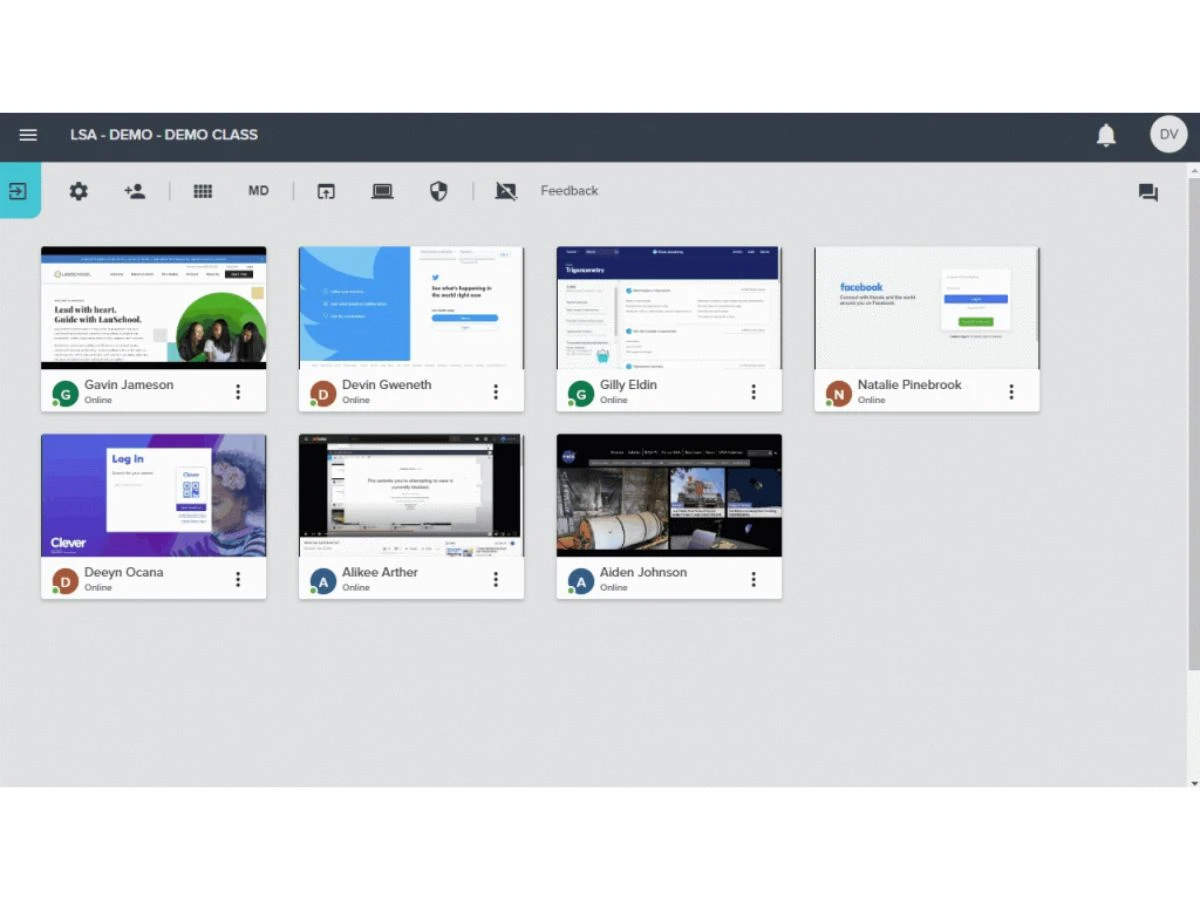
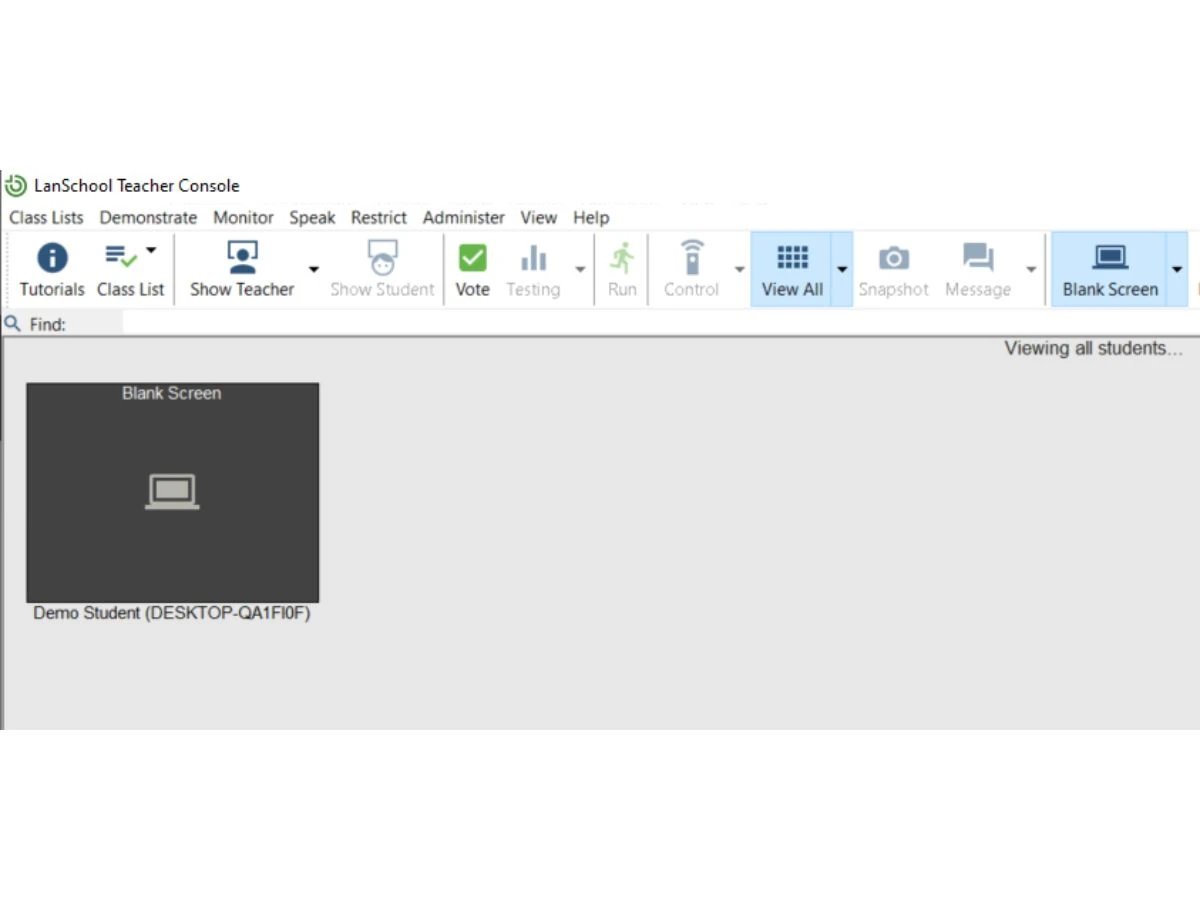
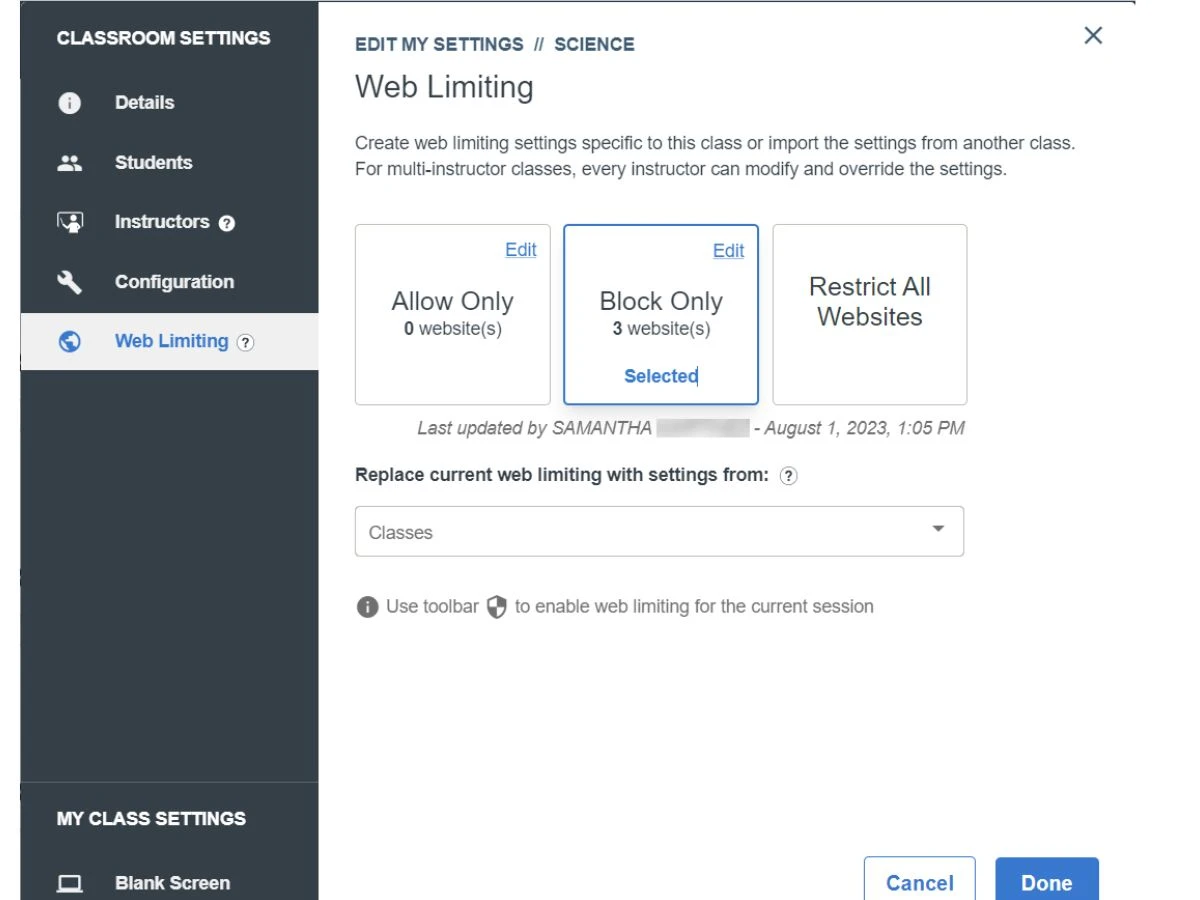
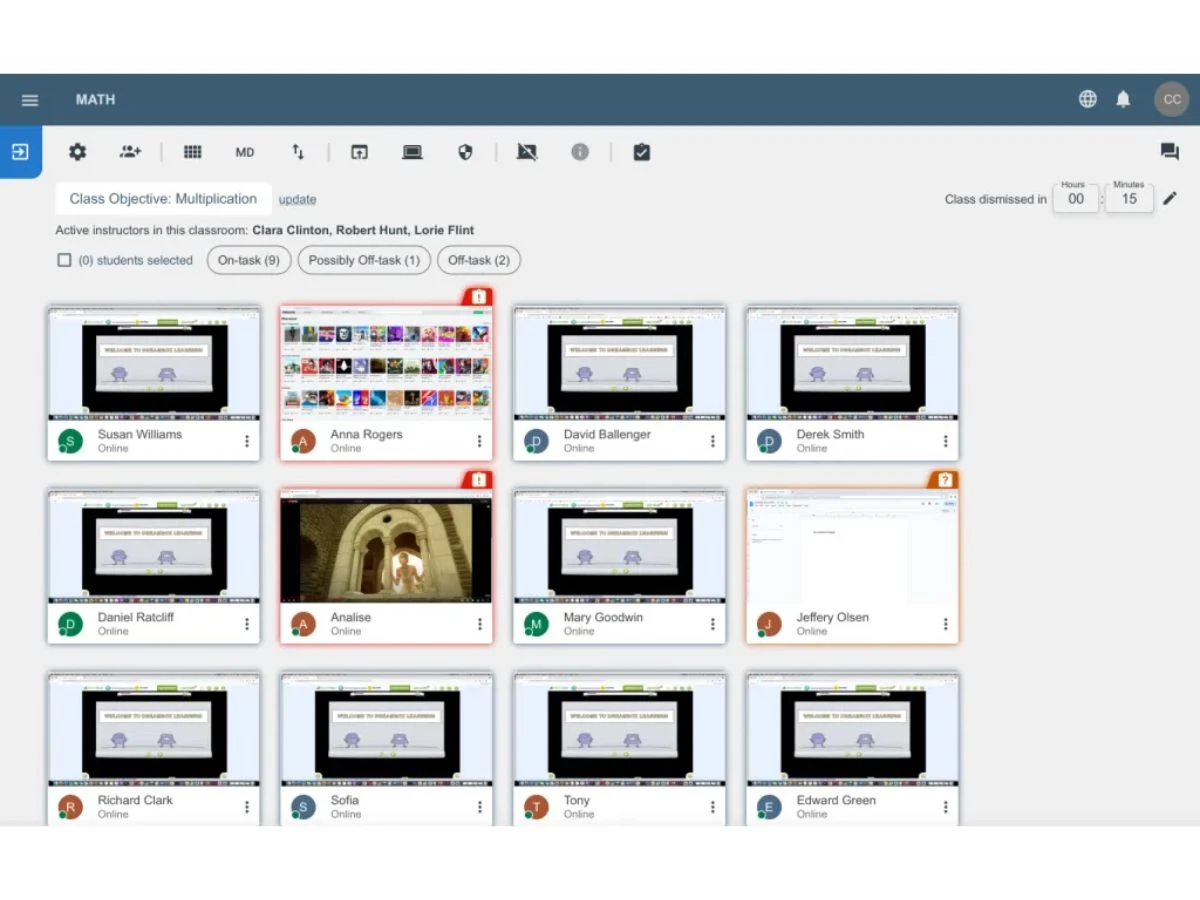
 Thumbnail Monitoring Teachers view high-resolution thumbnail images of every student screen in the class to monitor real-time activity and progress. Screen Broadcasting This tool allows educators to share their own screen or a specific student's screen with the entire class for direct instruction. Blank Screen Mode Teachers can instantly black out student monitors and lock keyboards to capture the class's full attention during transitions. Classroom Messaging Facilitates secure, one-on-one text communication between the teacher and students for private assistance or digital check-ins. Web History Report Generates a detailed log of all websites visited by students during a session to ensure compliance with school internet policies. Remote Control Enables teachers to take control of a student’s mouse and keyboard to provide direct technical support or guided 1:1 assistance. Application Limiting Provides the ability to restrict which software applications students can open, preventing the use of games or unauthorized tools. Snapshot Capture Educators can take a high-quality screen capture of a student's current display to document work or address digital misconduct. Push Website Instantly launches a specific URL on all student devices simultaneously to ensure the entire class begins on the correct webpage. File Distribution Allows instructors to send digital documents, assignments, or resources directly to student workstations without using email. Battery Status Displays the remaining battery life of all connected student laptops or tablets to prevent mid-lesson device power failures. Classroom Loading Integrates with Clever or Google Classroom to automatically sync student rosters and populate class lists for easy management. Screen Shading Enables the teacher to partially or fully obscure student screens to prevent wandering eyes during digital tests or quizzes. On-Task Monitoring Utilizes AI-driven insights to notify educators when a student’s browsing behavior deviates from the active lesson criteria.
 | Brand Name | Lenovo |
| Information | Lenovo is a US$62 billion revenue global technology powerhouse, ranked #217 in the Fortune Global 500, employing 77,000 people around the world, and serving millions of customers every day in 180 markets. |
| Founded Year | 1984 |
| Director/Founders | Liu Chuanzhi |
| Company Size | 1000+ Employees |

 20,000+ Software Listed
 Unbiased Comparison
 Read Authentic Reviews
 500,000+ Monthly Users
 USA
USA India
India

 Write a Review
