USA
USA UAE
UAE
Megam Education
Whats great - The user interface is simple and contemporary, and device checkout is simple and convenient. These are perhaps its best quali... read more



Brand: Lenovo
A classroom management software that helps teachers monitor, control, and guide student devices to improve focus and safety during learning.
See MoreHave you used LanSchool before?
Share your insights for better experience
Brand: Lenovo
Founded Year: 1984
Lenovo is a US$62 billion revenue global technology powerhouse, ranked #217 in the Fortune Global 500, employing 77,000 people around the world, and serving millions of customers every day in 180 markets.
Looking for The Right Pricing?
Share your requirements and get a plan built around your business.
Price Available on Request
Get personalised LanSchool pricing that fits your needs. Our team will connect with you.
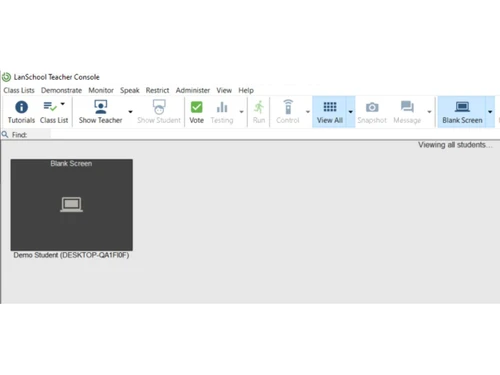
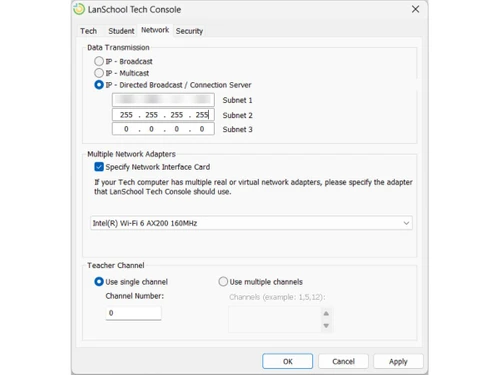
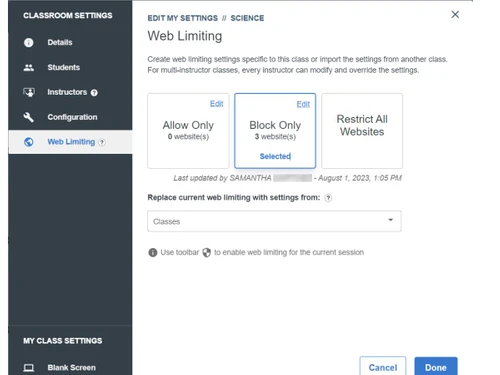
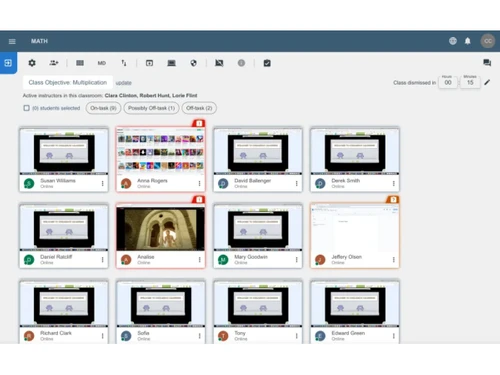
 Thumbnail Monitoring Screen Broadcasting Blank Screen Mode Classroom Messaging Web History Report Remote Control Application Limiting Snapshot Capture Push Website File Distribution Battery Status Classroom Loading Screen Shading On-Task Monitoring

Watch the demo video to explore key features, real workflows, and how the software fits your business needs.
 Ubuntu
  Windows
  MacOS
MacOS  Linux
Linux  Desktop
  Cloud-Based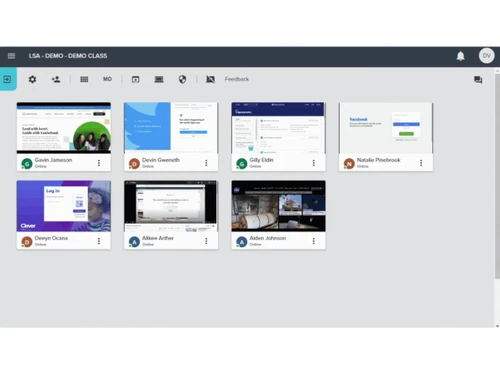
Techjockey Trusted Reviews from Verified Users
No reviews are currently available for LanSchool. Discover similar Educational Software reviews
Megam Education
Whats great - The user interface is simple and contemporary, and device checkout is simple and convenient. These are perhaps its best quali... read more

School Console
Whats great - The overall experience is great, and the team support is also excellent. read more

EDUPI
Whats great - I could contact with my kids' instructors and gather information about them, and it was simple to use. working well read more
LanSchool price is available upon request, as listed on techjockey.com.
No, the LanSchool mobile app is not available on iOS and Android.
LanSchool is compatible with Ubuntu, Linux, Windows, and MacOS operating systems.
No, LanSchool does not offer a free trial.
LanSchool works by letting teachers monitor student screens, control devices, share content, and manage classroom activities in real time through a centralized dashboard.
LanSchool is used by K-12 schools, teachers, administrators, and IT staff to manage and improve digital learning environments.
Yes, LanSchool offers a free demo.
No, LanSchool is a paid software with custom pricing.
20,000+ Software Listed
Best Price Guranteed
Free Expert Consultation
2M+ Happy Customers
Terms and Condtions

Users with registered businesses can purchase goods from merchants on the platform to satisfy their business needs. Users are not permitted to utilize any products acquired through the platform for resale, advertising, business, or further distribution.
For each purchase made, users will receive a Tax Invoice (or 'GST invoice') that includes specific details such as:
the GSTIN of the user associated with their registered business, and
the specified Entity Name for their business.
It should be noted that not all products are eligible for GST Invoice. Only the products displayed by participating sellers with the 'GST-based Invoice Available' callout on the product description page would qualify.
Certain goods and services are not eligible to get a GST Invoice, including items with VAS, i.e., Value Added Services (e.g., Total Mobile Protection/Assured Buyback) and those involving an exchange offer at the time of purchase.
Users must ensure the accuracy of the GSTIN, and business entity name provided for the GST Invoice. Requests for corrections into GST Invoice would not be accommodated by Techjockey.com or any Seller, and any issues arising from user-provided information are the sole responsibility of users.
Techjockey.com is not liable for the GST Invoice or any associated input tax credit. To efficiently claim an input tax credit, users should select the registered place of business address as per the GST authority's data and follow the provisions of the GST Act and rules.
To claim an input tax credit, the delivery and billing addresses must match. Furthermore, input tax credits will not be granted if the delivery address and GSTIN on the invoice are from different states. In case of incorrect GST details provided during the order placement, the order will be canceled automatically.