linkedin
Blooket logo
play Getting Started with Blooket - Teacher Edition
blooket-benefits
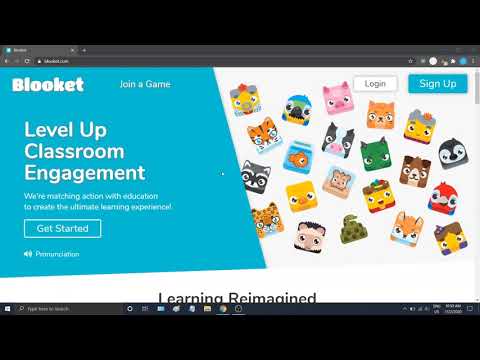
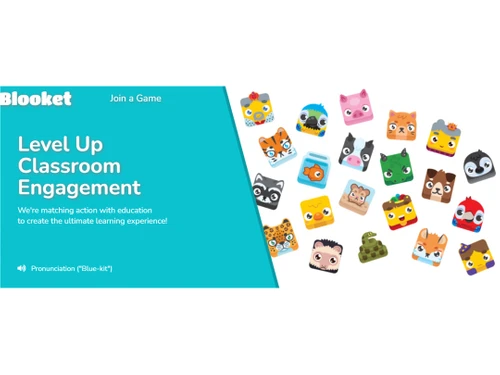
blooket-classroom engagement

Blooket

Brand: Blooket

  • 4.3

  • 4 Ratings

Blooket is a dynamic learning management software that revolutionizes the traditional classroom experience by combining gamification and educational content.

See More

Have you used Blooket before?

Share your insights for better experience

Add a Review
Starting Price
$5

View plans

100% Genuine
Products
Best Price
Guaranteed
Safe & Secure
Payment
  • Description

  • Pricing

  • Features

  • Specification

  • Review

  • Compare

  • Alternatives

  • FAQ

Starting at $5

Blooket Software Overview

What is Blooket Software?

Blooket is an online learning software that offers game-based interactive learning. This platform allows teachers to create and launch games based on the subject content. The whole exercise is transformed into an interactive game. The students join this game, and as they progress by playing the game, they learn the topic. These games motivate and keep students engaged. Simultaneously it makes learning effective.

The Blooket learning platform is a supportive tool for teachers to make teaching effective. It offers numerous games like Tower Defense, Gold Rush, etc. The teacher can create their own game, import questions, etc. Various options like questions, flashcards, and rewards can be selected, and the game can be customised based on the subject topic. Teachers can now launch this game for a class of 60 students at a time or as a solo game allowing students to participate without fear of competition. The teachers can launch the contest by sharing the joining code.

The student joins the Blooket game with the valid code and starts to play the game. Options like unblocking Blocks, buying boxes, and rewards can be obtained by progressing further in the game. Finally, the teacher can analyze the score and discuss reports and questions solutions to ensure students learn from their mistakes and improve their knowledge.

Why Choose Blooket?

  • Teach with interactive games: Teachers can use this application to create interactive games for their subjects. Students play the game and progress based on their knowledge and learn things.
  • Analyse: The application provides a detailed game outcome and question analysis scores. Teachers can use it to gain insights into student performance and review students' shortcomings.
  • Convenient learning: Students can use this application from their devices like PC, tablets, or smartphones from the classroom or remote learning places. They can join in any game by having access to the game code.

Benefits of Blooket Game Learning Software

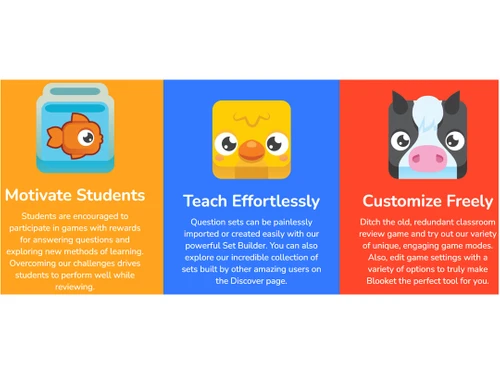
  • Motivate students: This application makes learning a joy and thus motivates students to answer questions and explore more.
  • Teaching easy: This application allows teachers to import and create questions easily through supportive tools. It thus helps in making teaching interactive and more effortless.
  • Learning Effective: Games and learning make the entire education process memorable for students. It makes learning effective.
  • Accessible: This application is accessible via the Internet. The teacher must register, while students can access the application without registration by having a game code.

Blooket Pricing

Blooket learning management software pricing starts at $5 on TechJockey.com.

The overall pricing model is based on different factors such as personalization, extra features required, total users, and the deployment type. Please feel free to request a call from our product experts if you want to learn more about our subscription plans or premium package deals.

Read more

Blooket Company Details

Founded Year:  2018

Online platform providing learning games for students

Director/Founders Blooket
Company Size 1-100 Employees

Blooket Pricing & Plans

Plus( Billed yearly)
Starting at $5
    • Licenses

      Licenses
      Licenses
    • Monthly

      Monthly
      Monthly

Key Features

  • Exclusive Game Modes

  • Enhanced Game Reports

  • Question Set Folders

  • Audio Questions

  • Copy & Duplicate Sets

  • Up to 300 Players

Plus Flex
Starting at $10
    • Licenses

      Licenses
      Licenses
    • Monthly

      Monthly
      Monthly

Key Features

  • All Plus Features

  • Pay Monthly

  • Cancel Whenever

Blooket Features

  • icon_check Game Mode
    The application offers various game modes for teachers to choose from that can be customized.
  • icon_check Classroom Engagement
    The creative integration of games and education increases classroom engagement.
  • icon_check Teach Effortlessly
    Tools like import, set builder, and game mode allow the teachers to make games effortlessly and teach easily.
  • icon_check Customization
    The teacher can create a new game and question set or find existing ones and customize it.
  • icon_check Motivate Students
    Through games and rewards for answering questions, students get motivated towards learning.
  • icon_check Analyze the Results
    It provides a detailed game outcome score report for analysis and identifies areas that require improvement.
Blooket Demo Video play icon

Get Blooket Demo

Watch the demo video to explore key features, real workflows, and how the software fits your business needs.

Understand
Key Features
Personal
Demo Insights
Interactive
Demo Support

Blooket Specifications

Supported Platforms
Windows Windows
Devices
Desktop Desktop
Deployment
Cloud-Based Cloud-Based
Suitable For
Education
Business Specific
School/Colleges/Coaching
Business Size
Small Business Startups Medium Business SMEs MSMBs
Customer Support
Email
Language
English
Training Resources
Videos
AI Features
AI Integrated

Explore the Best Alternative Solutions Similar to Your Business Size and Needs

Blooket Review

4.3

Out of 5

img

Overall Rating

Based on
4 Verified Ratings

Rating Breakdown

  • Features 4.2
  • Value for Money 4
  • Ease of Use 5
  • Customer Support 4.2

87% Recommend this Product

Add Review

Techjockey Trusted Reviews from Verified Users

No reviews are currently available for Blooket. Discover similar Educational Software reviews

  • Megam Education

    4.6

    Whats great - The user interface is simple and contemporary, and device checkout is simple and convenient. These are perhaps its best quali... read more

  • School Console

    4.6

    Whats great - The overall experience is great, and the team support is also excellent. read more

  • EDUPI

    4.7

    Whats great - I could contact with my kids' instructors and gather information about them, and it was simple to use. working well read more

Compare Blooket With other Educational Software

Products
Ratings
Pricing
Device Supported
Deployment
Supported Platforms
  • img

    Blooket

  • 4.3

  • Price On Request

  • Desktop

    Mobile

  • Web based

    On Premises

  • Windows

    Mac OS

  • img

    iCloudEMS

  • 4.3

  • Price On Request

  • Desktop

    Mobile

  • Web based

    On Premises

  • Windows

    Mac OS

  • img

    Chegg

  • 4.4

  • Price On Request

  • Desktop

    Mobile

  • Web based

    On Premises

  • Windows

    Mac OS

  • img

    Kuta Software

  • 4.7

  • Price On Request

  • Desktop

    Mobile

  • Web based

    On Premises

  • Windows

    Mac OS

  • img

    Megam Education

  • 4.6

  • Price On Request

  • Desktop

    Mobile

  • Web based

    On Premises

  • Windows

    Mac OS

  • img

    Fliplearn

  • 4.5

  • Price On Request

  • Desktop

    Mobile

  • Web based

    On Premises

  • Windows

    Mac OS

  • img

    Copilot

  • 4.5

  • Price On Request

  • Desktop

    Mobile

  • Web based

    On Premises

  • Windows

    Mac OS

  • img

    Elicit

  • 4.7

  • Price On Request

  • Desktop

    Mobile

  • Web based

    On Premises

  • Windows

    Mac OS

  • img

    Classbot

  • 4.1

  • ₹ 5000

  • Desktop

    Mobile

  • Web based

    On Premises

  • Windows

    Mac OS

  • img

    Canvas Studio

  • 4.4

  • Price On Request

  • Desktop

    Mobile

  • Web based

    On Premises

  • Windows

    Mac OS

(0) Product(s) selected

Blooket Alternatives

See All Blooket Alternatives

Available

Price on Request

Starting Price:

$20 /month

Available

Price on Request

Starting Price:

$12 /Month

Starting Price:

$75

Starting Price:

$149 /Year

Available

Price on Request

Available

Price on Request

Articles for Blooket

See All Related Articles

Which operating system does the Blooket Software support?

Blooket software is compatible with operating systems such as Windows, macOS, Linux, etc.

Is there any Blooket app?

Blooket app is not available on Android and iOS devices.

What is the deployment type of the Blooket System?

Blooket system supports web-based deployment.

How much does the Blooket Software cost?

Blooket pricing starts at $5 on TechJockey.com.

Who are the potential users of the Blooket System?

Blooket system can be used by educators, teachers, parents, institutions, students, and individuals looking for a robust learning management platform.

Is there any free trial or demo for Blooket Software?

Blooket demo is available for free with techjockey.com.

Is the Blooket free?

Blooket solution does not offer any free trial.

How can you download the Blooket software?

Blooket is a web-based platform. So, you need not download any software or app to use it.

How does the Blooket work?

Blooket is an innovative Learning Management software that provides a user-friendly platform for educators and learners to create, deliver, and manage interactive online courses. It offers features such as content creation, student progress tracking, and communication tools to enhance the learning experience.

20,000+ Software Listed

Best Price Guranteed

Free Expert Consultation

2M+ Happy Customers

Terms and Condtions

close

Users with registered businesses can purchase goods from merchants on the platform to satisfy their business needs. Users are not permitted to utilize any products acquired through the platform for resale, advertising, business, or further distribution.

For each purchase made, users will receive a Tax Invoice (or 'GST invoice') that includes specific details such as:

  • the GSTIN of the user associated with their registered business, and

  • the specified Entity Name for their business.

It should be noted that not all products are eligible for GST Invoice. Only the products displayed by participating sellers with the 'GST-based Invoice Available' callout on the product description page would qualify.

Certain goods and services are not eligible to get a GST Invoice, including items with VAS, i.e., Value Added Services (e.g., Total Mobile Protection/Assured Buyback) and those involving an exchange offer at the time of purchase.

Users must ensure the accuracy of the GSTIN, and business entity name provided for the GST Invoice. Requests for corrections into GST Invoice would not be accommodated by Techjockey.com or any Seller, and any issues arising from user-provided information are the sole responsibility of users.

Techjockey.com is not liable for the GST Invoice or any associated input tax credit. To efficiently claim an input tax credit, users should select the registered place of business address as per the GST authority's data and follow the provisions of the GST Act and rules.

To claim an input tax credit, the delivery and billing addresses must match. Furthermore, input tax credits will not be granted if the delivery address and GSTIN on the invoice are from different states. In case of incorrect GST details provided during the order placement, the order will be canceled automatically.