linkedin
Media io logo
play AI Text to Video, Image to Video, Video Creation: Make Stunning Videos in Minutes
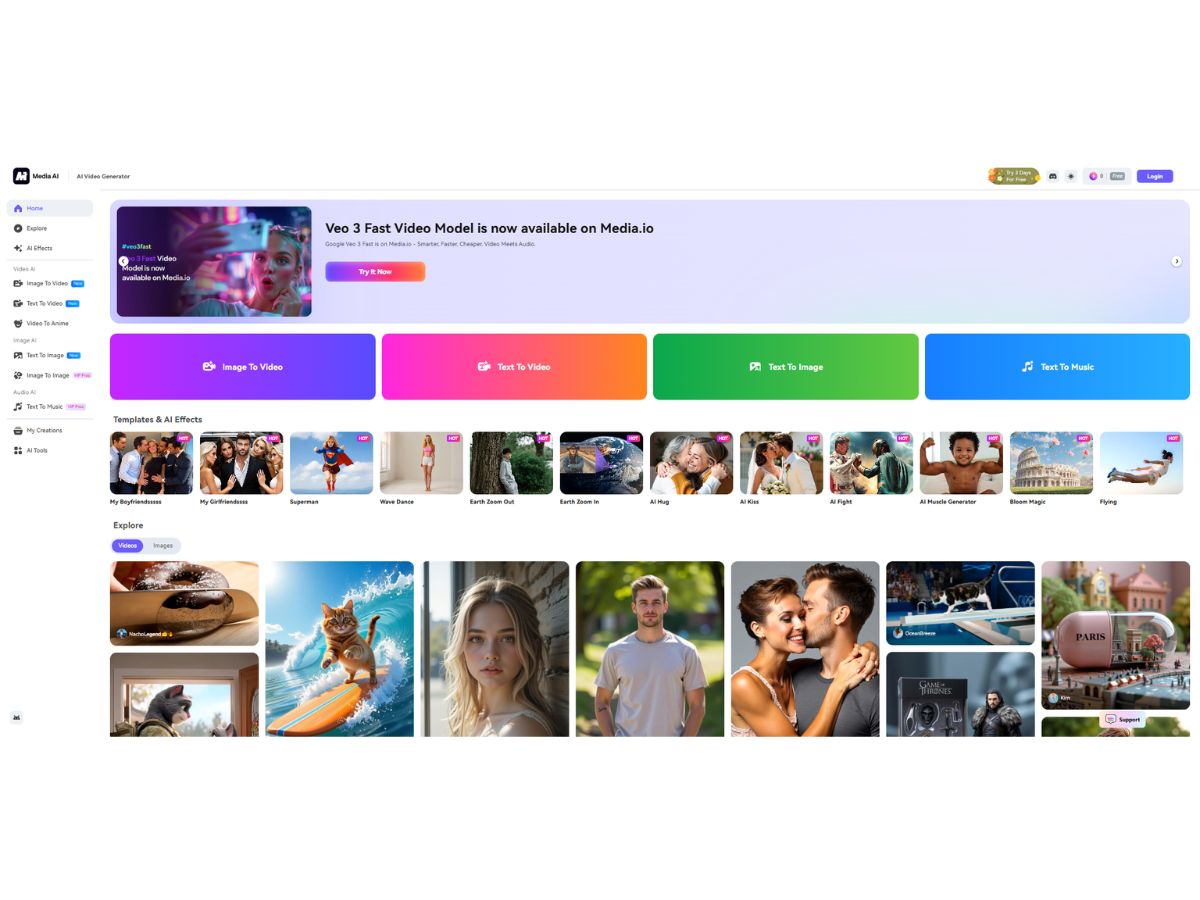
Media io-dashboard
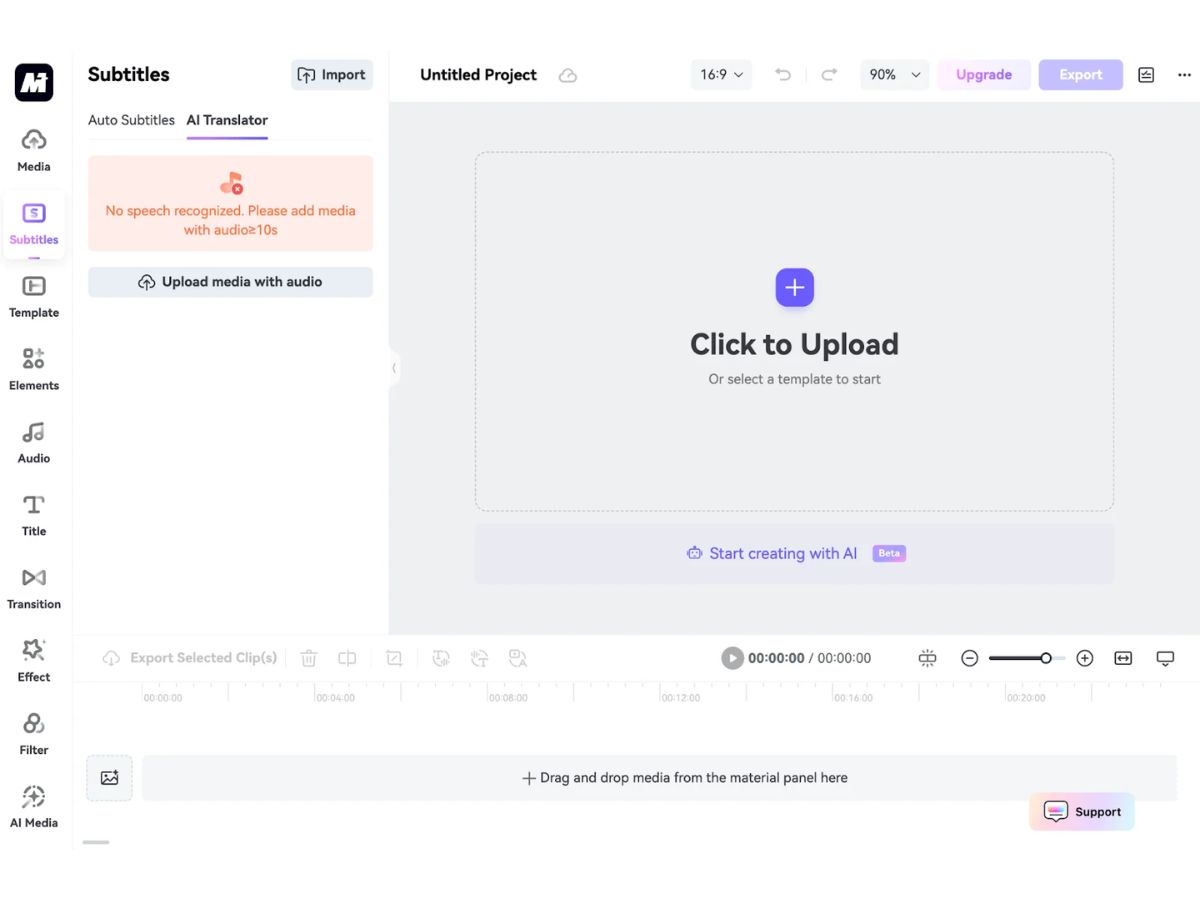
Media io-subtitle

Media io

Brand: Media io

  • 4.3

  • 4 Ratings

Have you used Media io before?

Share your insights for better experience

Add a Review
Starting Price
$10

View plans

100% Genuine
Products
Best Price
Guaranteed
Safe & Secure
Payment
  • Description

  • Pricing

  • Features

  • Specification

  • Review

Starting at $9.99

Media io Software Overview

Media io Company Details

Founded Year:  2023

Media.io AI Portrait Generator offers tools specifically designed for enhancing photos.

Director/Founders Marc Antoine Arnaud
Company Size 1-100 Employees

Media io Pricing & Plans

Standard
Starting at $9.99
    • Licenses

      Licenses
      Licenses
    • Monthly

      Monthly
      Monthly

Key Features

  • 20G Storage

  • 1080P Export without Watermarks

  • High-quality Asset Resources

  • Access to All AI models

  • Creative Assets

  • Video Templates

Premium
Starting at $17.98
    • Licenses

      Licenses
      Licenses
    • Monthly

      Monthly
      Monthly

Key Features

  • 50G Storage

  • 120 mins/mo of Automatic Subtitles

  • High-quality Asset Resources

  • Access to All AI models

  • Creative Assets

  • Video Templates

Media io Features

  • icon_check Video Editing
    Edit videos online with trimming, cutting, merging, and timeline tools to quickly produce polished video content.
  • icon_check Video Enhancement
    AI improves brightness, sharpness, colors, and resolution to upgrade low-quality videos into clean, clear visuals.
  • icon_check Auto Subtitles
    Automatically generates accurate subtitles from speech, saving time and ensuring accessibility for all audiences.
  • icon_check Automatic Transcription
    Converts spoken audio in videos into editable, downloadable text using fast and precise AI-powered transcription.
  • icon_check Noise Reduction
    Cleans audio by removing background sounds and interference, improving clarity in recordings and voiceovers.
  • icon_check Vocal Remover
    Separates vocals from music tracks instantly, allowing users to create karaoke versions or remix instrumentals.
  • icon_check Video Converter
    Converts video files to multiple formats with high quality retention, making videos compatible across devices easily.
  • icon_check Video Compressor
    Reduces video file sizes without notable quality loss, enabling faster uploads, sharing, and storage efficiency.
  • icon_check Image Background Removal
    Uses AI to detect and remove backgrounds from photos, enabling clean cutouts for designs, ads, and thumbnails.
  • icon_check Image Enhancer
    Boosts image clarity, removes blur, sharpens details, and restores quality for low-resolution or old photos.
  • icon_check AI Voice Generator
    Creates natural-sounding synthetic voices from text, suitable for narration, training videos, presentations, and ads.
  • icon_check AI Text-To-Video
    Generates videos automatically from text inputs or prompts, turning written ideas into ready-to-use video content.
  • icon_check Audio Cutter
    Cuts and trims audio clips precisely, helping users create ringtones, sound snippets, or clean edited audio files.
  • icon_check Watermark Remover
    Removes logos, text, or watermarks from images or videos using AI to intelligently fill in surrounding content.
  • icon_check File Format Conversion
    Converts audio, video, and image formats quickly with optimized output settings for different use cases.
  • icon_check Object Removal
    Erases unwanted objects from photos or videos, letting users clean scenes and improve the visual appeal easily.
  • icon_check Batch Processing
    Processes multiple media files at once for converting, compressing, or enhancing, boosting productivity.
Media io Demo Video play icon

Get Media io Demo

Watch the demo video to explore key features, real workflows, and how the software fits your business needs.

Understand
Key Features
Personal
Demo Insights
Interactive
Demo Support

Media io Specifications

Supported Platforms
Windows Windows MacOS MacOS
Devices
Desktop Desktop
Deployment
Cloud-Based Cloud-Based
Suitable For
All Industries
Business Specific
All Businesses
Business Size
Small Business Startups Medium Business Enterprises
Customer Support
Email Communities
Language
English
Training Resources
Videos
AI Features
AI Integrated

Media io Review

4.3

Out of 5

img

Overall Rating

Based on
4 Verified Ratings

Rating Breakdown

  • Features 4.2
  • Value for Money 4.3
  • Ease of Use 4.5
  • Customer Support 4.3

80% Recommend this Product

Add Review

Techjockey Trusted Reviews from Verified Users

No reviews are currently available for Media io. Discover similar Generative AI Tools reviews

  • Monica AI

    4.4

    Whats great - Excellent task management, reliable scheduling, smart reminders, integrates with other apps, helpful travel assistance read more

  • Sider

    4.2

    Whats great - Summarizes emails and reports, translates documents, saves me time, helps me understand key information quickly, improves my ... read more

  • Zocket

    3.9

    Whats great - Zocket pricing is very competitive. You are not charged any spend commission and subscription plans are affordable. read more

Terms and Condtions

close

Users with registered businesses can purchase goods from merchants on the platform to satisfy their business needs. Users are not permitted to utilize any products acquired through the platform for resale, advertising, business, or further distribution.

For each purchase made, users will receive a Tax Invoice (or 'GST invoice') that includes specific details such as:

  • the GSTIN of the user associated with their registered business, and

  • the specified Entity Name for their business.

It should be noted that not all products are eligible for GST Invoice. Only the products displayed by participating sellers with the 'GST-based Invoice Available' callout on the product description page would qualify.

Certain goods and services are not eligible to get a GST Invoice, including items with VAS, i.e., Value Added Services (e.g., Total Mobile Protection/Assured Buyback) and those involving an exchange offer at the time of purchase.

Users must ensure the accuracy of the GSTIN, and business entity name provided for the GST Invoice. Requests for corrections into GST Invoice would not be accommodated by Techjockey.com or any Seller, and any issues arising from user-provided information are the sole responsibility of users.

Techjockey.com is not liable for the GST Invoice or any associated input tax credit. To efficiently claim an input tax credit, users should select the registered place of business address as per the GST authority's data and follow the provisions of the GST Act and rules.

To claim an input tax credit, the delivery and billing addresses must match. Furthermore, input tax credits will not be granted if the delivery address and GSTIN on the invoice are from different states. In case of incorrect GST details provided during the order placement, the order will be canceled automatically.

20,000+ Software Listed 20,000+ Software Listed

Best Price Guaranteed Unbiased Comparison

Free Expert Consultation Read Authentic Reviews

2M+ Happy Customers 500,000+ Monthly Users