Description
Pricing
Features
Specification
Review
Compare
FAQs
Alternatives


 View Gallery
Brand: Media io
A generative AI tool that helps users create, edit, and enhance videos, images, and audio using simple tools and text prompts. ...Read more

Get Free Expert Consultation
Let us know your business needs clearly

Verified & Trusted
Vendors

Safe & Secure
Payment

Personalized
Experts Support
$ 9.99 /Month
Features
 Video Editing Video Enhancement Auto Subtitles Automatic Transcription Noise Reduction
 See all 
We make it happen! Get your hands on the best solution based on your needs.

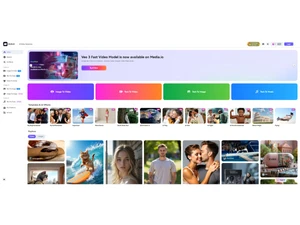

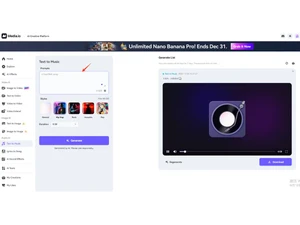
 Video Editing Edit videos online with trimming, cutting, merging, and timeline tools to quickly produce polished video content. Video Enhancement AI improves brightness, sharpness, colors, and resolution to upgrade low-quality videos into clean, clear visuals. Auto Subtitles Automatically generates accurate subtitles from speech, saving time and ensuring accessibility for all audiences. Automatic Transcription Converts spoken audio in videos into editable, downloadable text using fast and precise AI-powered transcription. Noise Reduction Cleans audio by removing background sounds and interference, improving clarity in recordings and voiceovers. Vocal Remover Separates vocals from music tracks instantly, allowing users to create karaoke versions or remix instrumentals. Video Converter Converts video files to multiple formats with high quality retention, making videos compatible across devices easily. Video Compressor Reduces video file sizes without notable quality loss, enabling faster uploads, sharing, and storage efficiency. Image Background Removal Uses AI to detect and remove backgrounds from photos, enabling clean cutouts for designs, ads, and thumbnails. Image Enhancer Boosts image clarity, removes blur, sharpens details, and restores quality for low-resolution or old photos. AI Voice Generator Creates natural-sounding synthetic voices from text, suitable for narration, training videos, presentations, and ads. AI Text-To-Video Generates videos automatically from text inputs or prompts, turning written ideas into ready-to-use video content. Audio Cutter Cuts and trims audio clips precisely, helping users create ringtones, sound snippets, or clean edited audio files. Watermark Remover Removes logos, text, or watermarks from images or videos using AI to intelligently fill in surrounding content. File Format Conversion Converts audio, video, and image formats quickly with optimized output settings for different use cases. Object Removal Erases unwanted objects from photos or videos, letting users clean scenes and improve the visual appeal easily. Batch Processing Processes multiple media files at once for converting, compressing, or enhancing, boosting productivity.
 | Brand Name | Media io |
| Information | Media.io AI Portrait Generator offers tools specifically designed for enhancing photos. |
| Founded Year | 2023 |
| Director/Founders | Marc Antoine Arnaud |
| Company Size | 1-100 Employees |

 UAE
UAE India
India