linkedin
mySewnet Embroidery Software Platinum logo
play Introducing mySewnet™ Quilting
mysewnet-designs
mysewnet-fonts

mySewnet Embroidery Software Platinum

Brand: Singer Sourcing

  • 4.1

  • 5 Ratings

mySewnet Embroidery Software Platinum is a comprehensive embroidery software designed to cater to the needs of embroidery professionals and enthusiasts.

See More

Have you used mySewnet Embroidery Software Platinum before?

Share your insights for better experience

Add a Review
Starting Price
$40

View plans

100% Genuine
Products
Best Price
Guaranteed
Safe & Secure
Payment
  • Description

  • Pricing

  • Features

  • Specification

  • Review

  • Compare

  • Alternatives

Starting at $39.99

mySewnet Embroidery Platinum Software Overview

What is mySewnet Embroidery Software Platinum?

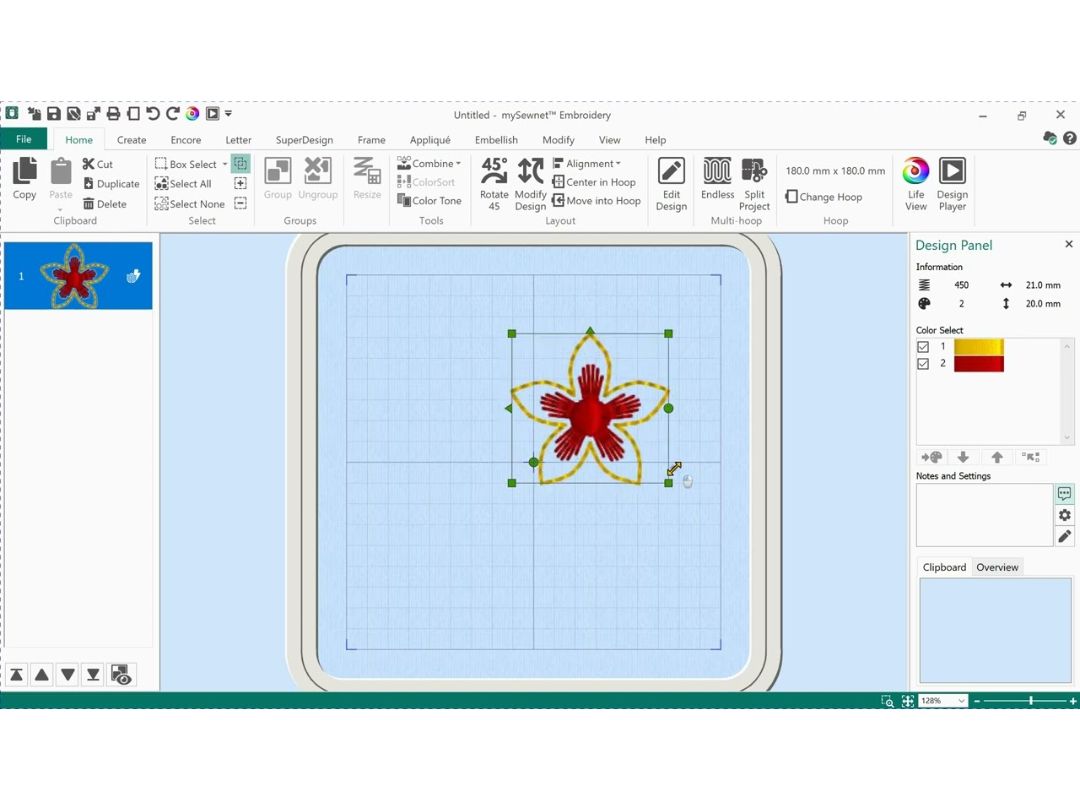
mySewnet Embroidery Software Platinum is a versatile embroidery software that allows users to create, edit, and manage embroidery designs with precision. It supports various embroidery machine brands and offers tools for digitizing, lettering, and design adjustment.

Whether you're a professional embroiderer or a hobbyist, this software provides the tools necessary to produce high-quality embroidery projects.

Why Choose mySewnet Embroidery Software Platinum

  • Design Freedom: Offers a wide range of drawing and editing tools for creative embroidery designs.
  • Smart Automation: Automates underlay, density, and pathing for faster and accurate stitch planning.
  • Multi-Format Support: Supports multiple import/export formats and various embroidery machine brands.
  • Accurate Preview: View 3D simulations and stitch-by-stitch previews to avoid design mistakes.
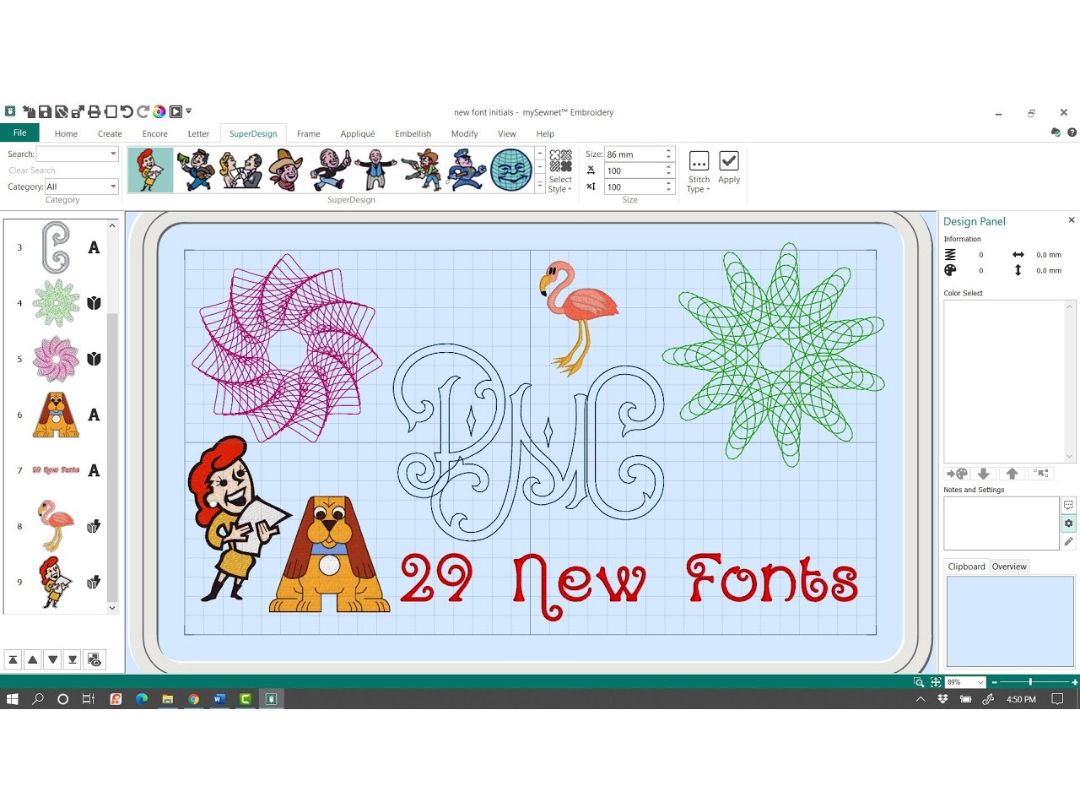
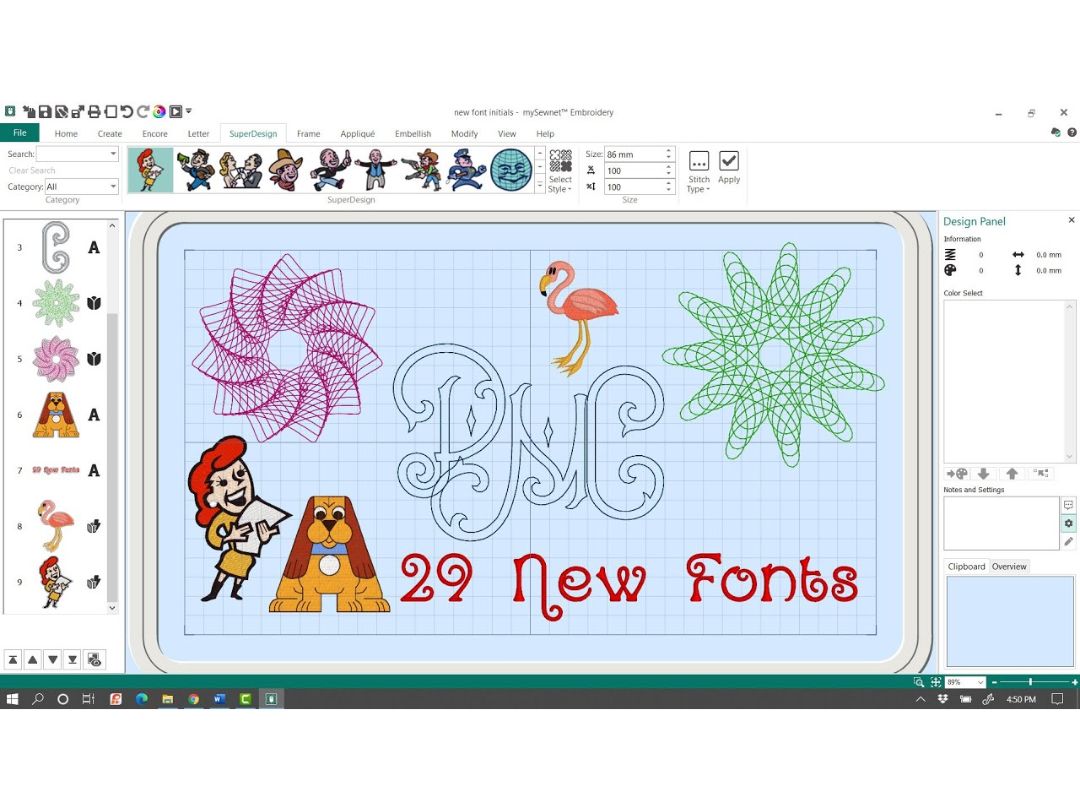
  • Font Flexibility: Use built-in fonts, convert TrueType fonts, or create unique monograms.

Benefits of mySewnet Embroidery Software Platinum

  • Creative Control: Allows full control over embroidery art, shapes, text, and vector-based editing.
  • Time Saving: Auto-digitizing and smart layout tools help complete complex designs faster.
  • Precise Editing: Fine-tune designs with manual adjustments and intelligent formatting.
  • Flexible Use: Works with multiple machine types and hoop sizes for broad compatibility.
  • Enhanced Simulation: Realistic stitch previews help visualize final output before stitching.

mySewnet Embroidery Software Platinum Pricing

mySewnet Embroidery Software Platinum price starts at $40 at Techjockey. The pricing model is based on different parameters, including extra features, deployment type, and the total number of users. For further queries related to the product, you can contact our product team and learn more about the pricing and offers.

Read more

Singer Sourcing Company Details

Founded Year:  1977

Singer Sewing is an American manufacturer of sewing machines.

Director/Founders Edward Cabot Clark, Isaac M. Singer
Company Size 101-500 Employees

mySewnet Embroidery Software Platinum Pricing & Plans

mySewnet Platinum Subscription
Key Features
  • All Gold Features PLUS:
  • Custom Word Sculpt
  • Full Digitizing Suite
  • Auto-Digitizing
  • Multi-Layer Editing
  • Advanced Stitch Manipulation
  • Unlimited Access to mySewnet™ Library
Starting at $39.99
    • Licenses

      Licenses
      Licenses
    • Monthly

      Monthly
      Monthly

Key Features

  • All Gold Features PLUS:

  • Custom Word Sculpt

  • Full Digitizing Suite

  • Auto-Digitizing

  • Multi-Layer Editing

  • Advanced Stitch Manipulation

  • Unlimited Access to mySewnet™ Library

mySewnet Embroidery Software Platinum Features

Design Creation & Editing

  • icon_check Editing Tools
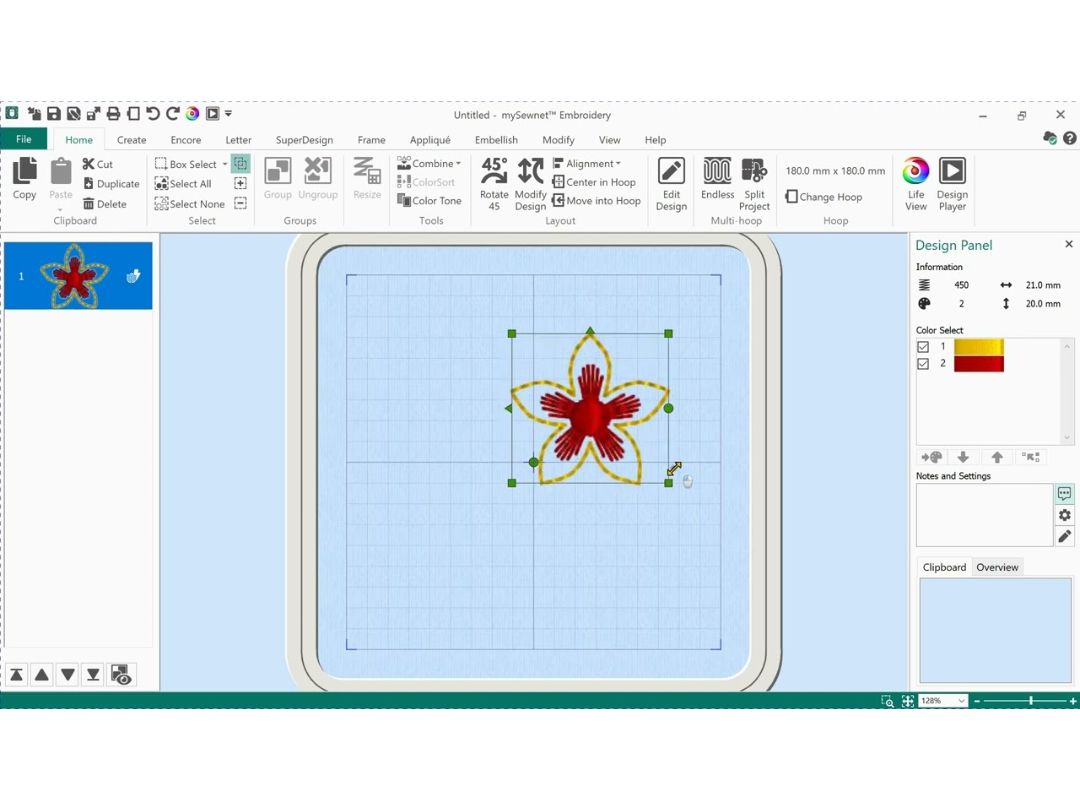
    Resize, rotate, mirror, and reshape designs with ease.
  • icon_check Drawing Tools
    Create and edit lines, shapes, and text directly within the software.
  • icon_check Manual & Auto-Digitizing
    Convert raster images (e.g., JPG, PNG) into stitch files either manually for precision or automatically for speed.
  • icon_check Vector Support
    Import and manipulate vector graphics (e.g., SVG, EPS) for scalable designs.

Stitch Functions

  • icon_check Stitch Types
    Support for various stitch types including satin, fill (tatami), running, and motif stitches.
  • icon_check Appliqué Support
    Facilitate layering of fabric pieces onto a base fabric.
  • icon_check 3D Puff Embroidery
    Create raised embroidery designs for added texture.

Lettering and Typography

  • icon_check Built-in Embroidery Fonts
    Access a library of fonts specifically designed for embroidery.
  • icon_check TrueType Font Conversion
    Convert system fonts into embroidery stitches.
  • icon_check Monogramming Tools
    Easily create monograms with 1–3 letters.

File Handling and Compatibility

  • icon_check Import/Export Formats
    Handle a wide range of embroidery file formats including DST, PES, JEF, EXP, XXX, VP3, and more.
  • icon_check Image Import
    Import common image formats (PNG, JPG, BMP) for digitizing.
  • icon_check Multi-Brand Support
    Compatible with major embroidery machine brands such as Brother, Janome, Bernina, Tajima, and others.
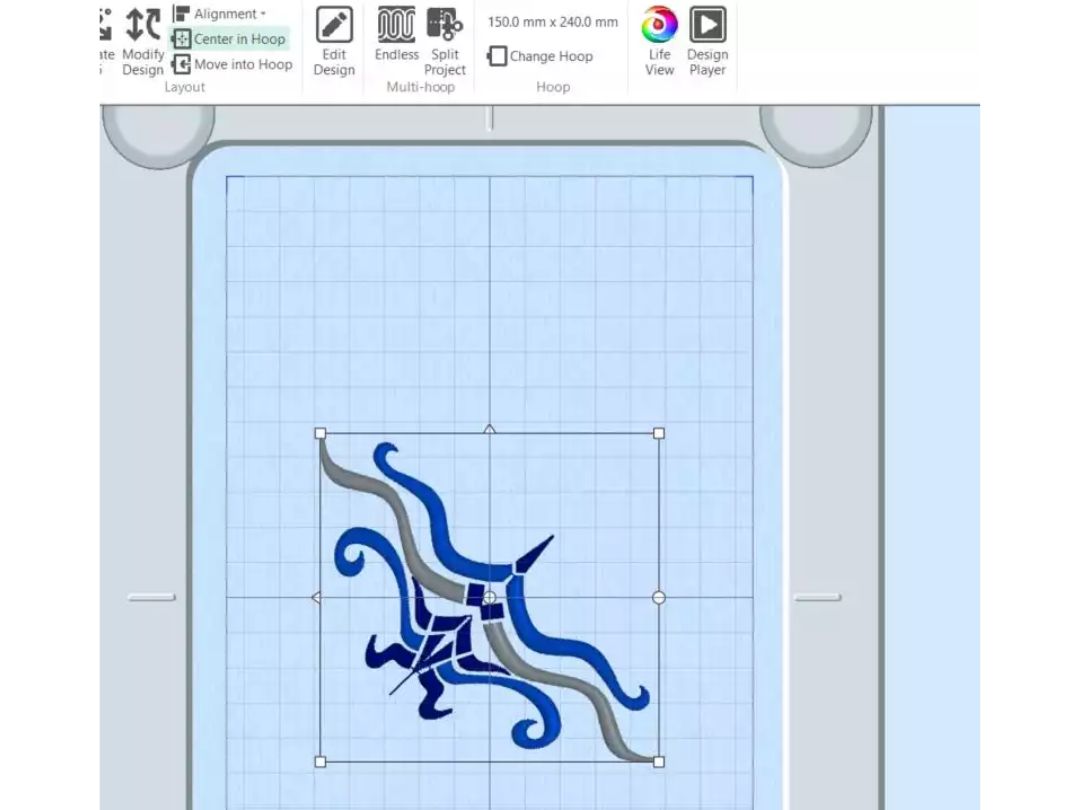
  • icon_check Hoop Size Management
    Select from standard and custom hoop sizes to fit your machine.

Layout and Composition Tools

  • icon_check Multi-Hooping Support
    Split large designs into multiple hoop areas for larger projects.
  • icon_check Templates and Guidelines
    Utilize cantering and alignment tools for precise placement.
  • icon_check Background Image Placement
    Preview designs on fabric images to visualize the final product.

Stitch Simulation and Preview

  • icon_check 3D Simulation
    Realistic preview of how stitches will appear on the fabric.
  • icon_check Stitch-by-Stitch Preview
    Step through the design to inspect each stitch.
  • icon_check Thread Color Management
    Manage thread colors using libraries from brands like Madeira and Isacord.

Automation Features

  • icon_check Auto-Underlay Generation
    Automatically add underlay stitches for stability.
  • icon_check Auto-Density Management
    Adjust stitch density based on fabric type.
  • icon_check Branching and Pathing Optimization
    Optimize stitching paths for efficiency.

Color and Material Management

  • icon_check Thread Charts
    Access built-in thread brand libraries for accurate color matching.
  • icon_check Color Matching Tools
    Match colors between different thread brands.
  • icon_check Auto Color Reduction
    Minimize color changes to streamline the embroidery process.
  • icon_check Fabric Type Settings
    Adjust design parameters based on the selected fabric.
  • icon_check Stabilizer Recommendations
    Receive suggestions for appropriate stabilizers.

Output and Printing

  • icon_check Print Design Sheets
    Generate printouts with stitch counts and color changes.
  • icon_check Production Worksheets
    Create detailed worksheets for commercial production.

Analytics & Reporting

  • icon_check Stitch count reports
    Total number of stitches calculated for the entire design.
  • icon_check Time to complete estimation
    Predicted time to finish stitching based on machine speed.
  • icon_check Color change reports
    Lists all thread color changes needed during the design
  • icon_check Thread usage reports
    Estimates the length of thread required for each color.
mySewnet Embroidery Software Platinum Demo Video play icon

Get mySewnet Embroidery Software Platinum Demo

Watch the demo video to explore key features, real workflows, and how the software fits your business needs.

Understand
Key Features
Personal
Demo Insights
Interactive
Demo Support

mySewnet Embroidery Software Platinum Specifications

Supported Platforms
Windows Windows MacOS MacOS
Devices
Desktop Desktop
Deployment
Perpetual Perpetual
Suitable For
Fashion Apparel Designers Garment Industry
Business Specific
All Businesses
Business Size
Small Business Startups Medium Business Enterprises SMBs SMEs MSMBs MSMEs Freelancers
Customer Support
Email Communities
Language
English
Training Resources
Videos

Explore the Best Alternative Solutions Similar to Your Business Size and Needs

mySewnet Embroidery Software Platinum Review

4.1

Out of 5

img

Overall Rating

Based on
5 Verified Ratings

Rating Breakdown

  • Features 4.2
  • Value for Money 3.9
  • Ease of Use 3.9
  • Customer Support 4.6

84% Recommend this Product

Add Review

Be the First to Review

This product has no reviews yet. Be the first to leave your feedback.

Add Review

Compare mySewnet Embroidery Software Platinum With other Embroidery Software

Products
Ratings
Pricing
Device Supported
Deployment
Supported Platforms
  • img

    mySewnet Embroidery Software Platinum

  • 4.1

  • $ 39.99 excl. GST

  • Desktop

    Mobile

  • Web based

    On Premises

  • Windows

    Mac OS

  • img

    SewWhat Pro

  • 4.5

  • Price On Request

  • Desktop

    Mobile

  • Web based

    On Premises

  • Windows

    Mac OS

  • img

    PE Design 11

  • 4.4

  • Price On Request

  • Desktop

    Mobile

  • Web based

    On Premises

  • Windows

    Mac OS

  • img

    DRAWings PRO XII

  • 4.3

  • Price On Request

  • Desktop

    Mobile

  • Web based

    On Premises

  • Windows

    Mac OS

(0) Product(s) selected

mySewnet Embroidery Software Platinum Alternatives

See All mySewnet Embroidery Software Platinum Alternatives
SAVE UPTO 5% OFF

Starting Price:

$65.00 /Quantity

Starting Price:

£1,099.00 /Quantity

SAVE UPTO 7% OFF

Starting Price:

$120.00 /Month

Terms and Condtions

close

Users with registered businesses can purchase goods from merchants on the platform to satisfy their business needs. Users are not permitted to utilize any products acquired through the platform for resale, advertising, business, or further distribution.

For each purchase made, users will receive a Tax Invoice (or 'GST invoice') that includes specific details such as:

  • the GSTIN of the user associated with their registered business, and

  • the specified Entity Name for their business.

It should be noted that not all products are eligible for GST Invoice. Only the products displayed by participating sellers with the 'GST-based Invoice Available' callout on the product description page would qualify.

Certain goods and services are not eligible to get a GST Invoice, including items with VAS, i.e., Value Added Services (e.g., Total Mobile Protection/Assured Buyback) and those involving an exchange offer at the time of purchase.

Users must ensure the accuracy of the GSTIN, and business entity name provided for the GST Invoice. Requests for corrections into GST Invoice would not be accommodated by Techjockey.com or any Seller, and any issues arising from user-provided information are the sole responsibility of users.

Techjockey.com is not liable for the GST Invoice or any associated input tax credit. To efficiently claim an input tax credit, users should select the registered place of business address as per the GST authority's data and follow the provisions of the GST Act and rules.

To claim an input tax credit, the delivery and billing addresses must match. Furthermore, input tax credits will not be granted if the delivery address and GSTIN on the invoice are from different states. In case of incorrect GST details provided during the order placement, the order will be canceled automatically.

20,000+ Software Listed 20,000+ Software Listed

Best Price Guaranteed Unbiased Comparison

Free Expert Consultation Read Authentic Reviews

2M+ Happy Customers 500,000+ Monthly Users