Description
Pricing
Features
Specification
Review
Compare
FAQs
Alternatives

 View Gallery
Brand: S & S Computing
An embroidery software that allows users to view, edit, merge, resize, and convert designs across various machine formats. ...Read more

Get Free Expert Consultation
Let us know your business needs clearly

Verified & Trusted
Vendors

Safe & Secure
Payment

Personalized
Experts Support
$ 65.00 /Quantity
Features
 Design Creation & Editing Stitch Functions Lettering and Typography File Handling and Compatibility Layout and Composition Tools
 See all 
We make it happen! Get your hands on the best solution based on your needs.


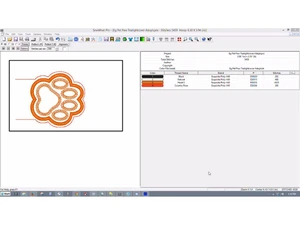
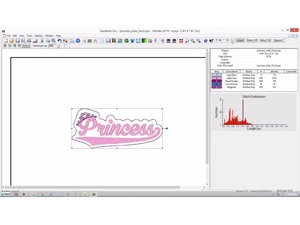
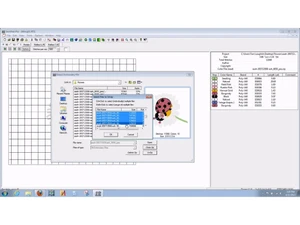
Design Creation & Editing
 Editing Tools Resize, rotate, mirror, and reshape designs with ease. Drawing Tools Create and edit lines, shapes, and text directly within the software. Manual & Auto-Digitizing Convert raster images (e.g., JPG, PNG) into stitch files either manually for precision or automatically for speed. Vector Support Import and manipulate vector graphics (e.g., SVG, EPS) for scalable designs.
 Stitch Functions
Stitch Types Support for various stitch types including satin, fill (tatami), running, and motif stitches. Appliqué Support Facilitate layering of fabric pieces onto a base fabric. 3D Puff Embroidery Create raised embroidery designs for added texture. Lettering and Typography
TrueType Font Conversion Convert system fonts into embroidery stitches. Monogramming Tools Easily create monograms with 1–3 letters. Built-in Embroidery Fonts Access a library of fonts specifically designed for embroidery. File Handling and Compatibility
Import/Export Formats Handle a wide range of embroidery file formats including DST, PES, JEF, EXP, XXX, VP3, and more. Multi-Brand Support Compatible with major embroidery machine brands such as Brother, Janome, Bernina, Tajima, and others. Hoop Size Management Select from standard and custom hoop sizes to fit your machine. Image Import Import common image formats (PNG, JPG, BMP) for digitizing. Layout and Composition Tools
Multi-Hooping Support Split large designs into multiple hoop areas for larger projects. Templates and Guidelines Utilize cantering and alignment tools for precise placement. Background Image Placement Preview designs on fabric images to visualize the final product. Stitch Simulation and Preview
3D Simulation Realistic preview of how stitches will appear on the fabric. Stitch-by-Stitch Preview Step through the design to inspect each stitch. Thread Color Management Manage thread colors using libraries from brands like Madeira and Isacord. Automation Features
Auto-Density Management Adjust stitch density based on fabric type. Auto-Underlay Generation Automatically add underlay stitches for stability. Branching and Pathing Optimization Optimize stitching paths for efficiency. Color and Material Management
Thread Charts Access built-in thread brand libraries for accurate color matching. Color Matching Tools Match colors between different thread brands. Fabric Type Settings Adjust design parameters based on the selected fabric. Auto Color Reduction Minimize color changes to streamline the embroidery process. Stabilizer Recommendations Receive suggestions for appropriate stabilizers. Output and Printing
Print Design Sheets Generate printouts with stitch counts and color changes. Production Worksheets Create detailed worksheets for commercial production. Analytics & Reporting
Stitch count reports Total number of stitches calculated for the entire design. Color change reports Lists all thread color changes needed during the design Thread usage reports Estimates the length of thread required for each color. Time to complete estimation Predicted time to finish stitching based on machine speed. 

 20,000+ Software Listed
 Unbiased Comparison
 Read Authentic Reviews
 500,000+ Monthly Users
 USA
USA India
India