linkedin
nanoCAD logo
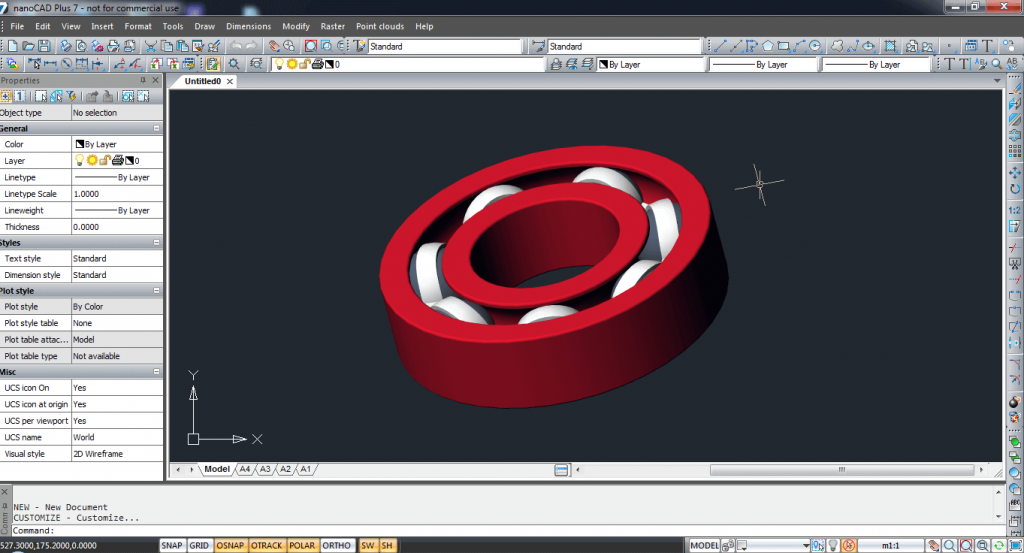
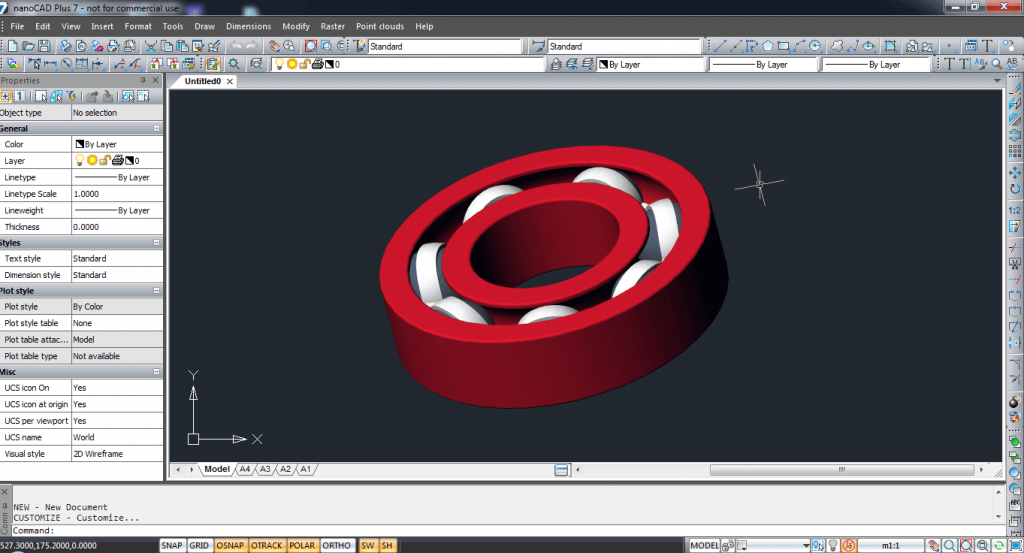
play Draft in CAD for Free - nanoCAD Tutorial

nanoCAD

Brand: Nanosoft AS

  • 4.6

  • 3 Ratings

nanoCAD is a professional-grade computer-aided design (CAD) software that provides comprehensive 2D and 3D design tools for drafting, modeling, and documentation purposes. It offers a cost-effective alternative for users seeking powerful CAD functionality.

See More

Have you used nanoCAD before?

Share your insights for better experience

Add a Review

Price Available on Request

Questions about pricing or customization? We’re here to help, just a click away.

100% Genuine
Products
Best Price
Guaranteed
Safe & Secure
Payment
  • Description

  • Pricing

  • Features

  • Specification

  • Review

  • Compare

  • Alternatives

  • FAQ

nanoCAD Software Overview

What is nanoCAD?

nanoCAD is a robust computer-aided design (CAD) software renowned for its versatility in addressing both 2D and 3D design requirements. Its professional-grade features provide a cost-effective solution for tasks such as drafting, modeling, and documentation. Featuring a user-friendly interface, nanoCAD caters to users of varying expertise, making it accessible for both beginners and experienced designers.

The software supports seamless collaboration and interoperability with other CAD tools, thanks to its compatibility with various file formats. Regular updates ensure users benefit from the latest enhancements and features, contributing to its ongoing relevance in the CAD industry. Overall, nanoCAD stands out as a comprehensive and affordable CAD solution suitable for diverse design applications.

Why Choose nanoCAD Software?

  • Affordability: Offers a budget-friendly solution with advanced CAD features.
  • Versatility: Known for handling both 2D and 3D design tasks across various applications.
  • User-Friendly Interface: Accommodates users of different skill levels with an intuitive design.
  • Compatibility: Supports multiple file formats for seamless collaboration with other CAD tools.
  • Regular Updates: Users enjoy frequent updates for access to the latest features and improvements.
  • Professional-Grade Features: Equipped with advanced CAD tools for drafting, modeling, and documentation.
  • Community Support: Engages users in a community-driven environment for support and knowledge exchange.

Functionalities of nanoCAD Software

  • 2D Drafting Excellence: Proficient in 2D drafting, the software provides an extensive array of tools for precise technical drawings.
  • Robust 3D Modeling: Supporting powerful 3D modeling capabilities, users can create intricate three-dimensional designs.
  • Parametric Constraints: Incorporating parametric constraints allows for establishing relationships and constraints between design elements.
  • File Format Compatibility: Ensures compatibility with various file formats, enhancing interoperability with other CAD software.
  • Flexible Interface: Users enjoy a customizable interface, adapting it according to their unique workflow preferences.
  • Printing and Plotting: Enables users to print or plot designs with customizable settings, catering to documentation needs.
  • Collaboration-Friendly Features: Incorporates features that ease collaboration, making it apt for team-based design projects.
  • Precision Dimensioning Tools: Provides dimensioning tools for accurate measurements and annotations in designs.
  • API Integration: Offers support for application programming interfaces (APIs), empowering users to extend functionality through custom scripts and plugins.
  • Regular Software Updates: Users benefit from regular updates, ensuring access to the latest features and improvements over time.

Benefits of nanoCAD Software

  • Stability and Reliability: Recognized for stability and reliability, providing a dependable environment for design tasks.
  • Low System Requirements: Operates efficiently on systems with lower specifications, broadening accessibility.
  • Extensive File Format Support: Boasts compatibility with various CAD tools and industry standards through extensive file format support.
  • User Support Services: Users can access dedicated support services, including tutorials and documentation, for mastering the software.
  • Customization Options: Offers customization options beyond the interface, allowing adaptation to specific workflow preferences.
  • Advanced Analysis Tools: Some versions may include tools for evaluating designs for functionality and efficiency.
  • Innovative Features: May introduce innovative features, differentiating itself with unique functionalities for enhanced design capabilities.

Pricing of nanoCAD

nanoCAD price starts at $249 at techjockey.

The pricing model is based on different parameters, including extra features, deployment type, and the total number of users. For further queries related to the product, you can contact our product team and learn more about the pricing and offers.

Read more

Nanosoft AS Company Details

Founded Year:  2008

Nanosoft focuses on the creation of cost-effective CAD solutions.

Director/Founders Deepak Kumar
Company Size 1-100 Employees

nanoCAD Pricing & Plans

Looking for The Right Pricing?

Share your requirements and get a plan built around your business.

  • Define your business needs
  • Get customised pricing
  • Choose features that fit your workflow

Price Available on Request

Get personalised nanoCAD pricing that fits your needs. Our team will connect with you.

nanoCAD Features

  • icon_check 2D Drafting
    nanoCAD provides robust tools for creating precise and detailed 2D drawings.
  • icon_check 2D Construction Mode
    The software features a 2D construction mode, enhancing efficiency in creating and modifying 2D designs.
  • icon_check Create 3D Models
    Users can leverage nanoCAD to create intricate and accurate 3D models for a comprehensive design approach.
  • icon_check Attractive Interface
    The software boasts an attractive interface, ensuring a visually pleasing and user-friendly design environment.
  • icon_check Support
    nanoCAD offers support, providing assistance and resources for users to navigate and maximize the software's capabilities.
  • icon_check Table Editor
    Incorporating a table editor, nanoCAD facilitates the creation and management of tables within the design process.
  • icon_check Rasters
    The software supports raster images, allowing users to integrate and work with bitmap images seamlessly in their designs.
nanoCAD Demo Video play icon

Get nanoCAD Demo

Watch the demo video to explore key features, real workflows, and how the software fits your business needs.

Understand
Key Features
Personal
Demo Insights
Interactive
Demo Support

nanoCAD Specifications

Supported Platforms
Windows Windows MacOS MacOS
Devices
Desktop Desktop Mobile Mobile
Deployment
Cloud-Based Cloud-Based
Suitable For
Architecture Designers
Business Specific
All Businesses
Business Size
Small Business Startups Medium Business Enterprises SMBs SMEs MSMBs MSMEs
Customer Support
Phone Email Communities
Language
English
Training Resources
Documentation Videos

Explore the Best Alternative Solutions Similar to Your Business Size and Needs

Enterprises

Designed for complex and large-scale business needs

Actcad

4.4

CAD Pro

4.3

VariCAD

4.4

See More

nanoCAD Review

4.6

Out of 5

img

Overall Rating

Based on
3 Verified Ratings

Rating Breakdown

  • Features 4.6
  • Value for Money 4.8
  • Ease of Use 4.6
  • Customer Support 4.3
Add Review

Techjockey Trusted Reviews from Verified Users

No reviews are currently available for nanoCAD. Discover similar CAD Software reviews
  • KOMPAS-3D

    4.4

    Whats great - low license cost, fast documentation preparation, wide range of built-in and additional applications that allow flexi... read more

  • BricsCAD

    5.0

    Whats great - It is fully compatible with .dwg files; Easy to migrate LISP routines to BricsCAD read more

  • Autodesk AutoCAD

    4.8

    Whats great - Autodesk AutoCAD software layout and ploting are great, it provides with fast and flexible drawing options, modefieing tools ... read more

Compare nanoCAD With other CAD Software

Products
Ratings
Pricing
Device Supported
Deployment
Supported Platforms
  • img

    nanoCAD

  • 4.6

  • Price On Request

  • Desktop

    Mobile

  • Web based

    On Premises

  • Windows

    Mac OS

  • img

    Visao

  • 4.1

  • Price On Request

  • Desktop

    Mobile

  • Web based

    On Premises

  • Windows

    Mac OS

  • img

    Shapr3D

  • 4.6

  • Price On Request

  • Desktop

    Mobile

  • Web based

    On Premises

  • Windows

    Mac OS

  • img

    TurboCAD

  • 4.5

  • Price On Request

  • Desktop

    Mobile

  • Web based

    On Premises

  • Windows

    Mac OS

  • img

    CAD Pro

  • 4.3

  • Price On Request

  • Desktop

    Mobile

  • Web based

    On Premises

  • Windows

    Mac OS

  • img

    VariCAD

  • 4.4

  • Price On Request

  • Desktop

    Mobile

  • Web based

    On Premises

  • Windows

    Mac OS

  • img

    Actcad

  • 4.4

  • Price On Request

  • Desktop

    Mobile

  • Web based

    On Premises

  • Windows

    Mac OS

  • img

    DesignCAD

  • 4.5

  • Price On Request

  • Desktop

    Mobile

  • Web based

    On Premises

  • Windows

    Mac OS

  • img

    QCAD

  • 4.5

  • Price On Request

  • Desktop

    Mobile

  • Web based

    On Premises

  • Windows

    Mac OS

  • img

    CMS IntelliCAD

  • 4.4

  • Price On Request

  • Desktop

    Mobile

  • Web based

    On Premises

  • Windows

    Mac OS

  • img

    KOMPAS-3D

  • 4.4

  • Price On Request

  • Desktop

    Mobile

  • Web based

    On Premises

  • Windows

    Mac OS

(0) Product(s) selected

nanoCAD Alternatives

See All nanoCAD Alternatives

Starting Price:

$38.00 /Month

Starting Price:

$99.99 /Quantity

Starting Price:

$99.99 /Quantity

QCAD

4.5

Starting Price:

$48.00 /License/Quantity

Starting Price:

$3,150.00 /Quantity
Starting Price:

$899.00 /Quantity

Available

Price on Request

Starting Price:

$299.00 /Year

Available

Price on Request
Which operating system does nanoCAD Software Support?

nanoCAD Software is compatible with Windows and MacOS.

Is there any nanoCAD Software App?

nanoCAD Software app is not available for Android and iOS app users.

What is the deployment type of nanoCAD Software?

nanoCAD Software supports web-based deployment.

How much does nanoCAD Software Cost?

nanoCAD price starts at $249 at techjockey.com.

Who are the potential users of nanoCAD Software?

nanoCAD Software is typically used by architecture and designers for drafting, modeling, and documentation purposes.

Is there any free trial or demo for nanoCAD Software?

Yes, nanoCAD Software free demo is available at techjockey.com.

Is nanoCAD Software Free?

nanoCAD Software offers a free trial. However, the premium plan with advanced features is available at techjockey.com with exciting deals.

How can you download nanoCAD Software?

nanoCAD Software installation is not required, as it is web-based. Just open the Setup Wizard to get started.

How does nanoCAD Software Work?

nanoCAD facilitates detailed 2D drafting and intricate 3D modeling through its user-friendly interface, ensuring seamless collaboration and regular updates for enhanced functionality.

Terms and Condtions

close

Users with registered businesses can purchase goods from merchants on the platform to satisfy their business needs. Users are not permitted to utilize any products acquired through the platform for resale, advertising, business, or further distribution.

For each purchase made, users will receive a Tax Invoice (or 'GST invoice') that includes specific details such as:

  • the GSTIN of the user associated with their registered business, and

  • the specified Entity Name for their business.

It should be noted that not all products are eligible for GST Invoice. Only the products displayed by participating sellers with the 'GST-based Invoice Available' callout on the product description page would qualify.

Certain goods and services are not eligible to get a GST Invoice, including items with VAS, i.e., Value Added Services (e.g., Total Mobile Protection/Assured Buyback) and those involving an exchange offer at the time of purchase.

Users must ensure the accuracy of the GSTIN, and business entity name provided for the GST Invoice. Requests for corrections into GST Invoice would not be accommodated by Techjockey.com or any Seller, and any issues arising from user-provided information are the sole responsibility of users.

Techjockey.com is not liable for the GST Invoice or any associated input tax credit. To efficiently claim an input tax credit, users should select the registered place of business address as per the GST authority's data and follow the provisions of the GST Act and rules.

To claim an input tax credit, the delivery and billing addresses must match. Furthermore, input tax credits will not be granted if the delivery address and GSTIN on the invoice are from different states. In case of incorrect GST details provided during the order placement, the order will be canceled automatically.

20,000+ Software Listed 20,000+ Software Listed

Best Price Guaranteed Unbiased Comparison

Free Expert Consultation Read Authentic Reviews

2M+ Happy Customers 500,000+ Monthly Users