linkedin
Revid AI logo
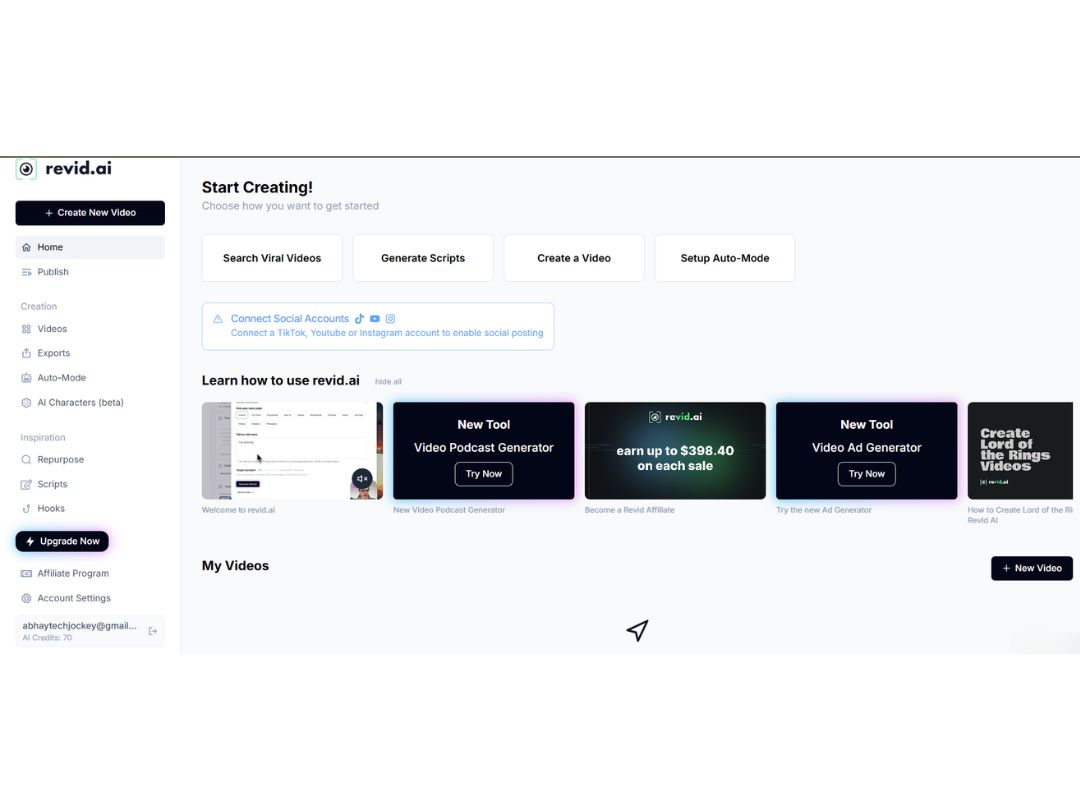
Revid AI dashboard
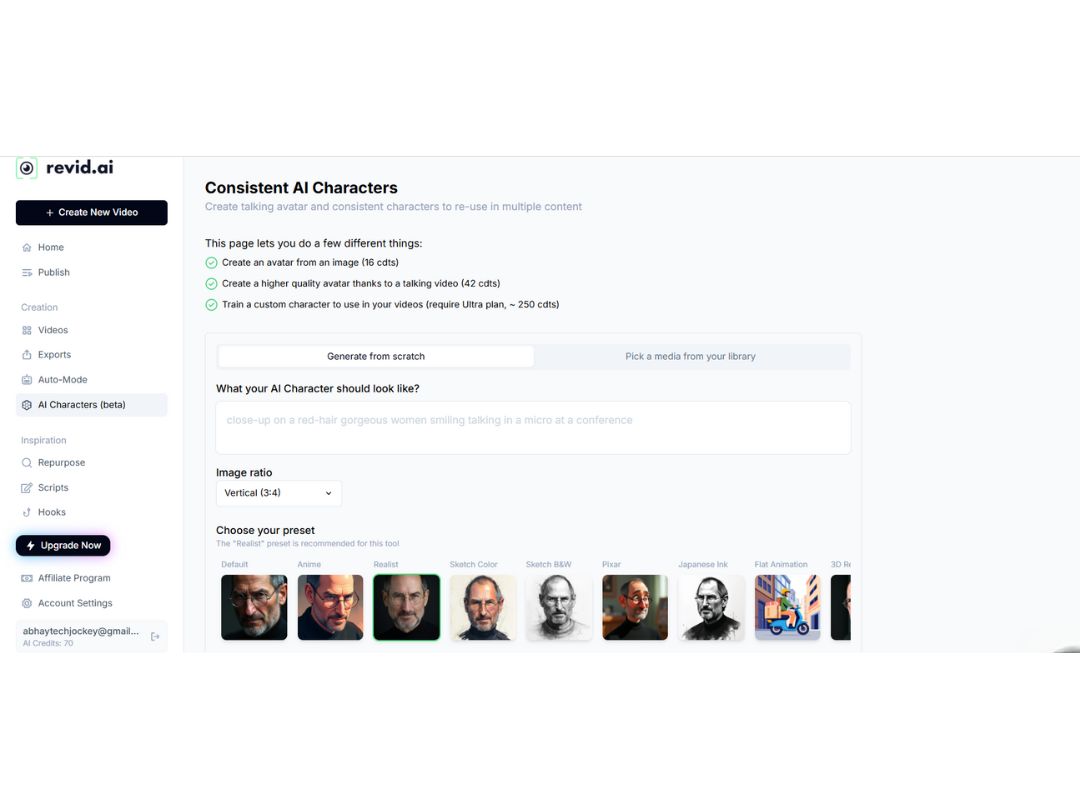
Revid AI characters
Revid AI publish

Revid AI

Brand: Revid AI

  • 4.3

  • 6 Ratings

Revid AI enables users to effortlessly create engaging short-form videos for social media by transforming text, scripts, or URLs into polished content.

See More

Have you used Revid AI before?

Share your insights for better experience

Add a Review
Starting Price
$39

View plans

100% Genuine
Products
Best Price
Guaranteed
Safe & Secure
Payment
  • Description

  • Pricing

  • Features

  • Specification

  • Review

  • Compare

  • Alternatives

Starting at $39.00

Revid AI Software Overview

What is Revid AI?

Revid AI is an AI video generator designed to help creators produce engaging short-form videos for platforms like TikTok, Instagram, and YouTube.

It offers tools to convert text, scripts, or URLs into polished videos with AI-generated voices, dynamic visuals, and auto-generated captions.

With over 240,000 videos created and a community of more than 14,000 creators, Revid AI provides a user-friendly editor, 50+ voice options, and templates tailored for social media content.

Its suite of 20+ tools includes features like AI talking avatars, music-to-video conversion, and script-to-video generation, enabling creators to produce content quickly without prior video editing experience.

Why Choose Revid AI Software?

  • AI-Powered Video Creation: Uses advanced AI to transform text and scripts into engaging videos effortlessly.
  • Short-Form Video Focus: Optimized for TikTok, Instagram Reels, YouTube Shorts, and other social platforms.
  • Easy to Use: User-friendly interface that requires no prior video editing skills.
  • Multiple Voice Options: Offers 50+ AI-generated voice options to match your content style.
  • Automatic Captions: Auto-generated captions to make videos more accessible and engaging.
  • Script to Video Conversion: Turn written scripts directly into dynamic video content quickly.
  • URL to Video Tool: Convert articles or blog URLs into short videos easily.
  • Wide Range of Templates: Access to numerous pre-designed templates for different video styles.
  • AI Talking Avatars: Create videos with AI avatars that speak your script naturally.
  • Music-to-Video Feature: Automatically sync music with visuals for impactful videos.
  • Customizable Visuals: Easily adjust colors, fonts, and layouts to match your brand.
  • Community Support: Join a community of 14,000+ creators for ideas and collaboration.
  • Fast Video Production: Generate videos in minutes rather than hours.
  • Supports Multiple Languages: Create content in various languages with AI voiceovers.

Benefits of Revid AI Software

  • Collaboration Tools: Work with team members on video projects seamlessly.
  • Reusable Video Components: Save templates and elements for quick future video creation.
  • Text-to-Speech Quality: Natural-sounding AI voices improve viewer engagement.
  • Mobile-Friendly Interface: Create and edit videos on mobile devices easily.
  • Customer Support: Reliable help and tutorials available for users.
  • Integrates with Other Tools: Supports workflow integration with popular marketing platforms.
  • Ideal for Content Creators and Marketers: Designed specifically to boost social media engagement and brand visibility.

Revid AI Pricing

Revid AI price in India starts at $39 at techjockey. The pricing model is based on different parameters, including extra features, deployment type, and the total number of users. For further queries related to the product, you can contact our product team and learn more about the pricing and offers.

Read more

Revid AI Company Details

Founded Year:  2024

The fastest way to create viral short videos.

Director/Founders Thibault LOUIS-LUCAS
Company Size 1-100 Employees

Revid AI Pricing & Plans

Hobby
Starting at $39
    • Licenses

      Licenses
      Licenses
    • Monthly

      Monthly
      Monthly

Key Features

  • Full video editor access

  • Access 3M+ viral TikToks for inspiration

Growth
Starting at $39
    • Licenses

      Licenses
      Licenses
    • Monthly

      Monthly
      Monthly

Key Features

  • Full video editor access

  • 60+ Creation Tools

  • 3M+ viral inspiration videos

  • AI video creation

  • Voice Generation

  • Script & Hook Generation

  • Record your voice/video

Ultra
Starting at $199
    • Licenses

      Licenses
      Licenses
    • Monthly

      Monthly
      Monthly

Key Features

  • ALL in GROWTH

  • 10 Auto-Mode Workers

  • 12,000 AI credits / month

Revid AI Features

Core Features

  • icon_check Text-to-Video Generation
    Convert text input into video output using NLP automatically.
  • icon_check AI Audio Enhancement
    Noise reduction, audio levelling, and clarity improvements in dialogue and music.
  • icon_check Voiceover Generation
    AI voice generation with customizable tone, pitch, and speed.
  • icon_check Subtitle Generation
    Automatic generation of subtitles with customizable fonts, colours, and styles.
  • icon_check Template-Based Editing
    Ready-made templates for intro, outro, and transitions, easily customizable.
  • icon_check Background Removal
    Detects and removes background without for easy replacements.
  • icon_check AI Scene Detection
    Automatically detects scenes and cuts based on changes in content or context.
  • icon_check Auto Color Correction
    AI-driven colour grading and correction for consistent visuals across scenes.
  • icon_check Object Detection
    Tracks and isolates objects or people for targeted effects and overlays.

Advanced Features

  • icon_check Video Summarization
    Auto-generate highlight reels from longer footage.
  • icon_check AI Avatar Generation
    Create digital avatars for narrations and presentations.
  • icon_check AI Motion Tracking
    Precise motion tracking for applying effects to moving objects or text.
  • icon_check Dynamic Background Replacement
    Auto-detects and changes backgrounds for scenes without needing a green screen.
  • icon_check Emotion Recognition
    Detects emotions in faces or voices to adjust visuals and audio accordingly.
  • icon_check Scene Reframing
    Auto reframes shots for different aspect ratios, optimized for social media.
  • icon_check AI Voice Cloning
    Clone real voices for voiceovers.
  • icon_check Deepfake Detection
    Ensure responsible AI video creation with detection tools.

Editing Tools & Effects

  • icon_check Basic Editing Tools
    Timeline-based editing with Cut, Trim, Split, Merge operations for timeline control.
  • icon_check Transition Effects
    Basic transitions like fades, slides, and cuts with customizable speed and direction.
  • icon_check Visual and Sound Effects
    Add overlays, animations, and sound effects.
  • icon_check Overlays and Animations
    Add and animate text with a variety of font, colour, and animation choices.
  • icon_check Video Stabilization
    Smooth out shaky footage automatically.
  • icon_check Keyframe Animations
    Fine-tune animations and motion effects.
  • icon_check Split-Screen Effect
    Combines multiple video sources in split-screen or picture-in-picture format.
  • icon_check Speed Adjustments
    Speed Control and Slow Motion to adjust video playback speed.
  • icon_check Multi-Layered Editing
    The fundamental editor architecture allowing complex, professional editing
  • icon_check Chroma Key Support
    Replace green screen backgrounds in editing.
  • icon_check Real-Time Previews
    Previews of effects and transitions in real-time for faster adjustments.

Collaboration & Workflow

  • icon_check Export Options
    Support for various formats and resolutions (e.g., 1080p, 4K).
  • icon_check Direct Social Media Sharing
    Directly to social media accounts.
  • icon_check Version control
    Track edits and changes across teams.
  • icon_check Cloud Storage
    Projects and assets stored securely in the cloud.
  • icon_check Project Sharing
    Share projects with teams or clients with permissions.
  • icon_check Real-Time Collaboration
    Multiple users edit and comment simultaneously.
  • icon_check Role-Based Access Control (RBAC)
    Define user roles and access permissions.
  • icon_check Batch Processing
    Process multiple videos at once.
  • icon_check Performance Insights
    Analyze video performance, including engagement and viewer retention.

Integration & Automation

  • icon_check Social Media Integration
    Integration with social platforms
  • icon_check Automated Video Creation & Scheduling
    Auto-generate and schedule publishing to platforms.
  • icon_check Third Party Integrations
    Connect with marketing, analytics, and CRM tools.
  • icon_check API Publishing
    Automate bulk publishing via API.

Others

  • icon_check Multi-Language Support
    Tools for subtitles, voiceovers, and UI in multiple languages.
  • icon_check Text-to-Animation
    Automatically animates text based on input and syncs with video pacing.
  • icon_check Custom Branding
    Add logos, watermarks, and brand colors for consistency.
  • icon_check Multilingual Video Generation
    Generate videos in multiple languages seamlessly.
  • icon_check Bulk Content Repurposing
    (Blog/Podcast to Video) Turn blogs, podcasts into videos at scale.
  • icon_check Aspect Ratio Customization
    Adjust for social platforms (9:16 TikTok, 16:9 YouTube).

Revid AI Specifications

Supported Platforms
Ubuntu Ubuntu Windows Windows MacOS MacOS Linux Linux
Devices
Desktop Desktop
Deployment
Cloud-Based Cloud-Based
Suitable For
All Industries
Business Specific
All Businesses
Business Size
Small Business Startups Medium Business Enterprises
Customer Support
Email Communities
Language
English
Integration
API Integration
Training Resources
Videos
AI Features
AI Integrated

Explore the Best Alternative Solutions Similar to Your Business Size and Needs

Enterprises

Designed for complex and large-scale business needs

Vidu AI

4.3

JoggAI

4.0

Sora AI

4.2

See More

Revid AI Review

4.3

Out of 5

img

Overall Rating

Based on
6 Verified Ratings

Rating Breakdown

  • Features 4.5
  • Value for Money 4.5
  • Ease of Use 4.4
  • Customer Support 4.0

88% Recommend this Product

Add Review

Techjockey Trusted Reviews from Verified Users

No reviews are currently available for Revid AI. Discover similar AI Video Generators reviews

  • InVideo AI

    4.0

    Whats great - InVideo has a massive collection of templates and assets, including premium images and footage from Shutterstock and iStock. ... read more

  • Fliki

    3.9

    Whats great - Fliki is very easy to learn and user-friendly. Editing is easy and it makes the process enjoyable. read more

  • Pictory AI

    5.0

    Whats great - We can easily convert blog post into video with minimal efforts and makes video making task a calk walk read more

Compare Revid AI With other AI Video Generators

Products
Ratings
Pricing
Device Supported
Deployment
Supported Platforms
  • img

    Revid AI

  • 4.3

  • $ 39.00 excl. GST

  • Desktop

    Mobile

  • Web based

    On Premises

  • Windows

    Mac OS

  • img

    PixVerse AI

  • 4.3

  • Price On Request

  • Desktop

    Mobile

  • Web based

    On Premises

  • Windows

    Mac OS

  • img

    AI Studios

  • 4.3

  • Price On Request

  • Desktop

    Mobile

  • Web based

    On Premises

  • Windows

    Mac OS

  • img

    HeyGen

  • 4.5

  • Price On Request

  • Desktop

    Mobile

  • Web based

    On Premises

  • Windows

    Mac OS

  • img

    Runway ML

  • 4.4

  • Price On Request

  • Desktop

    Mobile

  • Web based

    On Premises

  • Windows

    Mac OS

  • img

    Pictory AI

  • 4.8

  • Price On Request

  • Desktop

    Mobile

  • Web based

    On Premises

  • Windows

    Mac OS

  • img

    Synthesia

  • 4.6

  • Price On Request

  • Desktop

    Mobile

  • Web based

    On Premises

  • Windows

    Mac OS

  • img

    Creatify

  • 4.2

  • Price On Request

  • Desktop

    Mobile

  • Web based

    On Premises

  • Windows

    Mac OS

  • img

    Elai

  • 4.5

  • Price On Request

  • Desktop

    Mobile

  • Web based

    On Premises

  • Windows

    Mac OS

  • img

    Vidu AI

  • 4.3

  • Price On Request

  • Desktop

    Mobile

  • Web based

    On Premises

  • Windows

    Mac OS

  • img

    Zebracat

  • 4.3

  • Price On Request

  • Desktop

    Mobile

  • Web based

    On Premises

  • Windows

    Mac OS

(2) Product(s) selected

Revid AI Alternatives

See All Revid AI Alternatives

Starting Price:

$29.00 /Month

Starting Price:

$29.00 /Month

Starting Price:

$18.00 /Month

Starting Price:

$35.00 /Month

Starting Price:

$18.00 /Month

Starting Price:

$29.00 /Month

Starting Price:

$30.00 /Month

Starting Price:

$9.99 /Month

Starting Price:

$24.00 /Month

Terms and Condtions

close

Users with registered businesses can purchase goods from merchants on the platform to satisfy their business needs. Users are not permitted to utilize any products acquired through the platform for resale, advertising, business, or further distribution.

For each purchase made, users will receive a Tax Invoice (or 'GST invoice') that includes specific details such as:

  • the GSTIN of the user associated with their registered business, and

  • the specified Entity Name for their business.

It should be noted that not all products are eligible for GST Invoice. Only the products displayed by participating sellers with the 'GST-based Invoice Available' callout on the product description page would qualify.

Certain goods and services are not eligible to get a GST Invoice, including items with VAS, i.e., Value Added Services (e.g., Total Mobile Protection/Assured Buyback) and those involving an exchange offer at the time of purchase.

Users must ensure the accuracy of the GSTIN, and business entity name provided for the GST Invoice. Requests for corrections into GST Invoice would not be accommodated by Techjockey.com or any Seller, and any issues arising from user-provided information are the sole responsibility of users.

Techjockey.com is not liable for the GST Invoice or any associated input tax credit. To efficiently claim an input tax credit, users should select the registered place of business address as per the GST authority's data and follow the provisions of the GST Act and rules.

To claim an input tax credit, the delivery and billing addresses must match. Furthermore, input tax credits will not be granted if the delivery address and GSTIN on the invoice are from different states. In case of incorrect GST details provided during the order placement, the order will be canceled automatically.

20,000+ Software Listed 20,000+ Software Listed

Best Price Guaranteed Unbiased Comparison

Free Expert Consultation Read Authentic Reviews

2M+ Happy Customers 500,000+ Monthly Users