USA
 India
Small Business
Designed for startups and growing businesses

See More




Brand: PowerSchool
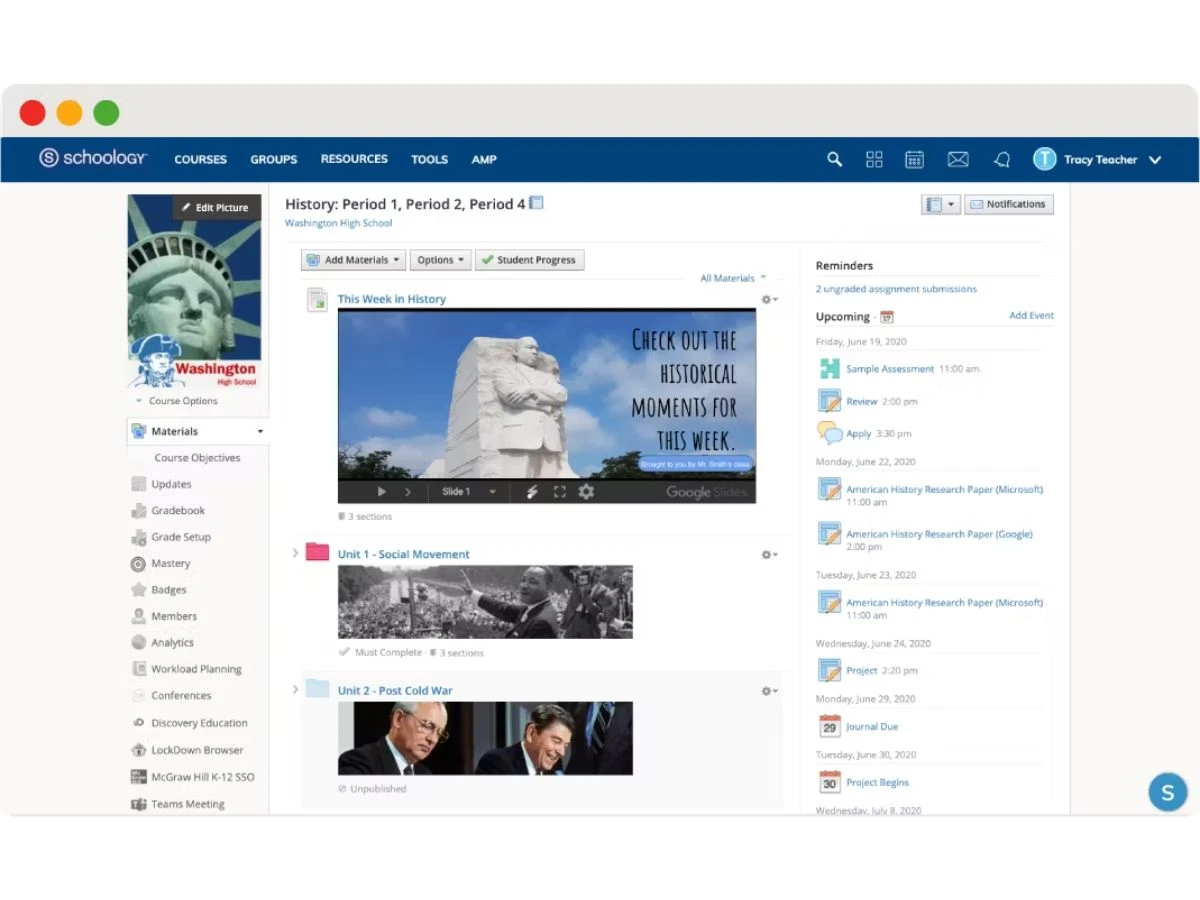
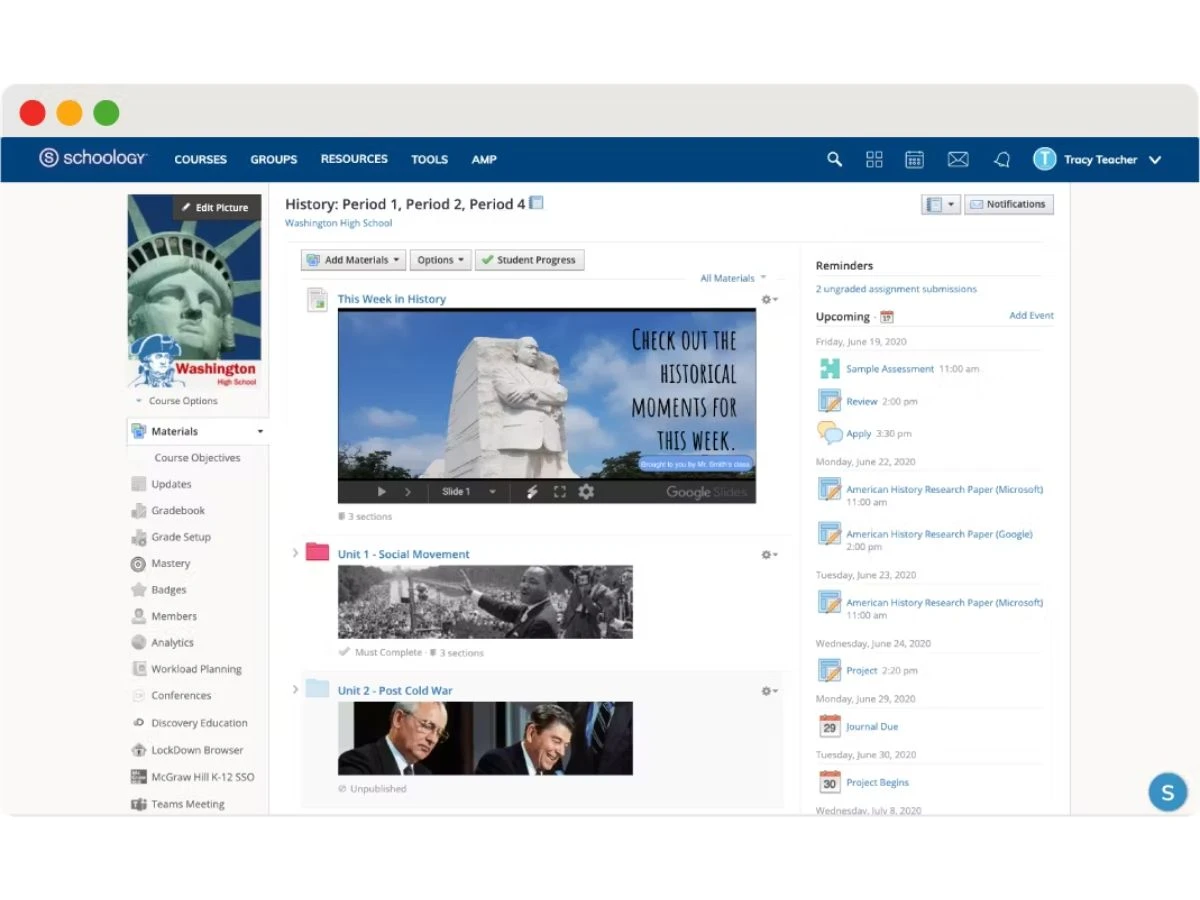
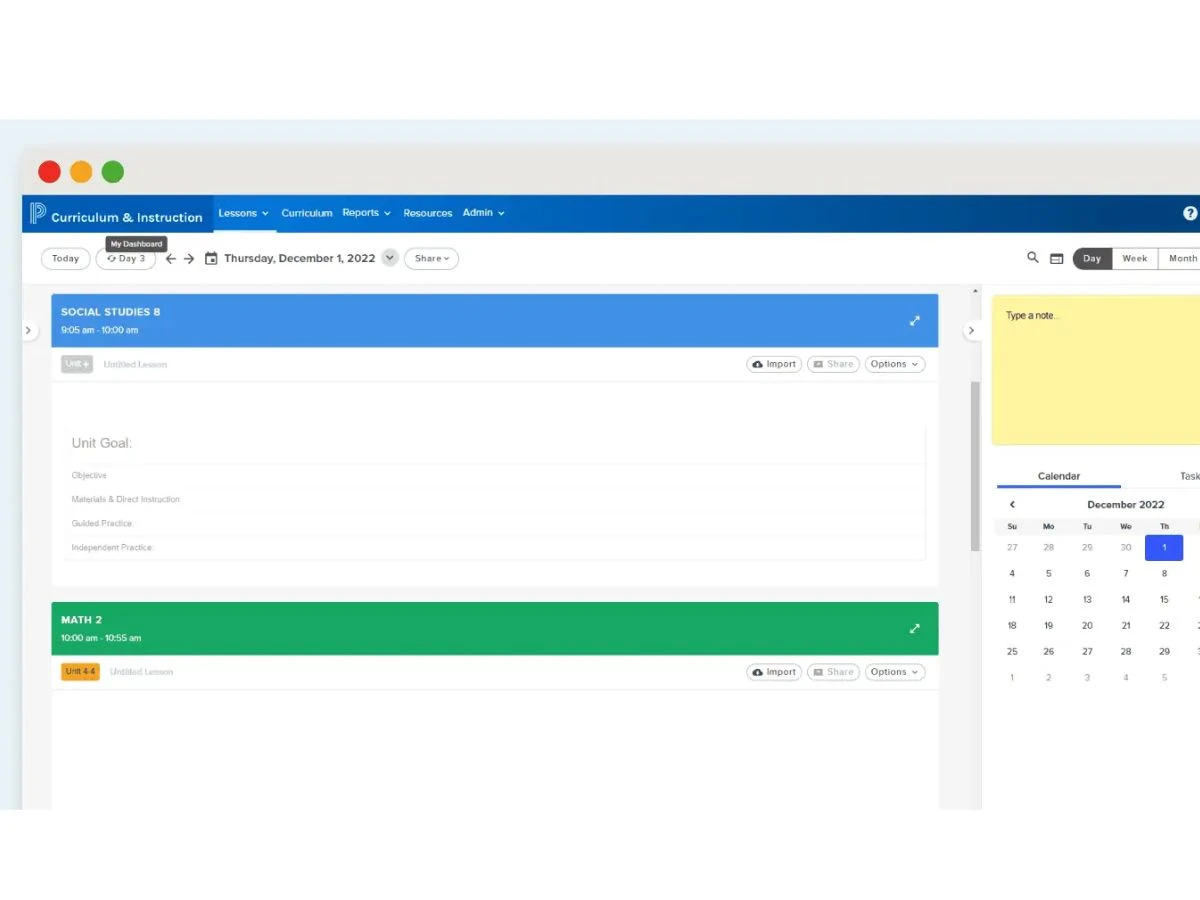
Schoology is a learning management system (LMS) that helps create a comprehensive K-12 classroom solution by empowering the faculty of an institution with personalized teaching and lecturing facilities. As a result, the overall learning functionalities of a school are improved, thereby enhancing the educational outcomes and the academic growth of every student. What’s Possible with Schoology? S...
See MoreHave you used Schoology before?
Share your insights for better experience
Brand: PowerSchool
Founded Year: 1997
PowerSchool is a leading provider of cloud-based software for K-12 education in North America. Its mission is to power the education ecosystem with unified technology that helps educators and students realize their full potential, in their way.
Looking for The Right Pricing?
Share your requirements and get a plan built around your business.
Price Available on Request
Get personalised Schoology pricing that fits your needs. Our team will connect with you.
 Course Management Collaboration Tools Parent Portal Assessment Tools Analytics & Reporting Calendar and Alerts Content Library

Watch the demo video to explore key features, real workflows, and how the software fits your business needs.
 Ubuntu
 Windows
 iOS
 Android MacOS
 Linux
 Desktop
 Mobile
 Tablet
 iPad
 Cloud-Based

Small Business
Designed for startups and growing businesses
Medium Business
Built for business growth and flexibility
Enterprises
Designed for complex and large-scale business needs
4.3
Out of 5

Overall Rating
Based on
11 Verified Reviews
Rating Breakdown
88% Recommend this Product
Add ReviewOverall, users appreciate Schoology for its rich feature set, including tools for grading, communication, and collaboration, which streamline the management of classes and enhance student engagement. Many find the platform user-friendly and effective for both teaching and learning. However, some common complaints include a clunky mobile interface, navigation challenges, and issues with automated grading accuracy. Additionally, users note that initial setup can be time-consuming, particularly for complex assessments and integrating with other tools.
Pros
"I build quiz banks easily and pull randomized questions secure and effective testing."
"I build quiz banks easily and pull randomized questions secure and effective testing."
"I can share resources across 18 classes, keep my students organized, and collaborate easily with other schools."
Cons
"Automated grading flags answers wrong with minor punctuation or spacing issues annoying to correct. "
"Automated grading flags answers wrong with minor punctuation or spacing issues annoying to correct. "
"Students struggle to find submission areas—turning in assignments isn’t intuitive for everyone. "

May 30, 2025
Techjockey Verified
“Stable but Mobile Needs Improvement”
Grading on the road is possible with Schoology’s app but tapping around to find the right submission can be a hassle.
Pros
The mobile app lets me view grades, turn in assignments on the go, and sign in with Google great for remote learning.
Cons
The UI on mobile is clunky and navigation frustrating; I still prefer desktop for teaching.
Reason to switch
Canvas has a more polished mobile UX, though I keep coming back to Schoology’s overall ecosystem.
May 19, 2025
Techjockey Verified
“Rich Feature Set, Yet Overwhelming at First”
I love the depth and breadth of tools available—but setting up complex assessments takes patience.
Pros
Schoology gives me discussion forums, messaging, group projects, and collaboration tools in one place.
Cons
The gradebook can be tedious to use for complex grading; customizing layout is limited.
Reason to switch
Google Classroom was simpler, but lacked Schoology’s depth—so I traded simplicity for robust features.
Aug 15, 2025
Techjockey Verified
“Great Quiz Generation, with Some Nuances”
Quiz banks save prep time and boost test integrity, but grading isn’t always smart enough with formatting differences.
Pros
I build quiz banks easily and pull randomized questions secure and effective testing.
Cons
Automated grading flags answers wrong with minor punctuation or spacing issues annoying to correct.
Reason to switch
ProProfs gave better formatting recognition, but I needed a full LMS—so I stayed with Schoology and just worked around it.

Schoology
Price On Request
Desktop
Mobile
Web based
On Premises
Windows
Mac OS
ManageBac
Price On Request
Desktop
Mobile
Web based
On Premises
Windows
Mac OS

Green LMS
Price On Request
Desktop
Mobile
Web based
On Premises
Windows
Mac OS

Thinkific
Price On Request
Desktop
Mobile
Web based
On Premises
Windows
Mac OS
Open LMS
Price On Request
Desktop
Mobile
Web based
On Premises
Windows
Mac OS
Instancy LCMS
Price On Request
Desktop
Mobile
Web based
On Premises
Windows
Mac OS
italki
Price On Request
Desktop
Mobile
Web based
On Premises
Windows
Mac OS

Edmingle
Price On Request
Desktop
Mobile
Web based
On Premises
Windows
Mac OS
Wooclap
Price On Request
Desktop
Mobile
Web based
On Premises
Windows
Mac OS

Kajabi
Price On Request
Desktop
Mobile
Web based
On Premises
Windows
Mac OS

ComplianceWire
Price On Request
Desktop
Mobile
Web based
On Premises
Windows
Mac OS
(2) Product(s) selected
Available
Price on Request
Starting Price:
$5.99 /Month
Starting Price:
$8.00 /Month
Available
Price on Request

Available
Price on Request

Available
Price on Request

Available
Price on Request
Available
Price on Request
Starting Price:
$15.00 /Month
Available
Price on Request
Available
Price on Request
Yes, you can create various questionnaires for individual students for conducting an examination or a quiz competition with the help of its Individually Assign feature. If the deadline for a particular test or question passes, you can enable or disable it.
If you are unable to find your school listed while signing up, then you might be the first person from your institution to use the app. So, you need to add your school to our database first.
Since Schoology is a role-based platform, you need to state your role. While signing up, you will be prompted with three options ‘Instructor’, ‘Student or ‘Parent’. You need to sign up either as a student, instructor or a parent.
Unfortunately, Schoology doesn’t currently have the option of switching your role which you might have mistakenly selected while signing up. You need to create a new account with the correct role associated with your institution.
To add a non-Schoology task into your Schoology Gradebook, you can follow two simple methods - a) first, you can use Grade columns, and b) second, you can disable the submissions in an assignment.
Schoology pricing is available on request at techjockey.com.
Terms and Condtions

Users with registered businesses can purchase goods from merchants on the platform to satisfy their business needs. Users are not permitted to utilize any products acquired through the platform for resale, advertising, business, or further distribution.
For each purchase made, users will receive a Tax Invoice (or 'GST invoice') that includes specific details such as:
the GSTIN of the user associated with their registered business, and
the specified Entity Name for their business.
It should be noted that not all products are eligible for GST Invoice. Only the products displayed by participating sellers with the 'GST-based Invoice Available' callout on the product description page would qualify.
Certain goods and services are not eligible to get a GST Invoice, including items with VAS, i.e., Value Added Services (e.g., Total Mobile Protection/Assured Buyback) and those involving an exchange offer at the time of purchase.
Users must ensure the accuracy of the GSTIN, and business entity name provided for the GST Invoice. Requests for corrections into GST Invoice would not be accommodated by Techjockey.com or any Seller, and any issues arising from user-provided information are the sole responsibility of users.
Techjockey.com is not liable for the GST Invoice or any associated input tax credit. To efficiently claim an input tax credit, users should select the registered place of business address as per the GST authority's data and follow the provisions of the GST Act and rules.
To claim an input tax credit, the delivery and billing addresses must match. Furthermore, input tax credits will not be granted if the delivery address and GSTIN on the invoice are from different states. In case of incorrect GST details provided during the order placement, the order will be canceled automatically.
 20,000+ Software Listed
 Unbiased Comparison
 Read Authentic Reviews
 500,000+ Monthly Users