May 15, 2026
Being your own boss is the dream, until you have a pile of crumpled receipts and a complex spreadsheet to figure out at 2:00 AM. Many freelancers just want to work and get paid on time without losing hours of billable work to manual data entry.
But what to do with the number of pending invoices that need to be generated?
In this case, an accounting software for freelancers could be a boon. It does more than just balance your books. This software has AI-based features that save your time and work almost automatically, with only a little manual effort. Even, it gently sends reminder emails for late-paying clients.
So, this blog post is going to discuss the top 6 accounting software for freelancers. Let’s begin…
Here’s a quick comparison of the tools:
| Software | Best For | Price Starting At |
|---|---|---|
| QuickBooks | Tax Readiness | $38/mo |
| FreshBooks | Service Pros | $23/mo |
| Wave | Budget-Minded | Free |
| Xero | Growth & Teams | $15/mo |
| Zoho Books | Ecosystem Fans | $15/mo |
| ZipBooks | Quick Insights | $15/mo |
Now we enter the detailed part, where we will be discussing these best accounting software for freelancers in detail. The first category we have is….
These tools offer a full suite of features designed to grow with you, from simple expense tracking to complex tax preparation.
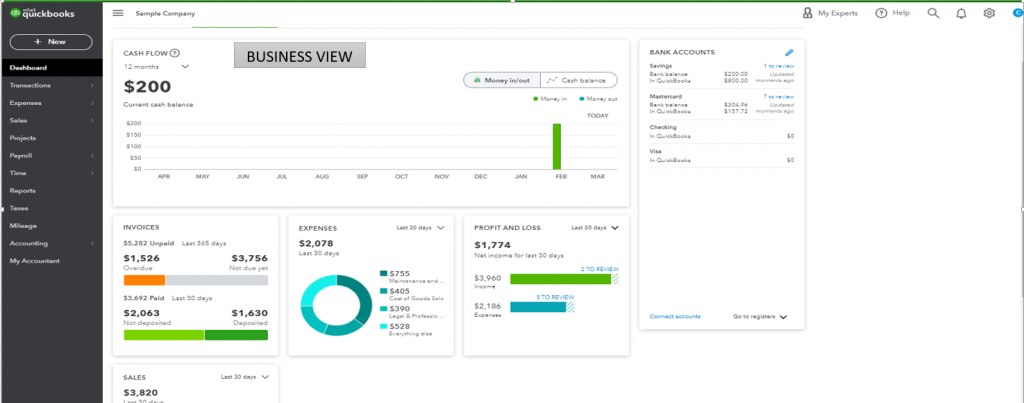
QuickBooks for solopreneurs is the gold standard for self-employed accounting software. It’s built to take the stress out of tax season by automatically sorting your business expenses from your personal ones.
It’s a great fit if you want everything in one place – tracking work hours, invoicing, and receipt organization. The best part is how it estimates your quarterly taxes for you, so you aren’t hit with a massive surprise bill at the end of the year. It’s designed to be simple enough for someone with zero accounting knowledge.

QuickBooks
Starting Price
$ 38.00
Key features of QuickBooks:
Pro and cons of QuickBooks:
Pros
Cons
QuickBooks Pricing and Plans:
| Plan | Price / Month |
|---|---|
| Simple Start | $38 |
| Essentials | $75 |
| Plus | $115 |
| Advanced | $275 |
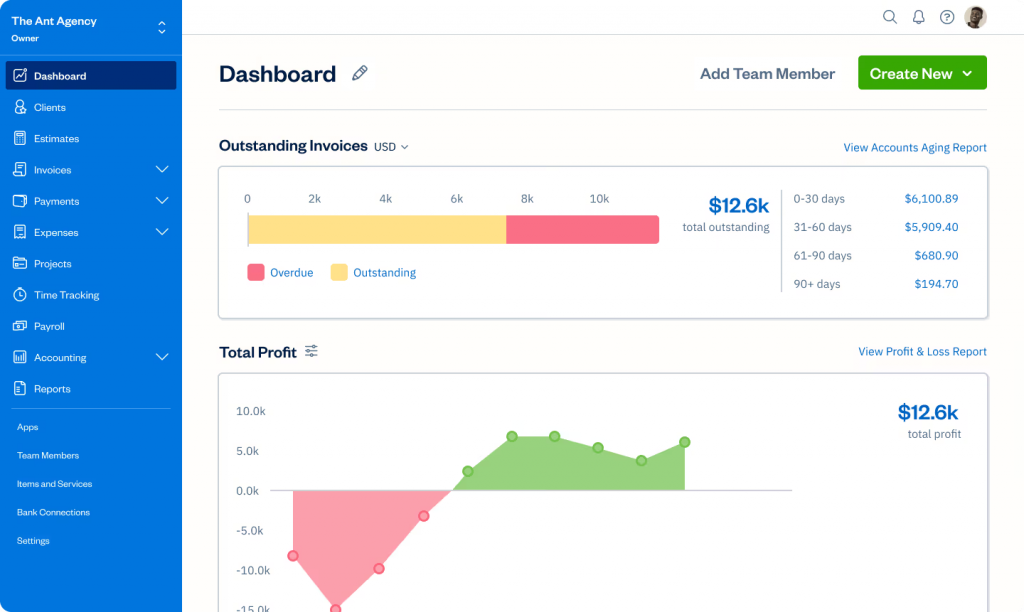
FreshBooks started as an invoicing tool, which is why it’s often called the best bookkeeping software for freelancers who bill for their time. It is incredibly user-friendly.
It’s built for service-based professionals like designers, writers, and consultants. It makes it very easy to track how many hours you have spent on a project and turn those hours into a polished invoice with one click. It also has a ‘Retainers’ feature, which is perfect if you have clients paying you a set amount every month.

Freshbooks
Starting Price
$ 10.50
Key Features of FreshBooks:
Pro and cons of FreshBooks:
Pros
Cons
| Plan | Price |
|---|---|
| Lite | $23.00/month |
| Plus | $43.00/month |
If you don’t have many projects to work on, you can go for the budget-friendly or free accounting software for freelancers.
If you are just starting out or have a very simple business model, you might not need a heavy-duty subscription.
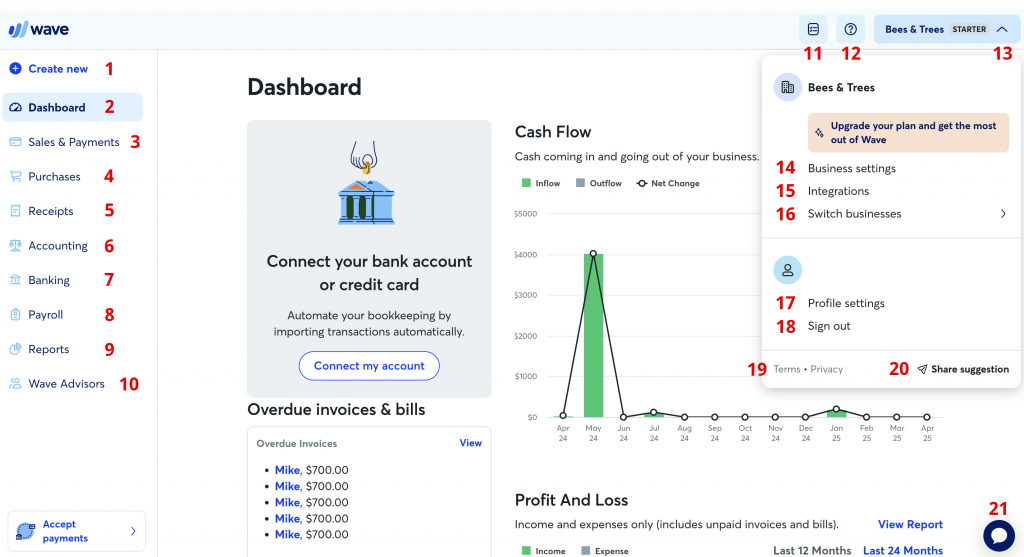
Wave is a favorite for many because it’s a truly free accounting software for freelancers. Unlike ‘free trials,’ Wave’s core accounting and invoicing features don’t cost a single penny.
It is the best accounting software for a sole proprietor who wants a clean, professional way to track income and expenses without a monthly fee.

Wave Payroll
Starting Price
$ 19.00
Key Features of Wave:
Pro and cons of Wave:
Pros
Cons
Wave Pricing and Plans: The accounting and invoicing software is free.
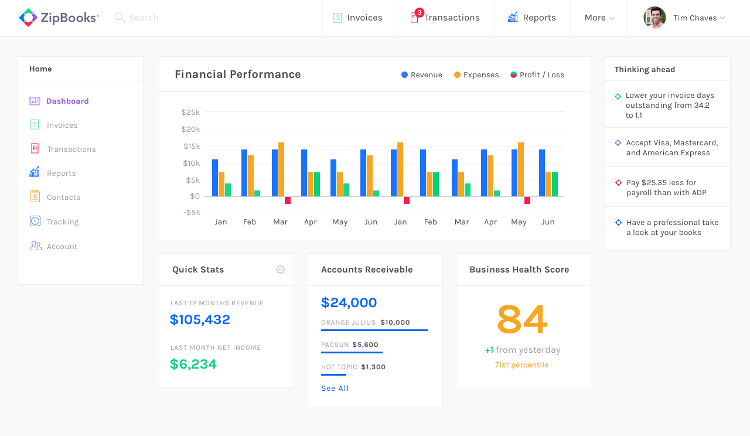
ZipBooks is an intelligent accounting solution built specifically for self-employed professionals who need a simple and efficient way to manage finances.
This bookkeeping platform combines ease of use with powerful automation features. It also offers smart insights and practical suggestions to help improve invoice effectiveness, increasing the chances of faster payments based on proven user trends.

ZipBooks
Starting Price
$ 89.00
Key Features of ZipBooks:
Pro and cons of ZipBooks:
Pros
Cons
ZipBooks Pricing and Plans:
| Plan | Price |
|---|---|
| Starter | Free |
| Smarter | $15/month |
| Sophisticated | $35/month |
If you think that with time, your projects will increase in number, you can go for scalable options.
If you work with international clients or want a system that can handle a more complex business structure, these are the top picks.
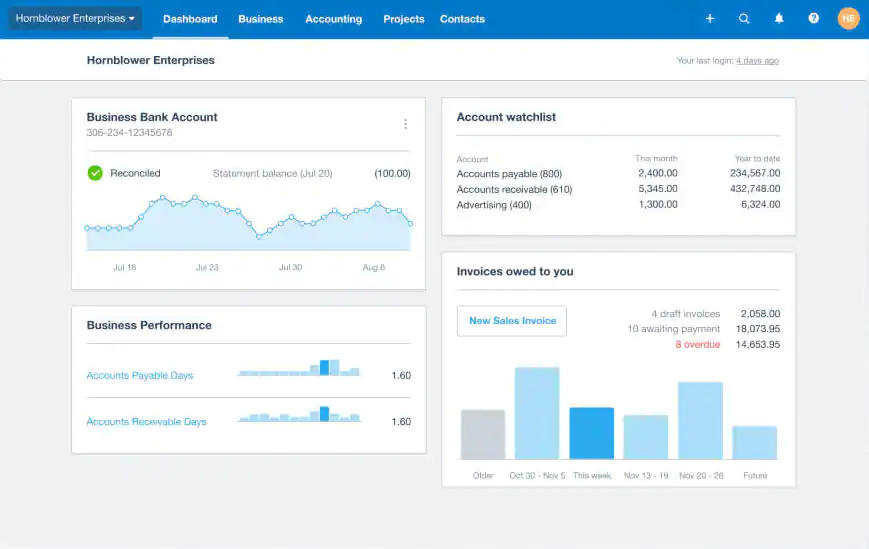
Xero is often cited as the best bookkeeping software for freelancers who want a cloud-first approach. It is very popular with people who have a lot of apps in their workflow because it plugs into almost everything.
It’s a robust platform that handles multi-currency transactions beautifully. If you are a freelancer in the US but have clients in the UK or Canada, Xero makes the currency conversion and bank reconciliation easy.
Key Features of Xero:
Pro and cons of Xero:
Pros
Cons
Xero Pricing and Plans:
| Plan | Price |
|---|---|
| Starter | $29/month |
| Standard | $50/month |
| Premium | $75/month |
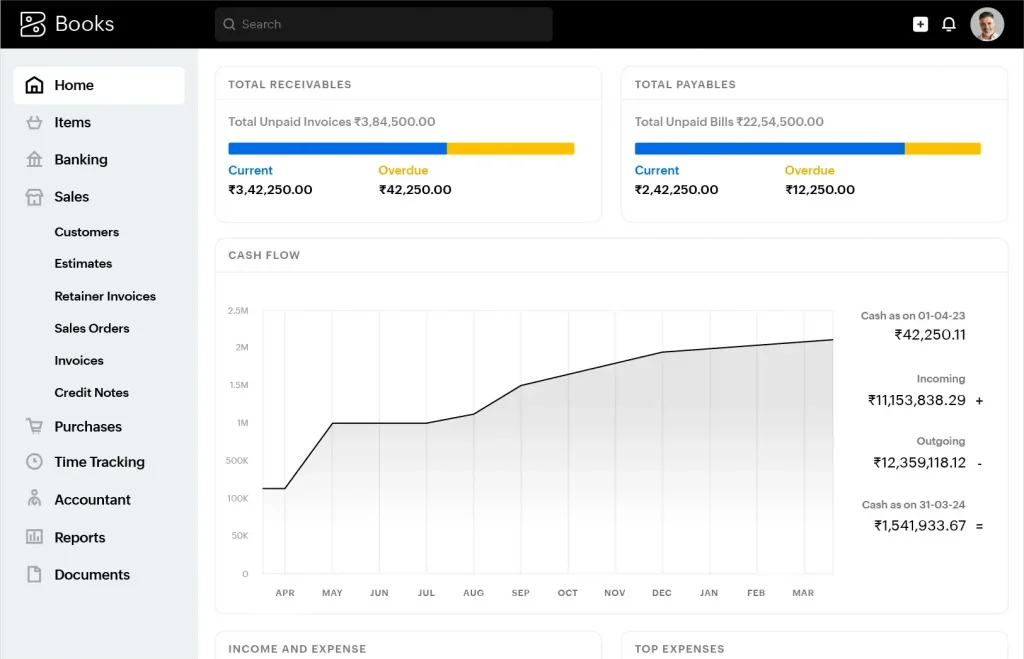
Zoho Books is part of the massive Zoho ecosystem. If you are already using Zoho CRM or Zoho Mail, this is easily the best accounting software for a sole proprietor.
It is highly automated and handles the boring tasks very well. You can set up workflows that send thank-you notes to clients when they pay or automatically charge a customer’s credit card for recurring work.

Zoho Books
Starting Price
$ 20.00
Key Features of Zoho Books:
Pro and cons of Zoho Books:
Pros
Cons
Zoho Books Pricing and Plans:
| Plan | Price |
|---|---|
| Free | $0 |
| Standard | $15/month (billed annually) |
| Professional | $40/month (billed annually) |
Conclusion
At the end of the day, the best bookkeeping software for freelancers is the one you actually enjoy using. If you are just starting out and need to watch every dollar, Wave or ZipBooks offer incredible value without the monthly commitment.
However, if your business is growing and you want the peace of mind that comes with industry-standard tax tools, QuickBooks or Xero are worth the investment.
Don’t let accounting be the thing that burns you out. Pick a tool that handles the heavy invoicing by automating it, and get back to doing the work you actually love.


Explore Topics

Consult with Our Techjockey Expert
Connect for fast and scalable software delivery, corporation plans, advanced security, and much more.
Compare Popular Software

Get the latest Techjockey US Blog Updates!
Subscribe to get the first notified about tech updates directly in your inbox.

 Previous