linkedin
background
Cursor logo

Cursor

Brand: Anysphere

4.2

1 Rating & 1 Review

Have Questions?

Cursor is a code editor that assists coders in writing, modifying, and debugging code quickly through intelligent suggestions, auto-completion, and live error correction. ...Read more

img

Get Free Expert Consultation

Let us know your business needs clearly

Advice

Verified & Trusted
Vendors

Payment

Safe & Secure
Payment

Guaranteed

Personalized
Experts Support

Starting at

$ 20.00 /Month

Features

  • check_icon Natural Language Processing
  • check_icon Context-Aware Suggestions
  • check_icon Tab Completion
  • check_icon Integration with Extensions
  • check_icon Privacy Control
  • See all img

Cursor Software Pricing, Features & Reviews

What is Cursor? 

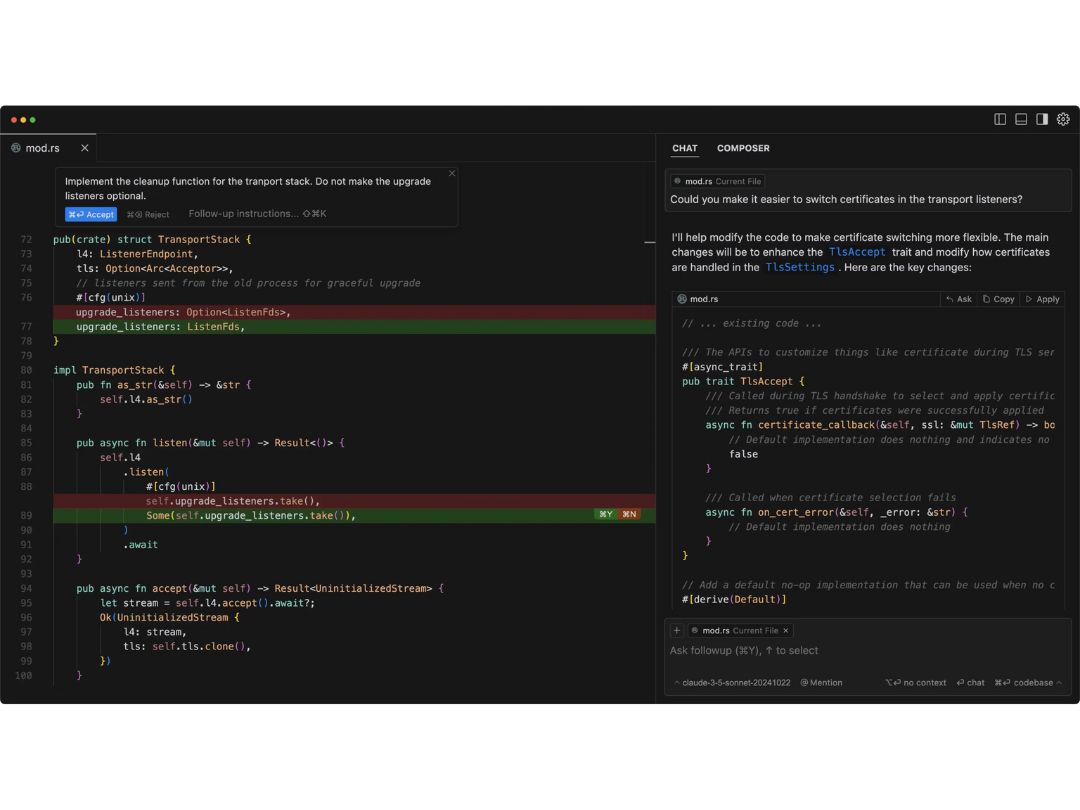
Cursor is an AI code generator designed to enhance developer productivity by integrating advanced tools like AI pair programming, context-aware code generation, and seamless team collaboration. It combines the familiarity of VS Code with smart features such as AI-driven autocomplete, error detection, and codebase-aware suggestions.  

Ideal for developers and engineering teams, it streamlines workflows by automating repetitive tasks and improving code quality. The platform emphasizes privacy, running AI locally when possible, and supports integrations with popular dev tools. 

Why People Choose Cursor AI Code Editor? 

  • AI-Powered Coding Efficiency: By incorporating context-aware AI, Cursor suggests the completion of code, fixes errors, and even generates whole functions, achieving a reduction in development time by 30-50% on repetitive tasks. 
  • VS Code Familiarity: AI chat, codebase-wide search, and refactoring tools are integrated along with the retention of VS Code’s interface, reducing the friction to use the software for existing users. 
  • Local AI for Privacy-Conscious Teams: Unlike tools that solely depend on the cloud, Cursor runs AI models locally when feasible, protecting proprietary code. Such tools aid enterprises that have strict data handling policies. 
  • Seamless Collaboration: Teams can share code snippets generated by AI, review edits provided by version tracking, and document projects, enabling new members to onboard more quickly. 
  • Debugging & Error Prevention: Beyond deployment costs, working using sophisticated explanations and optimization suggestions reduced the need for expensive fixes after deployment. The AI also flags potential bugs and provides explanations for complex code in plain English. 
  • Cross-Language Support: Adaptable with Python, Rust, Go, and JavaScript, and flexible enough to be used in full-stack, blockchain, or data science endeavours. 

Cursor Pricing 

The starting price of Cursor is $20/month. You can get in touch with Techjockey.com for more information about the software. 

Pricing Plans: 

  • Hobby: Free 
  • Pro: $20/month 
  • Business: $40/user/month 

Cursor Pricing & Plans

Pro
  • Unlimited completions
  • 500 fast premium requests per month
  • Unlimited slow premium requests
    • Licenses
    • Monthly
Starting at $ 20.00
Business
  • Everything in Pro, plus
  • Enforce privacy mode org-wide
  • Centralized team billing
  • Admin dashboard with usage stats
  • SAML/OIDC SSO
    • Licenses
    • Monthly
Starting at $ 40.00

Cursor Features

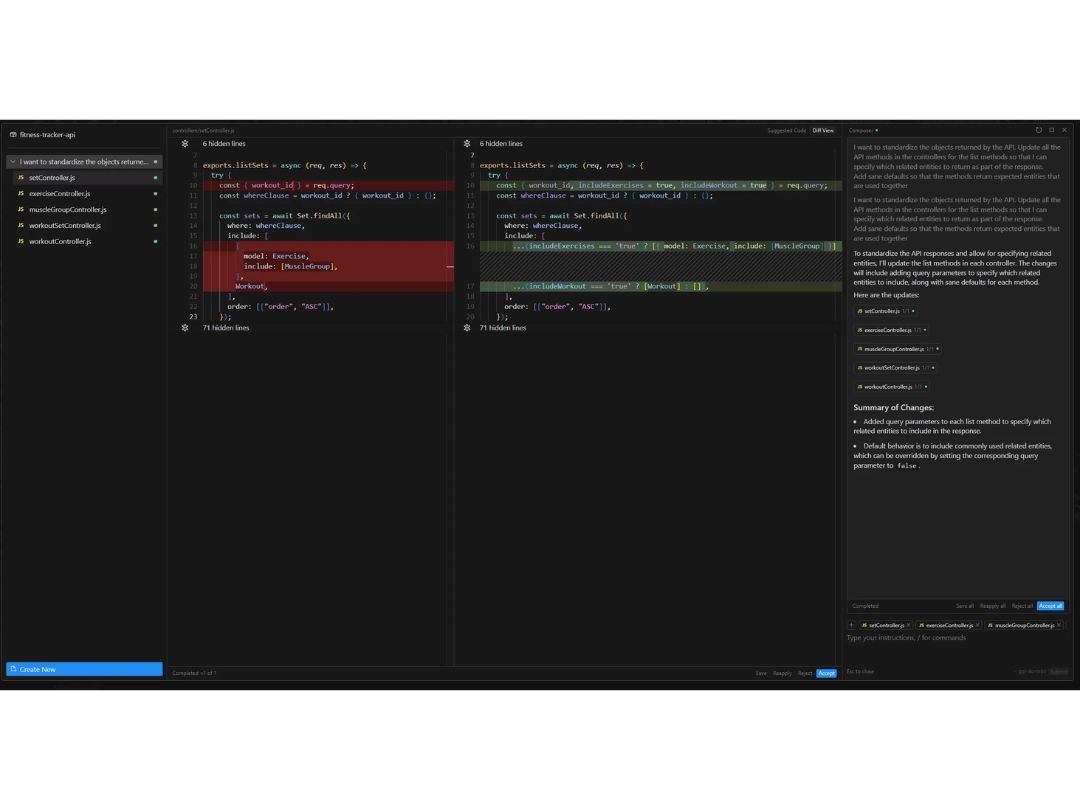
  • icon_check Natural Language Processing Update entire classes or functions using simple prompts, allowing for intuitive code modifications.
  • icon_check Context-Aware Suggestions Cursor indexes your codebase, enabling it to provide relevant and accurate code completions based on your project's context.
  • icon_check Tab Completion Predicts your next edit, streamlining the coding process by allowing you to accept suggestions with a simple tab key press.
  • icon_check Integration with Extensions Import your existing extensions, themes, and keybindings to maintain a familiar development environment.
  • icon_check Privacy Control Enable Privacy Mode to prevent remote code storage; SOC 2 certified for security.
  • icon_check Agent Mode Automates terminal tasks, error detection, and fixes to streamline development.
  • icon_check Multi-Line Edits Suggests edits that span multiple lines, saving time during code modifications.

Cursor Specifications

  • Supported Platforms :
  • Device:
  • Deployment :
  • Suitable For :
  • Business Specific:
  • Business Size:
  • Customer Support:
  • Training:
  • Language:
  • AI Features:
  • Ubuntu Windows MacOS Linux
  • Desktop
  • Web-Based
  • All Industries
  • All Businesses
  • Small Business, Startups, Medium Business, Enterprises
  • Email, Communities
  • Videos
  • English
  • AI Integrated

Cursor Review

80%

Have recommended this product

Overall Score

4.2/5
Based on 1 Review

Review this product

Your valuable feedback helps others like you make a better decision.

Cursor Video Review

youtubeVideoId

“Cursor AI Tutorial - My Personal Tips & Tricks”

4.3

Review by: CodeWithHarry

Anysphere Company Details

Brand Name Anysphere
Information Anysphere builds Artificial Intelligence tools and assistants to help humans.
Founded Year 2022
Director/Founders Aman Sanger, Arvid Lunnemark, Michael Truell, Sualeh Asif
Company Size 1-100 Employees

Cursor FAQ

A Cursor is used by Developers, engineering teams, startups, and more.
A The starting cost of Cursor is $20/month.
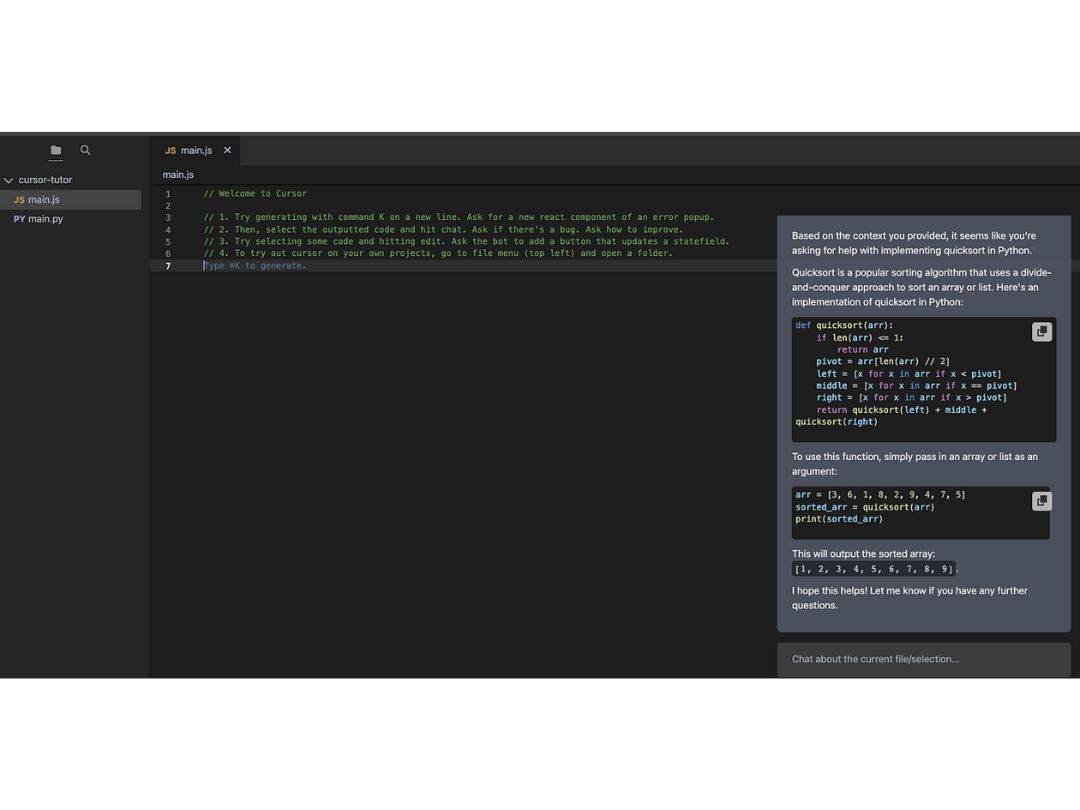
A Cursor is an AI-powered code editor that inspects your project to propose, write, and optimize code in real time, like having a pair programmer who knows your whole codebase.
A Yes, Cursor is safe to use for developers as it prioritizes privacy.
A No, Cursor has no dedicated mobile app to improve the user experience.
A Cursor is available for free with limited functionalities as well as paid plans with multiple functions & features.