linkedin
Cursor logo
Cursor AI code editor
Cursor dashboard
Cursor chatgpt

Cursor

Brand: Anysphere

  • 4.2

  • 6 Ratings & 1 Review

Cursor is a code editor that assists coders in writing, modifying, and debugging code quickly through intelligent suggestions, auto-completion, and live error correction.

See More

Have you used Cursor before?

Share your insights for better experience

Add a Review
Starting Price
$20

View plans

100% Genuine
Products
Best Price
Guaranteed
Safe & Secure
Payment
  • Description

  • Pricing

  • Features

  • Specification

  • Review

  • Compare

  • Alternatives

  • FAQ

Starting at $20

Cursor Software Overview

What is Cursor? 

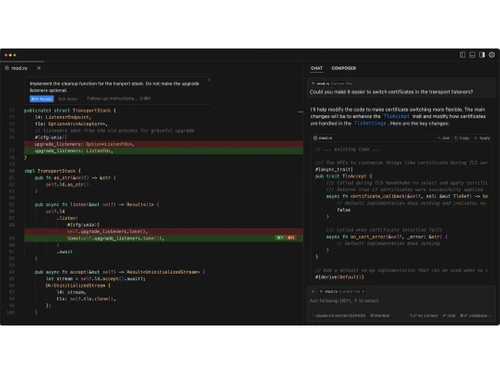
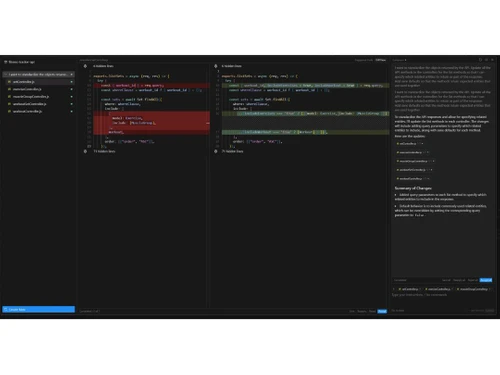
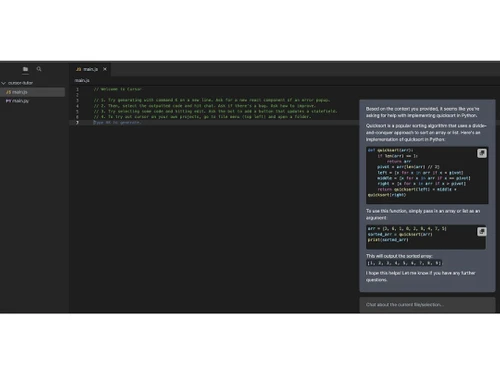
Cursor is an AI code generator designed to enhance developer productivity by integrating advanced tools like AI pair programming, context-aware code generation, and seamless team collaboration. It combines the familiarity of VS Code with smart features such as AI-driven autocomplete, error detection, and codebase-aware suggestions.  

Ideal for developers and engineering teams, it streamlines workflows by automating repetitive tasks and improving code quality. The platform emphasizes privacy, running AI locally when possible, and supports integrations with popular dev tools. 

Why People Choose Cursor AI Code Editor? 

  • AI-Powered Coding Efficiency: By incorporating context-aware AI, Cursor suggests the completion of code, fixes errors, and even generates whole functions, achieving a reduction in development time by 30-50% on repetitive tasks. 
  • VS Code Familiarity: AI chat, codebase-wide search, and refactoring tools are integrated along with the retention of VS Code’s interface, reducing the friction to use the software for existing users. 
  • Local AI for Privacy-Conscious Teams: Unlike tools that solely depend on the cloud, Cursor runs AI models locally when feasible, protecting proprietary code. Such tools aid enterprises that have strict data handling policies. 
  • Seamless Collaboration: Teams can share code snippets generated by AI, review edits provided by version tracking, and document projects, enabling new members to onboard more quickly. 
  • Debugging & Error Prevention: Beyond deployment costs, working using sophisticated explanations and optimization suggestions reduced the need for expensive fixes after deployment. The AI also flags potential bugs and provides explanations for complex code in plain English. 
  • Cross-Language Support: Adaptable with Python, Rust, Go, and JavaScript, and flexible enough to be used in full-stack, blockchain, or data science endeavours. 

Cursor Pricing 

The starting price of Cursor is $20/month. You can get in touch with Techjockey.com for more information about the software. 

Pricing Plans: 

  • Hobby: Free 
  • Pro: $20/month 
  • Business: $40/user/month 
Read more

Anysphere Company Details

Founded Year:  2022

Anysphere builds Artificial Intelligence tools and assistants to help humans.

Director/Founders Aman Sanger, Arvid Lunnemark, Michael Truell, Sualeh Asif
Company Size 1-100 Employees

Cursor Pricing & Plans

Pro
Starting at $20
    • Licenses

      Licenses
      Licenses
    • Monthly

      Monthly
      Monthly

Key Features

  • Unlimited completions

  • 500 fast premium requests per month

  • Unlimited slow premium requests

Business
Starting at $40
    • Licenses

      Licenses
      Licenses
    • Monthly

      Monthly
      Monthly

Key Features

  • Everything in Pro, plus

  • Enforce privacy mode org-wide

  • Centralized team billing

  • Admin dashboard with usage stats

  • SAML/OIDC SSO

Cursor Features

  • icon_check Natural Language Processing
    Update entire classes or functions using simple prompts, allowing for intuitive code modifications.
  • icon_check Context-Aware Suggestions
    Cursor indexes your codebase, enabling it to provide relevant and accurate code completions based on your project's context.
  • icon_check Tab Completion
    Predicts your next edit, streamlining the coding process by allowing you to accept suggestions with a simple tab key press.
  • icon_check Integration with Extensions
    Import your existing extensions, themes, and keybindings to maintain a familiar development environment.
  • icon_check Privacy Control
    Enable Privacy Mode to prevent remote code storage; SOC 2 certified for security.
  • icon_check Agent Mode
    Automates terminal tasks, error detection, and fixes to streamline development.
  • icon_check Multi-Line Edits
    Suggests edits that span multiple lines, saving time during code modifications.

Cursor Specifications

Supported Platforms
Ubuntu Ubuntu Windows Windows MacOS MacOS Linux Linux
Devices
Desktop Desktop
Deployment
Cloud-Based Cloud-Based
Suitable For
All Industries
Business Specific
All Businesses
Business Size
Small Business Startups Medium Business Enterprises
Customer Support
Email Communities
Language
English
Training Resources
Videos
AI Features
AI Integrated

Explore the Best Alternative Solutions Similar to Your Business Size and Needs

Cursor Review

4.2

Out of 5

img

Overall Rating

Based on
1 Verified Review

Rating Breakdown

  • Features 4
  • Value for Money 4.0
  • Ease of Use 4.6
  • Customer Support 4.0

88% Recommend this Product

Add Review

Cursor Video Review

youtubeVideoId

4.3

“Cursor AI Tutorial - My Personal Tips & Tricks”

Review by: CodeWithHarry

Compare Cursor With other AI Code Generators

Products
Ratings
Pricing
Device Supported
Deployment
Supported Platforms
  • img

    Cursor

  • 4.2

  • Price On Request

  • Desktop

    Mobile

  • Web based

    On Premises

  • Windows

    Mac OS

  • img

    Emergent

  • 3.9

  • Price On Request

  • Desktop

    Mobile

  • Web based

    On Premises

  • Windows

    Mac OS

  • img

    Deepcode AI

  • 4.1

  • Price On Request

  • Desktop

    Mobile

  • Web based

    On Premises

  • Windows

    Mac OS

  • img

    Lovable

  • 4.3

  • Price On Request

  • Desktop

    Mobile

  • Web based

    On Premises

  • Windows

    Mac OS

  • img

    CodeAnt AI

  • 4.4

  • Price On Request

  • Desktop

    Mobile

  • Web based

    On Premises

  • Windows

    Mac OS

  • img

    Anima

  • 4.3

  • ₹ 1999

  • Desktop

    Mobile

  • Web based

    On Premises

  • Windows

    Mac OS

  • img

    Codiga

  • 4.2

  • Price On Request

  • Desktop

    Mobile

  • Web based

    On Premises

  • Windows

    Mac OS

  • img

    BlackBox AI

  • 4.7

  • Price On Request

  • Desktop

    Mobile

  • Web based

    On Premises

  • Windows

    Mac OS

  • img

    Kodezi

  • 4.6

  • Price On Request

  • Desktop

    Mobile

  • Web based

    On Premises

  • Windows

    Mac OS

  • img

    ZZZ Code AI

  • 4.4

  • Price On Request

  • Desktop

    Mobile

  • Web based

    On Premises

  • Windows

    Mac OS

  • img

    AskCodi

  • 4.0

  • Price On Request

  • Desktop

    Mobile

  • Web based

    On Premises

  • Windows

    Mac OS

(0) Product(s) selected

Cursor Alternatives

See All Cursor Alternatives

Starting Price:

$20 /Month

Starting Price:

$25 /Month

Available

Price on Request

Starting Price:

$15 /Month

Available

Price on Request

Starting Price:

$19 /Month
Starting Price:

$10 /Month

Articles for Cursor

See All Related Articles

Who uses Cursor?

Cursor is used by Developers, engineering teams, startups, and more.

How much does Cursor cost?

The starting cost of Cursor is $20/month.

How does Cursor work?

Cursor is an AI-powered code editor that inspects your project to propose, write, and optimize code in real time, like having a pair programmer who knows your whole codebase.

Is Cursor safe to use?

Yes, Cursor is safe to use for developers as it prioritizes privacy.

Is there any mobile app for Cursor?

No, Cursor has no dedicated mobile app to improve the user experience.

Is Cursor free or paid?

Cursor is available for free with limited functionalities as well as paid plans with multiple functions & features.

20,000+ Software Listed

Best Price Guranteed

Free Expert Consultation

2M+ Happy Customers

Terms and Condtions

close

Users with registered businesses can purchase goods from merchants on the platform to satisfy their business needs. Users are not permitted to utilize any products acquired through the platform for resale, advertising, business, or further distribution.

For each purchase made, users will receive a Tax Invoice (or 'GST invoice') that includes specific details such as:

  • the GSTIN of the user associated with their registered business, and

  • the specified Entity Name for their business.

It should be noted that not all products are eligible for GST Invoice. Only the products displayed by participating sellers with the 'GST-based Invoice Available' callout on the product description page would qualify.

Certain goods and services are not eligible to get a GST Invoice, including items with VAS, i.e., Value Added Services (e.g., Total Mobile Protection/Assured Buyback) and those involving an exchange offer at the time of purchase.

Users must ensure the accuracy of the GSTIN, and business entity name provided for the GST Invoice. Requests for corrections into GST Invoice would not be accommodated by Techjockey.com or any Seller, and any issues arising from user-provided information are the sole responsibility of users.

Techjockey.com is not liable for the GST Invoice or any associated input tax credit. To efficiently claim an input tax credit, users should select the registered place of business address as per the GST authority's data and follow the provisions of the GST Act and rules.

To claim an input tax credit, the delivery and billing addresses must match. Furthermore, input tax credits will not be granted if the delivery address and GSTIN on the invoice are from different states. In case of incorrect GST details provided during the order placement, the order will be canceled automatically.