USA
USA UAE
UAESmall Business
Designed for startups and growing businesses


See More





Brand: GitHub
GitHub Copilot is an advanced AI code generator that empowers developers with intelligent code suggestions and automatic code completion, enhancing productivity and streamlining software development.
See MoreHave you used GitHub Copilot before?
Share your insights for better experience
Brand: GitHub
Founded Year: 2008
GitHub provides code hosting services that allow developers to build software for open-source and private projects in organizations.
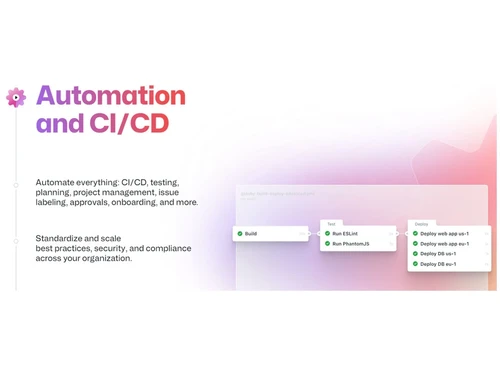
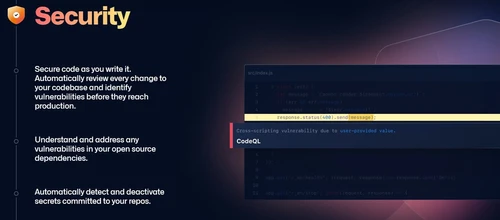
 Collaborative Coding Automation & CI/CD Security Client Apps Project Management Team Administration Community

Watch the demo video to explore key features, real workflows, and how the software fits your business needs.
 Ubuntu
  Windows
  MacOS
MacOS  Linux
Linux  Desktop
  Cloud-Based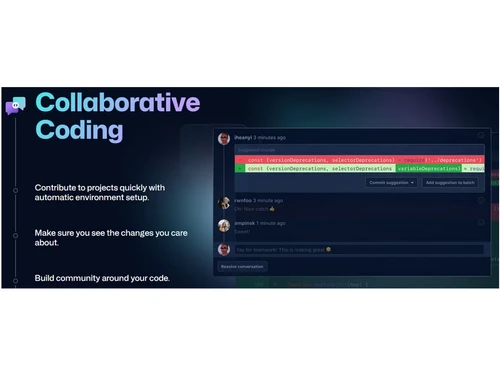
Small Business
Designed for startups and growing businesses
Medium Business
Built for business growth and flexibility
Enterprises
Designed for complex and large-scale business needs
4.4
Out of 5

Overall Rating
Based on
13 Verified Reviews
Rating Breakdown
88% Recommend this Product
Add ReviewUsers generally appreciate GitHub Copilot for its ability to enhance productivity, particularly in routine tasks and when learning new programming languages. Many find that it significantly reduces the time spent on boilerplate code and test writing. However, concerns arise regarding its effectiveness in team settings, especially with sensitive code, where suggestions may not always align with coding standards or licensing requirements. Additionally, some users note that suggestions can be generic or require careful review, particularly in complex projects.
Pros
"As a solo dev, Copilot accelerates my workflow a lot, suggestions, completions, trials are helpful."
"Copilot often suggests test cases, stubs, comments, even documentation snippets. That improves maintainability."
"Works smoothly in VS Code, IntelliJ, etc. Autocompletes, inline suggestions, makes refactoring easier."
Cons
"For team work, worry about code licensing, internal privacy, and consistency. Some team members dislike auto-suggested code."
"Sometimes suggested tests feel too generic or don’t cover edge-cases well. I still need to review thoroughly."
"Sometimes latency or lag, especially when internet connection is less stable."


May 30, 2025
Techjockey Verified
“Worth the Cost, If Used Smartly”
I evaluate cost vs benefit: Copilot cost is real, but for regular development work the speed gains, fewer repetitive tasks, and fewer errors often pay it back. If you code only occasionally, may feel less worth it.
Pros
The subscription is reasonable relative to the time saved. Over time, the productivity gains offset the cost. Copilot improves as it learns your style.
Cons
For small side projects or occasional coding, cost feels high; sometimes suggestions are wasteful and need pruning.
Reason to switch
I switched from those free/basic tools because their suggestions were too generic; Copilot offered smarter, more context-aware completions that improved my productivity enough to justify the cost.
Sep 15, 2025
Techjockey Verified
“Strong for Solo Developers, Mixed for Teams With Sensitive Code”
Working solo, I enjoy the speed-ups. But when collaborating, I have to ensure suggestions align with coding standards and license compliance. Sometimes that adds review overhead.
Pros
As a solo dev, Copilot accelerates my workflow a lot, suggestions, completions, trials are helpful.
Cons
For team work, worry about code licensing, internal privacy, and consistency. Some team members dislike auto-suggested code.
Reason to switch
I left a local model setup because it was harder to keep up with improvements; Copilot’s public cloud version gives more up-to-date features and better suggestions for most of my work, accepting the trade-off of needing more careful review.
Aug 28, 2025
Techjockey Verified
“Helps with Test Writing & Documentation”
I dread writing tests, but Copilot helps me get a head-start. It suggests common test setups, even error cases sometimes. Less boilerplate worry.
Pros
Copilot often suggests test cases, stubs, comments, even documentation snippets. That improves maintainability.
Cons
Sometimes suggested tests feel too generic or don’t cover edge-cases well. I still need to review thoroughly.
Reason to switch
I switched from relying only on helper scripts because Copilot gives more detailed suggestions and speeds up test coverage.

GitHub Copilot
Price On Request
Desktop
Mobile
Web based
On Premises
Windows
Mac OS

Emergent
Price On Request
Desktop
Mobile
Web based
On Premises
Windows
Mac OS

Deepcode AI
Price On Request
Desktop
Mobile
Web based
On Premises
Windows
Mac OS

Lovable
Price On Request
Desktop
Mobile
Web based
On Premises
Windows
Mac OS
CodeAnt AI
Price On Request
Desktop
Mobile
Web based
On Premises
Windows
Mac OS

Anima
₹ 1999
Desktop
Mobile
Web based
On Premises
Windows
Mac OS

BlackBox AI
Price On Request
Desktop
Mobile
Web based
On Premises
Windows
Mac OS

Kodezi
Price On Request
Desktop
Mobile
Web based
On Premises
Windows
Mac OS

Cursor
Price On Request
Desktop
Mobile
Web based
On Premises
Windows
Mac OS

ZZZ Code AI
Price On Request
Desktop
Mobile
Web based
On Premises
Windows
Mac OS

AskCodi
Price On Request
Desktop
Mobile
Web based
On Premises
Windows
Mac OS
(0) Product(s) selected
Starting Price:
$20 /Month
Available
Price on Request
Starting Price:
$25 /Month
Available
Price on Request
Starting Price:
$15 /Month

Available
Price on Request

Starting Price:
$20 /Month

Available
Price on Request

Starting Price:
$19 /Month

Starting Price:
$10 /Month

Starting Price:
€10 /Month
GitHub Copilot software is compatible with Windows and macOS operating systems.
The GitHub Copilot app is unavailable on Android and iOS devices.
GitHub Copilot system supports web-based deployment.
GitHub Copilot starts from $4 at techjockey.com.
GitHub Copilot can be used by programmers, software engineers, and developers seeking to boost productivity and streamline the coding process with the assistance of an advanced AI-powered code generator.
GitHub Copilot demo is available for free with techjockey.com.
GitHub Copilot Software does not offer a free trial.
GitHub Copilot is a web-based software. So, you need not download any software to use it.
GitHub Copilot is an AI-powered code generator that assists developers in writing code by providing suggestions and auto-completions. It analyzes existing codebases, documentation, and patterns to offer contextual recommendations, saving time and enhancing productivity.
Platforms supporting AI copilots for developers in 2025 are GitHub Copilot, Amazon CodeWhisperer, AskCodi and many more.
0 0
To ensure GitHub Copilot's features meet WCAG 2.2 AA standards, accessibility checks focus on the user interface and interactions within the supported IDEs, like Visual Studio Code. However, it's crucial to understand that AI-generated code is not guaranteed to be accessible and requires human review and testing.
0 0
Measure productivity lift from the September Copilot update by tracking usage analytics, time saved, and user feedback, while enforcing DLP policies, sensitivity labels, and audit logs to protect sensitive data in AI-generated content.
0 0
AI-powered assistants like GitHub Copilot and Microsoft Copilot are made to enhance productivity. But the main difference between them is that Microsoft Copilot is intended for general office tasks across the Microsoft 365 suite, such as making presentations, summarizing documents and writing emails, whereas GitHub Copilot is intended to help developers code by offering code snippets and improvements within their IDEs like Visual Studio Code.
1 0
To trigger a Copilot suggestion in GitHub:
0 0
20,000+ Software Listed
Best Price Guranteed
Free Expert Consultation
2M+ Happy Customers
Terms and Condtions

Users with registered businesses can purchase goods from merchants on the platform to satisfy their business needs. Users are not permitted to utilize any products acquired through the platform for resale, advertising, business, or further distribution.
For each purchase made, users will receive a Tax Invoice (or 'GST invoice') that includes specific details such as:
the GSTIN of the user associated with their registered business, and
the specified Entity Name for their business.
It should be noted that not all products are eligible for GST Invoice. Only the products displayed by participating sellers with the 'GST-based Invoice Available' callout on the product description page would qualify.
Certain goods and services are not eligible to get a GST Invoice, including items with VAS, i.e., Value Added Services (e.g., Total Mobile Protection/Assured Buyback) and those involving an exchange offer at the time of purchase.
Users must ensure the accuracy of the GSTIN, and business entity name provided for the GST Invoice. Requests for corrections into GST Invoice would not be accommodated by Techjockey.com or any Seller, and any issues arising from user-provided information are the sole responsibility of users.
Techjockey.com is not liable for the GST Invoice or any associated input tax credit. To efficiently claim an input tax credit, users should select the registered place of business address as per the GST authority's data and follow the provisions of the GST Act and rules.
To claim an input tax credit, the delivery and billing addresses must match. Furthermore, input tax credits will not be granted if the delivery address and GSTIN on the invoice are from different states. In case of incorrect GST details provided during the order placement, the order will be canceled automatically.